
Introducció
Welcome to the world of space exploration with Charlie The Astronaut! This manual provides essential information for setting up, operating, and maintaining your Xtrem Bots Charlie robot. Please read these instructions carefully before use to ensure proper function and safety.
Informació de seguretat
- ADVERTIMENT: No apte per a nens menors de 3 anys a causa de les peces petites.
- Recomanat per a majors de 6 anys.
- Superviseu sempre els nens durant el joc.
- No barregeu piles velles i noves. No barregeu piles alcalines, estàndard (carboni-zinc) o recarregables (níquel-cadmi).
- Remove batteries if the robot will not be used for an extended period.
- Elimineu les bateries de manera responsable.
Contingut del paquet
Assegureu-vos que tots els elements siguin presents al paquet:
- 1 x Charlie The Astronaut Robot
- 1 x Manual d'instruccions (aquest document)
- Additional accessories (if applicable, check packaging)
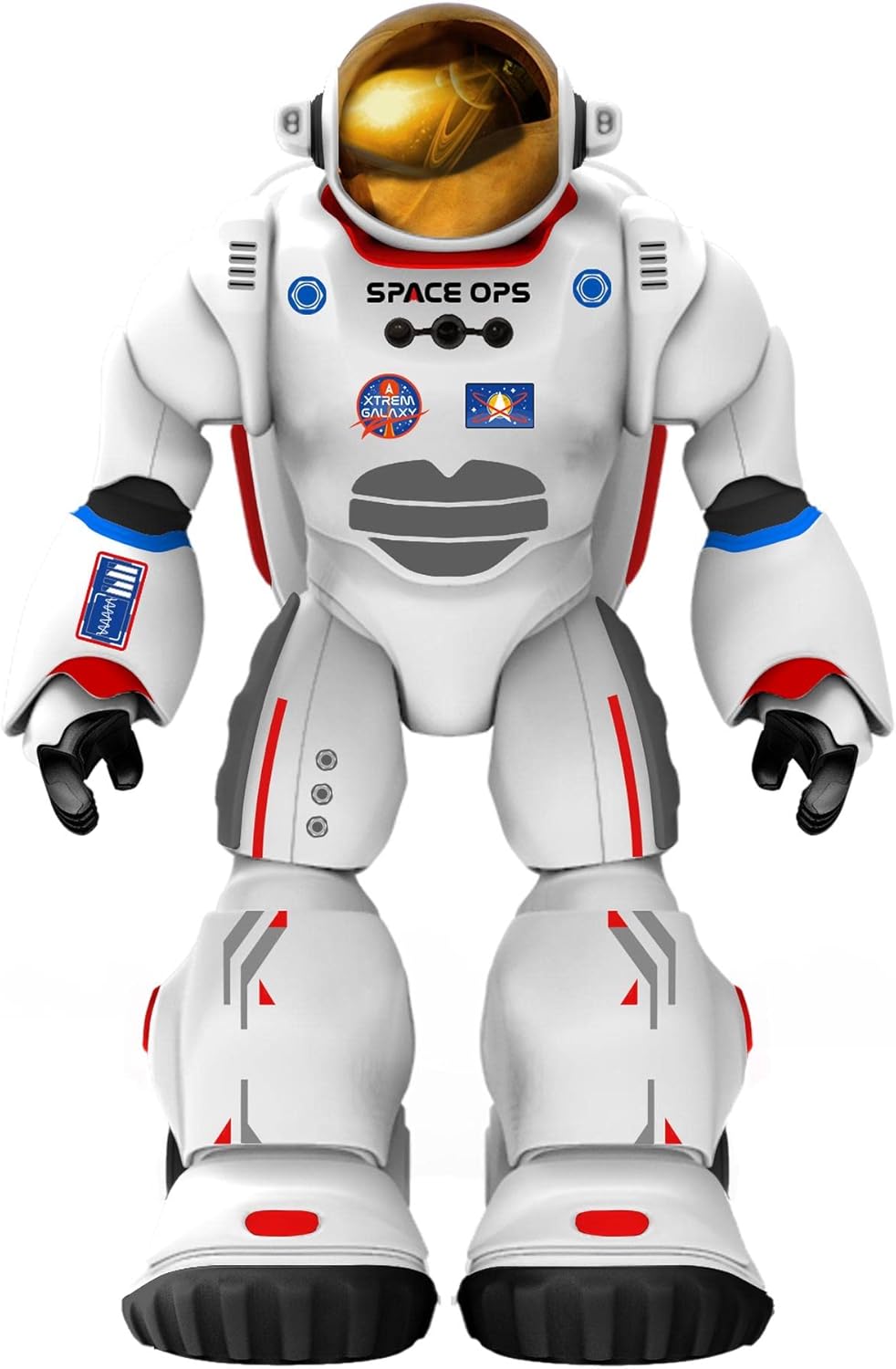
Imatge 1: Frontal view of Charlie The Astronaut robot, showcasing its white astronaut suit with red and blue accents, a gold visor, and "SPACE OPS" branding.
Configuració
1. Instal·lació de la bateria
Charlie The Astronaut requires 3 x AA 1.5V batteries (not included).
- Localitzeu el compartiment de la bateria a la part posterior del robot.
- Amb un tornavís, obriu la tapa del compartiment de la bateria.
- Insert 3 AA 1.5V batteries, ensuring correct polarity (+/-).
- Substituïu la tapa del compartiment de la bateria i fixeu-la amb el cargol.

Imatge 2: Lateral view of Charlie The Astronaut robot, showing its profile and the details of its suit.
2. Instal·lació i connexió de l'aplicació
To unlock Charlie's full potential, download the official Xtrem Bots app on your mobile device.
- Cerca "Xtrem Bots" in your device's app store (Google Play Store for Android or Apple App Store for iOS).
- Baixeu i instal·leu l'aplicació.
- Turn on Charlie The Astronaut by pressing the power button (location may vary, refer to robot for specific button).
- Activa el Bluetooth al teu dispositiu mòbil.
- Open the Xtrem Bots app and follow the on-screen instructions to connect to Charlie via Bluetooth.
Instruccions de funcionament
Charlie The Astronaut offers over 200 actions and 20 functions, controllable through the dedicated app.
1. Mòdul de Programació
Use the programming module within the app to create custom sequences of actions for Charlie.
- Open the app and navigate to the "Programming" section.
- Drag and drop action blocks to build your desired program.
- Execute the program to watch Charlie perform the programmed actions.
2. Remote Control System
Control Charlie's movements and actions in real-time using the app's remote control interface.
- Access the "Remote Control" section in the app.
- Use the on-screen joysticks and buttons to guide Charlie.
3. Smart Control (Hand Movements)
Charlie features advanced technology allowing control via hand gestures.
- Activate "Smart Control" mode in the app.
- Follow the app's instructions for specific hand gestures to control Charlie's movements.
4. Gyroscope Control
Control Charlie by tilting your mobile device.
- Enable "Gyroscope Control" in the app.
- Tilt your device forward, backward, left, or right to direct Charlie.
Spacepedia and Space Quiz
Discover the universe with Charlie's integrated "Spacepedia" and test your knowledge with the space quiz.
- Spacepedia: Access the "Spacepedia" section in the app to learn about the universe, solar system, space vehicles, and more.
- Space Quiz: Challenge yourself with over 300 questions in the space quiz module to test your astronomical knowledge.
Manteniment
- Neteja: Wipe the robot with a soft, dry cloth. Do not use harsh chemicals or immerse in water.
- Emmagatzematge: Store Charlie in a cool, dry place away from direct sunlight when not in use.
- Cura de la bateria: Remove batteries if the robot will be stored for an extended period to prevent leakage.
Resolució de problemes
| Problema | Causa possible | Solució |
|---|---|---|
| El robot no s'encén. | Les piles estan gastades o incorrectament inserides. | Replace batteries with new AA 1.5V batteries, ensuring correct polarity. |
| No es pot connectar a l'aplicació per Bluetooth. | Bluetooth is off on the device; robot is off; app is not updated. | Ensure Bluetooth is enabled on your mobile device. Turn the robot off and on again. Update the Xtrem Bots app to the latest version. |
| Robot is unresponsive or moves erratically. | Low battery power; interference; app glitch. | Replace batteries. Move away from other electronic devices that may cause interference. Restart the app and the robot. |
Especificacions
- Model: 3803085
- Marca: Xtrem Bots
- Dimensions: 4.72 x 10.83 x 13.78 polzades (12 x 27.5 x 35 cm)
- Alçada: 29 cm (aproximadament 11.4 polzades)
- Pes: 1.3 lliures (0.59 kg)
- Font d'alimentació: 3 piles AA de 1.5 V (no incloses)
- Connectivitat: Bluetooth
- Edat recomanada: 6 anys i més
- Material: Plàstic
Garantia i Suport
For warranty information and technical support, please refer to the official Xtrem Bots weblloc web o poseu-vos en contacte amb el seu servei d'atenció al client. Els termes específics de la garantia poden variar segons la regió i el distribuïdor.
Fabricant: BR Toys Limited
Per a més ajuda, visiteu: www.xtrembots.com