
JALL CH-07
JALL Colorful Digital Alarm Clock Radio
Model: CH-07
Introducció
Thank you for choosing the JALL Colorful Digital Alarm Clock Radio. This device combines a modern alarm clock with a vibrant RGB display, FM radio, and convenient USB charging capabilities. Its sleek mirror surface and intuitive controls make it a perfect addition to any bedroom or office. This manual provides detailed instructions to help you set up and operate your new clock radio effectively.

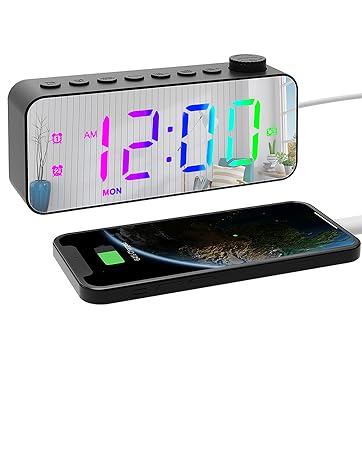
The JALL Colorful Digital Alarm Clock Radio, featuring a mirror surface and a USB charging port for smartphones.
Característiques clau

Un acabatview of the clock radio's main functions, including RGB changing display, FM radio, dual alarm, HD surface, USB charging, sleep timer, adjustable brightness and volume, and 9-minute snooze.
- Superfície del mirall: Features a high-definition mirror surface with a large, easy-to-read digital display. It can also function as a makeup mirror and is designed for easy cleaning.
- RGB Color Changing Numbers: Offers 8 display modes including solid colors (white, red, green, blue) and various gradient effects (gradient, magic color, left and right gradient, up and down gradient).
- Dual Alarms and Various Wake-Up Sounds: Supports two independent alarms with settings for weekends, weekdays, or 7-day modes. Choose from 8 wake-up sounds (beep, ring bell, cheerful music, piano, wind chime, bird song, insect chirping, soft music). Alarm volume is adjustable across 16 levels and gradually increases.
- FM Radio and Sleep Timer: Includes an FM radio with multiple channels and a sleep timer function (10-120/180/240 minutes) to fall asleep to your favorite radio programs.
- Easy To Use and Integrated USB Port: Designed for simple operation. Features an integrated USB port for convenient smartphone charging.
Què hi ha a la caixa
- JALL Colorful Digital Alarm Clock Radio
- Adaptador d'alimentació
- Manual del propietari
Guia de configuració
1. Connexió d'alimentació
Connect the provided power adapter to the DC 5V input port on the back of the clock radio and plug it into a standard wall outlet. The display will light up, indicating the device is powered on.
2. Battery Backup (Not for Operation)
The clock radio supports a battery backup (batteries not included) to preserve time settings and alarm configurations during a power outage. This feature does not power the display or functions during an outage but ensures settings are retained when power is restored.
posterior view of the clock radio, highlighting the power input and USB charging port.
Instruccions de funcionament
1. Configuració de l'hora i la data
Locate the 'TIME SET' button (often combined with 'DIMMER'). Press and hold this button to enter time setting mode. Use the rotary knob or '+' / '-' buttons to adjust hours, minutes, and then the year, month, and day. Press 'TIME SET' again to confirm each setting and move to the next, or to exit the setting mode.
2. Configuració d'alarmes (alarmes duals)

Visual representation of the dual alarm functionality, including weekend/weekday/7-day modes, 8 wake-up sounds, 16 alarm volume levels, and 9-minute snooze.
- Set Alarm 1/2: Press the 'ALARM 1' or 'ALARM 2' button. The alarm time will flash. Use the rotary knob or '+' / '-' buttons to set the desired alarm time (hours and minutes). Press the alarm button again to confirm.
- Select Alarm Mode: After setting the time, press the alarm button repeatedly to cycle through alarm modes: Weekend (Sat-Sun), Weekday (Mon-Fri), or 7-Day (Mon-Sun).
- Choose Wake-Up Sound: Press the 'SOUND' button (or similar) to select from the 8 available wake-up sounds.
- Adjust Alarm Volume: Use the 'VOL +/-' buttons or rotary knob to set the alarm volume (1-16 levels).
- Activa / desactiva l'alarma: Press the 'ALARM 1' or 'ALARM 2' button briefly to toggle the alarm on or off. An alarm icon will appear/disappear on the display.
- Funció de posposar: When the alarm sounds, press the 'SNOOZE' button to temporarily silence it for 9 minutes.
- Atura l'alarma: To turn off the alarm completely, press any button other than 'SNOOZE'.
3. Adjusting Display Brightness and Color

Illustration of the 5 levels of screen brightness, adjustable from 0 to 100%, with the lowest setting capable of turning off the display.

Visual guide to the 8 different RGB display modes available for the clock's numbers.
- Brillantor: Press the 'DIMMER' button (or similar) to cycle through 5 levels of screen brightness. The lowest level can completely turn off the display.
- Modes de color: Press the 'COLORS' button to switch between the 8 available RGB display modes.
4. Funcionament de la ràdio FM
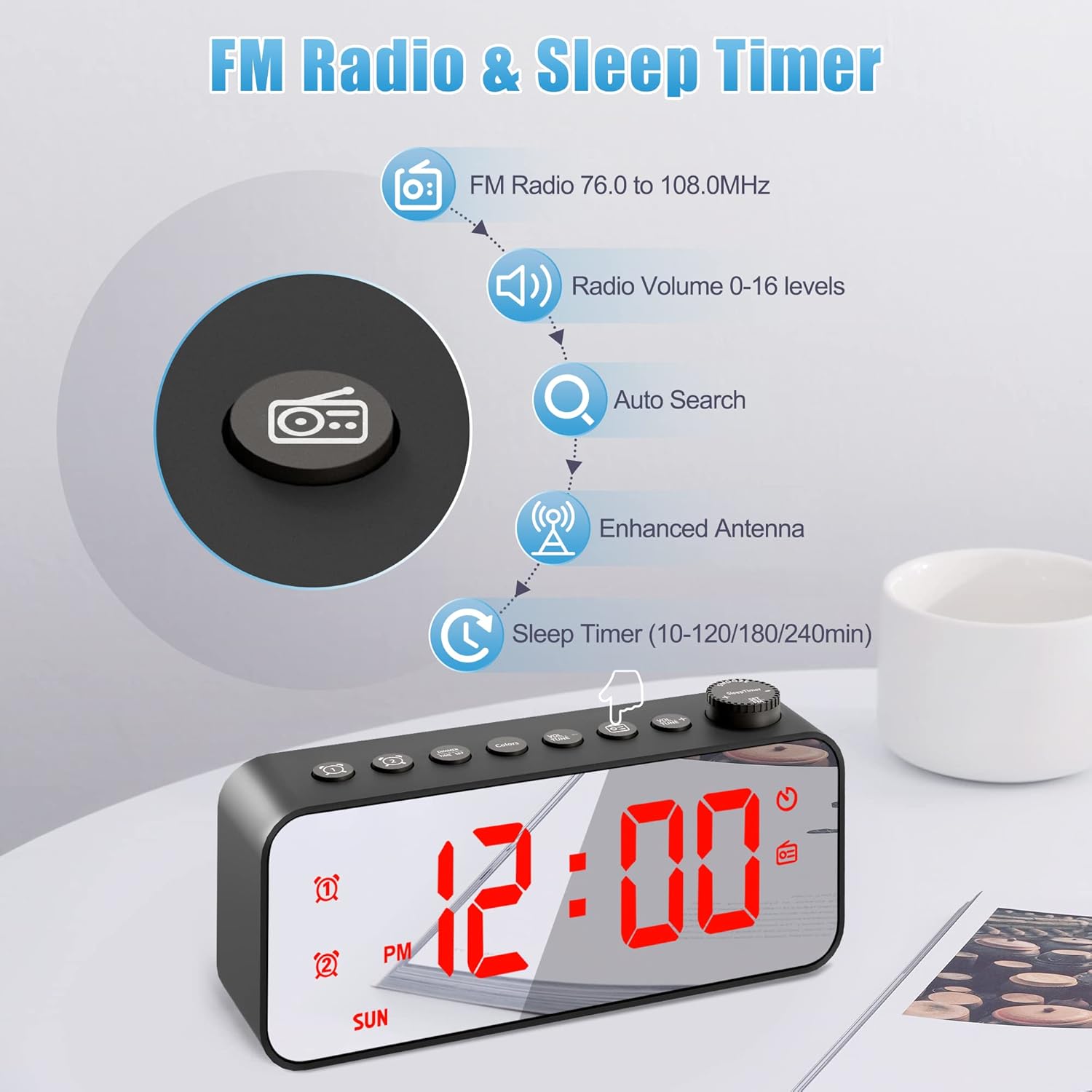
Details on FM radio functionality (76.0 to 108.0MHz, 0-16 volume levels, auto search, enhanced antenna) and sleep timer options.
- Turn On/Off Radio: Press the 'FM' button to turn the radio on or off.
- Cerca automàtica: Press and hold the 'FM' button to automatically scan and save available FM stations.
- Emissores de sintonització: Use the rotary knob or '+' / '-' buttons to manually tune to a specific frequency or navigate through saved stations.
- Ajustar el volum: Use the 'VOL +/-' buttons or rotary knob to adjust the radio volume (0-16 levels).
5. Temporitzador de son
While the FM radio is playing, press the 'SLEEP TIMER' button repeatedly to set a sleep timer duration (e.g., 10, 120, 180, 240 minutes). The radio will automatically turn off after the selected time.
6. Port de càrrega USB

Close-up of the clock radio's side, illustrating the USB charging port for external devices.
Connect your smartphone or other electronic devices to the integrated USB charging port on the side of the clock radio to charge them. This port provides 5V output.
A dalt view of the JALL clock radio, showing the layout of control buttons and the rotary knob.
Manteniment
- Neteja: To clean the mirror surface and body, gently wipe with a soft, dry, or slightly damp tela. Eviteu utilitzar netejadors abrasius o dissolvents.
- Emmagatzematge: If storing the device for an extended period, disconnect it from power and ensure it is clean and dry.
Resolució de problemes
| Problema | Causa possible | Solució |
|---|---|---|
| La pantalla està apagada o té poca llum. | Power adapter not connected; brightness set to lowest level. | Ensure power adapter is securely connected. Press the 'DIMMER' button to increase brightness. |
| L'alarma no sona. | Alarm not activated; alarm volume too low; incorrect alarm mode (e.g., set for weekday but it's weekend). | Check if the alarm icon is displayed. Increase alarm volume. Verify the alarm mode matches the current day. |
| Ràdio FM estàtica o mala recepció. | Weak signal; antenna not properly extended. | Adjust the position of the antenna wire for better reception. Try auto-searching for stations again. |
| La càrrega USB no funciona. | Device not powered; cable issue; device not compatible. | Ensure the clock radio is powered on. Try a different USB cable. Confirm your device is compatible with 5V USB charging. |
| Restabliment de l'hora/configuració després d'un apagadatage. | No battery backup installed or batteries depleted. | Install fresh backup batteries (if applicable) to retain settings during power interruptions. |
Especificacions
Detailed dimensions of the JALL Colorful Digital Alarm Clock Radio.
| Característica | Detall |
|---|---|
| Marca | JALL |
| Número de model | CH-07 |
| Color | Negre |
| Tipus de visualització | Digital |
| Font d'alimentació | Elèctric amb cable |
| Material | Polycarbonate (PC), Acrylonitrile Butadiene Styrene (ABS) |
| Dimensions del producte | 5.8 x 1.4 x 2.6 polzades |
| Pes de l'article | 5.4 unces |
| Rellotge despertador | Sí (alarmes duals) |
| Freqüència de ràdio FM | 76.0 a 108.0 MHz |
| Sortida de càrrega USB | 5V |
Garantia i Suport
JALL is committed to providing high-quality products. This product comes with a 365-Day warranty from the date of purchase when purchased through authorized channels. For any questions, technical support, or warranty claims, please contact JALL customer service through the retailer's platform or visit the official JALL brand store.
Per a més informació, visiteu el Botiga JALL a Amazon.
Documents relacionatsCH-07


Ask a question about this manual
Ask about setup, troubleshooting, compatibility, parts, safety, or missing instructions. Manuals+ will review the question and use this page’s manual context to help answer it.