
1. Introducció
Gràcies per la compraasing the Silverlit Ycoo Robo DR7 Robot. This remote-controlled robot is designed to provide an engaging and educational experience with its programmable actions, storytelling, and quiz game features. Please read this manual carefully before operating the robot to ensure proper use and to maximize your enjoyment.
2. Informació de seguretat
- No apte per a nens menors de 3 anys a causa de les peces petites.
- Es recomana la supervisió d'un adult durant el funcionament.
- Do not operate the robot near water or in wet conditions.
- Avoid dropping or subjecting the robot to strong impacts.
- Utilitzeu només els tipus de bateries recomanats.
- No barregeu piles velles i noves, o diferents tipus de piles.
- Remove batteries if the robot will not be used for an extended period.
3. Contingut del paquet
Si us plau, comproveu que tots els elements siguin presents al paquet:
- 1 x Ycoo Robo DR7 Robot
- 1 x comandament a distància
- 1 x Manual d'instruccions (aquest document)

Image: The Ycoo Robo DR7 Robot and its remote control displayed in the retail box.
4. Configuració
4.1. Battery Installation (Robot)
- Locate the battery compartment on the back or bottom of the Robo DR7.
- Feu servir un tornavís per obrir la tapa del compartiment de la bateria.
- Insert the required batteries (refer to the battery type and quantity indicated inside the compartment), ensuring correct polarity (+/-).
- Substituïu la tapa del compartiment de la bateria i fixeu-la amb el cargol.

Imatge: Lateral view of the Robo DR7, showing its wheels and general structure, where battery compartment might be located.
4.2. Instal·lació de la bateria (control remot)
- Localitzeu el compartiment de la bateria a la part posterior del comandament a distància.
- Feu servir un tornavís per obrir la tapa del compartiment de la bateria.
- Insert the required batteries (refer to the battery type and quantity indicated inside the compartment), ensuring correct polarity (+/-).
- Substituïu la tapa del compartiment de la bateria i fixeu-la amb el cargol.
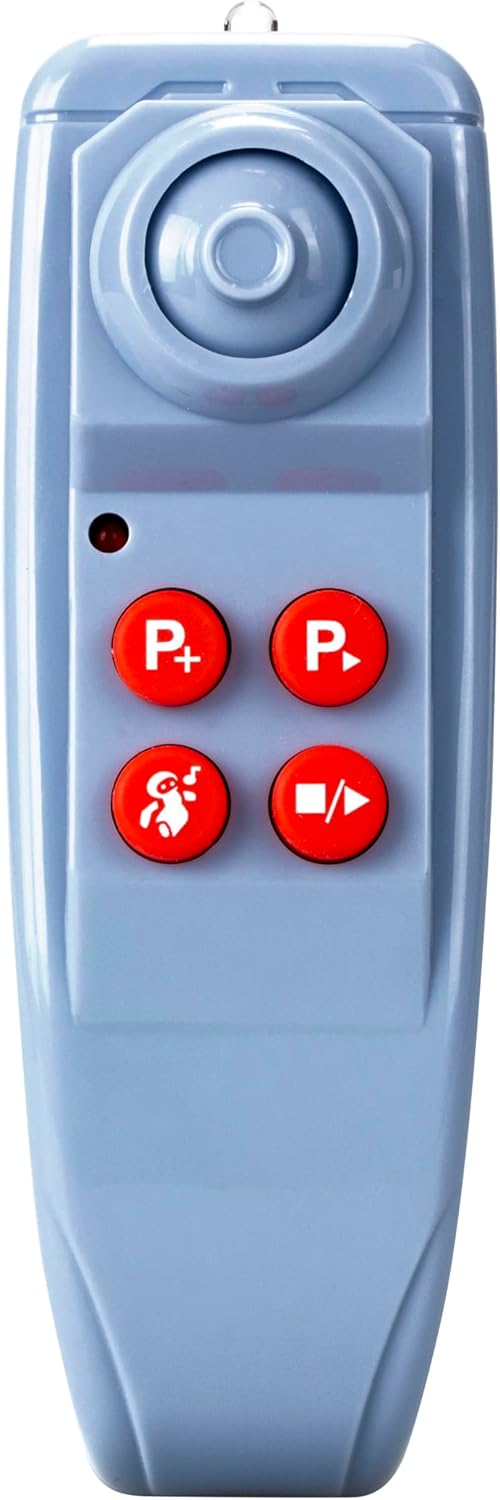
Image: Close-up of the remote control, highlighting its buttons and design, where the battery compartment is typically found.
4.3. Encès
After installing batteries in both the robot and the remote control, locate the power switch on the robot (usually on the back or bottom) and switch it to the 'ON' position. The robot will typically emit a sound or light up to indicate it is powered on and ready for connection.
5. Operating the Robo DR7
The Robo DR7 offers multiple interactive functions controlled via the remote.

Image: The Robo DR7 robot interacting with its remote control, illustrating the range of functions available.
5.1. Basic Movement
Use the directional buttons on the remote control to move the robot:
- Endavant: Press the 'Up' arrow button.
- Enrere: Press the 'Down' arrow button.
- Giri a l'esquerra: Press the 'Left' arrow button.
- Giri a la dreta: Press the 'Right' arrow button.
5.2. Programmable Actions
The Robo DR7 can be programmed with up to 60 steps. This allows you to create custom sequences of movements and actions.
- Press the 'P+' button on the remote to enter programming mode.
- Input your desired sequence of movements (forward, backward, turn left, turn right) and actions (e.g., sound effects) using the remote control buttons. Each button press counts as one step.
- Press the 'P-' button to save the program and exit programming mode.
- Press the 'Play' button (often indicated by a triangle icon) to execute the programmed sequence.
5.3. Storytelling Function
The robot comes pre-loaded with 10 stories. To activate this feature:
- Press the 'Story' button (often indicated by a book or speech bubble icon) on the remote control.
- The robot will begin to tell a story. Press the button again to cycle through the available stories.
5.4. Quiz Game
Engage in 20 math and logic questions with the Robo DR7.

Image: Two children engaging with the Robo DR7 robot, which displays a math question, demonstrating the interactive quiz feature.
- Press the 'Quiz' button (often indicated by a question mark or brain icon) on the remote control.
- The robot will ask a question.
- Use the number pad on the robot's chest to input your answer.
- Press the 'Enter' or 'Confirm' button (often a checkmark or similar icon) to submit your answer. The robot will provide feedback.
5.5. Sound and Light Effects
The Robo DR7 features various sound and light effects to enhance interaction.
- Press the 'Music' button (note icon) to play different melodies.
- Press the 'Sound Effect' button (speaker icon) for various robot sounds.
- The robot's eyes and chest panel will light up during operation and interaction.
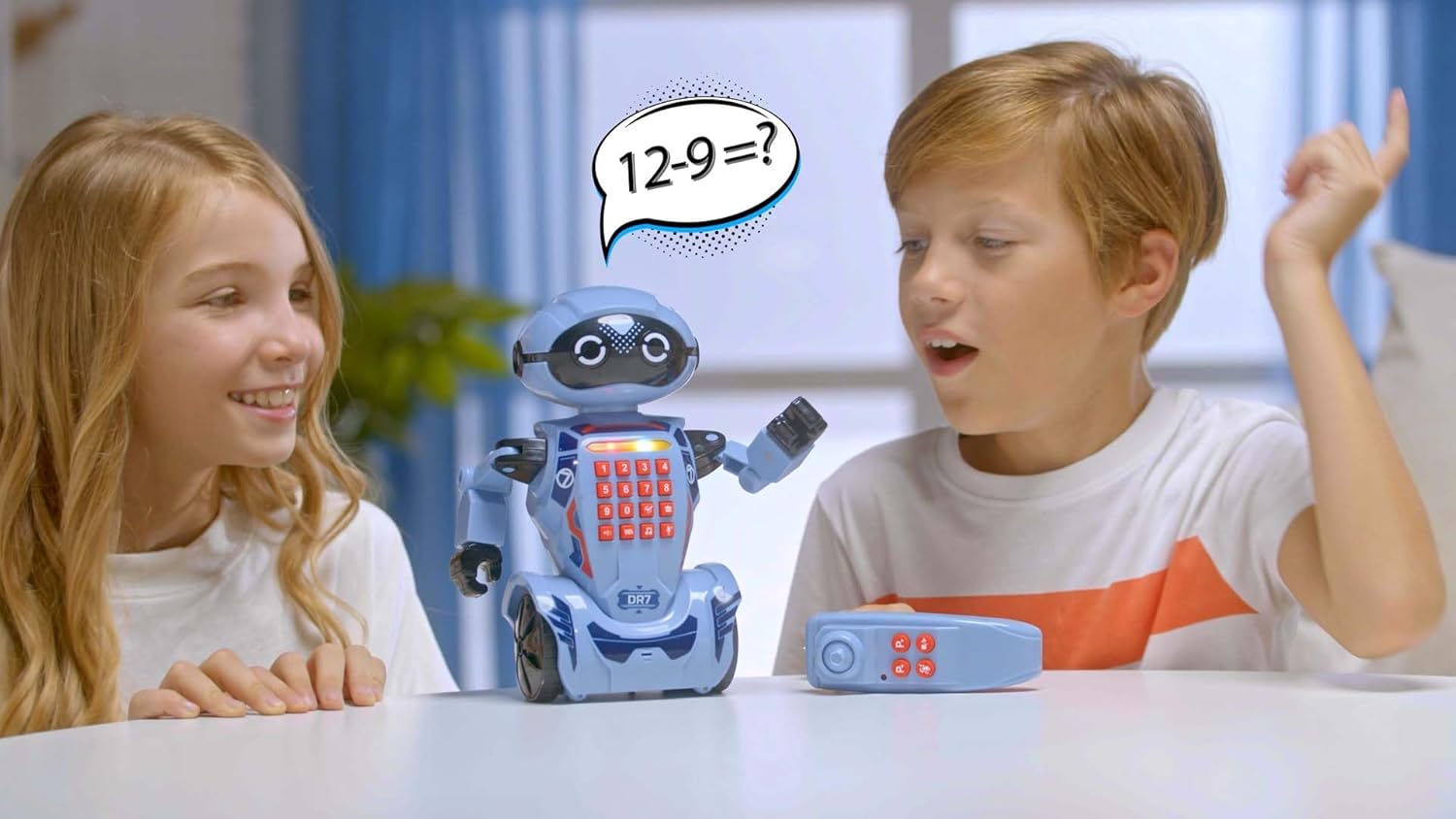
Image: A person's hands gently interacting with the Robo DR7 robot on a wooden surface, showcasing its size and design during play.
6. Manteniment
6.1. Neteja
To clean the robot, wipe it gently with a dry, soft cloth. Do not use water, solvents, or chemical cleaners, as these can damage the electronic components.
6.2. Cura de la bateria
- Always remove exhausted batteries promptly.
- Desfeu-vos de les piles de manera responsable d'acord amb la normativa local.
- If the robot will not be used for an extended period, remove all batteries to prevent leakage.
6.3. Emmagatzematge
Store the robot in a cool, dry place away from direct sunlight and extreme temperatures. Keep it in its original packaging or a protective container to prevent dust accumulation and damage.
7. Solució De Problemes
| Problema | Causa possible | Solució |
|---|---|---|
| El robot no s'encén. | Les bateries estan esgotades o instal·lades incorrectament. | Comproveu la polaritat de la bateria i substituïu-la per piles noves. |
| El comandament a distància no respon. | Remote control batteries are dead or incorrectly installed. Robot is out of range. | Check remote battery polarity and replace. Ensure robot is within operating range (typically 5-10 meters). |
| Robot moves erratically or stops. | Low robot batteries. Obstruction in wheels. | Replace robot batteries. Check wheels for hair or debris and clear them. |
| Sound or light effects are not working. | Low robot batteries. Software glitch. | Replace robot batteries. Try turning the robot off and on again. |
8. Especificacions
- Marca: Silverlit
- Nom del model: DR7
- Número de model: 88046
- Material: Plàstic
- Pes de l'article: 0.4 quilos
- Dimensions de l'article: 14.17 x 10.43 x 4.92 polzades
- Idioma: Anglès
- Característiques: Programmable (up to 60 steps), Storytelling (10 stories), Quiz Game (20 math & logic questions), Sound and Light Effects, Remote Control
- Muntatge requerit: No
9. Garantia i Suport
9.1. Informació de la garantia
Silverlit products are manufactured to high-quality standards. For specific warranty details, please refer to the warranty card included with your product or contact your local distributor. Keep your purchase receipt as proof of purchase.
9.2. Atenció al client
If you encounter any issues not covered in the troubleshooting section or require further assistance, please contact Silverlit customer support. Contact information can typically be found on the product packaging or the official Silverlit weblloc.