
1. Introducció
The SIIG Thunderbolt 4 Docking Station (Model: JU-DK0U11-S1) is designed to expand the connectivity of your laptop, providing a comprehensive workstation solution. This docking station offers 15 ports, enabling connections for multiple displays, peripherals, network, and power through a single Thunderbolt 4 cable. It supports high-speed data transfer and versatile display configurations for both Mac and Windows systems.

Image 1.1: SIIG Thunderbolt 4 Docking Station (JU-DK0U11-S1) overview.
2. Contingut del paquet
Verifiqueu que tots els elements siguin presents al vostre paquet:
- SIIG Thunderbolt 4 Docking Station (JU-DK0U11-S1)
- Adaptador de potència de 150W
- Cable Thunderbolt 4
- Manual d'usuari

Image 2.1: Contents included in the SIIG Thunderbolt 4 Docking Station package.
3. Producte acabatview
3.1 Ports del panell frontal
- 3.5mm Stereo Out: Per a auriculars o altaveus externs.
- SD 3.0 Card Slot: Supports SD 3.0 UHS-1 memory cards up to 2TB.
- USB-A 3.2 Gen 1 (5Gbps) Ports (x2): For connecting USB-A peripherals, supporting 5V/0.9A charging.
- Port Thunderbolt 4: For connecting Thunderbolt 4 devices or displays.
- Botó d'encesa: To turn the docking station on or off.

Imatge 3.1: Detallada view of the front panel ports.
3.2 Ports del panell posterior
- DC Power Jack (20V/7.5A): Connects to the included 150W power adapter.
- Thunderbolt 4 Port (Host PD 60W): Connects to your laptop via the Thunderbolt 4 cable, providing up to 60W power delivery.
- 3.5mm Mic In: Per connectar un micròfon extern.
- Micro SD (TF) 3.0 Card Slot: Supports Micro SD (TF) 3.0 UHS-1 memory cards up to 2TB.
- USB-A 2.0 (480Mbps) Ports (x2): For connecting USB-A peripherals, supporting 5V/1.5A charging.
- Port Gigabit Ethernet: Per a la connectivitat de xarxa amb cable.
- Sortida DisplayPort: Per connectar una pantalla externa.
- Sortida HDMI: Per connectar una pantalla externa.
- Thunderbolt 4 Ports (x2): For connecting additional Thunderbolt 4 devices or displays, providing 45W power delivery.

Imatge 3.2: Detallada view of the rear panel ports.
4. Instruccions de configuració
- Connectar l'alimentació: Plug the included 150W power adapter into the DC Power Jack on the rear of the docking station, then connect it to a power outlet.
- Connecta't al portàtil amfitrió: Use the provided Thunderbolt 4 cable to connect the Thunderbolt 4 Host port (60W PD) on the rear of the docking station to your laptop's Thunderbolt 4 or USB-C port.
- Encès: Press the power button on the front panel of the docking station. The power indicator LED should illuminate.
- Connecta les pantalles: Connect your monitors to the available DisplayPort, HDMI, and Thunderbolt 4 output ports on the docking station. Refer to the 'Display Configuration' section for supported setups.
- Connecteu els perifèrics: Connect your USB devices, Ethernet cable, and audio devices to the corresponding ports on the docking station.
5. Instruccions de funcionament
5.1 Configuració de la pantalla
The docking station supports various display setups, including single 8K or quad 4K displays, utilizing Thunderbolt 4 and DisplayLink technology. Ensure DisplayLink drivers are installed for optimal performance, especially for additional displays beyond native Thunderbolt outputs.
- Single Display Output: Supports up to 8K resolution.
- Sortida de pantalla dual: Supports up to 2x 4K resolution via two Thunderbolt 4 ports.
- Quad Display Output: Achieved by combining two Thunderbolt 4 ports with the DisplayPort and HDMI ports, enabling four 4K displays.

Imatge 5.1: Ex.ample of a quad display setup using the docking station.

Image 5.2: Display compatibility and resolution matrix for Windows and Mac M1/M2 systems.
5.2 Lliurament d'energia
The docking station provides power to your connected devices:
- Càrrega d'ordinador portàtil: Up to 60W Power Delivery (PD) to the host laptop via the Thunderbolt 4 host port.
- Ports Thunderbolt 4: Each of the three downstream Thunderbolt 4 ports provides up to 45W of power.
- Càrrega ràpida USB-A: Two USB-A 5Gbps ports support 5V/0.9A charging, and two USB-A 2.0 ports support 5V/1.5A charging.

Image 5.3: Power delivery capabilities of the docking station.
5.3 Transferència de dades
Experience high-speed data transfer for efficient workflow:
- Thunderbolt 4: Up to 40Gbps data transfer speed, 8 times faster than USB 3.0.
- USB-A 3.2 Gen 1: Up to 5Gbps data transfer speed.
- Memory Card Reader: Supports SD 3.0 UHS-1 and Micro SD (TF) 3.0 UHS-1 with data transfer rates up to 104MB/s.
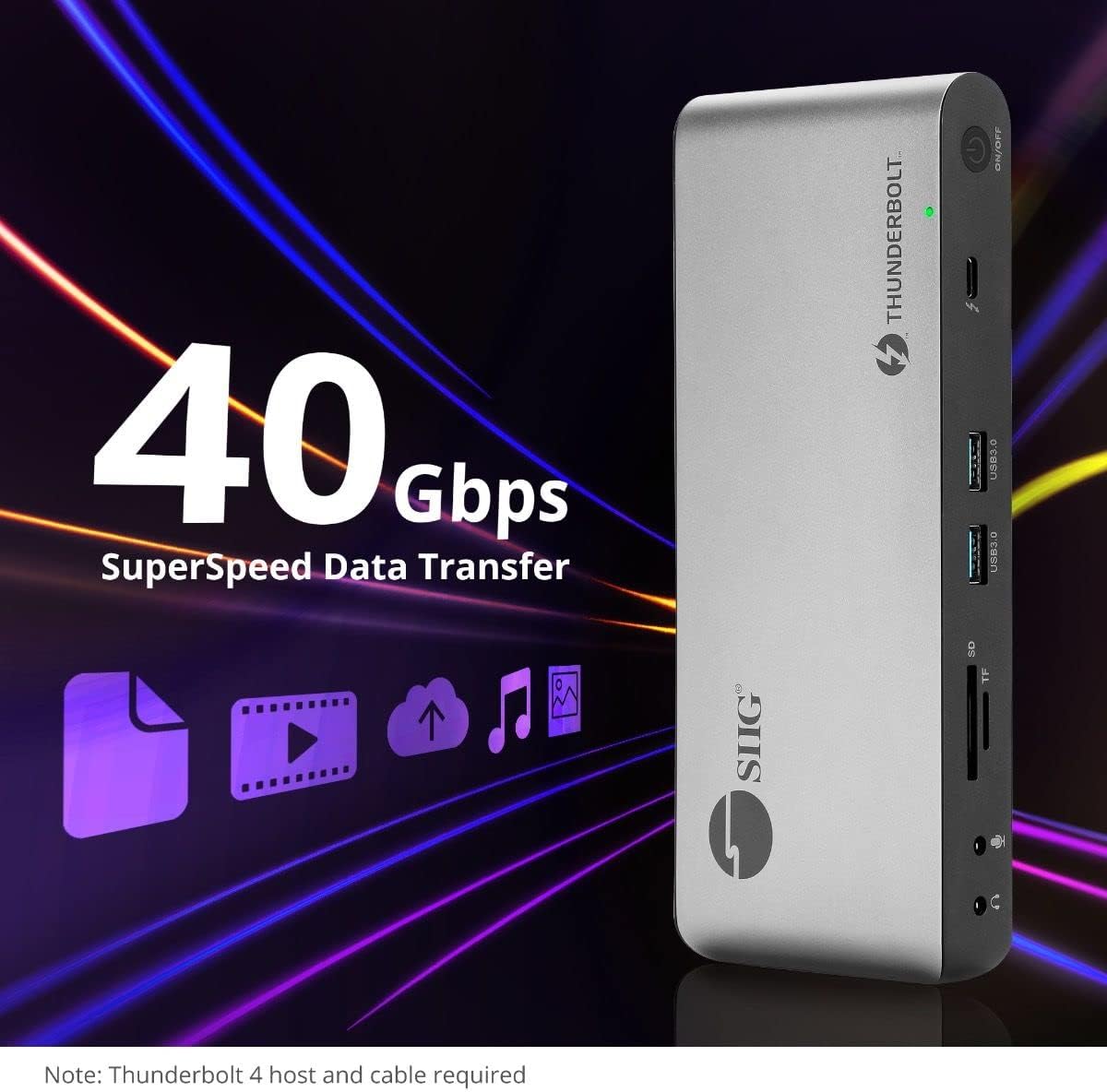
Image 5.4: High-speed data transfer capabilities.
6. Compatibilitat
The SIIG Thunderbolt 4 Docking Station is broadly compatible with various systems:
- Sistemes operatius: Mac M1/M2/M3 Pro & Max, Intel chip Macs, Windows PCs (Intel/AMD/Snapdragon), and Chromebooks.
- Compatibilitat enrere: Fully compatible with Thunderbolt 3, USB4, and USB-C equipped computers.
7. Manteniment
Per garantir la longevitat i el rendiment òptim de la vostra estació d'acoblament, seguiu aquestes pautes de manteniment:
- Neteja: Feu servir un drap suau i sec per netejar l'exterior del dispositiu. Eviteu netejadors líquids o dissolvents.
- Ventilació: Assegureu-vos que l'estació d'acoblament estigui col·locada en una zona ben ventilada per evitar el sobreescalfament. No bloquegeu cap obertura de ventilació.
- Emmagatzematge: Guardeu el dispositiu en un lloc fresc i sec, allunyat de la llum solar directa i de temperatures extremes.
- Manipulació: Eviteu deixar caure o sotmetre el dispositiu a forts impactes.
8. Solució De Problemes
If you encounter issues with your SIIG Thunderbolt 4 Docking Station, refer to the following common problems and solutions:
- Sense energia:
- Assegureu-vos que l'adaptador de corrent estigui connectat correctament tant a l'estació d'acoblament com a una presa de corrent que funcioni.
- Verify the power button on the docking station is pressed and the power indicator LED is on.
- Problemes de pantalla (sense senyal/resolució incorrecta):
- Check all display cables (HDMI, DisplayPort, Thunderbolt) are securely connected to both the docking station and the monitors.
- Ensure your laptop's display settings are configured correctly to detect and extend/mirror displays.
- For multi-display setups, especially beyond two monitors, ensure DisplayLink drivers are installed and up to date on your operating system.
- Verify your monitors support the selected resolution and refresh rate.
- Perifèrics no detectats:
- Ensure USB devices are properly connected to the docking station's USB ports.
- Try connecting the peripheral directly to your laptop to confirm it is functional.
- Restart the docking station and your laptop.
- Sobreescalfament:
- Ensure the docking station is placed in an area with adequate airflow and not covered.
- Reduce the number of high-power devices connected if possible, or consider using a cooling pad if persistent.
- Transferència lenta de dades:
- Ensure you are using Thunderbolt 4 certified cables for Thunderbolt connections.
- Verify the connected device supports the expected transfer speeds.
9. Especificacions
| Característica | Detall |
|---|---|
| Número de model | JU-DK0U11-S1 |
| Dimensions del producte | 3.27 x 7.8 x 1.14 polzades |
| Pes de l'article | 15.4 unces (0.96 lliures) |
| Ports totals | 15 (including 7 USB ports) |
| Connexió de l’amfitrió | Thunderbolt 4 (USB-C) |
| Sortides de vídeo | 1x HDMI, 1x DisplayPort, 3x Thunderbolt 4 (USB-C) |
| Resolució màxima de pantalla | Single 8K@30Hz, Quad 4K@60Hz |
| Lliurament d'energia (amfitrió) | Fins a 60 W |
| Power Delivery (Downstream TB4) | Fins a 45 W per port |
| Velocitat de transferència de dades | Thunderbolt 4: 40Gbps, USB-A 5Gbps: 5Gbps |
| Ethernet | Gigabit Ethernet |
| Lector de targetes | SD 3.0 UHS-1, Micro SD (TF) 3.0 UHS-1 (up to 2TB) |
| Ports d'àudio | 3.5mm Stereo Out, 3.5mm Mic In |
| Sistema operatiu compatible | Mac M1/M2/M3 Pro & Max, Intel Macs, Windows, Chromebooks |
| Color | Negre |
| UPC | 662774045689 |
10. Garantia i Suport
SIIG products are designed for reliability and performance. For warranty information and technical support, please refer to the documentation included with your product or visit the official SIIG weblloc. Conserveu el rebut de compra per a reclamacions de garantia.