1. Introducció
Gràcies per la compraasing the LG UltraGear 24GN60R-B 24-inch FHD IPS 144Hz Gaming Monitor. This manual provides essential information for the safe and efficient use of your monitor. Please read it thoroughly before operating the product and retain it for future reference.
The LG UltraGear 24GN60R-B is designed to enhance your gaming experience with its 23.8-inch Full HD (1920 x 1080) IPS display, offering a 1ms response time and a 144Hz refresh rate. It supports HDR10 with sRGB 99% (Typ.) for vibrant colors and features AMD FreeSync Premium technology to minimize screen tearing and stuttering.
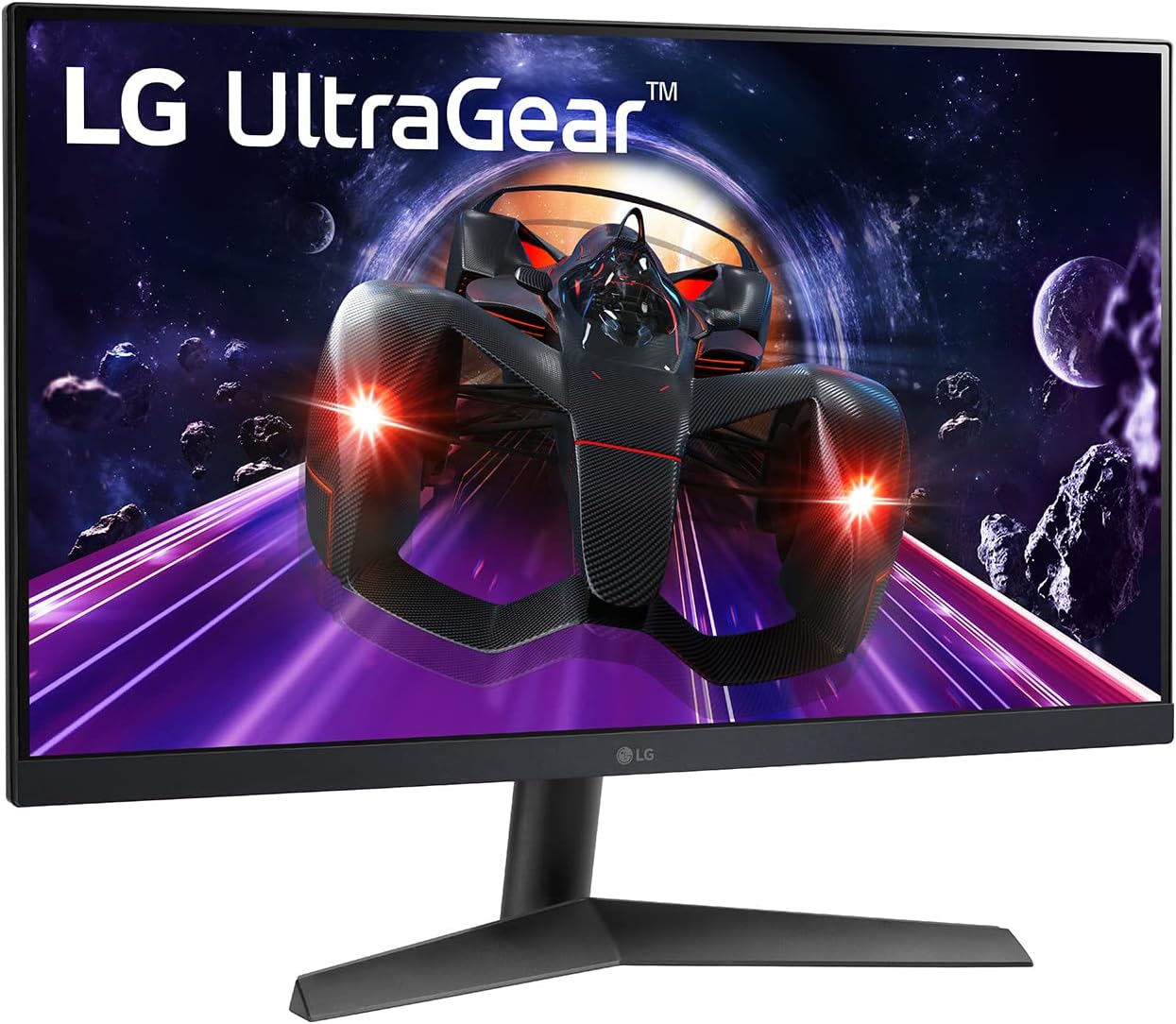
Figura 1: Frontal view of the LG UltraGear 24GN60R-B monitor.
2. Informació de seguretat
Please observe the following safety precautions to prevent damage to your monitor or injury to yourself.
- Potència: Use only the power cord and adapter supplied with the monitor. Do not overload power outlets.
- Ventilació: Assegureu-vos que hi hagi una ventilació adequada al voltant del monitor. No bloquegeu les obertures de ventilació.
- Líquid: Keep the monitor away from liquids. Do not spill any liquid into the monitor.
- Neteja: Unplug the monitor before cleaning. Use a soft, dry cloth. Do not use liquid or aerosol cleaners.
- Ubicació: Col·loqueu el monitor sobre una superfície estable i plana. Eviteu la llum solar directa, fonts de calor i l'excés de pols.
- Manteniment: No intenteu fer la reparació del monitor vosaltres mateixos. Envieu totes les tasques de manteniment a personal de servei qualificat.
3. Contingut del paquet
Verifiqueu que tots els articles siguin presents a la caixa del producte. Si falta algun article, poseu-vos en contacte amb el vostre distribuïdor.
- LG UltraGear 24GN60R-B Monitor
- Base de peu
- Coll de peu
- Adaptador d'alimentació
- Cable d'alimentació
- Cable HDMI
- Cable DisplayPort
- Manual d'usuari (aquest document)
4. Configuració
4.1 Muntatge del suport
- Col·loqueu el monitor cara avall sobre una superfície suau i neta per evitar ratllades.
- Fixeu el coll del suport a la part posterior del monitor. Assegureu-vos que encaixi correctament al seu lloc amb un clic.
- Attach the stand base to the bottom of the stand neck. Tighten the screw on the underside of the base to secure it.

Figura 2: posterior view of the monitor with stand assembly.
4.2 Cables de connexió
Before connecting any cables, ensure the monitor and your computer are powered off.
- Connexió d'alimentació: Connect the power adapter to the monitor's DC-IN port, then plug the power cord into the adapter and a wall outlet.
- Connexió de vídeo: Connect one end of the HDMI or DisplayPort cable to the corresponding port on your computer's graphics card and the other end to the HDMI or DP-IN port on the monitor. For optimal performance, use the DisplayPort connection to achieve 144Hz refresh rate.
- Connexió d'àudio (opcional): If you wish to use external speakers or headphones, connect them to the HP/Audio Out port on the monitor.

Figure 3: Monitor port panel for connections.
4.3 Ajust del monitor
The monitor's stand allows for tilt adjustment. Gently hold the top and bottom edges of the monitor and tilt it to your desired viewing angle. The tilt range is typically -5° to 15°.
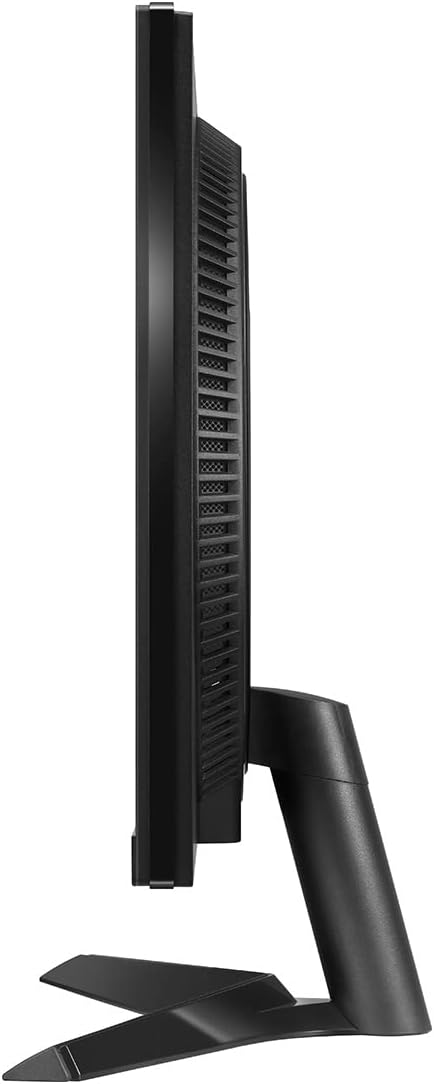
Figura 4: lateral view of the monitor, showing tilt capability.
5. Funcionament del monitor
5.1 Encès/Apagat
Press the joystick button located at the bottom center of the monitor to turn it on. Press and hold the joystick button for a few seconds to turn it off.
5.2 Basic Controls (Joystick Button)
The joystick button serves multiple functions:
- Premsa: Power On/Off, Access OSD Menu.
- Amunt avall: Navigate menu options, adjust volume (when OSD is not active).
- Esquerra/Dreta: Navigate menu options, change input source (when OSD is not active).
5.3 Característiques clau
- Freqüència de refresc de 144 Hz: Provides smoother motion and reduced input lag for gaming. Ensure your graphics card and connection cable (DisplayPort recommended) support this refresh rate.
- 1ms IPS Response Time: Minimizes motion blur and ghosting for fast-paced action.
- Suport HDR10: Delivers dynamic contrast and high-fidelity color for a more immersive visual experience.
- AMD FreeSync Premium: Synchronizes the monitor's refresh rate with your AMD graphics card's frame rate to eliminate screen tearing and stuttering. Enable this feature in your graphics card settings.
6. Menú de visualització en pantalla (OSD).
The OSD menu allows you to adjust various monitor settings. To access the OSD menu, press the joystick button when the monitor is on.
6.1 Navigating the OSD
- Moveu el joystick Amunt/Abaix/Esquerra/Dreta per navegar per les opcions del menú.
- Press the joystick in per seleccionar una opció o confirmar una configuració.
- Moveu el joystick Esquerra to go back to the previous menu or exit the OSD.
6.2 Configuració comuna de l'OSD
- Mode de joc: Select various gaming presets (e.g., Gamer 1, FPS, RTS) or customize your own.
- Imatge: Adjust Brightness, Contrast, Sharpness, Gamma, Color Temperature, and Black Stabilizer.
- Entrada: Manually select the input source (HDMI1, HDMI2, DisplayPort).
- General: Configure Language, OSD Lock, Power LED, and perform a Factory Reset.
7. Manteniment
7.1 Neteja del monitor
- Desendolleu sempre el monitor de la presa de corrent abans de netejar-lo.
- Feu servir un drap suau i sense borrissol per netejar suaument la pantalla. Per a marques difícils, fregueu suaument.ampen the cloth with water or a specialized screen cleaner (ensure it's alcohol-free and ammonia-free).
- Netegeu l'exterior casing with a soft, dry cloth. Avoid abrasive materials or strong chemical cleaners.
7.2 Emmagatzematge
Si guardeu el monitor durant un període prolongat, desconnecteu tots els cables, emboliqueu-lo a l'embalatge original (si n'hi ha) i guardeu-lo en un lloc fresc i sec, allunyat de la llum solar directa i de temperatures extremes.
8. Solució De Problemes
If you encounter issues with your monitor, refer to the following troubleshooting guide.
| Problema | Causa possible | Solució |
|---|---|---|
| Sense alimentació / LED d'alimentació apagat | Power cord not connected; Power outlet faulty; Monitor off. | Check power cord connections; Try a different outlet; Press the joystick button to turn on the monitor. |
| No signal / Screen blank | Video cable not connected; Incorrect input source selected; Computer in sleep mode. | Ensure video cable (HDMI/DP) is securely connected; Select correct input source via OSD; Wake up computer. |
| Image flickering / Distorted | Cable issue; Graphics card driver outdated; Refresh rate mismatch. | Try a different video cable; Update graphics card drivers; Ensure refresh rate is set correctly in OS display settings. |
| Dead pixels or stuck pixels | Manufacturing defect; Normal panel characteristic. | Refer to LG's pixel policy for warranty coverage. Small numbers of dead/stuck pixels may be considered normal. |
| No sound from headphones/speakers | Cable d'àudio no connectat; Volum massa baix; Sortida d'àudio incorrecta seleccionada a l'ordinador. | Check audio cable connection; Adjust monitor/PC volume; Select monitor as audio output device in PC settings. |
Si el problema persisteix després de provar aquestes solucions, poseu-vos en contacte amb el servei d'atenció al client de LG.
9. Especificacions
| Característica | Especificació |
|---|---|
| Nom del model | 24GN60R-B |
| Mida de la pantalla | 24 polzades (23.8 polzades viewcapaç) |
| Tipus de panell | IPS |
| Resolució | 1920 x 1080 (FHD) |
| Relació d'aspecte | 16:9 |
| Freqüència d'actualització | 144 Hz |
| Temps de resposta | 1 ms (GtG) |
| Brillo (típic) | 300 cd/m² |
| Suport HDR | HDR10 |
| Gamma de colors | sRGB 99% (típic) |
| Sincronització adaptativa | AMD FreeSync Premium |
| Connectivitat | 2 x HDMI, 1 x DisplayPort, 1 x Sortida d'auriculars |
| Dimensions (amb suport) | 21.29 x 12.75 x 1.69 inches (W x H x D) - Note: Product dimensions from source are 1.69 x 21.29 x 12.75 inches, assuming depth x width x height. Reordered for clarity. |
| Pes (amb suport) | 8.67 lliures |
10. Garantia i Suport
10.1 Informació de la garantia
Your LG UltraGear 24GN60R-B monitor comes with a limited warranty. Please refer to the warranty card included in your product packaging or visit the official LG weblloc web per obtenir termes i condicions detallats, inclosa la durada de la garantia i els detalls de la cobertura.
10.2 Atenció al client
For technical assistance, troubleshooting beyond this manual, or warranty claims, please contact LG Customer Support. You can find contact information and support resources on the official LG weblloc:
Visita el servei d'assistència de LG Weblloc
When contacting support, please have your monitor's model number (24GN60R-B) and serial number ready.