
OMOTON WK001
OMOTON Wireless Keyboard User Manual
Model: WK001
1. Introducció
Thank you for choosing the OMOTON Wireless Keyboard. This compact and quiet keyboard is designed for seamless connectivity with your laptop, tablet, computer, desktop, and PC via a 2.4G USB receiver. Its slim profile and ergonomic design ensure comfortable and efficient typing. This manual will guide you through the setup, operation, and maintenance of your new keyboard.

Figure 1.1: OMOTON Wireless Keyboard with USB Receiver
2. Contingut del paquet
Si us plau, comproveu el contingut del paquet per assegurar-vos que hi hagi tots els elements:
- 1 x Black Wireless Keyboard
- 1 x Receptor USB
- 1 x Manual d'usuari
3. Guia de configuració
3.1 Instal·lació de la bateria
The OMOTON Wireless Keyboard requires 2 AAA batteries (not included). Follow these steps to install them:
- Locate the battery compartment on the back of the keyboard.
- Obriu la tapa del compartiment de la bateria.
- Introduïu dues piles AAA, assegurant-vos de la polaritat correcta (+/-).
- Tanqueu bé la tapa del compartiment de la bateria.
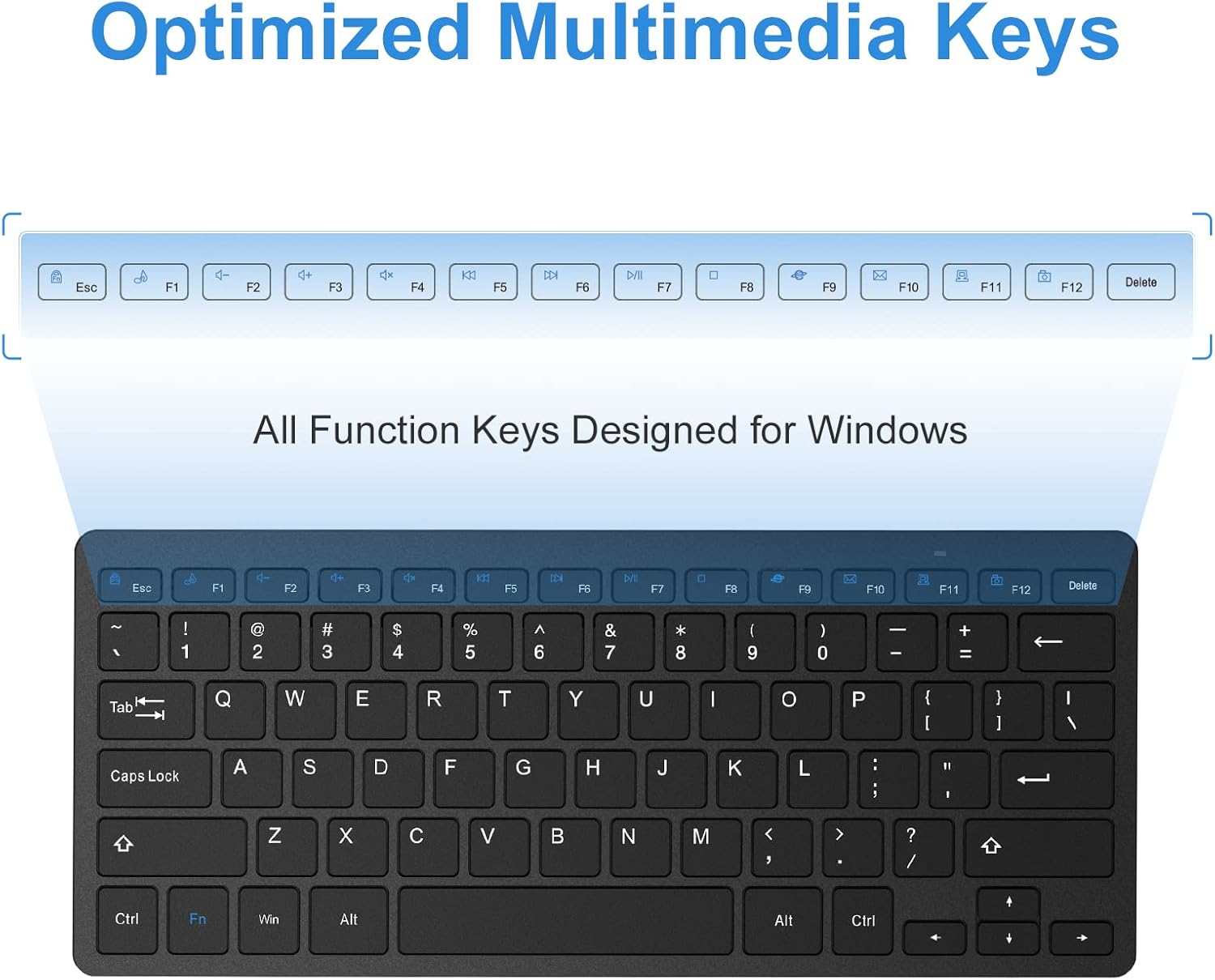
Figure 3.1: Battery Compartment and Power Switch
3.2 Connexió del receptor USB
The keyboard connects wirelessly via a 2.4G USB receiver. The receiver is typically stored in a dedicated slot on the back of the keyboard for convenience during travel.
- Remove the USB receiver from its storage slot on the back of the keyboard.
- Connecteu el receptor USB a un port USB disponible del vostre ordinador, portàtil o tauleta.
- Turn on the keyboard using the ON/OFF switch located on the back of the keyboard (refer to Figure 3.1).
- El teclat s'hauria de connectar automàticament al dispositiu. Normalment no calen controladors addicionals.
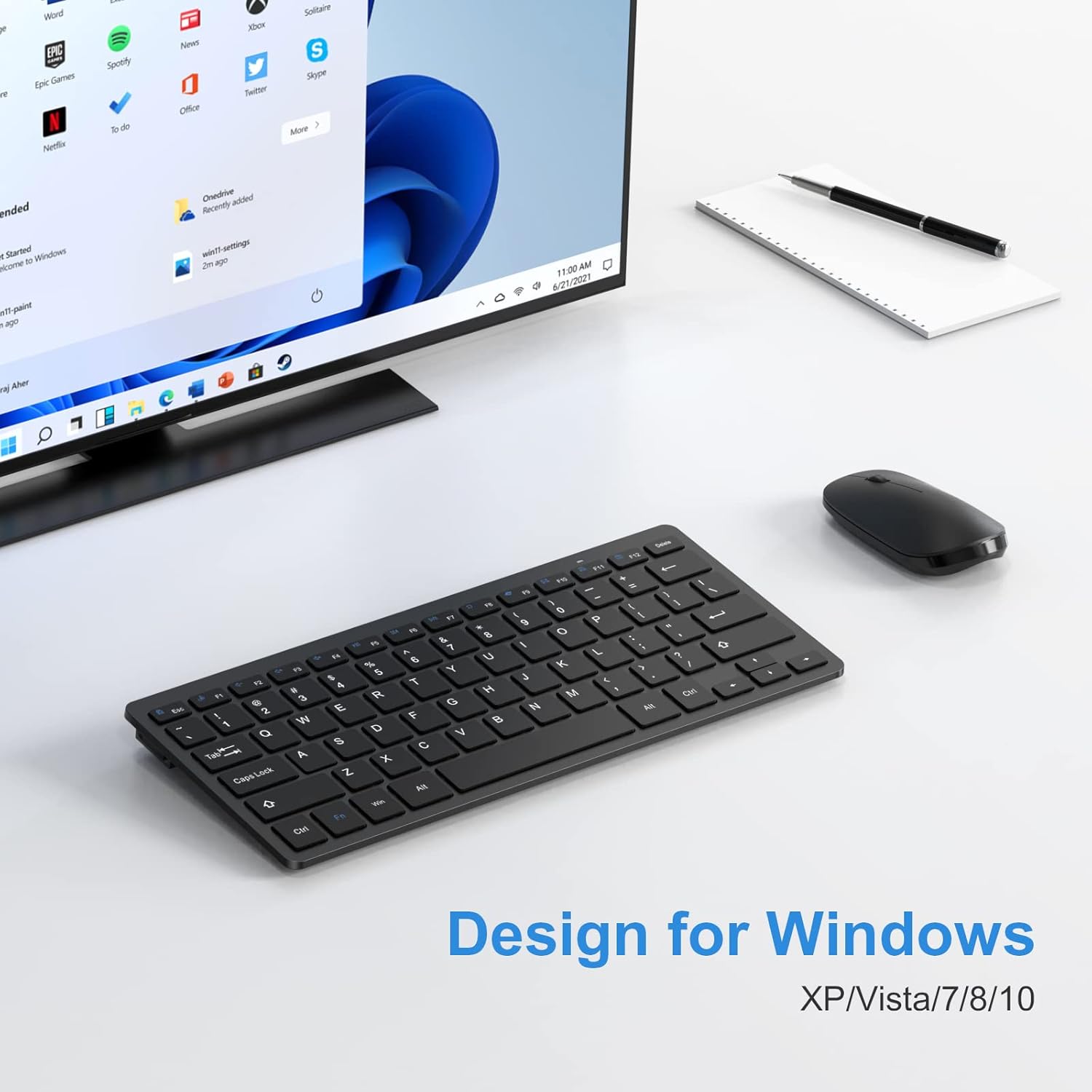
Figure 3.2: Connecting the USB Receiver
4. Instruccions de funcionament
4.1 Stable 2.4G Wireless Connection
The keyboard provides a stable and reliable 2.4G wireless connection, allowing you to operate your device from up to 33 feet (10 meters) away. This ensures flexibility and convenience in your workspace.
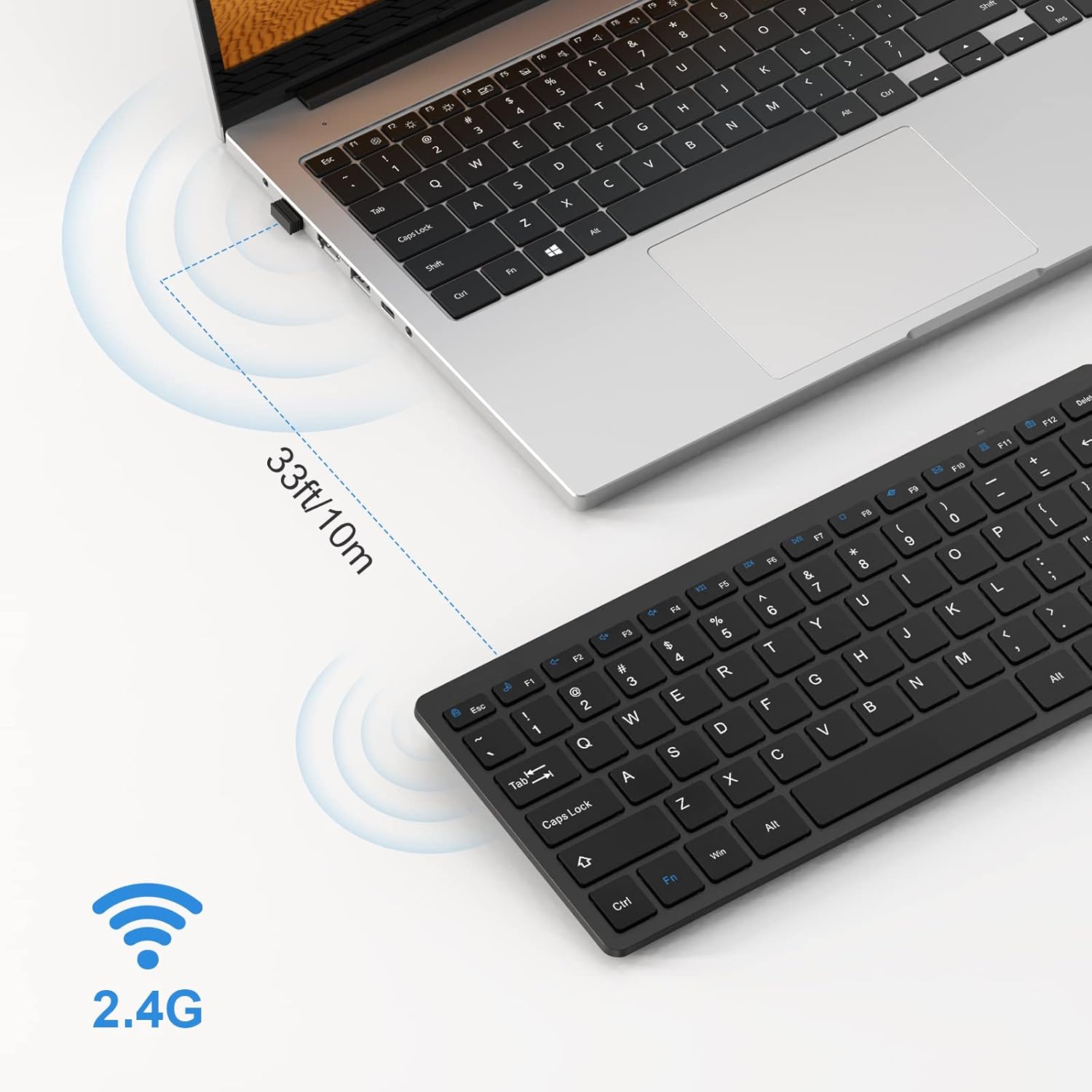
Figure 4.1: 2.4G Wireless Connection Range
4.2 Scissor-Switch Keys
The keyboard features scissor-switch keys, which provide a responsive and quiet typing experience. This mechanism ensures precise keystrokes and reduces typing noise, making it ideal for various environments.
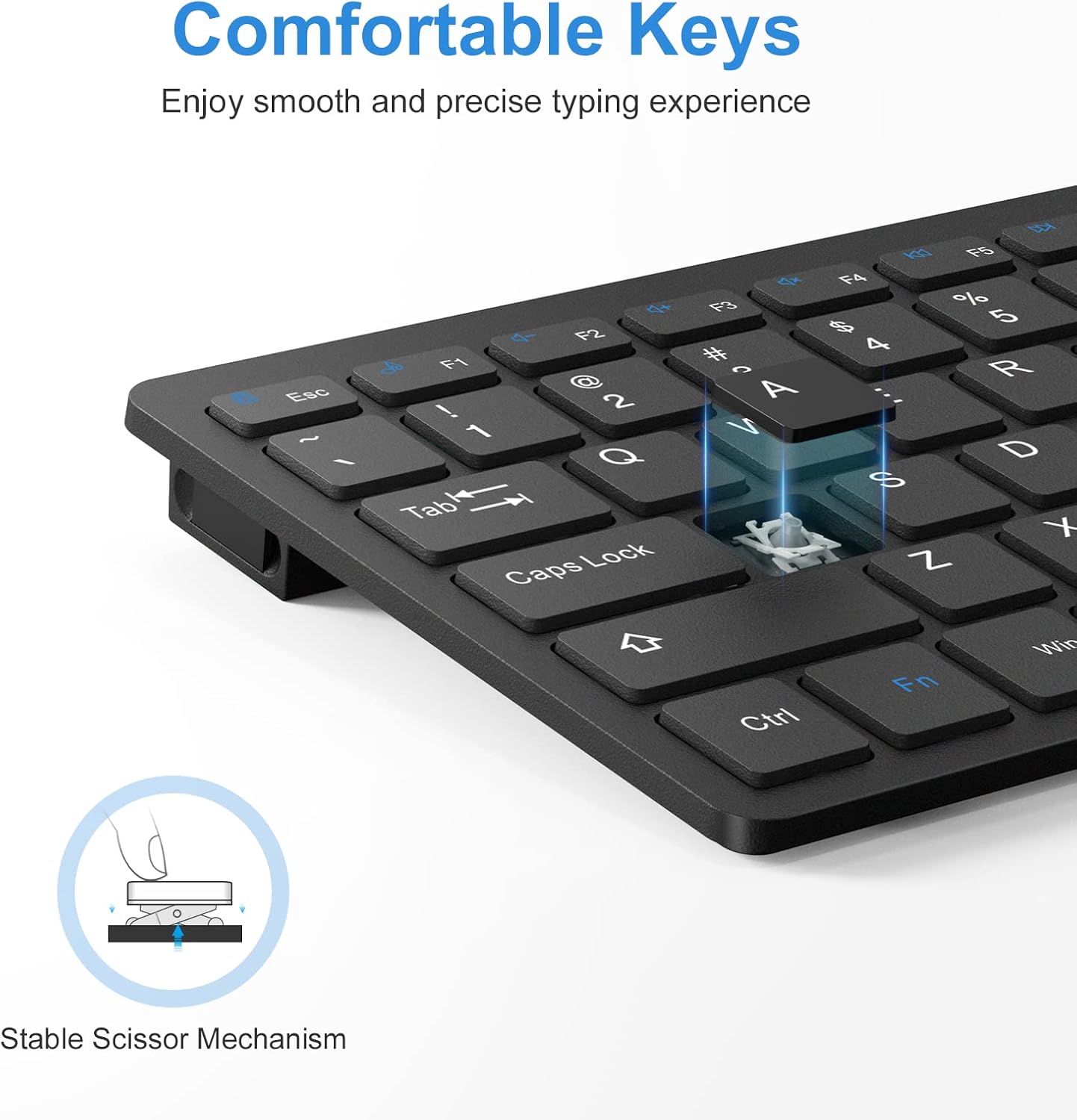
Figure 4.2: Scissor-Switch Key Mechanism
4.3 Optimized Multimedia Keys
The keyboard includes optimized multimedia keys designed for Windows operating systems. These function keys (F1-F12) provide quick access to various controls such as volume, media playback, and more, enhancing your productivity.
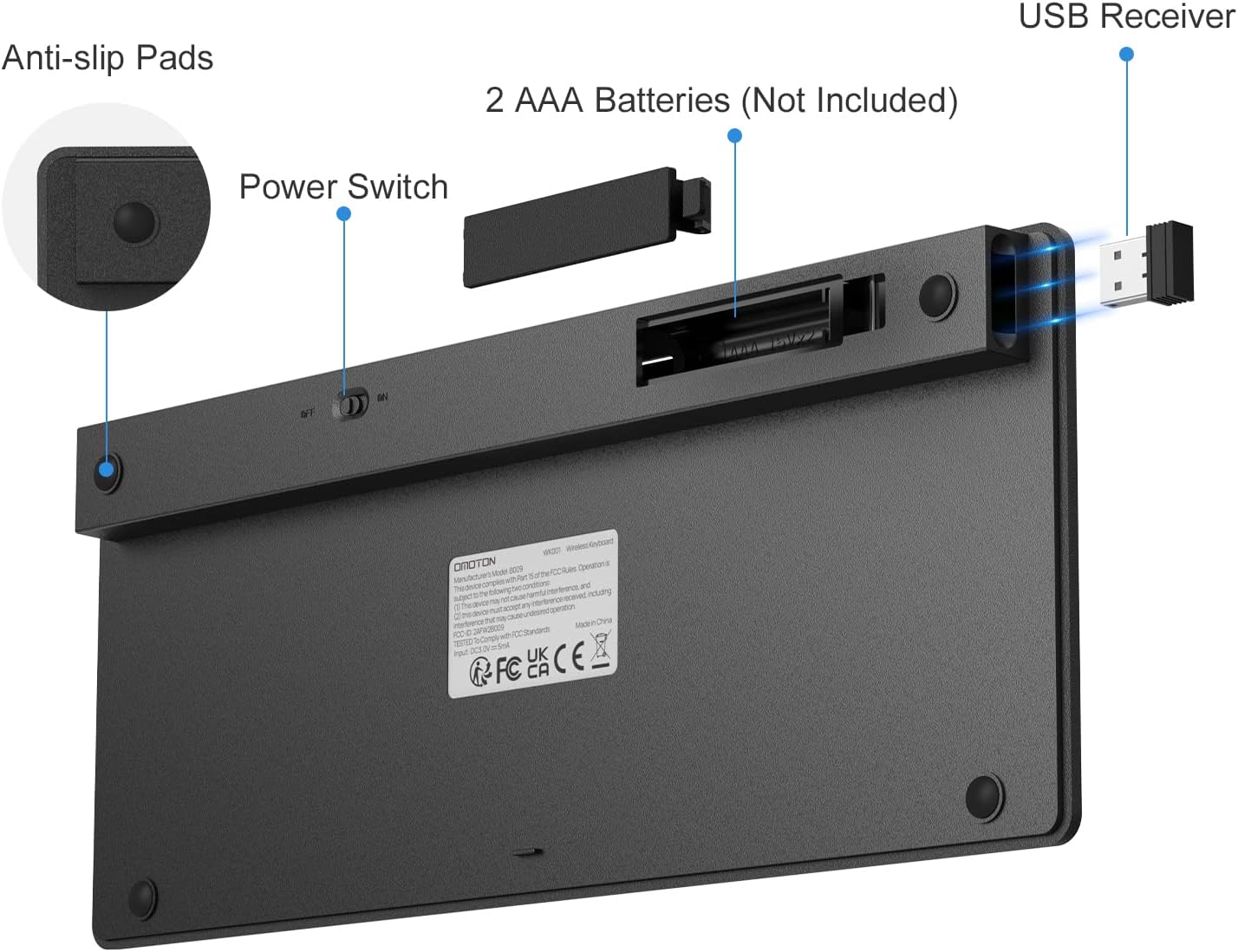
Figure 4.3: Multimedia Function Keys
4.4 Disseny ergonòmic
The keyboard features an optimal tilt angle to prevent wrist discomfort during long typing sessions. Four rubberized pads on the bottom ensure stability and prevent the keyboard from slipping on your desk.
4.5 Auto-Sleep Mode
To conserve battery life, the keyboard features an environmentally friendly auto-sleep mode. If inactive for a period, it will enter sleep mode. Press any key to wake it up.
4.6 Compatibilitat
This keyboard is designed for Windows XP/Vista/7/8/10 and is compatible with laptops, PCs, and desktop computers.
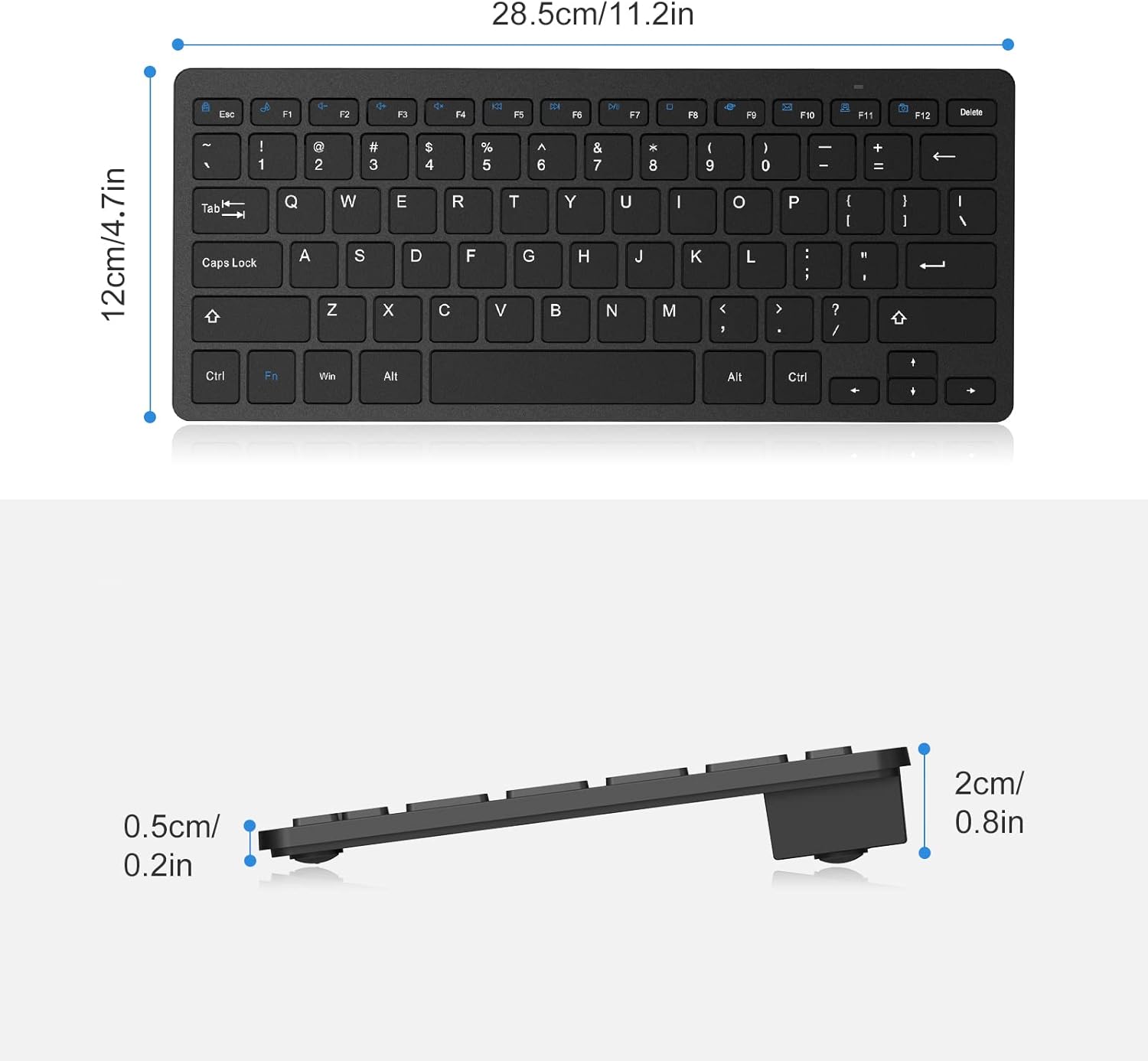
Figure 4.4: Designed for Windows Operating Systems
5. Manteniment
5.1 Substitució de la bateria
The keyboard's battery life can last up to 6 months depending on usage. When the keyboard's performance degrades or it stops responding, it's time to replace the batteries. Follow the steps in Section 3.1 to replace the 2 AAA batteries.
5.2 Neteja
Per netejar el teclat, netegeu suaument la superfície amb un drap suau iamp cloth. Avoid using harsh chemicals or abrasive materials that could damage the keyboard's finish or keys. Ensure the keyboard is turned off before cleaning.
6. Solució De Problemes
If you encounter any issues with your OMOTON Wireless Keyboard, please refer to the following common problems and solutions:
- El teclat no respon:
- Ensure the keyboard is turned ON using the switch on the back.
- Comproveu si les piles estan correctament instal·lades i tenen prou càrrega. Substituïu-les si cal.
- Verifiqueu que el receptor USB estigui ben connectat a un port USB que funcioni del dispositiu. Proveu-lo amb un altre port USB.
- Move the keyboard closer to the USB receiver to ensure it's within the 33ft (10m) operating range.
- Reinicieu l'ordinador o el dispositiu.
- Keys are sticky or unresponsive:
- Gently clean around and under the affected keys to remove any debris.
- Assegureu-vos que el teclat estigui sobre una superfície plana i estable.
- Connexió intermitent:
- Ensure there are no large metal objects or other wireless devices causing interference between the keyboard and the receiver.
- Prova de connectar el receptor USB a un port USB diferent, preferiblement un directament a l'ordinador en lloc d'un concentrador.
7. Especificacions
| Característica | Detall |
|---|---|
| Número de model | WK001 |
| Tecnologia de connectivitat | Sense fil 2.4G (receptor USB) |
| Dispositius compatibles | Laptop, PC (Windows XP/Vista/7/8/10) |
| Descripció del teclat | Wireless, Compact, Quiet, Slim |
| Tipus de clau | Interruptor de tisora |
| Nombre de claus | 78 |
| Color | Negre |
| Font d'alimentació | 2 piles AAA (no incloses) |
| Interval d'operació | Fins a 33 peus (10 m) |
| Dimensions del producte | 11.22 x 4.72 x 0.79 polzades |
| Pes de l'article | 12.3 unces |
| País d'origen | Xina |
8. Garantia i Suport
OMOTON products are designed for reliability and performance. For any questions or assistance with your OMOTON Wireless Keyboard, please contact our customer support. Refer to the contact information provided on the product packaging or the official OMOTON weblloc per obtenir més informació.
Ask a question about this manual
Ask about setup, troubleshooting, compatibility, parts, safety, or missing instructions. Manuals+ will review the question and use this page’s manual context to help answer it.