
1. Introducció
This manual provides detailed instructions for the BAISHUN C57 Aux Bluetooth Adapter. This device allows you to wirelessly stream audio from your Bluetooth-enabled devices to non-Bluetooth audio systems, such as car stereos, home stereos, wired speakers, and headphones, using a 3.5mm auxiliary input. It supports Bluetooth 5.3 for stable connections, hands-free calling, and True Wireless Stereo (TWS) functionality.
2. Producte acabatview
2.1 Contingut del paquet
- BAISHUN C57 Aux Bluetooth Adapter
- Cable de càrrega USB
- Manual d'usuari (aquest document)
2.2 Característiques clau
- Tecnologia Bluetooth 5.3: Provides a stable connection, faster pairing speed, and higher sound quality compared to older Bluetooth versions.
- Entrada AUX de 3.5 mm: Compatible amb una àmplia gamma de dispositius d'àudio.
- Micròfon integrat: Permet trucades amb mans lliures.
- True Wireless Stereo (TWS) Support: Allows pairing two adapters for a stereo sound experience.
- Assistència de veu: Activate Siri or other voice assistants.
- Disseny compacte i portàtil: Fàcil de transportar i utilitzar en diversos entorns.
- Funciona amb bateria: Offers wireless freedom with a working range of up to 33 feet (10 meters).
2.3 Diagrama del producte
Imatge 1: BAISHUN C57 Aux Bluetooth Adapter with labeled components. This image shows the 3.5mm AUX port, Multifunction key, Microphone, Previous song/Volume- button, Next song/Volume+ button, TWS function key, LED indicator light, and DC/5V charging port.

Imatge 2: Key features of the adapter. This image highlights the LED indicator, support for hands-free calling, and the portable design of the device.
3. Configuració i emparellament
3.1 Engegada/apagada
- Per encendre: Long press the Multifunction (MFB) button until the LED indicator flashes. The device will automatically enter pairing mode.
- Per apagar: Long press the Multifunction (MFB) button until the LED indicator turns off.
3.2 Connexió a un sistema d'àudio
Insert the 3.5mm AUX plug of the adapter into the auxiliary input port of your car stereo, home stereo, wired speaker, or headphones.
3.3 Vinculació Bluetooth
- Ensure the BAISHUN C57 adapter is powered on and in pairing mode (LED indicator flashing).
- Al telèfon intel·ligent o a un altre dispositiu amb Bluetooth, aneu a la configuració de Bluetooth.
- Cerca available devices and select "C57" from the list.
- Once connected, the LED indicator on the adapter will stop flashing and remain solid blue.

Imatge 3: Visual guide for initial setup. This image illustrates the steps: 1) Long press the button to power on, 2) Plug into the audio system, and 3) Enable Bluetooth on your phone, search for 'C57' and pair.

Imatge 4: Compatibility diagram. This image shows the adapter connecting to a wired speaker, home stereo, car audio system, phone, tablet, and computer, demonstrating its wide range of applications.
4. Instruccions de funcionament
4.1 Reproducció de música
- Reproduir/pausa: Short press the Multifunction (MFB) button.
- Pista següent: Short press the "Next song" button.
- Pista anterior: Short press the "Previous song" button.
- Pujar el volum: Long press the "Next song" button.
- Baixar el volum: Long press the "Previous song" button.
4.2 Trucades de mans lliures
- Respon a la trucada: Short press the Multifunction (MFB) button when an incoming call rings.
- Finalitzar la trucada: Short press the Multifunction (MFB) button during a call.
- Rebutja la trucada: Long press the Multifunction (MFB) button when an incoming call rings.
- Torna a marcar l'últim número: Double press the Multifunction (MFB) button.
4.3 Activació de l'assistent de veu
To activate your device's voice assistant (e.g., Siri), short press the Multifunction (MFB) button three times.

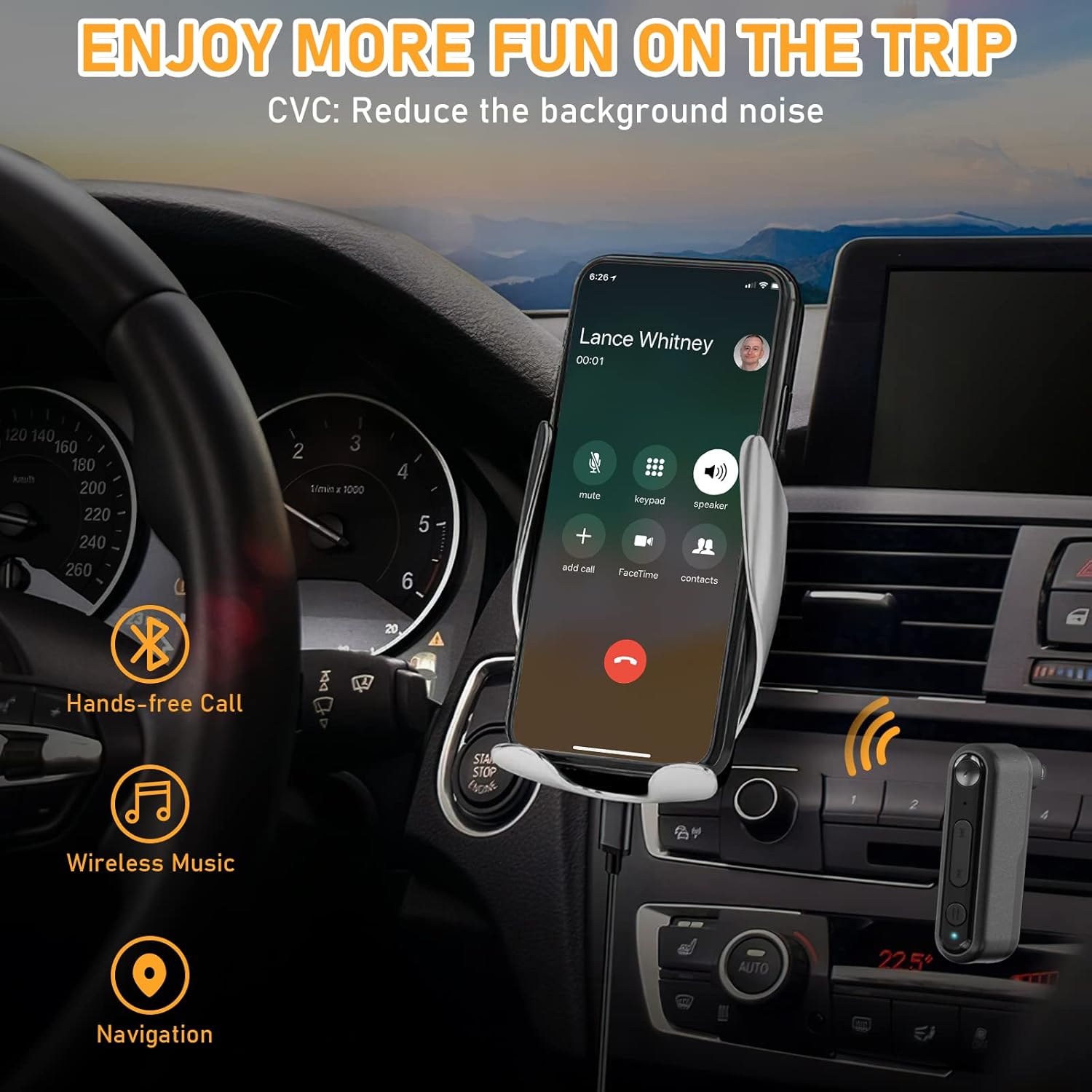
Imatge 5: Hands-free communication and navigation. This image shows the adapter being used in a car for hands-free calls, wireless music, and navigation, enhancing driving safety.
5. Emparellatge estèreo sense fil veritable (TWS)
The BAISHUN C57 adapter supports True Wireless Stereo (TWS), allowing you to pair two adapters together to create a left and right stereo channel for an immersive audio experience. This feature is ideal for parties, movies, or music listening with two separate speakers.
5.1 TWS Pairing Steps
- Ensure both BAISHUN C57 adapters are powered on and not connected to any other Bluetooth device.
- Short press the TWS function key on one adapter. This adapter will become the primary unit (e.g., Right channel).
- Short press the TWS function key on the second adapter. This adapter will become the secondary unit (e.g., Left channel).
- The two adapters will automatically pair with each other. Once paired, the LED indicators will change to indicate a successful TWS connection.
- Now, connect your Bluetooth-enabled device (e.g., smartphone) to the primary BAISHUN C57 adapter via Bluetooth (search for "C57").
- Audio will now be streamed in true stereo through both connected speakers.

Imatge 6: True Wireless Stereo (TWS) setup. This image illustrates how two adapters can be paired to deliver separate left and right audio channels to two speakers, controlled by a single smartphone.
6. Càrrega
When the battery is low, the LED indicator will flash red. To charge the BAISHUN C57 adapter:
- Connect the provided USB charging cable to the DC/5V charging port on the adapter.
- Plug the other end of the USB cable into a standard USB power source (e.g., wall adapter, computer USB port, car charger).
- L'indicador LED mostrarà una llum vermella sòlida durant la càrrega.
- Once fully charged, the LED indicator will turn off or change to blue (depending on the model).
A full charge typically takes 3-5 hours and provides several hours of operation, though actual battery life may vary based on usage and volume levels.
7. Manteniment
- Mantingueu el dispositiu sec. Eviteu l'exposició a la humitat, la pluja o els líquids.
- No exposeu el dispositiu a temperatures extremes (calor o fred).
- Netegeu el dispositiu amb un drap suau i sec. No utilitzeu productes químics agressius ni netejadors abrasius.
- Guardeu el dispositiu en un entorn net i sense pols quan no l'utilitzeu.
- Eviteu deixar caure o sotmetre el dispositiu a forts impactes.
8. Solució De Problemes
| Problema | Causa possible | Solució |
|---|---|---|
| El dispositiu no s'encén. | La bateria està esgotada. | Carregueu el dispositiu completament mitjançant el cable USB proporcionat. |
| Cannot pair with my Bluetooth device. | Adapter is not in pairing mode. Bluetooth is disabled on your device. Adapter is too far from your device. | Long press MFB to enter pairing mode (flashing LED). Assegureu-vos que el Bluetooth estigui habilitat al vostre telèfon/tauleta. Move the adapter closer to your Bluetooth device (within 33ft/10m). |
| No hi ha so després de l'emparellament. | El volum és massa baix. 3.5mm AUX cable is not fully inserted. Incorrect audio input selected on your stereo. | Increase volume on both the adapter and your audio system. Ensure the 3.5mm plug is securely connected. Select the correct AUX input on your car/home stereo. |
| Mala qualitat d'àudio o desconnexions. | Interference or distance. Bateria baixa. | Move closer to the adapter and away from potential interference sources. Charge the adapter fully. |
| L'emparellament TWS falla. | Adapters are already paired to another device. Incorrect TWS pairing steps. | Ensure both adapters are disconnected from other Bluetooth devices before TWS pairing. Follow the TWS pairing steps precisely as outlined in Section 5.1. |
9. Especificacions
- Model: C57
- Versió Bluetooth: 5.3
- Connectivitat: 3.5mm AUX Input, Bluetooth
- Font d'alimentació: Bateria recarregable de ions de liti
- Interval de treball: Fins a 33 peus (10 metres)
- Dimensions del producte: 2.12 x 1.87 x 0.55 polzades (aprox.)
- Pes de l'article: 1.44 unces (aprox.)
- Característiques especials: Built-In Microphone, Hands-Free Calls, True Wireless Stereo (TWS)

Imatge 7: Bluetooth 5.3 advantages. This image highlights the benefits of Bluetooth 5.3, including 2X more stable connection, 2X faster transmission, and higher sound quality compared to Bluetooth 5.0.
10. Informació de la garantia
For specific warranty terms and conditions, please refer to the product packaging or contact BAISHUN customer support directly. Warranty coverage typically includes manufacturing defects for a specified period from the date of purchase.
11. Atenció al client
If you encounter any issues or have questions not covered in this manual, please contact BAISHUN customer support through your purchase platform or visit the official BAISHUN website for assistance. Please have your product model (C57) and purchase details ready when contacting support.