
DESTEK V5
DESTEK V5 VR Headset Instruction Manual
Model: V5 | Brand: DESTEK
Introducció
The DESTEK V5 VR Headset provides an immersive virtual reality experience for compatible smartphones. This manual outlines the setup, operation, maintenance, and troubleshooting procedures to ensure optimal use of your device. Please read this manual thoroughly before using the headset.
Què hi ha a la caixa
- Auriculars VR V5
- Controlador Bluetooth

Image: The DESTEK V5 VR Headset and its accompanying Bluetooth controller, both in black, displayed together.
Configuració
1. Compatibilitat amb telèfons
The DESTEK V5 VR headset supports smartphones with a GYRO SENSOR, with screen sizes between 4.7 and 6.8 inches, and dimensions up to 6.4 inches (L) x 3.3 inches (W) x 0.39 inches (H). Compatible models include iPhone 13/12/11/Pro/Max/Mini/Xs Max/XR/X/Xs, and Samsung S22/S21/S20/S10/S10e/S10 Plus/S9/S9 Plus/S8/S8 Plus/ Note 10 Plus/Note 10/ 9/8/A20e/A50/. Please note that iPhone 13 Pro Max, iPhone 14/14 Pro/14 Pro Max, S22 Ultra, and S21 Ultra/S20 Ultra are not compatible.
2. Inserció del telèfon intel·ligent
- Open the front cover of the VR headset.
- Carefully place your compatible smartphone into the designated slot, ensuring it is centered.
- Tanqueu la coberta frontal de manera segura.

Imatge: Part posterior view of the DESTEK V5 VR Headset showing the phone compartment and adjustable lenses.
3. Adjusting Head Straps
The V5 headset features a T-shaped headband designed to fit most head sizes, both adults and children. Adjust the buckles on both sides of the strap to achieve a comfortable and secure fit, reducing pressure around your face.
4. Adjusting Pupil Distance (PD)
Locate the pupil distance adjustment button on the headset. Adjust this button to optimize your visual experience and ensure clarity, especially if you wear glasses. The V5 provides ample space for most glasses.

Image: Close-up of the DESTEK V5 VR Headset's lenses, highlighting their high-definition, eye protection, and 94% light transmittance features.
5. Bluetooth Controller Pairing (Android Only)
The included Bluetooth remote controller is designed for maximum compatibility with Android phones. To pair:
- Assegureu-vos que el Bluetooth del telèfon estigui activat.
- Turn on the Bluetooth controller.
- Cerca the controller in your phone's Bluetooth settings and pair.
Note: The Bluetooth remote controller does not support Daydream apps. iOS devices are currently incompatible with the VR remote controller's Game Mode.
Instruccions de funcionament
1. Experiència immersiva en 3D
Once your phone is securely in place and the headset is adjusted, you can begin to experience VR games, movies, and videos. The 110° field of view provides an immersive experience, balancing immersion with clarity.

Image: A person standing on a virtual platform, looking up at hot air balloons in a vast landscape, illustrating the 110-degree large field of view dels auriculars.
2. Using the Bluetooth Controller
For Android users, the Bluetooth controller allows for natural interaction within VR games and videos. Refer to specific app instructions for controller mapping. Remember, iOS devices do not support the controller's game mode.
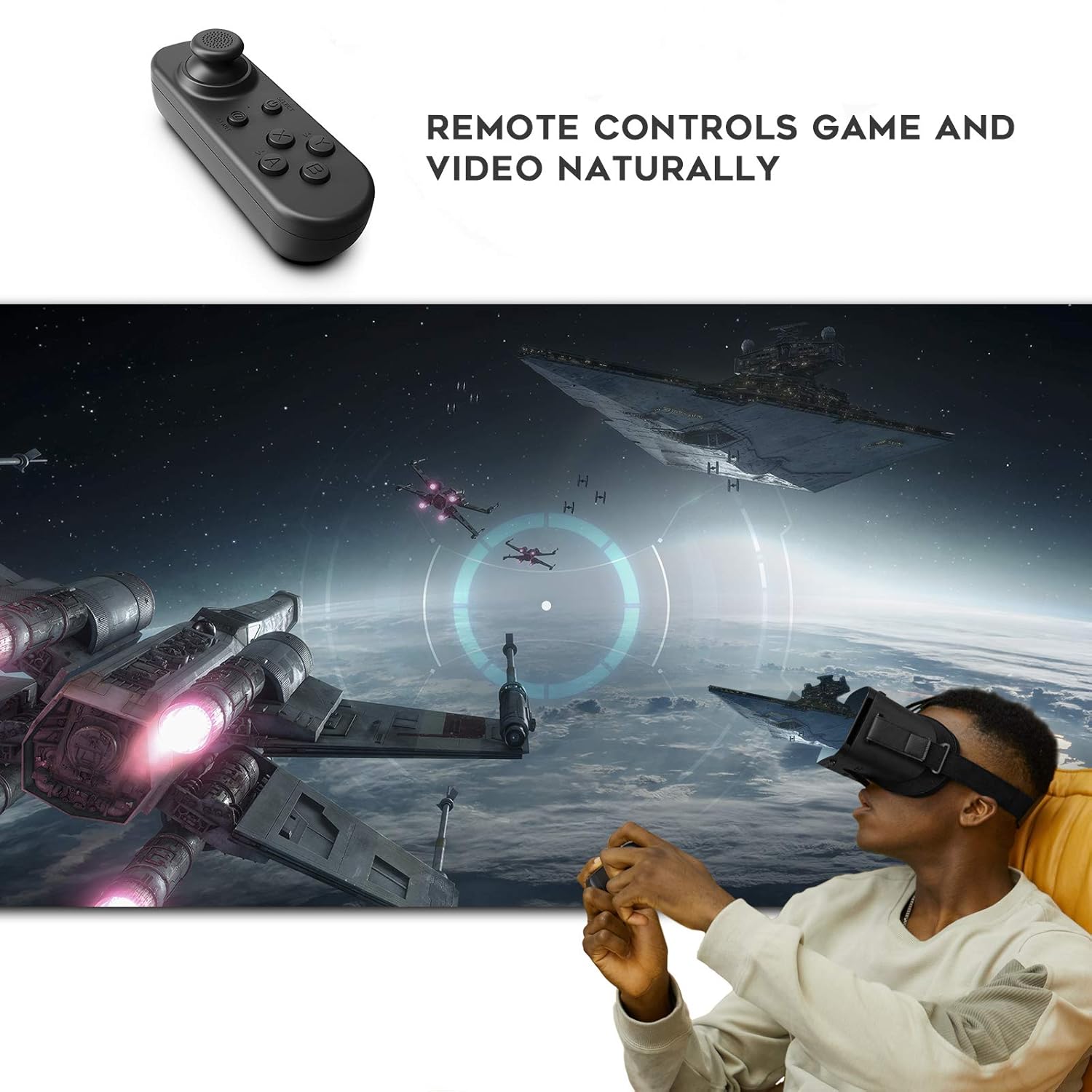
Image: A person wearing the DESTEK V5 VR Headset and holding the remote controller, engaged in a virtual reality game with spaceships in the background.
3. Accessing VR Content
To find recommended VR applications, scan the QR code located on the V5 headset. This will direct you to a selection of VR apps suitable for games, videos, and educational content.

Image: A person wearing the DESTEK V5 VR Headset, looking up at a virtual aurora borealis over a snowy mountain and water, illustrating the ability to visit scenic spots virtually.
Manteniment
- Neteja de lents: Use a soft, dry microfiber cloth specifically designed for optical lenses to clean the headset lenses. Do not use liquid cleaners or abrasive materials.
- Neteja del cos dels auriculars: Wipe the exterior of the headset with a slightly damp, soft cloth. Avoid getting moisture into any openings.
- Emmagatzematge: Store the headset in a cool, dry place away from direct sunlight and extreme temperatures. Keep it free from dust.
- Cura del controlador: Keep the Bluetooth controller dry and clean. If batteries are removable, remove them during long periods of disuse.
Resolució de problemes
| Problema | Causa possible | Solució |
|---|---|---|
| Bluetooth controller not working with my iPhone. | The controller's Game Mode is not compatible with iOS devices. | The controller is primarily designed for Android phones. Some VR apps may have limited functionality on iOS without controller support. |
| La imatge apareix borrosa o desenfocada. | Incorrect pupil distance (PD) adjustment or phone not centered. | Adjust the pupil distance button until the image is clear. Ensure your smartphone is properly centered within the headset's phone slot. |
| My phone does not fit into the headset. | Phone dimensions exceed compatibility limits. | Verify your phone's screen size (4.7-6.8 inches) and physical dimensions (max 6.4*3.3*0.39 inches L*W*H). Refer to the "Phone Compatibility" section. |
Especificacions
| Característica | Detall |
|---|---|
| Model | V5 |
| Dimensions del producte | 7.1 x 4.1 x 3.3 polzades |
| Pes de l'article | 13 unces |
| Compatible Phone Screen Size | 4.7-6.8 polzades |
| Max Phone Dimensions | 6.4 x 3.3 x 0.39 inches (L*W*H) |
| Camp de View (FOV) | 110 graus |
| Fabricant | SHENZHEN XINLIANYOUPIN TECHNOLOGY CO.,LIMITED |
| Data de primera disponibilitat | 16 de desembre de 2022 |
Garantia i Suport
For warranty information or technical support, please refer to the product packaging or contact DESTEK customer service directly. Contact details can typically be found on the official DESTEK weblloc web o a través del vostre punt de compra.
You can visit the DESTEK Store for more information: DESTEK Store on Amazon
Documents relacionats - V5
 |
DESTEK V6 VR Headset User Manual and Guide Comprehensive guide for the DESTEK V6 immersive VR headset. Learn about setup, features, technical specifications, and troubleshooting for your smartphone VR experience. |
 |
Manual d'usuari i especificacions tècniques de les ulleres de realitat virtual DESTEK V5 Guia completa per a les ulleres de realitat virtual DESTEK V5, que inclou la descripció del producte.view, instruccions d'ús pas a pas, desmuntatge/muntatge, especificacions tècniques i detalls de la garantia. |
 |
HP Color LaserJet CP2020 Serisi Totes les dades Preneu nota, HP Color LaserJet CP2020 Serisi iazıcıların kurulumu, cada any i bakımı hakkında kapsamlı bilgiler sunmaktadır. Yazıcı özellikleri, yazdırma görevleri, renk yönetimi, sorun giderme ve teknik destek gibi konuları detalllı bir şekilde ele almaktadır. |
 |
Anatolia Sinterlenmiş ve Porselen Plaka File Destek Sistemi Teknik Kılavuzu Anatolia 6mm sinterlenmiş ve porselen plakalar için file destek sistemi teknik kılavuzu. Ürün özellikleri, dayanıklılık avantajları ve teknik detaylar. |
 |
Jett Motor Elektrikli Motosiklet Kullanım Kılavuzu ve Garanti Belgesi Jett Motor elektrikli motosikletler için kapsamlı kullanım kılavuzu ve garanti belgesi. Güvenli sürüş, bakım, teknik özellikler ve garanti koşulları hakkında detaylı bilgi içerir. |
Ask a question about this manual
Ask about setup, troubleshooting, compatibility, parts, safety, or missing instructions. Manuals+ will review the question and use this page’s manual context to help answer it.