
Jonsbo MOD5
Manual d'usuari de la caixa d'ordinador per a jocs JONSBO MOD5 de tipus obert ATX de torre mitjana
Model: MOD5 | Brand: Jonsbo
1. Introducció
The JONSBO MOD5 is an innovative open-type ATX mid-tower gaming computer case designed for enthusiasts seeking high performance, extensive cooling options, and a unique aesthetic. Its robust aluminum construction and modular design provide ample space for advanced components, including custom liquid cooling setups. This manual provides essential information for the proper assembly, operation, and maintenance of your MOD5 chassis.

Figure 1: JONSBO MOD5 Open Type ATX Mid Tower Gaming Computer Case
2. Informació de seguretat
Please read and understand all safety precautions before installing or operating the JONSBO MOD5 case. Failure to do so may result in personal injury or damage to the product or components.
- Always disconnect the power supply from the wall outlet before performing any installation, maintenance, or troubleshooting.
- Wear an anti-static wrist strap to prevent electrostatic discharge (ESD) when handling internal components.
- Be cautious of sharp edges during installation.
- Do not expose the case to water or excessive humidity.
- Assegureu-vos que hi hagi una ventilació adequada al voltant de la carcassa per evitar el sobreescalfament.
3. Contingut del paquet
Verifiqueu que tots els elements siguin presents al vostre paquet:
- JONSBO MOD5 Open Type ATX Mid Tower Gaming Computer Case
- Accessory Box (containing screws, cable ties, standoffs, etc.)
- Manual d'usuari (aquest document)
4. Producte acabatview
The MOD5 features a distinctive open design with robust aluminum construction, providing excellent airflow and a unique visual appeal.
4.1 Característiques clau
- Disseny de tipus obert: Maximizes airflow and showcases internal components.
- Material: Constructed from durable 2+3mm aluminum-magnesium alloy.
- Suport de la placa base: Compatible with EATX, ATX, MATX, and ITX motherboards.
- Liquidació de la GPU: Supports graphics cards up to 400mm in length.
- Suport de refrigeració: Extensive liquid cooling support (360x2 + 240x1 or 240x3 radiators) and air cooling (up to 180mm CPU cooler height).
- Baies en cotxe: Multiple bays for 2.5" SSDs and 3.5" HDDs.
- Il·luminació RGB: Integrated Flank Armor ARGB strips for customizable lighting effects.
4.2 Dimensions i disposició

Figure 2: Internal Component Layout and Cooling Support
The internal layout is designed for optimal component placement and airflow. Refer to Figure 2 for a visual guide on component locations and cooling support areas.
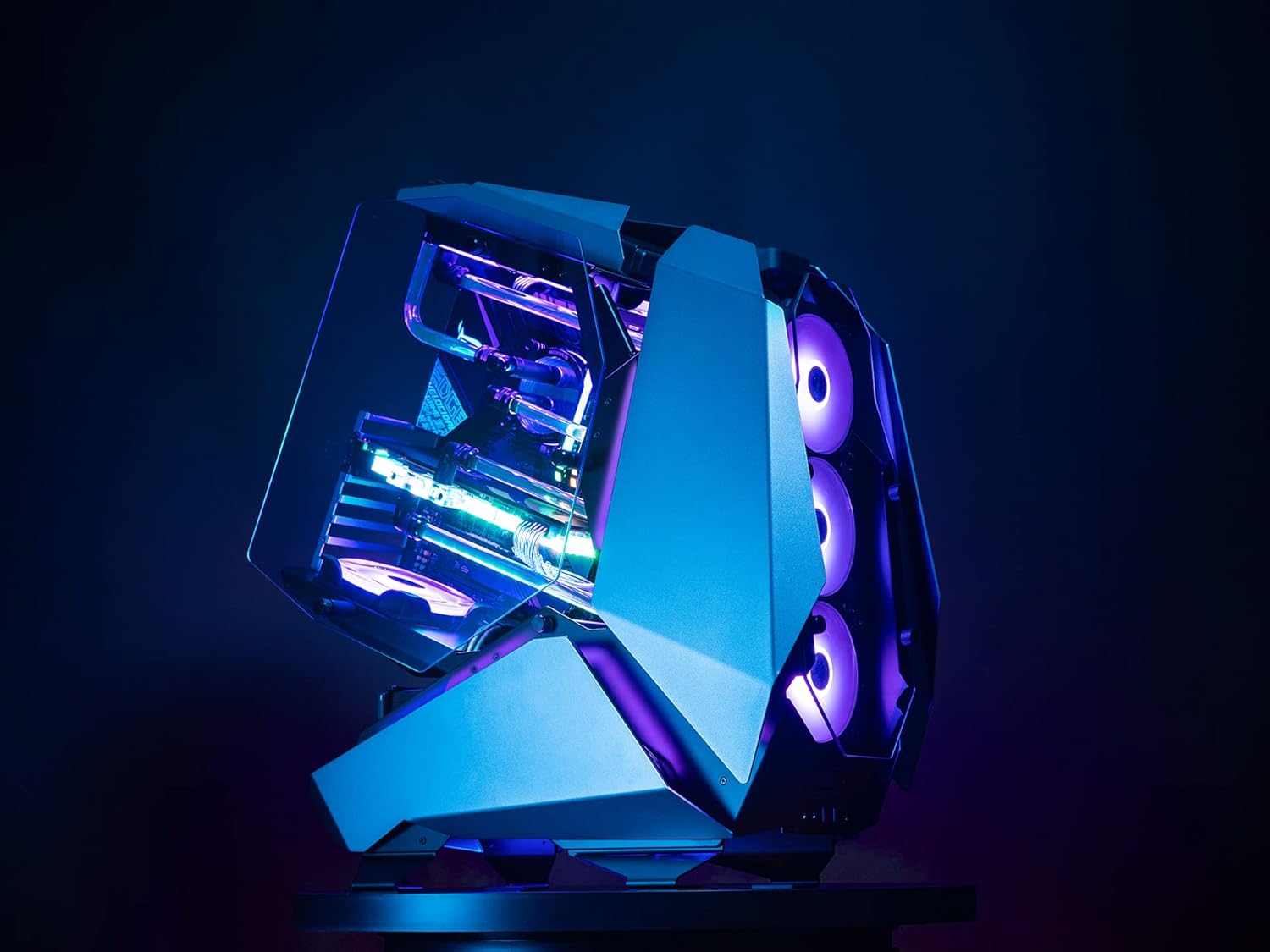
Figura 3: lateral View of JONSBO MOD5 Case
5. Configuració i instal·lació
Follow these steps for installing your PC components into the JONSBO MOD5 case. It is recommended to install components in the order listed for ease of assembly.
5.1 Preparació del cas
- Unpack the case and place it on a stable, flat surface.
- Remove any protective films from the tempered glass panels.
- Identify the accessory box and familiarize yourself with the included screws and mounting hardware.
5.2 Instal·lació de la placa base
- Install the necessary motherboard standoffs into the motherboard tray according to your motherboard's form factor (ATX, MATX, ITX).
- Col·loca amb cura la placa base sobre els separadors, alineant els forats dels cargols.
- Fixeu la placa base amb els cargols adequats.
5.3 Instal·lació de la unitat d'alimentació (PSU).
- Locate the PSU mounting area (ATX PSII 220mm max length).
- Slide the PSU into position and secure it with screws from the rear of the case.
- Connect the necessary power cables to your motherboard and other components.
5.4 Instal·lació de la unitat d'emmagatzematge
- Install 2.5" SSDs and 3.5" HDDs into the designated drive bays. The case supports 2.5" SSD/3.5" HDD x3 + 3.5" HDD x1 or 3.5" HDD x4.
- Secure drives with the provided screws.
- Connect SATA data and power cables to the drives.
5.5 Instal·lació de la targeta gràfica (GPU)
- Remove the necessary PCIe slot covers.
- Insert your graphics card into the PCIe slot on the motherboard. The case supports GPUs up to 400mm in length.
- Secure the GPU with the retention clip and screw.
- Connect any required PCIe power cables from the PSU to the GPU.
5.6 Cooling System Installation (Fans/Radiators)
The MOD5 offers extensive cooling support:
- Refrigeració líquida: Supports 360x2 + 240x1 or 240x3 radiators.
- Air Cooling: CPU cooler height up to 180mm.
- Suport dels fans: Front/base supports 360 radiator or 3x 12cm fans. Top supports 240 radiators or 2x 12cm fans. Bottom supports 1x 12cm fan.
Install fans and radiators into their respective mounting points, securing them with appropriate screws. Connect fan power cables to the motherboard or a fan controller.
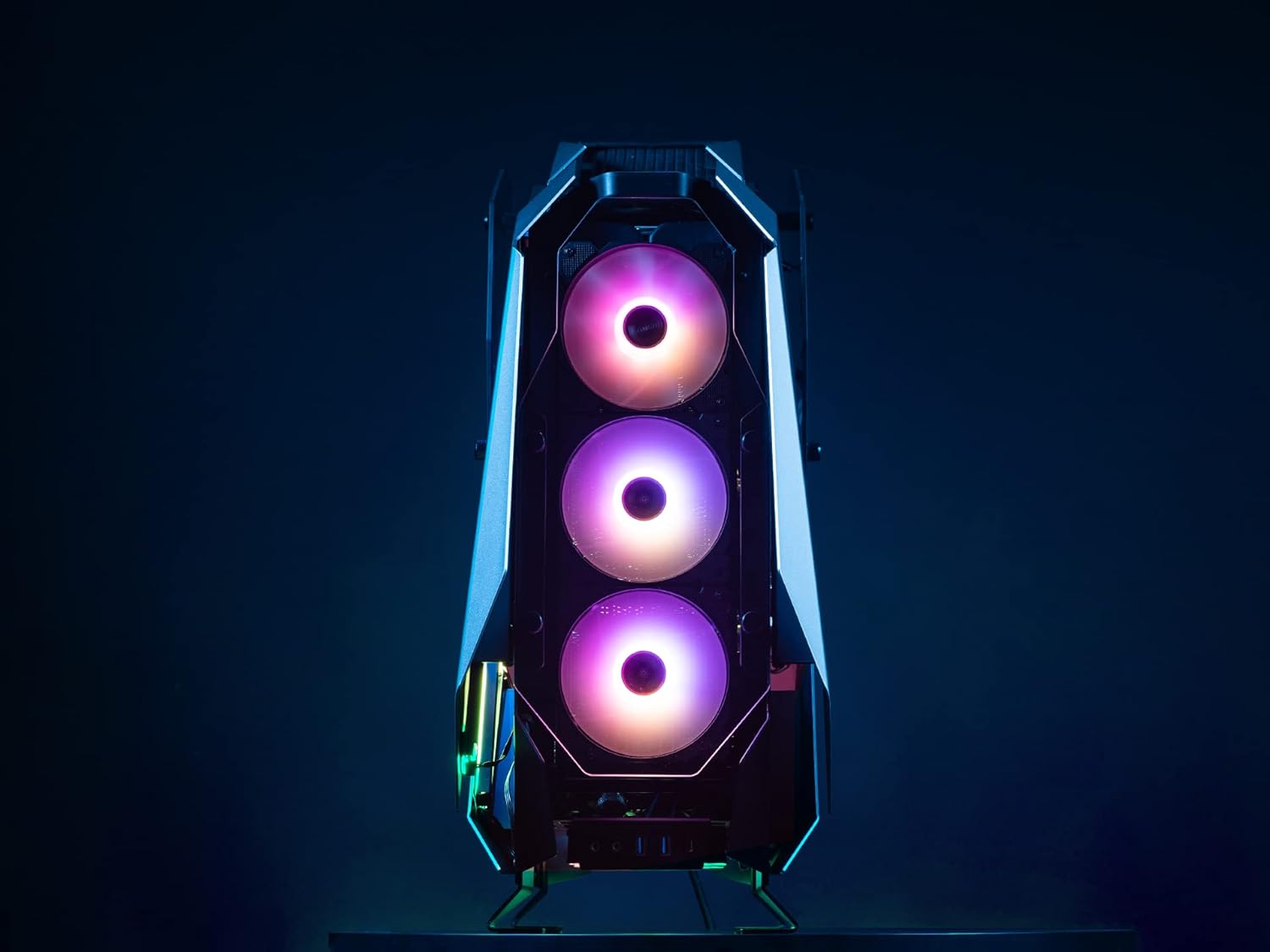
Figure 4: Front Fan Mounting Area
5.7 Gestió de cables
Utilize the cable routing cutouts and tie-down points to manage cables neatly. This improves airflow and aesthetics.
6. Instruccions de funcionament
Un cop instal·lats tots els components i connectats els cables, podeu engegar el sistema.
6.1 Encès
- Ensure all external peripherals (monitor, keyboard, mouse) are connected.
- Connecteu el cable d'alimentació a la font d'alimentació i a una presa de corrent.
- Gireu l'interruptor d'alimentació de la font d'alimentació a la posició "ON".
- Press the power button on the case to start your computer.
6.2 Ports d'E/S frontals
The JONSBO MOD5 features convenient front I/O ports for easy access:
- 2 ports USB 2.0
- Audio Jacks (Headphone/Microphone)
- USB 3.0 Ports (Quantity not specified in product data, typically 1-2)
- USB Type-C Port (Quantity not specified in product data, typically 1)
Video 1: Jonsbo MOD5 Open Air Case Overview
6.3 Control d'il·luminació RGB
The case includes Flank Armor ARGB strips. Control of these lights is typically managed via your motherboard's RGB software (e.g., ASUS Aura Sync, MSI Mystic Light, Gigabyte RGB Fusion) if connected to a compatible ARGB header, or via a dedicated RGB controller if one is included or purchased separately. Refer to your motherboard manual for specific RGB software instructions.
7. Manteniment
Regular maintenance helps ensure optimal performance and longevity of your JONSBO MOD5 case and its components.
- Eliminació de pols: Due to its open design, the case may accumulate dust more readily. Regularly use compressed air to clean dust from fans, radiators, and internal components.
- Neteja de superfícies: Netegeu les superfícies externes amb un suau, damp drap. Eviteu productes de neteja abrasius o dissolvents que puguin danyar l'acabat.
- Comprovació del cable: Periodically inspect internal cables to ensure they are securely connected and not obstructing airflow.
8. Solució De Problemes
Aquesta secció tracta problemes comuns que podeu trobar.
8.1 El sistema no s'encén
- Ensure the PSU is switched 'ON' and properly connected to the wall outlet.
- Verify that the 24-pin ATX power cable and 8-pin CPU power cable are securely connected to the motherboard.
- Comproveu que el cable del botó d'engegada del panell frontal estigui connectat correctament al capçal del panell frontal de la placa base.
8.2 Fans Not Spinning / RGB Not Lighting Up
- Confirm that all fan power cables are correctly connected to the motherboard fan headers or a fan controller.
- For RGB lighting, ensure the ARGB strips are connected to a compatible motherboard ARGB header or an RGB controller.
- Check your motherboard's BIOS/UEFI settings or RGB software for fan speed and lighting control.
8.3 Components Not Detected
- Reseat the component (e.g., RAM, GPU, storage drive) to ensure it is properly seated in its slot.
- Verify all necessary power and data cables are securely connected to the component and motherboard/PSU.
9. Especificacions
| Característica | Especificació |
|---|---|
| Nom del model | MOD5 |
| Tipus de cas | Torre mitja |
| Material | Alumini |
| Color | Gris |
| Dimensions (LxWxH) | 25 x 10 x 23.6 polzades (635 x 255 x 600 mm) |
| Pes de l'article | 31.9 lliures |
| Compatibilitat amb la placa base | EATX, ATX, MATX, ITX |
| Longitud de la GPU (màx.) | 400 mm |
| Alçada del refrigerador de CPU (màx.) | 180 mm |
| Longitud de la font d'alimentació (màx.) | ATX PSII 220mm |
| Drive Bays | 2.5" SSD/3.5" HDD x3 + 3.5" HDD x1 or 3.5" HDD x4 |
| Suport de refrigeració líquida | 360x2 + 240x1 or 240x3 Radiators |
| E/S frontal | 2x USB 2.0, Audio Jacks, USB 3.0, USB Type-C |
10. Garantia i Suport
Jonsbo products are manufactured to high-quality standards. For warranty information, technical support, or service inquiries, please contact your local retailer or visit the official Jonsbo weblloc web. Conserveu el comprovant de compra per a reclamacions de garantia.
Per a recursos addicionals, visiteu el Botiga Jonsbo a Amazon.
Documents relacionatsMOD5


Ask a question about this manual
Ask about setup, troubleshooting, compatibility, parts, safety, or missing instructions. Manuals+ will review the question and use this page’s manual context to help answer it.