
DACOM H11
DACOM Airwings H11 Open-Ear Bluetooth Sport Headphones User Manual
Model: H11
1. Introducció
Thank you for choosing the DACOM Airwings H11 Open-Ear Bluetooth Sport Headphones. These headphones are designed to provide a comfortable and safe audio experience for active lifestyles, featuring open-ear air conduction technology, IPX6 waterproofing, and dual-microphone noise reduction. This manual will guide you through the setup, operation, and maintenance of your new headphones.

Image 1.1: The DACOM Airwings H11 Open-Ear Bluetooth Sport Headphones in green.
2. Informació important de seguretat
- Do not submerge the headphones in water, despite their IPX6 rating.
- Avoid exposing the headphones to extreme temperatures (hot or cold).
- Do not disassemble, repair, or modify the product. This may cause damage, electric shock, or fire.
- Mantenir fora de l'abast dels nens i mascotes.
- Feu servir només el cable de càrrega proporcionat o certificat.
- Be aware of your surroundings when using the headphones, especially during outdoor activities, as the open-ear design allows ambient sound to be heard.
3. Contingut del paquet
Si us plau, comproveu el paquet per veure si hi ha els elements següents:
- DACOM Airwings H11 Open-Ear Bluetooth Sport Headphones
- Cable de càrrega USB
- Manual d'usuari
4. Producte acabatview
Familiarize yourself with the various parts of your headphones:

Imatge 4.1: Detallada view of the headphone components, including the microphone, power button, LED indicator, USB charging port, and volume controls.
- Botó d'encesa: Used for powering on/off, play/pause, and answering/ending calls.
- Volum + botó: Increases volume, also used for next track.
- Volum - Botó: Decreases volume, also used for previous track.
- Micròfon: For voice calls and voice assistant.
- Indicador LED: Mostra l'estat d'energia, emparellament i càrrega.
- Port de càrrega USB: Per carregar els auriculars.
5. Configuració
5.1 Càrrega dels auriculars
Abans del primer ús, carregueu completament els auriculars.
- Connect the USB charging cable to the headphone's charging port and a power source (e.g., computer USB port or wall adapter).
- L'indicador LED mostrarà l'estat de càrrega.
- Una càrrega completa triga aproximadament 2 hores i proporciona fins a 15 hores de reproducció.

Image 5.1: The headphones are IPX6 waterproof and offer 15 hours of playtime on a single charge.
5.2 Vinculació Bluetooth
Per connectar els auriculars a un dispositiu:
- Assegureu-vos que els auriculars estiguin apagats.
- Press and hold the Power Button for approximately 3 seconds until the LED indicator flashes blue and red, indicating pairing mode.
- Al dispositiu (telèfon intel·ligent, tauleta, PC), activeu el Bluetooth i cerqueu els dispositius disponibles.
- Select "DACOM H11" from the list of devices.
- Un cop connectat, l'indicador LED parpellejarà blau lentament.
5.3 Connexió de dispositiu dual
The DACOM Airwings H11 supports simultaneous connection to two Bluetooth devices.
- Emparelleu els auriculars amb el primer dispositiu tal com es descriu a la secció 5.2.
- Desactiva el Bluetooth al primer dispositiu. Els auriculars tornaran a entrar en mode d'emparellament.
- Vincula els auriculars amb el segon dispositiu.
- Torneu a activar el Bluetooth al primer dispositiu. Els auriculars s'haurien de connectar automàticament als dos dispositius.
- When one device is in use (e.g., watching a movie on a tablet), the other device (e.g., phone) will automatically pause its audio if a call comes in.

Image 5.2: The headphones can connect to two devices simultaneously, such as a tablet and a smartphone.
6. Instruccions de funcionament
Els auriculars tenen botons físics per facilitar el control:

Imatge 6.1: acabatview of button functions and operations.
| Funció | Funcionament |
|---|---|
| Encès | Long press MFB Button for 3 seconds |
| Apagueu | Long press MFB Button for 3 seconds |
| Reproduir/Pausa | Press the MFB Button |
| Cançó anterior | Long press "-" Button for 2 seconds |
| Següent Cançó | Long press "+" Button for 2 seconds |
| Puja el volum | Short press "+" Button |
| Baixa el volum | Short press "-" Button |
| Respondre/Finalitzar la trucada | Press the MFB Button during a call |
| Rebutja la trucada | Press and hold the "-" Button for 2 seconds |
| Wake up Voice Assistant (Siri) | In connected standby state, long press MFB Button for 2 seconds |
| EQ Toggle (Dynamic/Standard Mode) | In listening state, 2 clicks on MFB Button |
| LED Running Light On/Off | Four clicks on MFB Button |
| Restableix | In charging state, long press MFB Button for 5 seconds |
6.1 Com posar-se els auriculars
The open-ear design ensures comfort and awareness of your surroundings. The flexible silicone ear hooks provide a secure fit.

Image 6.2: The open-ear design sits comfortably without entering the ear canal, featuring skin-friendly silicone and a flexible memory titanium alloy frame.
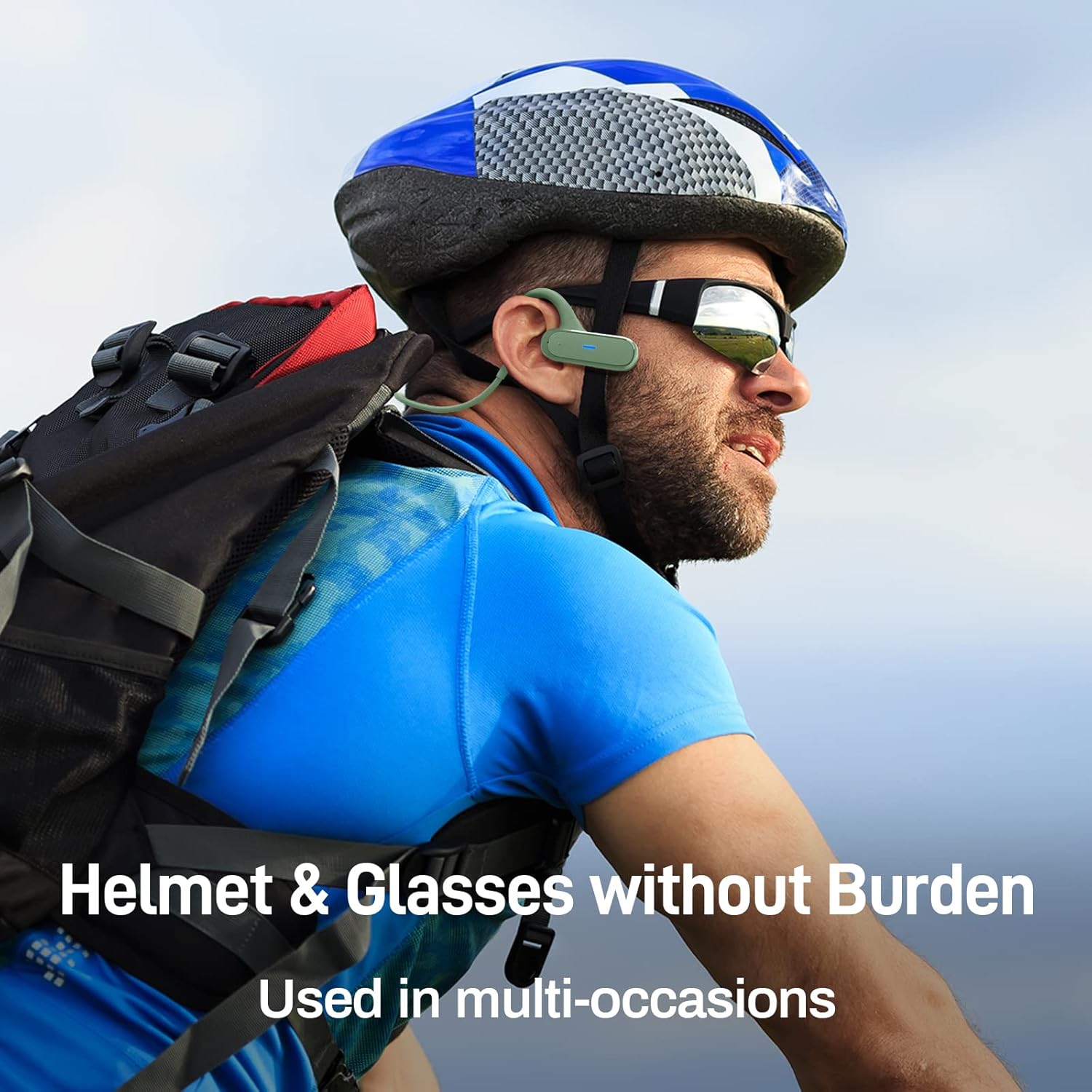
Image 6.3: The headphones are designed to be worn comfortably with helmets and glasses, suitable for various activities.
7. Manteniment
7.1 Neteja
- Netegeu els auriculars amb un drap suau i sec.
- No utilitzeu productes químics o materials abrasius per netejar.
7.2 Resistència a l'aigua (IPX6)
The headphones are IPX6 waterproof, meaning they are protected against powerful water jets. This makes them suitable for use during light rain and sweating.
- No submergiu els auriculars a l'aigua.
- Assegureu-vos que la tapa del port de càrrega estigui ben tancada per mantenir la resistència a l'aigua.
- If the headphones get wet, wipe them dry before charging.

Image 7.1: The headphones feature an IPX6 waterproof design, including a waterproof Type-C charging interface, to protect against sweat and light rain.
7.3 Emmagatzematge
- Guardeu els auriculars en un lloc fresc i sec, allunyat de la llum solar directa.
- Avoid storing them in places with extreme temperatures or high humidity.
8. Solució De Problemes
| Problema | Possible solució |
|---|---|
| Els auriculars no s'encenen | Assegureu-vos que els auriculars estiguin carregats. Connecteu-los a una font d'alimentació i torneu-ho a provar. |
| No es pot emparellar amb el dispositiu |
|
| Sense so ni volum baix |
|
| Connexió intermitent |
|
| El micròfon no funciona |
|
9. Especificacions
| Característica | Detall |
|---|---|
| Marca | DACOM |
| Nom del model | Airwings H11 |
| Tecnologia de connectivitat | Sense fil (Bluetooth) |
| Tecnologia de comunicació sense fils | Bluetooth |
| Factor de forma | Orella oberta |
| Material | Silicone, Memory Titanium Alloy |
| Pes de l'article | 20 grams |
| Característiques especials | Foldable, IPX6 Waterproof, Dual-Mic Noise Reduction, Physical Buttons |
| Composició de la bateria | Polímer de liti |
| Bateria recarregable | Sí |
| Hora de joc | Fins a 15 hores |
| Temps de càrrega | Aprox. 2 hores |
| Temps d'espera | Fins a 300 hores |
| Dispositius compatibles | Laptop, Car Audio System, Mobile Phone |
| Components inclosos | Cable USB |
10. Garantia i Suport
DACOM products are manufactured to the highest quality standards. For information regarding warranty coverage, technical support, or customer service, please refer to the warranty card included with your product or contact your local retailer/distributor. You may also visit the official DACOM weblloc per obtenir més ajuda.
Ask a question about this manual
Ask about setup, troubleshooting, compatibility, parts, safety, or missing instructions. Manuals+ will review the question and use this page’s manual context to help answer it.