
Introducció
Thank you for choosing the Diivoo 3-Outlet Irrigation Water Timer. This manual provides detailed instructions for the installation, programming, operation, and maintenance of your new water timer. Please read this manual thoroughly before use to ensure proper function and longevity of the device.
Producte acabatview
The Diivoo 3-Outlet Irrigation Water Timer is designed to automate your garden watering, offering convenience and efficient water management. It features three independent outlets, allowing you to set separate watering schedules for different areas of your garden. The timer supports both automatic and manual watering modes, along with a rain delay function.

Image: The Diivoo water timer display, illustrating options for setting watering frequency (e.g., every 6H, 12H, 1-7 days) and duration (0-240 minutes).
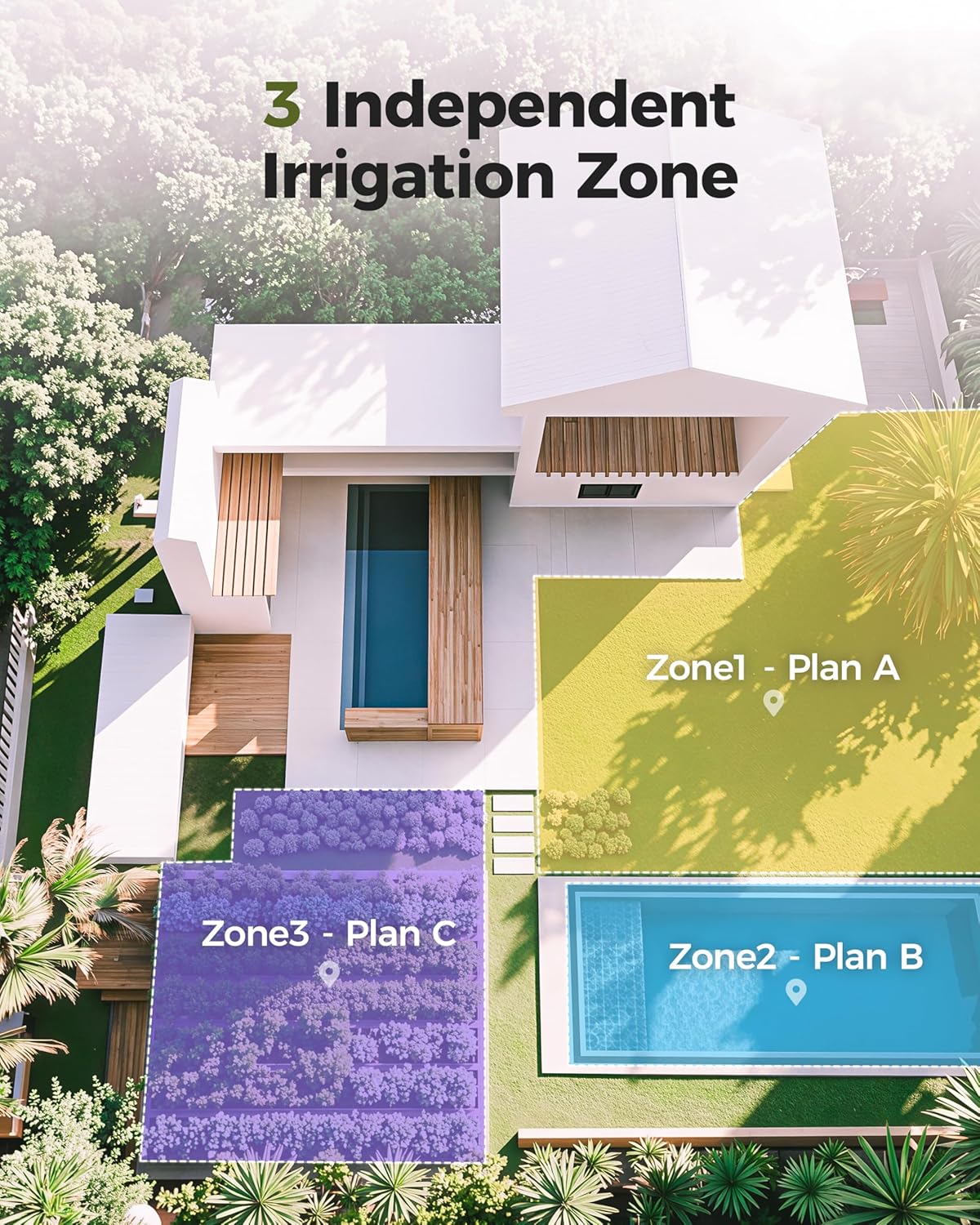
Image: An illustration demonstrating the application of the 3-outlet timer to manage three independent irrigation zones within a garden layout.
Configuració
- Instal·lació de la bateria: The timer requires four (4) AAA alkaline batteries (not included). Open the battery compartment cover located on the back of the unit. Insert the batteries, ensuring correct polarity (+/-). Close the cover securely. The batteries are expected to last 6 to 8 months.
- Connecta't a l'aixeta: Screw the timer onto your outdoor faucet. Ensure the connection is tight to prevent leaks. The timer features wear-resistant brass threads for durability.
- Connecteu les mànegues: Attach your garden hoses or irrigation lines to the three independent outlets at the bottom of the timer.
- Estableix l'hora actual: Rotate the dial to 'SET CLOCK'. Use the '+' and '-' buttons to adjust the current time. Press 'OK' to confirm.

Imatge: Una imatge detallada view of the water timer's battery compartment, highlighting the waterproof seal strip and the durable brass threads for connection.
Instruccions de funcionament
Setting Automatic Watering Program
The timer allows you to program individual schedules for each of the three zones.
- Seleccioneu la zona: Press the 'ZONE' button to cycle through Zone 1, Zone 2, and Zone 3.
- Establir hora d'inici: Rotate the dial to 'START TIME'. Use '+' and '-' to set the desired start time for the selected zone. Press 'OK' to confirm.
- Configura la durada del reg: Rotate the dial to 'HOW LONG'. Use '+' and '-' to set the watering duration from 0:01 (1 minute) to 3:59 (3 hours 59 minutes). Press 'OK' to confirm.
- Estableix la freqüència de reg: Rotate the dial to 'HOW OFTEN'. Use '+' and '-' to set the frequency. Options include every 8 hours, every 12 hours, or every 1 to 7 days. Press 'OK' to confirm.
- Activa el programa: After setting all parameters for a zone, rotate the dial to 'AUTO'. The timer will now operate according to your programmed schedule.

Image: The timer's display showing the 'Next Time' for a programmed watering schedule, the interface for 'Manual Watering', and the 'Rain Delay' function.
Reg manual
The manual watering function allows you to water immediately without interrupting your preset automatic schedules.
- Activate Manual Mode: In 'AUTO' mode, press and hold the 'OK' button. The display will show 'MANUAL'.
- Set Manual Duration: Use the '+' and '-' buttons to adjust the manual watering duration (e.g., 10 minutes).
- Start Watering: Press 'OK' to start manual watering. The timer will water for the set duration and then automatically return to the programmed schedule.
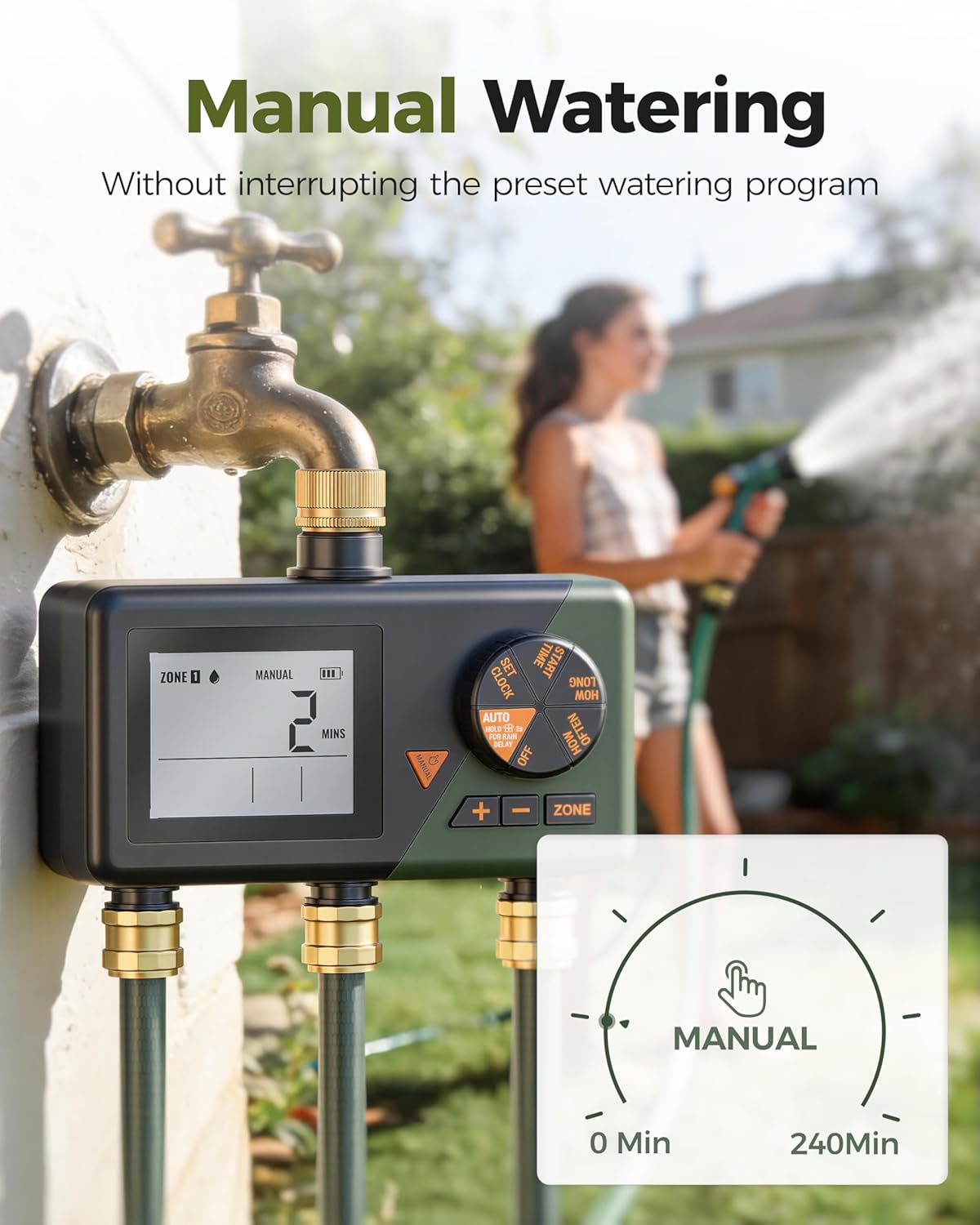
Image: The water timer in use, demonstrating the manual watering feature which allows for immediate watering without altering programmed schedules.
Funció de retard de pluja
The rain delay feature allows you to pause your automatic watering schedule for a specified period, conserving water during rainy weather.
- Activate Rain Delay: In 'AUTO' mode, press and hold the '+' button (labeled 'DELAY').
- Set Delay Duration: Use the '+' and '-' buttons to select the delay duration (1 to 7 days).
- Confirm Delay: Press 'OK' to confirm. The timer will pause all programmed watering for the selected number of days and resume automatically afterward.

Image: The water timer operating during rainfall, with its display indicating a 2-day rain delay is active, pausing scheduled watering.
Manteniment
- Substitució de la bateria: Replace batteries when the low battery indicator appears on the display or if the timer stops functioning. Always use fresh AAA alkaline batteries.
- Neteja de filtres: The timer includes a stainless steel antifouling filter at the inlet. Periodically check and clean this filter to prevent debris from entering the timer and affecting water flow.
- Emmagatzematge d'hivern: To prevent damage from freezing temperatures, disconnect the timer from the faucet and hoses before winter. Remove the batteries and store the unit indoors in a dry, frost-free location.
- Prevenció de fuites: Ensure all connections are tight. Regularly check the rubber O-rings in your hose connectors and replace them annually if they show signs of wear to prevent leaks.

Image: The water timer shown partially submerged in water, highlighting its waterproof and reliable construction.
Resolució de problemes
| Problema | Causa possible | Solució |
|---|---|---|
| Sense flux d'aigua | Low battery; Faucet off; Program not set; Filter clogged. | Replace batteries; Turn on faucet; Set a watering program; Clean the inlet filter. |
| Timer not turning on/off at scheduled times | Configuració incorrecta del rellotge; Configuració incorrecta del programa; Retard per pluja actiu. | Verify current time; Review and adjust start time, duration, and frequency for each zone; Check if rain delay is active. |
| Fuita d'aigua per les connexions | Connexions soltes; juntes tòriques desgastades. | Tighten all connections; Inspect and replace worn rubber O-rings in hose connectors. |
| La pantalla està en blanc o tènue | Piles gastades o baixes. | Replace all four AAA batteries with new ones. |
Especificacions
- Model: DI-WT10M1
- Marca: Diivoo
- Material: Alumini
- Nombre de punts de venda: 3
- Font d'alimentació: 4 piles alcalines AAA (no incloses)
- Durada del reg: 1 minut a 3 hores 59 minuts
- Freqüència de reg: Every 8 hours, 12 hours, or 1-7 days
- Retard per la pluja: 1-7 dies
- Dimensions (P x A x A): 21.5 cm x 18.3 cm x 9.3 cm
- Fabricant: Zhuhai Tessan Power Technology Co., Ltd.

Imatge: Examples of various devices compatible with the water timer, such as sprinklers, drip irrigation kits, soaker hoses, and hose splitters.
Garantia i Suport
For warranty information or technical support, please refer to the product packaging or contact the retailer where you purchased the Diivoo 3-Outlet Irrigation Water Timer. Keep your purchase receipt as proof of purchase.