
Introducció
Thank you for choosing the Ambrane PB10 Magnetic Wireless Power Bank. This device is designed to provide convenient and efficient charging for your compatible smartphones and other devices, featuring both magnetic wireless charging and high-speed wired charging capabilities. Please read this manual carefully before using the product to ensure safe and optimal performance.

Figure 1: Ambrane PB10 Magnetic Wireless Power Bank
Contingut del paquet
Verifiqueu que tots els elements siguin presents al paquet:
- 1 x Ambrane PB10 Magnetic Wireless Power Bank
- 1 cable USB (tipus C)
- 1 x Rating Card
- 1 x Manual d'usuari
Característiques del producte
- Bateria de polímer de liti de 10000 mAh
- 15W Magnetic Wireless Charging Output
- 22.5W Power Delivery (PD) & Quick Charge 3.0 Wired Output
- MagSafe Compatible for iPhone 12 and above
- Integrated Stand for convenient viewing
- Multiple Output Ports: 1 x USB-A, 1 x USB Type-C
- Input Port: 1 x USB Type-C
- Multi-layer Chipset Protection for safety
Configuració
1. Càrrega inicial del banc d'energia extern
Before first use, fully charge your Ambrane PB10 power bank. This ensures optimal battery performance and longevity.
- Connect the provided USB Type-C cable to the Type-C input port on the power bank.
- Connect the other end of the cable to a compatible USB wall adapter (not included). For fastest charging, use a 22.5W PD compatible adapter.
- The LED indicators on the power bank will illuminate to show the charging status. Once all indicators are solid, the power bank is fully charged.

Figura 2: Càrrega del banc d'alimentació mitjançant l'entrada de tipus C
Instruccions de funcionament
1. Càrrega amb cable
The Ambrane PB10 offers 22.5W Power Delivery and Quick Charge 3.0 for fast wired charging.
- Connect your device's charging cable to either the USB-A output port or the USB Type-C output port on the power bank.
- Connect the other end of the cable to your smartphone or other compatible device.
- Press the power button on the power bank to initiate charging if it does not start automatically.

Figure 3: Wired Charging of Devices
2. Magnetic Wireless Charging
The power bank supports 15W magnetic wireless charging, compatible with MagSafe-enabled iPhones (iPhone 12 series and above) and other Qi-compatible wireless charging devices.
- Ensure your device supports wireless charging and has a magnetic alignment feature (for MagSafe).
- Align your device's wireless charging area with the magnetic charging surface of the power bank. The magnets will help snap it into place.
- Press the power button on the power bank to activate wireless charging. Wireless charging will not start automatically upon attachment.
- The LED indicators will show charging status.
Nota: For optimal magnetic connection and stable charging, avoid placing the power bank in your pocket or moving it excessively while wirelessly charging. Ensure no foreign objects are between the power bank and your device during wireless charging.
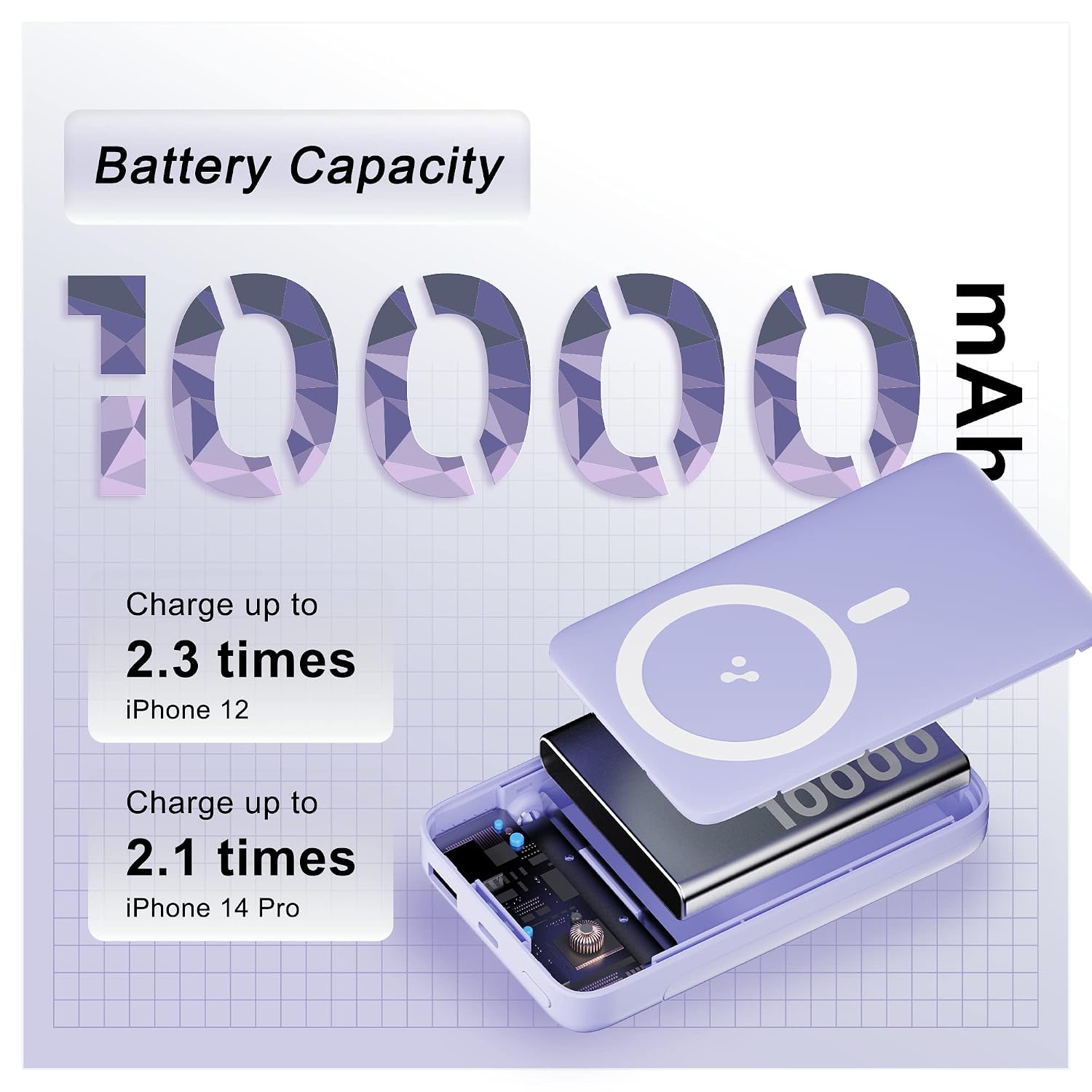
Figure 4: Magnetic Wireless Charging in Use
3. Ús del suport integrat
The power bank features an integrated stand for convenient hands-free viewmentre es carrega.
- Gently pull out the stand from the back of the power bank.
- Place your device on the stand in either portrait or landscape orientation.

Figure 5: Power Bank with Integrated Stand
Manteniment
1. Cura de la bateria
- Eviteu exposar el banc d'energia a temperatures extremes (calor o fred).
- Do not fully discharge the power bank frequently. Recharge it when the battery level is low.
- If storing for extended periods, charge the power bank to approximately 50-70% every 3 months.
2. Neteja
- Netegeu el banc d'energia amb un drap suau i sec.
- No utilitzeu productes químics ni productes de neteja abrasius.
- Keep ports free from dust and debris.
3. Emmagatzematge
Guardeu el banc d'energia en un lloc fresc i sec, allunyat de la llum solar directa i de la humitat.
Resolució de problemes
- El banc d'energia no es carrega:
- Ensure the charging cable is securely connected to both the power bank's Type-C input and the wall adapter.
- Verify the wall adapter is functioning correctly and connected to a live power outlet.
- Prova un cable USB tipus C i un adaptador de paret diferents.
- El dispositiu no es carrega (amb cable):
- Press the power button on the power bank to activate output.
- Assegura't que el cable de càrrega del dispositiu estigui connectat correctament tant al banc d'alimentació com al dispositiu.
- Prova un cable de càrrega o un port de sortida diferent del banc d'alimentació.
- Comprova si el port de càrrega del dispositiu està net i lliure de brutícia.
- El dispositiu no es carrega (sense fil):
- Press the power button on the power bank to activate wireless charging.
- Ensure your device is properly aligned with the magnetic charging surface.
- Remove any thick phone cases or metallic objects that may interfere with wireless charging.
- Confirm your device supports Qi wireless charging.
- Càrrega lenta:
- Ensure you are using a compatible fast-charging cable and wall adapter for the power bank's input.
- For wired output, ensure your device and cable support PD or QC 3.0 for faster charging.
- For wireless charging, ensure optimal alignment and no obstructions.
- Sobreescalfament:
- It is normal for the power bank to generate some heat during charging or discharging.
- If the power bank becomes excessively hot, disconnect it immediately and allow it to cool down.
- Ensure adequate ventilation and avoid charging in confined spaces or direct sunlight.
- If overheating persists or is accompanied by swelling or odor, discontinue use and contact customer support.
Especificacions
| Característica | Detall |
|---|---|
| Número de model | PB10 (Aerosync PB 10) |
| Capacitat de la bateria | 10000 mAh |
| Tipus de pila de bateria | Polímer de liti |
| Sortida de càrrega sense fils | 15W (Qi Standard) |
| Sortida amb cable (USB-A) | 22.5W (BoostedSpeed, QC 3.0) |
| Wired Output (USB Type-C) | 22.5W (Lliurament de potència) |
| Port d'entrada | USB tipus C |
| Temps de càrrega de la bateria | Approximately 3 Hours (with compatible fast charger) |
| Dispositius compatibles | Smartphones (iPhone 12+ for MagSafe), Android, other wireless devices |
| Dimensions (L x A x A) | 12 x 7.2 x 1.7 centímetres |
| Pes | 250 grams |
Informació de la garantia
The Ambrane PB10 Magnetic Wireless Power Bank comes with a 180-day (6-month) manufacturer's warranty from the date of purchase. This warranty covers manufacturing defects. Please retain your purchase receipt for warranty claims.
La garantia no cobreix els danys causats per mal ús, accidents, reparacions no autoritzades o desgast normal.
Suport i contacte
For technical support, warranty claims, or any product-related inquiries, please contact Ambrane customer service:
- Correu electrònic: Care@ambraneindia.com
- Fabricant: Ambrane
For more information about Ambrane products, visit the official Ambrane Store on Amazon.
Informació de seguretat
Si us plau, llegiu i seguiu aquestes pautes de seguretat per evitar lesions o danys al producte:
- No desmunteu, modifiqueu ni repareu el dispositiu vosaltres mateixos.
- Keep the power bank away from water, fire, and high temperatures.
- No deixeu caure, no colpegeu ni sotmeteu el banc d'energia a vibracions fortes.
- If the power bank swells, emits odor, or shows other abnormalities, discontinue use immediately and contact support.
- Mantenir fora de l'abast dels nens.
- Eliminar el producte de manera responsable segons la normativa local.