
1. Introducció
Gràcies per la compraasing the SYLVOX Elf S2 Soundbar. This 60W Bluetooth soundbar is designed to enhance your audio experience with 3D surround sound and multiple EQ modes (Movie, Music, News). Its IP65 waterproof rating ensures durability for various environments. This manual provides essential information for safe and optimal use, including setup, operation, maintenance, and troubleshooting.
2. Informació de seguretat
Si us plau, llegiu atentament totes les instruccions de seguretat abans d'utilitzar el producte. Conserveu aquest manual per a futures consultes.
- Do not expose the soundbar to extreme temperatures or direct sunlight for prolonged periods.
- Assegureu-vos una ventilació adequada al voltant de la unitat.
- Utilitzeu només l'adaptador d'alimentació subministrat amb el dispositiu.
- Do not attempt to disassemble or modify the soundbar. Refer all servicing to qualified personnel.
- Mantingueu la barra de so allunyada de camps magnètics forts.
- Despite its IP65 rating, avoid submerging the soundbar in water.
3. Contingut del paquet
Verifiqueu que tots els elements que s'enumeren a continuació s'inclouen al vostre paquet:

- Barra de so x1
- Remote Control (AAA Batteries x2) x1
- Cable HDMI x1
- Cable òptic x1
- Cable coaxial x1
- Cable d'alimentació CA x1
- USB Transfer Cable x1
- Kit de muntatge a la paret x1
- Manual d'usuari x1
- Targeta de garantia x1
Image: The SYLVOX Elf S2 Soundbar and its accessories, including various cables, remote control, and wall mounting hardware.
4. Producte acabatview
4.1 Davant View

Image: The front of the SYLVOX Elf S2 Soundbar, featuring a minimalist design with the brand logo.
4.2 Connexions del panell posterior

Image: The rear panel of the soundbar, detailing the various input ports for connectivity.
- COAXIAL: Coaxial digital audio input.
- TPTICA: Entrada d'àudio digital òptica.
- ARC HDMI: Entrada de canal de retorn d'àudio HDMI per a connexió de TV.
- USB (5V=500mA): Port USB per a la reproducció multimèdia.
- AC IN: Entrada de potència.
4.3 Control remot

Image: The remote control for the soundbar, showing buttons for power, volume, input selection, and dedicated sound modes.
- Botó d'encesa: Activa o desactiva la barra de so.
- Selecció d'entrada: Cycles through available input sources (HDMI ARC, Optical, Coaxial, Bluetooth, USB).
- Pujar/baixar el volum: Ajusta el volum mestre.
- Silenciar: Silencia o activa el so.
- Sound Mode Buttons (SPORT, MUSIC, NEWS, MOVIE): Selecciona els modes d'equalitzador preestablerts.
5. Configuració
5.1 Col·locació
Place the soundbar on a stable, flat surface in front of your TV, or mount it on the wall below your TV. Ensure there are no obstructions blocking the soundbar's speakers.
5.2 Connexió al televisor
Trieu un dels mètodes de connexió següents:
- HDMI ARC (recomanat): Connect one end of the HDMI cable to the HDMI ARC port on the soundbar and the other end to the HDMI ARC port on your TV. This allows for audio return and control via your TV remote.
- Òptic: Connect one end of the optical cable to the OPTICAL port on the soundbar and the other end to the optical output port on your TV.
- Coaxial: Connect one end of the coaxial cable to the COAXIAL port on the soundbar and the other end to the coaxial output port on your TV.
5.3 Connexió d'alimentació
Connect the AC power cord to the AC IN port on the soundbar, then plug the other end into a power outlet.
6. Instruccions de funcionament
6.1 Encès/Apagat
Premeu el botó Poder button on the remote control or on the side panel of the soundbar to turn the unit on or off.
6.2 Control de volum
Utilitza el Puja el volum (+) i Baixar el volum (-) botons del comandament a distància per ajustar el nivell del so.
6.3 Selecció d'entrada
Premeu el botó Entrada button on the remote control to cycle through the available input sources (HDMI ARC, Optical, Coaxial, Bluetooth, USB).
6.4 Modes de so
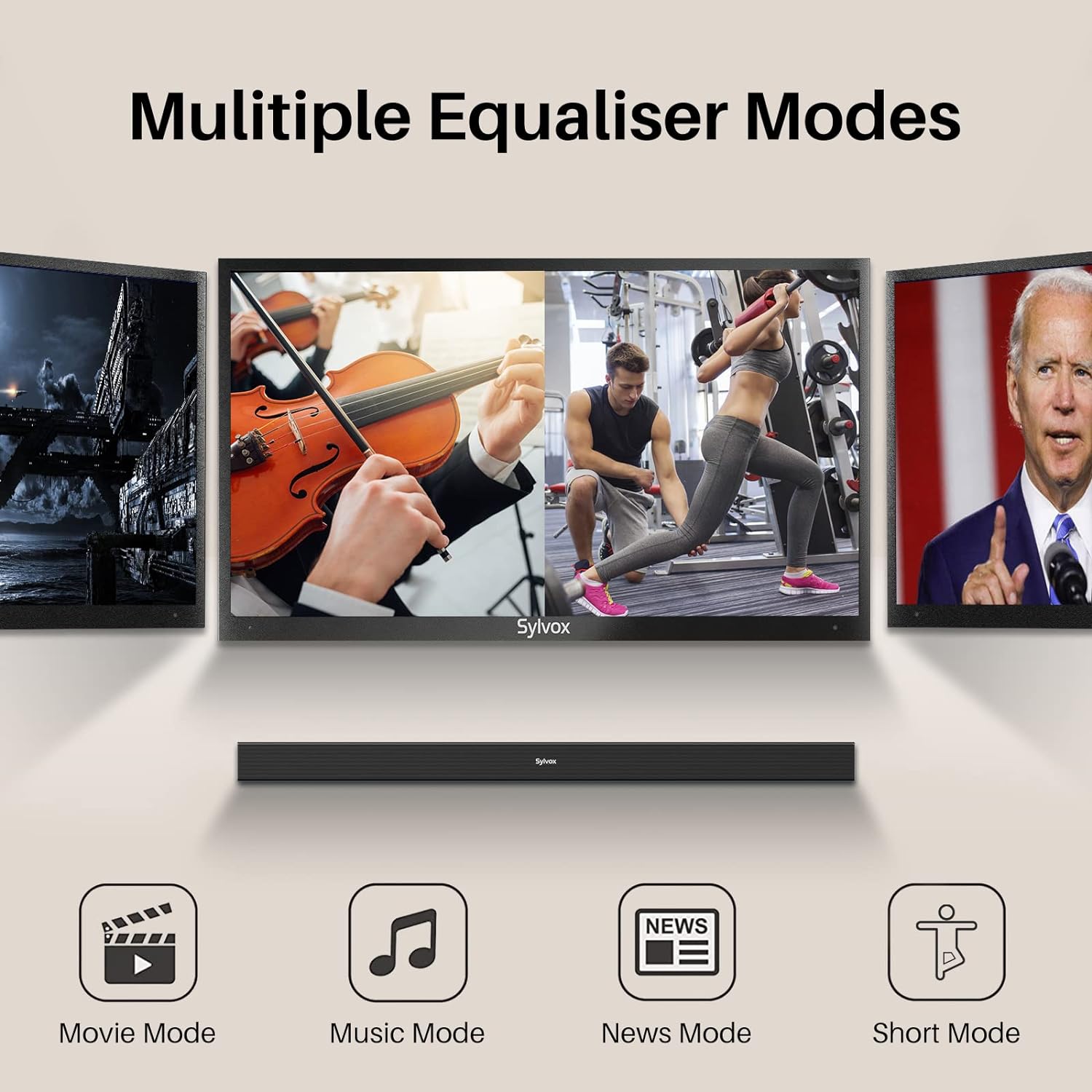
Image: Visual representation of the soundbar's multiple equalizer modes.
The soundbar features three preset equalizer modes to optimize your audio experience:
- Mode pel·lícula: Enhances dialogue clarity and provides a wider soundstage for cinematic content.
- Mode de música: Optimizes audio for music playback, offering balanced highs, mids, and lows.
- Mode de notícies: Focuses on vocal clarity, making spoken content easier to understand.
Premeu el corresponent PEL·lícula, MÚSICA, o NOTÍCIES button on the remote control to select your desired mode.
7. Connectivitat
7.1 Vinculació Bluetooth

Image: Illustration of devices wirelessly connecting to the soundbar via Bluetooth for music streaming.
Per connectar el vostre dispositiu Bluetooth:
- Turn on the soundbar and select Bluetooth input mode. The Bluetooth indicator will flash.
- Activa el Bluetooth al teu dispositiu (telèfon intel·ligent, tauleta, etc.) i cerca els dispositius disponibles.
- Select "SYLVOX Elf S2" from the list. Once connected, the Bluetooth indicator will stop flashing and remain solid.
- Ara pots reproduir àudio en streaming des del teu dispositiu a la barra de so.
Reproducció USB 7.2
Insert a USB drive into the USB port on the rear panel. The soundbar will automatically switch to USB input mode and begin playing compatible audio files.
8. Muntatge a la paret
The SYLVOX Elf S2 Soundbar can be wall-mounted using the included wall mount kit. Follow these steps for secure installation:
- Determine the desired mounting location below your TV. Ensure the wall can support the weight of the soundbar.
- Use the provided template (if applicable) or measure the distance between the mounting holes on the soundbar.
- Mark the drilling points on the wall.
- Drill pilot holes at the marked points. Insert wall anchors if necessary (for drywall).
- Secure the wall brackets to the wall using screws.
- Carefully attach the soundbar to the installed wall brackets. Ensure it is securely fastened before releasing.
9. Manteniment
9.1 Neteja
Wipe the soundbar with a soft, dry cloth. Do not use liquid cleaners or abrasive materials, as they may damage the finish.
9.2 Classificació d'impermeabilitat IP65

Image: The soundbar shown outdoors in the rain, highlighting its IP65 waterproof capability.
The SYLVOX Elf S2 Soundbar has an IP65 waterproof rating, meaning it is protected against dust ingress and low-pressure water jets from any direction. This makes it suitable for outdoor use and environments where it may be exposed to splashes or light rain. However, it is not designed for submersion in water.
10. Solució De Problemes
Si teniu problemes amb la barra de so, consulteu els problemes i solucions més comuns següents:
| Problema | Causa possible | Solució |
|---|---|---|
| Sense poder | Cable d'alimentació no connectat; Presa de corrent no activa. | Assegureu-vos que el cable d'alimentació estigui ben connectat. Proveu la presa de corrent amb un altre dispositiu. |
| Sense so | Incorrect input selected; Volume too low; Cable not connected properly. | Seleccioneu la font d'entrada correcta. Augmenteu el volum. Comproveu totes les connexions del cable d'àudio. |
| S'ha produït un error en l'aparellament de Bluetooth | La barra de so no està en mode d'emparellament; Dispositiu massa lluny; Interferències. | Ensure soundbar is in Bluetooth mode and indicator is flashing. Move device closer. Avoid other wireless devices. |
| El comandament a distància no funciona | Batteries are dead; Obstruction between remote and soundbar. | Replace batteries (2x AAA). Ensure clear line of sight to the soundbar's sensor. |
11. Especificacions
| Característica | Detall |
|---|---|
| Marca | SYLVOX |
| Número de model | OTA1ELFS2 |
| Potència de sortida màxima dels altaveus | 60 watts |
| Resposta de freqüència | 20 kHz |
| Tecnologia de connectivitat | Bluetooth |
| Mode de sortida d'àudio | Envoltant |
| Tipus de muntatge | Muntatge de paret |
| Material de tancament | Plàstic |
| Característiques addicionals | Impermeable |
| És impermeable | TRUE (IP65) |
| Mètode de control | Remot |
| Mida de l'altaveu | 76 mil·límetres |
| Interval Bluetooth | 10 metres |
| Nombre de canals d'àudio | 2.0 |
| Impedància | 8 ohms |
| Font d'alimentació | Elèctric amb cable |
| Entrada Voltage | 240 Volts |
| Dimensions de l'article (D x W x H) | 3.62 "P x 38.38" W x 2.44" H |
| Pes de l'article | 2000 grams |
| Dispositius compatibles | Televisió |
12. Garantia i Suport
12.1 Garantia del producte
The SYLVOX Elf S2 Soundbar comes with a hassle-free 12 mesos de garantia. This warranty covers manufacturing defects and ensures product quality.
12.2 Política de devolució
An easy return policy is available, including Devolucions sense complicacions en 30 dies for quality issues. Original packaging is typically required for returns.
12.3 Atenció al client
For any questions, technical assistance, or warranty claims, please contact SYLVOX customer service. Friendly 7x24 customer service is available to assist you.