
1. Introducció
This manual provides essential instructions for the safe and efficient operation of your SkyRC T1000 Maestro Charger. Please read this manual thoroughly before use to ensure proper setup and functionality. This charger is designed for charging various battery types commonly used in RC models.
2. Instruccions de seguretat
Always observe the following safety precautions to prevent injury or damage to the charger or batteries:
- Read the entire instruction manual before operating the charger.
- Ensure adequate ventilation during charging to prevent overheating.
- Only charge battery types supported by this charger and ensure correct settings are selected.
- Never leave the charger unattended while it is in operation.
- Desconnecteu el carregador de la font d'alimentació quan no l'utilitzeu.
- Avoid exposing the charger to moisture, dust, or direct sunlight.
- Mantingueu el carregador fora de l'abast dels nens i les mascotes.
- No intenteu desmuntar ni modificar el carregador.
3. Producte acabatview
The SkyRC T1000 Maestro Charger features a dual-port design, allowing for simultaneous charging of two batteries. It includes an intuitive LCD display and control buttons for easy navigation and setting adjustments.
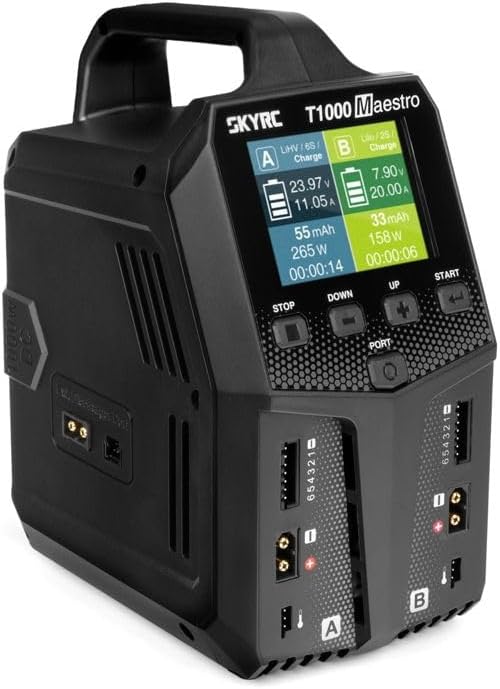
Figura 3.1: Frontal view of the SkyRC T1000 Maestro Charger, showing the LCD display, control buttons, and dual charging ports (A and B).
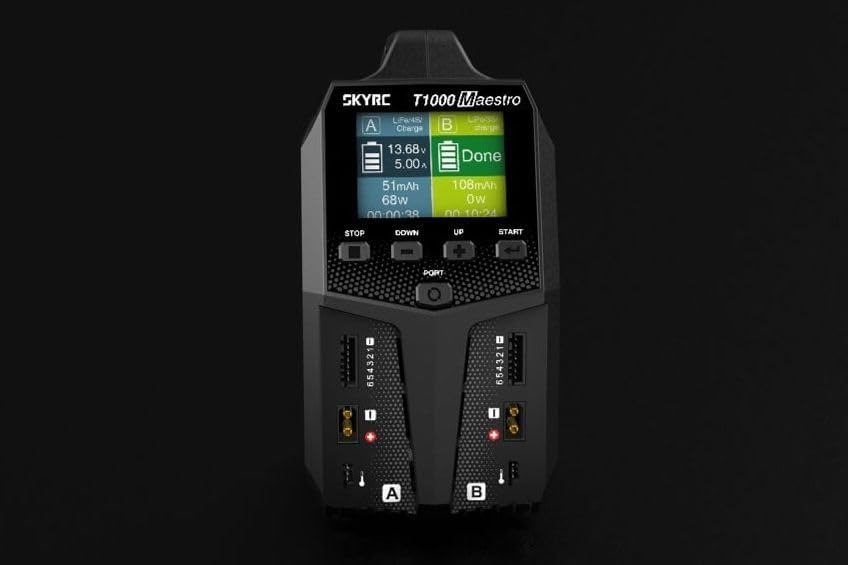
Figura 3.2: Detallada view of the charger's display interface and control buttons (STOP, DOWN, UP, START, PORT).
4. Configuració
Before operating the charger, ensure it is properly connected to a power source.
- Connexió d'alimentació: Connect the charger to an appropriate AC (100-240V) or DC (10-30V) power source using the provided power cable. The power input ports are located at the rear of the unit.
- Engegada inicial: Once connected, the charger will power on, and the display will illuminate.
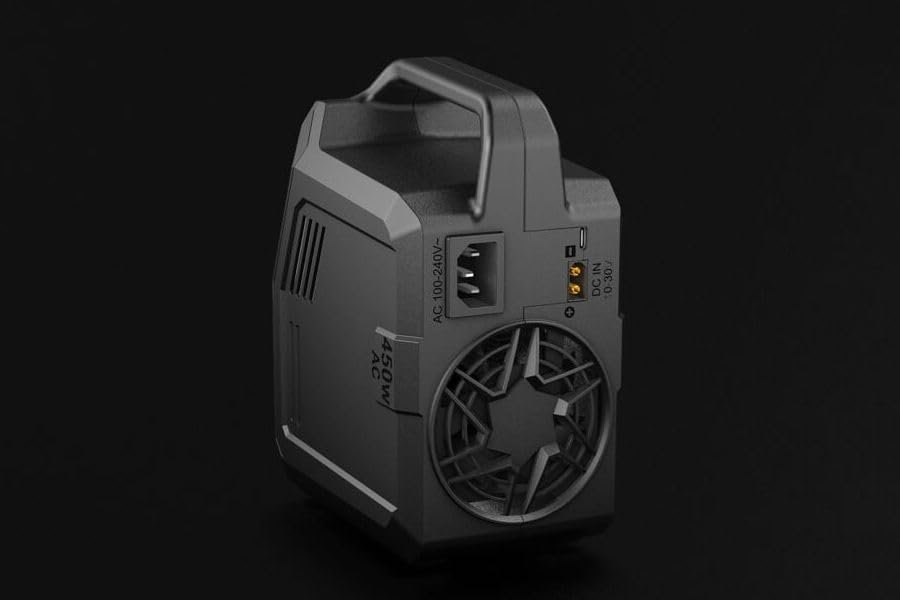
Figura 4.1: posterior view of the charger, highlighting the AC 100-240V and DC 10-30V input connections.
5. Funcionament del carregador
The SkyRC T1000 Maestro offers various charging modes for different battery types. Follow these general steps for operation:
- Connecta la bateria: Connect your battery to one of the charging ports (A or B). Ensure the balance lead (if applicable) is also connected to the corresponding balance port.
- Seleccioneu el port: Use the 'PORT' button to select the desired charging port (A or B) if you are using only one, or to view status for both.
- Choose Program: Navigate through the menu using the 'UP' and 'DOWN' buttons to select the appropriate charging program for your battery type (e.g., LiPo Charge, NiMH Charge, Storage, Discharge, Balance).
- Establir paràmetres: Adjust charging parameters such as current (Amps) and cell count (for LiPo/LiFe/LiHV) using the 'UP' and 'DOWN' buttons.
- Comença a carregar: Press and hold the 'START' button to initiate the charging process. The charger will perform a safety check before starting.
- Supervisar el progrés: The LCD display will show real-time charging information, including voltage, current, charged capacity (mAh), and elapsed time.
- Atura la càrrega: Press the 'STOP' button at any time to end the charging process.
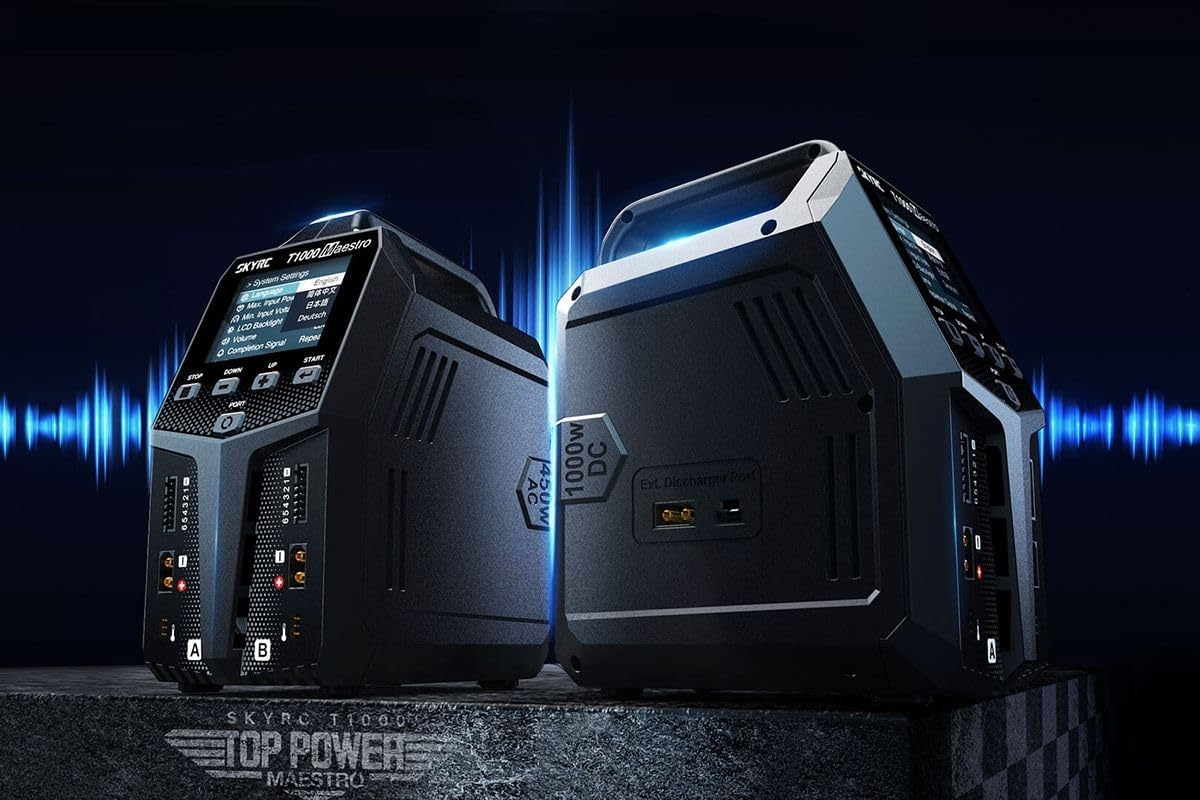
Figure 5.1: The charger's display showing various menu options and settings for operation.
6. Manteniment
Proper maintenance ensures the longevity and reliable performance of your charger.
- Neteja: Use a soft, dry cloth to clean the exterior of the charger. Do not use solvents or abrasive cleaners.
- Emmagatzematge: Guardeu el carregador en un lloc fresc i sec, lluny de la llum solar directa i de temperatures extremes.
- Inspecció: Periodically inspect cables and connectors for any signs of wear or damage. Replace damaged components immediately.
7. Solució De Problemes
If you encounter issues with your SkyRC T1000 Maestro Charger, refer to the following common problems and solutions:
- El carregador no s'encén:
- Check that the power cable is securely connected to both the charger and the power outlet.
- Verify that the power outlet is functional. - Missatge d'error de càrrega:
- Ensure the battery type and cell count settings match the connected battery.
- Check all battery connections, including the balance lead, for proper contact.
- The battery may be damaged or over-discharged. - La pantalla no respon:
- Try disconnecting and reconnecting the power. If the issue persists, contact support.
8. Especificacions
| Característica | Especificació |
|---|---|
| Fabricant | SkyRC |
| Número de model de l'article | SK100182-01 |
| Dimensions del producte | 25.6 x 22.3 x 12.9 cm |
| Pes de l'article | 1762 grams (1.76 kg) |
| Entrada Voltage | 12 volt (CC) |
| Vol. De sortidatage | 20 volt (CC) |
9. Garantia i Suport
For warranty information and technical support, please refer to the official SkyRC weblloc web o poseu-vos en contacte amb el vostre distribuïdor local. Conserveu el rebut de compra com a comprovant de compra per a qualsevol reclamació de garantia.