
1. Introducció
The EONON V0051 is a high-performance 4x4 car digital TV tuner designed for stable reception of high-definition television broadcasts. It supports both Full-Segment (Full-Seg) and One-Segment (One-Seg) reception, automatically switching between them based on signal conditions. This tuner is compatible with a wide range of vehicles, operating on DC 9V to 40V power supplies, making it suitable for passenger cars, trucks, and buses. It features HDMI output for high-quality video and includes a power memory function to recall the last viewcanal ed.

Image 1.1: The EONON V0051 Car Digital TV Tuner with its remote control. The tuner is a compact black box with antenna ports and a Mini B-CAS card slot.
2. Contingut del paquet
Si us plau, verifiqueu que tots els elements que s'enumeren a continuació estiguin inclosos al vostre paquet:
- Tuner Unit (1)
- Remote Control (1, batteries not included)
- IR (Infrared) Receiver Cable (1)
- Antennas (4 sets)
- Power AV Cable (1)
- IR and Touch 2-in-1 Conversion Cable (1)
- Mini B-CAS Card (1)
- Cable Clamps (4)
- Japanese Instruction Manual (1)

Image 2.1: Visual representation of the accessories included with the EONON V0051 tuner, such as the main unit, remote, antennas, and various cables.
3. Configuració i instal·lació
3.1 Esquema de cablejat
Follow the diagram below for proper connection of the tuner to your vehicle's electrical system and display unit.
- ACC Power Connection
- Connexió a terra
- Sortida d'àudio esquerra
- Sortida d'àudio dreta
- Sortida de vídeo
- Cable receptor IR
- Antenna Connections (4)

Image 3.1: Detailed wiring diagram showing connections for power, audio, video, IR receiver, and the four antennas to the EONON V0051 tuner.
3.2 Instal·lació de l'antena
The film antennas should be attached to the glass of your vehicle. Peel off the protective film from the back of the antenna and firmly press it onto the glass. Important: Do not attach the antennas to heat-insulating film, as this can cause signal interference.

Image 3.2: Diagram illustrating the recommended placement of film antennas on the front and rear windows of a vehicle for optimal signal reception.
3.3 Power Compatibility
The V0051 tuner supports a wide DC input voltage range from 9V to 40V. This allows for installation in various vehicle types, including standard passenger cars, trucks, and buses.

Image 3.3: Collage of various vehicles including cars, trucks, and vans, demonstrating the wide voltage compatibility of the EONON V0051 tuner.
4. Instruccions de funcionament
4.1 Full-Seg/One-Seg Automatic Switching
The tuner is capable of receiving both Full-Seg (1920x1080) and One-Seg (320x240) broadcasts simultaneously. It automatically switches between Full-Seg and One-Seg modes without interruption based on the strength of the received signal, ensuring continuous viewing even in areas with fluctuating signal conditions.

Image 4.1: A visual comparison showing the difference in resolution between ISDB-T One-Seg (320x240) and ISDB-T Full-Seg (1920x1080) broadcasts.

Image 4.2: Illustration demonstrating the seamless automatic switching functionality between Full-Seg and One-Seg modes based on signal strength.
4.2 Channel Scan (Automatic/Manual)
The tuner supports both automatic and manual channel searching. When driving long distances and moving into different broadcast areas, the tuner constantly monitors signal reception. If the signal is lost, it will automatically scan for receivable frequencies in the new area. You can also perform a manual scan if needed.
4.3 Power Memory Function
The V0051 tuner includes a power memory function. This feature allows the unit to remember the last channel you were watching before the power was turned off, automatically returning to that channel when the unit is powered on again.

Image 4.3: An illustration depicting the power memory function, where the tuner remembers the last viewed channel and resumes playback upon restart.
4.4 sortida HDMI
The tuner is equipped with an HDMI output (version 1.4 or lower compatible) for connecting to compatible monitors. It can be connected to car navigation systems, car DVD players, flip-down monitors, rearview mirror monitors, sun visor monitors, or headrest monitors with an AV input terminal or built-in HDMI terminal and a screen size of 4.3 inches or larger. Nota: An HDMI cable is not included with this product and must be purchased separately.
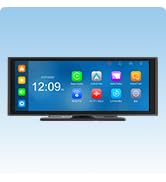
Image 4.4: Diagram showing the EONON V0051 tuner connected via HDMI to various in-car display units, such as head units, flip-down monitors, and headrest monitors.
4.5 EPG and Subtitle Support
The tuner supports Electronic Program Guide (EPG) information, allowing you to view program schedules. It also supports subtitle broadcasting.
5. Manteniment
To ensure optimal performance and longevity of your EONON V0051 Car Digital TV Tuner, follow these general maintenance guidelines:
- Neteja: Use a soft, dry cloth to clean the exterior of the tuner. Do not use liquid cleaners or abrasive materials, as they may damage the finish or internal components.
- Ventilació: Ensure that the tuner's ventilation openings are not blocked to prevent overheating.
- Connexions de cable: Periodically check all cable connections to ensure they are secure. Loose connections can lead to signal loss or intermittent operation.
- Cura de l'antena: Keep the film antennas clean and free from damage. Avoid peeling or repositioning them frequently, as this can reduce their adhesive strength and signal reception quality.
6. Solució De Problemes
If you encounter issues with your EONON V0051 Car Digital TV Tuner, please refer to the following common solutions:
- Sense senyal/Recepció deficient:
- Check all antenna connections to ensure they are securely attached to the tuner.
- Verify that the antennas are installed correctly on the glass and not obstructed by heat-insulating film.
- Perform an automatic channel scan to search for available broadcasts in your current location.
- Signal reception can be affected by driving speed, proximity to tall buildings, tunnels, or other signal interference sources. This is not a defect of the tuner itself.
- Frequent Switching between Full-Seg and One-Seg:
- The tuner is designed to automatically switch between Full-Seg and One-Seg based on signal strength to maintain continuous viewing. This behavior is normal when signal conditions fluctuate.
- Sense imatge/so:
- Ensure the power cable is correctly connected and the tuner is receiving power.
- Check the HDMI or AV output connections to your display unit.
- Confirm that your display unit is set to the correct input source (HDMI or AV).
- El control remot no respon:
- Substituïu les piles del comandament a distància.
- Ensure the IR receiver cable is properly connected and positioned to receive signals from the remote.
7. Especificacions
| Característica | Especificació |
|---|---|
| Número de model | V0051 |
| Color | Negre |
| Entrada de potència | CC 9V ~ 40V |
| Sistema de recepció | ISDB-T Full-Seg / One-Seg |
| Interval de freqüència de recepció | 473.143 ~ 767.143MHz (UHF) |
| HDTV Signal Reception Sensitivity | 95 dB |
| Max. Reception Speed | 150 km/h |
| Sistema d'antena | 4x4 High-Performance |
| Connexions de sortida | HDMI (Version 1.4 or lower), AV Output |
| Altres característiques | EPG, Subtitle Broadcast Support, Auto/Manual Channel Search, Power Memory Function, USB Update Support |
| Dimensions del producte | 14 x 8.8 x 3.3 cm |
| Pes del producte | 1.1 kg |
8. Garantia i Suport
Eonon provides a quality guarantee for this product. Please read the following information regarding warranty coverage and support procedures.
8.1 Cobertura de la garantia
- Initial Defects: For product damage during transport or returns/exchanges due to customer convenience (unopened products only), please contact customer service within 7 days of arrival. Returns without prior contact will be refused.
- Període de garantia: The warranty period for products purchased from our store is 1 year from the date of product arrival. (Note: Backup cameras, smartphone goods, and parts have a 6-month warranty period.)
- Àmbit: The warranty covers the product itself. It does not cover installation/removal costs, replacement vehicle costs, resale, or other third-party damages.
- Installation Damage: Damage, malfunction, or incorrect wiring during installation are not covered by the warranty. If relying on a professional installer, please confirm the work process, content, and product characteristics with them at your own discretion.
8.2 Warranty Procedure
- Report the suspected symptoms of malfunction and provide your purchase history (order number, date) and the serial number affixed to the product body, outer box, or packaging.
- Our customer service will confirm the reported content with our technical department. If no immediate solution is found, a return number will be issued. Please write this return number in the product name field of the return slip and send the main unit and all accessories to us.
- Important: Please remove any items not included with our product before returning. If discs or other items cannot be removed from the main unit, please inform us in advance. Also, inform us if you cannot return all accessories.
- Return defective products within 7 days of receiving the return number.
8.3 Specific Response Details
- Within 14 days of product arrival: If a defect is confirmed and symptoms do not improve, we will cover round-trip shipping costs and arrange for an exchange. If the product is not returned within 7 days of receiving the return number, the warranty will be handled as per the 15 days to 1 year policy below.
- 15 days to 1 year after product arrival: If a defect is confirmed and symptoms do not improve, you will be responsible for round-trip shipping costs, and we will arrange for an exchange. (Note: For backup cameras, smartphone goods, and parts, this period is 15 days to 6 months.)
8.4 Notes generals
- Exchanges will not be processed if the product is not returned to us.
- We do not cover costs associated with product installation or removal.
- Once the return process is complete, please provide the tracking number of the return shipment.
- Refunds are generally not accepted.
- If the shipping address for an exchanged product differs from the original purchase address, please inform us.
8.5 Exclusions from Warranty Coverage
La garantia no cobreix els casos següents:
- Damage due to human factors such as drops or impacts caused by carelessness.
- Malfunctions resulting from incorrect operation not in accordance with the instruction manual.
- Powering the unit with an incompatible voltage.
- Malfunctions occurring due to disassembly, repair, or modification.
- LCD monitors with 3 or fewer dead pixels.
- Damage to consumables or accessories (e.g., antennas, remote control).
- Indirect damages caused by the product's malfunction.
- If the warranty seal affixed to the unit is peeled off or broken.
- Products for which the warranty period has expired.
- Danys causats per desastres naturals o accidents.