
Xetron DMG-10X
Xetron DMG-10X Digital Refrigerant Manifold Gauge User Manual
Model: DMG-10X
1. Introducció
The Xetron DMG-10X is a state-of-the-art digital refrigerant manifold gauge designed for precise measurement of pressure, temperature, and vacuum in HVAC and refrigeration systems. It features Bluetooth connectivity for integration with a mobile application, offering advanced data analysis and management capabilities. This manual provides essential information for the safe and effective use of your DMG-10X.
2. Informació de seguretat
Observeu sempre les següents precaucions de seguretat per evitar lesions i danys al dispositiu:
- Assegureu-vos que totes les connexions estiguin ben connectades abans de fer funcionar el dispositiu.
- No exposeu el dispositiu a temperatures extremes, humitat ni substàncies corrosives.
- Handle refrigerants with care and follow all local and national safety regulations.
- Wear appropriate personal protective equipment (PPE), including safety glasses and gloves, when working with refrigerants.
- Refer to ASHRAE 34 standard for refrigerant safety based on toxicity and flammability. The DMG-10X provides information to help you identify refrigerant properties and take adequate safety protection measures.

Image: The DMG-10X provides safety information regarding refrigerants, including toxicity and flammability classifications, adhering to standards like ASHRAE 34.
3. Contingut del paquet
Verifiqueu que tots els elements siguin presents al paquet:
- 1x Xetron Digital Manifold Gauge (DMG-10X)
- 1 x manual d'usuari
- 1x Caixa d'embalatge
- 1x bossa de transport

Image: The complete package contents of the Xetron DMG-10X, showing the digital manifold, manual, and carrying bag.
4. Característiques del producte
The Xetron DMG-10X offers several advanced features for HVAC professionals:
- Precisió digital: Provides accurate pressure, temperature, and vacuum measurements.
- Connectivitat Bluetooth: Seamless integration with a dedicated mobile application for real-time data viewing and intelligent analysis.
- Actualització del firmware OTA: Supports Over-The-Air firmware updates for continuous improvement and new features.
- Built-in Temperature Compensation: Reduces measurement errors for enhanced accuracy.
- Extensive Refrigerant Database: Supports 18 customizable refrigerant combinations from over 141 refrigerants, continuously updated and compliant with NIST standards. This offers significantly more flexibility compared to traditional mechanical gauges that support only 1 or 2 refrigerant types.
- Thick Film Ceramics MEMS Sensor: Ensures reliable and stable pressure sensing, offering superior durability compared to mechanical shrapnel structures prone to external force damage.
- Esborra la pantalla: The device and app clearly display minimum, maximum, average pressure, high/low temperature, EV, CO, subcooling (SC), and superheat (SH) values, even in varying light conditions.
- Registre de dades: Local data storage with a capacity of up to 3000 points. Data can be easily analyzed and exported. The recording interval is flexible.
- Vacuum Test Function: Features a parallel display of vacuum values and a progress bar, along with a built-in timer for convenient vacuum duration judgment.
- Hold Pressure Test: Utilizes temperature compensation for more accurate hold pressure test results and provides automatic analysis during the pressure maintenance process.

Image: The DMG-10X connected to its mobile application, showing real-time pressure and temperature readings.

Image: The DMG-10X supports a wide range of refrigerants, offering greater versatility than older mechanical gauges.

Image: The DMG-10X features a durable Thick Film Ceramics MEMS Sensor, a significant improvement over fragile mechanical shrapnel structures.
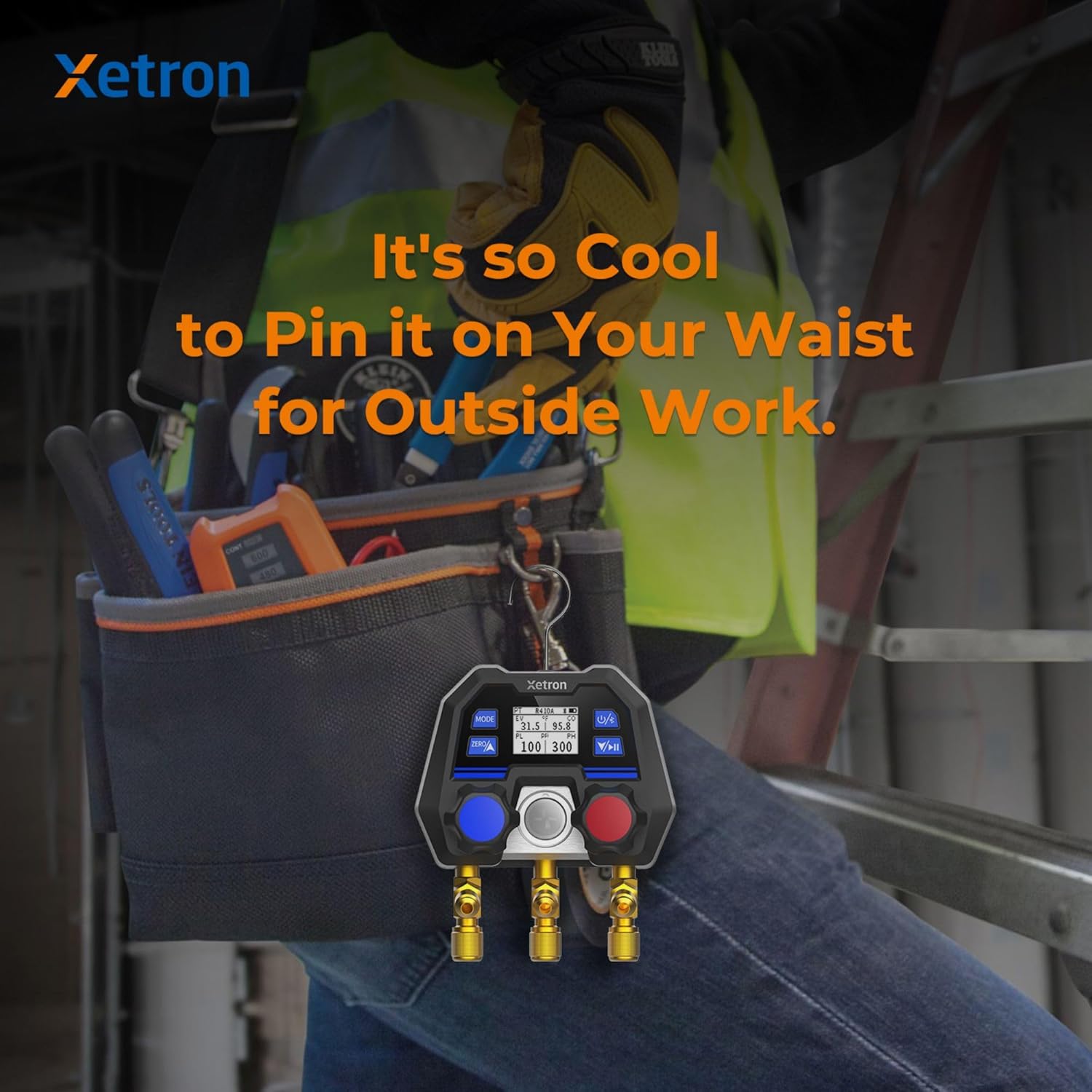
Image: The compact design of the DMG-10X allows for easy portability and attachment to a work belt for field use.
5. Configuració
5.1 Inspecció inicial
Before first use, inspect the DMG-10X for any visible damage. Ensure all ports and knobs are clean and free of debris.
5.2 Encès
Premeu i manteniu premut el botó d'engegada fins que la pantalla s'il·lumini.
5.3 Instal·lació i emparellament de l'aplicació
- Download the Xetron app from your device's app store (available on iOS and Android).
- Activa el Bluetooth al teu dispositiu mòbil.
- Open the Xetron app and follow the on-screen instructions to pair with your DMG-10X. The device's Bluetooth indicator will confirm a successful connection.
6. Instruccions de funcionament
6.1 Mesures bàsiques
Connect the appropriate hoses to the system and the DMG-10X ports. The device will display real-time pressure and temperature readings. Use the 'MODE' button to cycle through different measurement modes or units.
6.2 Selecció del refrigerant
The DMG-10X allows you to select from a wide range of refrigerants. Access the refrigerant management menu on the device or through the app to choose the correct refrigerant for your application. You can also customize and save your preferred refrigerant combinations.
6.3 Ús de l'aplicació mòbil
The Xetron app provides an enhanced user experience:
- Dades en temps real: View live pressure, temperature, superheat, and subcooling values on your smartphone.
- Registre de dades: Initiate and manage data recording sessions. Review historical data, clear records, and export reports for analysis. The app allows for flexible setting of recording intervals.
- Vacuum Test: Monitor vacuum levels with a graphical display and utilize the built-in timer for precise vacuum duration.
- Hold Pressure Test: Conduct and analyze hold pressure tests with temperature compensation for accurate results.
- Actualitzacions de firmware: Receive notifications and perform OTA firmware updates directly through the app to ensure your device is always up-to-date.
7. Manteniment
7.1 Neteja
Netegeu el dispositiu amb un suau, damp drap. No utilitzeu productes de neteja abrasius ni dissolvents. Assegureu-vos que tots els ports estiguin lliures de pols i deixalles.
7.2 Emmagatzematge
Store the DMG-10X in its carrying bag in a cool, dry place when not in use to protect it from physical damage and environmental factors.
8. Solució De Problemes
| Problema | Causa possible | Solució |
|---|---|---|
| El dispositiu no s'encén | Bateria baixa; el botó d'engegada no s'ha premut prou estona | Charge the device; Press and hold the power button for a few seconds |
| Bluetooth no connectat | Bluetooth disabled on phone/device; Device out of range; App not open | Enable Bluetooth; Move device closer; Open the Xetron app and attempt pairing again |
| Lectures inexactes | Incorrect refrigerant selected; Sensor dirty/damaged; Calibration needed | Verify refrigerant selection in app/device; Clean ports; Contact support for calibration |
| L'aplicació no mostra dades | Bluetooth disconnected; App frozen; Old firmware | Reconnect Bluetooth; Restart app; Check for and install firmware updates via app |
9. Especificacions
- Número de model: DMG-10X
- Marca: Xetron
- Dimensions (LxWxH): 11 x 7.5 x 13.5 cm
- Pes: 839 grams
- Material: Alumini
- Tipus de sensor: Thick Film Ceramics MEMS Sensor
- Connectivitat: Bluetooth
- Suport de refrigerant: 18 customizable combinations from 141+ refrigerants (NIST Standard)
- Capacitat de registre de dades: Fins a 3000 punts
- Primera data disponible: 15 d'abril de 2023
10. Garantia i Suport
For warranty information and technical support, please refer to the warranty card included with your product or visit the official Xetron website. You can also contact Xetron customer service through the contact information provided in the product packaging or on their official online store.
Ask a question about this manual
Ask about setup, troubleshooting, compatibility, parts, safety, or missing instructions. Manuals+ will review the question and use this page’s manual context to help answer it.