
1. Introducció
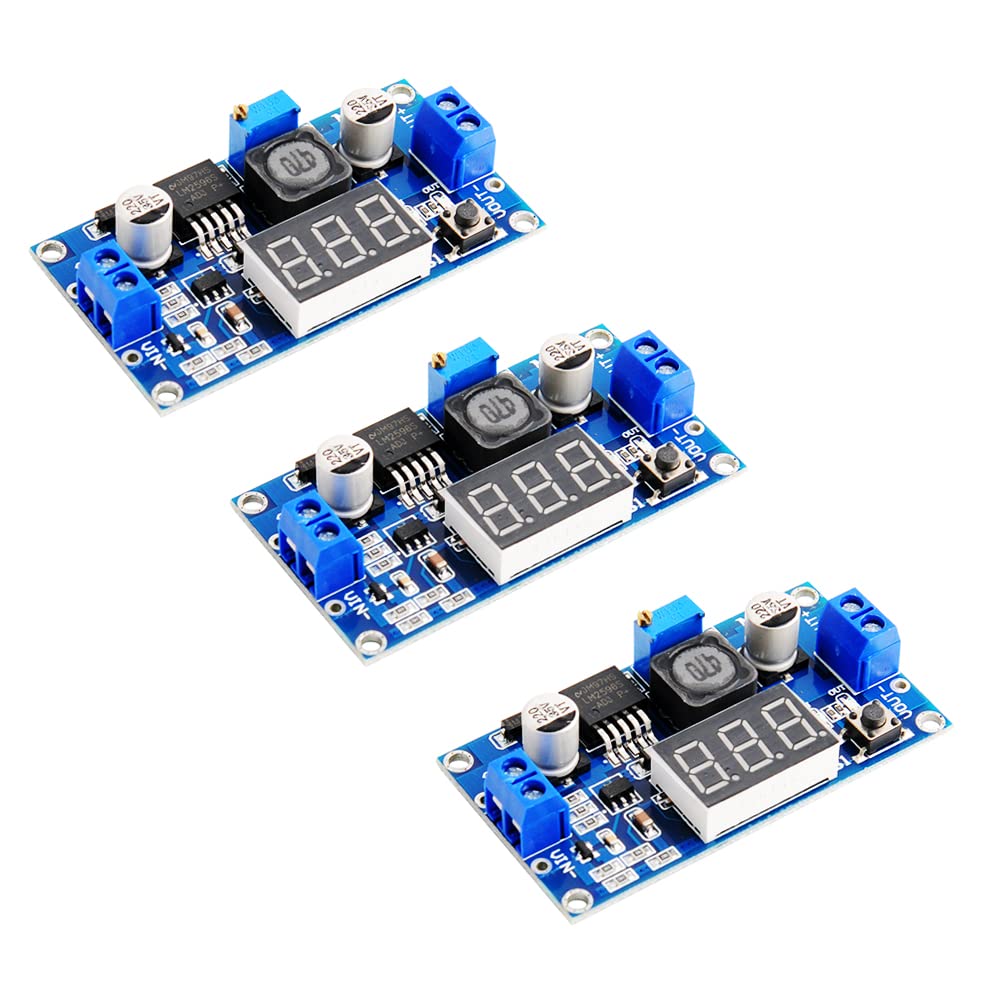
The Stemedu LM2596 Adjustable DC-DC Buck Converter Module is a voltage regulator designed to step down a higher input voltage to a lower, adjustable output voltage. It features an integrated LED voltmeter display for real-time monitoring of input and output voltages, making it suitable for various electronic projects, DIY power supplies, and battery charging applications. This manual provides essential information for safe and effective use of the module.
2. Informació de seguretat
- Always ensure correct polarity when connecting power to the module. Reverse polarity protection is built-in, but incorrect wiring can still cause damage to connected components.
- No supereu el volum màxim d'entradatage of 40V DC or the maximum output current of 3A.
- For continuous operation above 15W or 2A, a heatsink is recommended to prevent overheating.
- Exercise caution when adjusting the potentiometer, as output voltage changes can affect connected devices.
- Keep the module away from moisture and extreme temperatures.
- This product is intended for experienced users familiar with electronics and DC power circuits.
3. Producte acabatview
3.1 Característiques
- LED Voltmeter Display: Built-in digital display with a push-button to switch between input and output voltage mesures.
- Cablejat fàcil: Equipped with screw terminal blocks for convenient, solder-free connections. Soldering pads are also available.
- Ampli rang d'entrada/sortida: Accepts DC 4V to 40V input, providing an adjustable output from 1.25V to 37V.
- Alta eficiència: Up to 92% conversion efficiency.
- Característiques de protecció: Includes input diode protection against reverse polarity, thermal overload, and short circuit protection.
- Disseny compacte: Suitable for various embedded applications.
3.2 Components
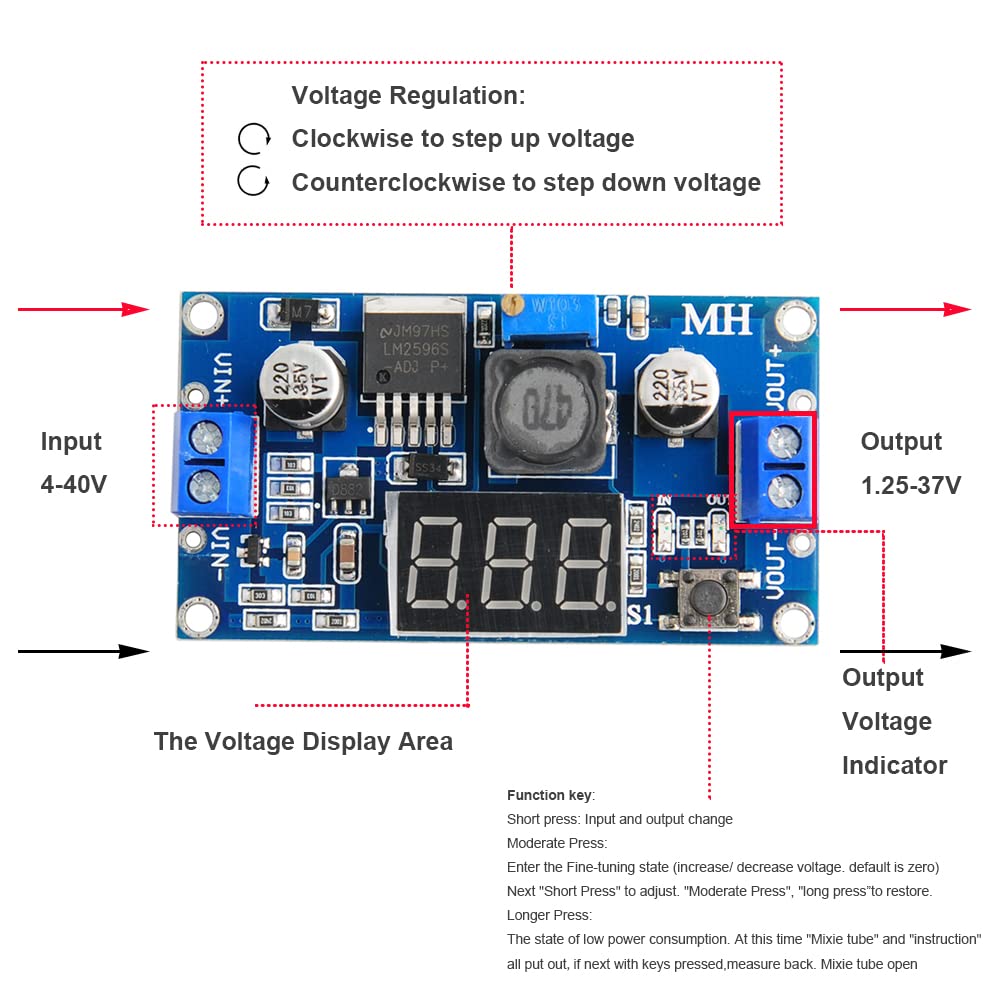
Refer to the diagram below for identification of key components on the LM2596 module.
- VIN+ / VIN-: Vol d’entradatage terminals (DC 4V-40V).
- VOUT+ / VOUT-: Volum de sortidatage terminals (DC 1.25V-37V).
- Voltage Display Area: 3-digit LED display for voltage lectures.
- Function Key (S1): Short press to switch between input and output voltage display. Long press to enter/exit low power mode.
- Potentiometer (Blue Trimmer): S'utilitza per ajustar el volum de sortidatage.
- Voltage Indicator (IN/OUT LEDs): Indicates whether the display shows input (IN) or output (OUT) voltage.

4. Especificacions
| Paràmetre | Valor |
|---|---|
| Entrada Voltage | CC 4V - 40V |
| Vol. De sortidatage | DC 1.25V - 37V (Adjustable) |
| Corrent de sortida | 3A (màx.) |
| Eficiència de conversió | Fins al 92% |
| Freqüència de commutació | 150 kHz |
| Temperatura de funcionament | -45 ℃ a + 85 ℃ |
| Dimensions (L x A x A) | 66mm x 36mm x 10mm (2.6"D x 1.4"W x 0.4"H) |
| Pes | 22 grams |
5. Configuració
Follow these steps to set up your LM2596 Buck Converter Module:
- Connecteu l'alimentació d'entrada: Connect your DC power source (4V-40V) to the VIN+ (positiu) i VIN- (negative) terminals. Ensure correct polarity.
- Connectar càrrega: Connect your load device to the VOUT+ (positiu) i VOUT- (negative) terminals. Do not connect the load until the output voltage has been adjusted to the desired level.
- Comprovació inicial: Before applying power, double-check all connections to prevent damage.
6. Instruccions de funcionament
6.1 Powering On and Display Modes
- Apply power to the VIN terminals. The LED display will light up.
- Canvi de pantalla: Short press the function key (S1) to toggle between displaying the input voltage (IN LED lit) and the output voltage (OUT LED lit).
- Mode de baixa potència: Long press the function key (S1) to enter or exit low power mode, which turns off the display.
6.2 Ajust del volum de sortidatage
El voltage is adjusted using the blue potentiometer (trimmer) on the module. It is recommended to adjust the voltage before connecting your sensitive load.
- Ensure the module is powered on and displaying the output voltage (OUT LED lit).
- Using a small screwdriver, carefully turn the potentiometer.
- Turning the potentiometer en sentit horari will generally augmentar el vol de sortidatage.
- Turning the potentiometer en sentit antihorari will generally disminuir el vol de sortidatage.
- Rotate the potentiometer multiple turns (up to 20 or more) to observe significant changes in voltage. Adjust until the desired output voltages mostra e.
- Un cop el vol desitjattage is set, you can connect your load.
7. Manteniment
- Mantingueu el mòdul net i lliure de pols i deixalles.
- Regularly inspect connections for looseness or corrosion.
- If operating at higher power levels, ensure adequate ventilation or consider adding a heatsink if not already present.
8. Solució De Problemes
| Problema | Causa possible | Solució |
|---|---|---|
| No display/No output | No input power, incorrect wiring, or module failure. | Check input power source. Verify input wiring polarity. Ensure input voltage is within 4V-40V range. |
| Volum de sortidatage no es pot ajustar | Potentiometer not turned enough, or faulty potentiometer/module. | Turn the potentiometer multiple turns (20+ times) in both directions. If still no change, the module may be faulty. |
| Volum de sortidatage és inestable | Input power fluctuations, excessive load, or faulty components. | Ensure stable input power. Reduce load current. Check for loose connections. |
| Sobreescalfament del mòdul | Excessive load current or insufficient cooling. | Reduce load current. Add a heatsink to the main IC. Ensure proper ventilation. |
9. Garantia i Suport
This Stemedu LM2596 DC-DC Buck Converter Module comes with a limited warranty. For specific warranty details and duration, please refer to your purchase documentation or contact the seller directly.
For technical support, questions, or assistance with your product, please contact Stemedu customer service through the platform where you purchased the item or visit the official Stemedu store page.
Stemedu Store: Visit the Stemedu Store on Amazon