
1. Introducció
This manual provides detailed instructions for the proper use and maintenance of the AUTOOL SVB305 Two-Way Articulating Endoscope Camera. Please read this manual thoroughly before operating the device to ensure safe and efficient use. The AUTOOL SVB305 is designed for inspecting hard-to-reach areas, featuring a 210° articulating probe, a 4.3-inch IPS display, and a 1080P camera for clear visual inspection.
2. Producte acabatview
2.1 Contingut del paquet
The AUTOOL SVB305 package typically includes the following items:
- AUTOOL SVB305 Endoscope Camera Unit
- Flexible Articulating Probe (3FT)
- 32GB Micro SD Card (pre-installed or included separately)
- Cable de càrrega USB-C
- Manual d'usuari
- Estoig d'emmagatzematge

Image: Contents of the AUTOOL SVB305 Endoscope Camera package, including the main unit, flexible probe, USB-C cable, user manual, and storage case.
2.2 Característiques clau
- Two-Way 210° Articulating Probe: Allows flexible bending of the probe tip for comprehensive viewing in confined spaces.
- 0.21-inch (6.35mm) Diameter Probe: Designed for accessing narrow openings.
- Càmera HD 1080P: Captures clear images and videos with 1.0MP CMOS sensor.
- Pantalla IPS de 4.3 polzades: Provides a sharp and vibrant display for real-time viewing.
- Sonda impermeable IP67: Suitable for use in wet and oily environments.
- Llums LED ajustables: Six high-intensity LEDs with three brightness levels for optimal illumination.
- Bateria recarregable de 2000 mAh: Ofereix fins a 3 hores de funcionament continu.
- Targeta Micro SD de 32 GB: For convenient storage of captured media.
- Automatic Temperature Alarm: Alerts and shuts down the device if the probe temperature exceeds 176°F (80°C).

Image: The AUTOOL SVB305 Endoscope Camera, showing the main display unit, control buttons, and the flexible articulating probe.

Image: Detailed diagram illustrating the 2-way 210° articulation capability of the probe, 70° viewing angle, 1.3-inch bending radius, 0.2-inch lens diameter, and 0.9-4.0 inch depth of field.

Imatge: Explosió view of the 4.3-inch IPS screen, highlighting its tempered glass, IPS LCD, and backlight components, with an image resolution of 1280x720.
3. Configuració
3.1 Càrrega del dispositiu
Before first use, fully charge the endoscope camera. Connect the provided USB-C charging cable to the device's charging port and a suitable USB power adapter (not included). The charging indicator will show the charging status. A full charge provides approximately 3 hours of working time.

Image: Illustration of the 2000mAh rechargeable battery providing 3 hours of working time, with the device connected to a charger via USB-C cable.

Image: The endoscope camera being charged using the USB-C charging cable, highlighting the charging port.
3.2 Inserció de la targeta Micro SD
Locate the Micro SD card slot on the device. Insert the provided 32GB Micro SD card into the slot until it clicks into place. This card is essential for saving photos and videos.

Image: Illustration showing the insertion of the 32GB Micro SD card into the designated slot on the endoscope camera.
4. Instruccions de funcionament
4.1 Engegada/apagada
Press and hold the power button to turn the device on or off. The 4.3-inch IPS screen will illuminate upon startup.
4.2 Controls bàsics
The device features several buttons and a rotation wheel for control:
- Power On/Light Control: Turns the device on/off and adjusts LED brightness.
- Botó foto/vídeo: Captures still images or starts/stops video recording.
- Clau de configuració: Accedeix al menú de configuració del dispositiu.
- Up/Down/Toggle Keys: Navega pels menús i ajusta la configuració.
- Tecla D'acord: Confirma les seleccions.
- Rotation Wheel: Controls the articulation of the probe tip.

Image: A detailed diagram labeling the 5-inch display, SD interface, M key, Up key, Rotation Wheel, HD Camera, Flexible Cable, OK Key, Charging Port, Down/Toggle Key, Settings Key, Power on Light-control, and Photo/Video button.
4.3 Steering the Probe
Use the rotation wheel on the handle to articulate the probe tip up to 210° in two directions. This allows for flexible navigation and viewing around corners or obstacles within confined spaces.

Image: The flexible articulating probe navigating inside a curved pipe, demonstrating its two-way 210° steering capability.

Image: A hand operating the scroll roller (rotation wheel) to switch the viewing angle of the flexible gooseneck probe, illustrating its ability to reach narrow spaces.
4.4 Ajust dels llums LED
The probe tip is equipped with 6 high-intensity LED lights. Press the dedicated light control button to cycle through three adjustable brightness levels, ensuring clear visibility in dark environments.

Image: The endoscope probe tip showing its 6 LED lights and illustrating the three levels of brightness adjustment.

Image: Visual representation of the 6 LEDs and their 3 adjustable brightness levels, designed for optimal visibility in dark areas.
4.5 Captura de fotos i vídeos
Press the Photo/Video button to take a still image. Press and hold the same button to start video recording; press again to stop. All captured media is saved to the installed 32GB Micro SD card.

Image: A user wearing gloves holding the AUTOOL SVB305 endoscope camera, with the probe inserted into an engine compartment, demonstrating its use in an inspection scenario.
4.6 Suport multilingüe
The device supports multiple languages. Access the settings menu to select your preferred language, including English, French, Spanish, Russian, German, Italian, Chinese, and Japanese.

Image: A display showing various language options available on the AUTOOL SVB305, including English, French, Spanish, Russian, German, Italian, Chinese, and Japanese.
5. Manteniment
5.1 Neteja de la sonda
The probe is IP67 waterproof and oilproof. After use, especially in dirty or oily environments, gently wipe the probe with a soft, damp cloth. For stubborn grime, a mild, non-abrasive cleaner can be used. Ensure the probe is dry before storage.
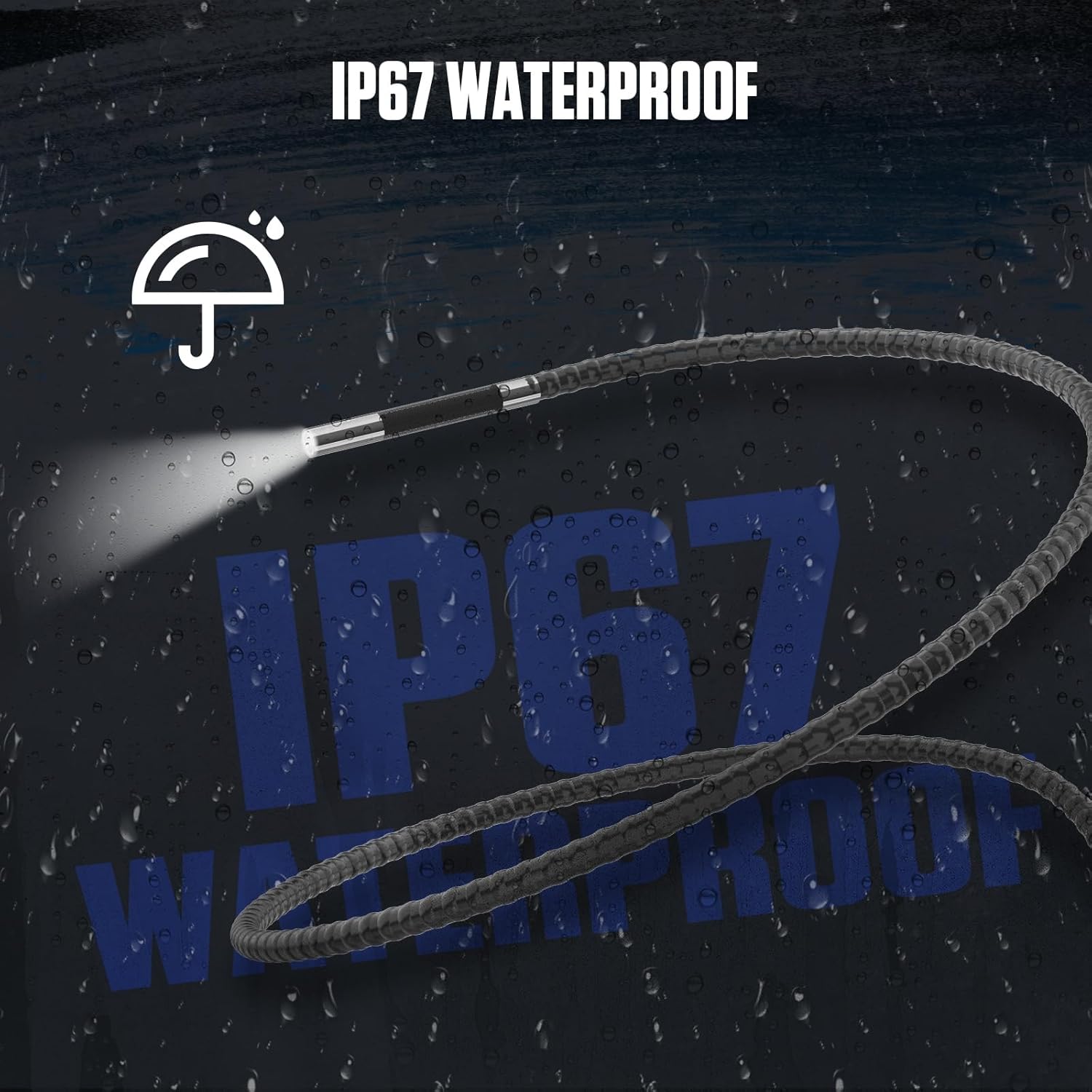
Image: The endoscope probe tip submerged in water, visually representing its IP67 waterproof capability.

Image: Illustration emphasizing the IP67 waterproof and corrosion-resistant materials used in the probe's construction, suitable for various environments.
5.2 Cura de la bateria
Per allargar la durada de la bateria, eviteu descarregar-la completament amb freqüència. Carregueu el dispositiu regularment, fins i tot si no l'utilitzeu durant períodes prolongats. Guardeu el dispositiu en un lloc fresc i sec.
5.3 Emmagatzematge
When not in use, store the endoscope camera and its accessories in the provided storage case to protect them from dust, moisture, and physical damage.
6. Solució De Problemes
6.1 No hi ha imatge a la pantalla
- Assegureu-vos que el dispositiu estigui encès i completament carregat.
- Check if the probe cable is securely connected to the main unit.
- Comproveu que la lent de la càmera estigui neta i lliure d'obstruccions.
6.2 Device Shuts Down Unexpectedly
The AUTOOL SVB305 features an automatic alarm and shutdown mechanism if the probe temperature exceeds 176°F (80°C) to prevent damage. Allow the device to cool down before resuming operation. If the issue persists and is not related to temperature, ensure the battery is adequately charged.

Image: Visual representation of the automatic alarm and shutdown feature that activates when the probe temperature exceeds 176°F (80°C), indicating high temperature protection.
6.3 Unable to Save Photos/Videos
- Ensure a 32GB Micro SD card is correctly inserted.
- Check if the Micro SD card has sufficient free space.
- Verify that the Micro SD card is not locked (read-only).
7. Especificacions
| Característica | Especificació |
|---|---|
| Número de model | SVB305 |
| Diàmetre de la sonda | 0.21 mm |
| Angle d'articulació | Two-Way 210° |
| Pantalla de visualització | IPS de 4.3 polzades |
| Resolució de captura de vídeo | 1080p (1280x720) |
| Sensor de càmera | 1.0MP HD CMOS |
| Llums LED | 6 nivells de brillantor ajustables |
| Classificació impermeable | IP67 (probe) |
| Bateria | Polímer de liti de 2000 mAh |
| Temps de treball | Aprox. 3 hores |
| Mitjans d'emmagatzematge | Micro SD Card (32GB included) |
| Temperatura de funcionament | Up to 176°F (80°C) for probe |
| Dimensions del paquet | 16.57 x 8.5 x 3.46 polzades |
| Pes de l'article | 2.67 lliures |
8. Garantia i Suport
The AUTOOL SVB305 Endoscope Camera comes with a Tres anys de garantia against manufacturing defects. For any quality issues or technical assistance, please contact AUTOOL customer support. They are committed to providing solutions and technical support until satisfaction. Please refer to the official AUTOOL weblloc web o la documentació de compra per obtenir dades de contacte específiques.
La informació de contacte per a l'assistència normalment es pot trobar a la fitxa del fabricant weblloc web o dins de l'embalatge del producte.