
SYNCWIRE SW-XC725
Adaptador de cotxe del transmissor FM Syncwire Bluetooth 5.4
Model: SW-XC725
Introducció
Thank you for choosing the Syncwire Bluetooth 5.4 FM Transmitter Car Adapter. This device allows you to stream audio wirelessly from your Bluetooth-enabled devices to your car's FM radio, make hands-free calls, and charge multiple devices simultaneously with its fast-charging USB ports. Please read this manual carefully before use to ensure optimal performance and safety.
Informació de seguretat
Precaucions de seguretat importants:
- No introduïu objectes estranys als ports USB.
- Do not use the product if the USB ports or power adapter are damaged.
- Mantingueu el producte lluny de fonts de calor i de la llum solar directa.
- No exposar el producte a líquids o humitat.
- Follow the manufacturer's instructions for proper usage and disposal.
Producte acabatview
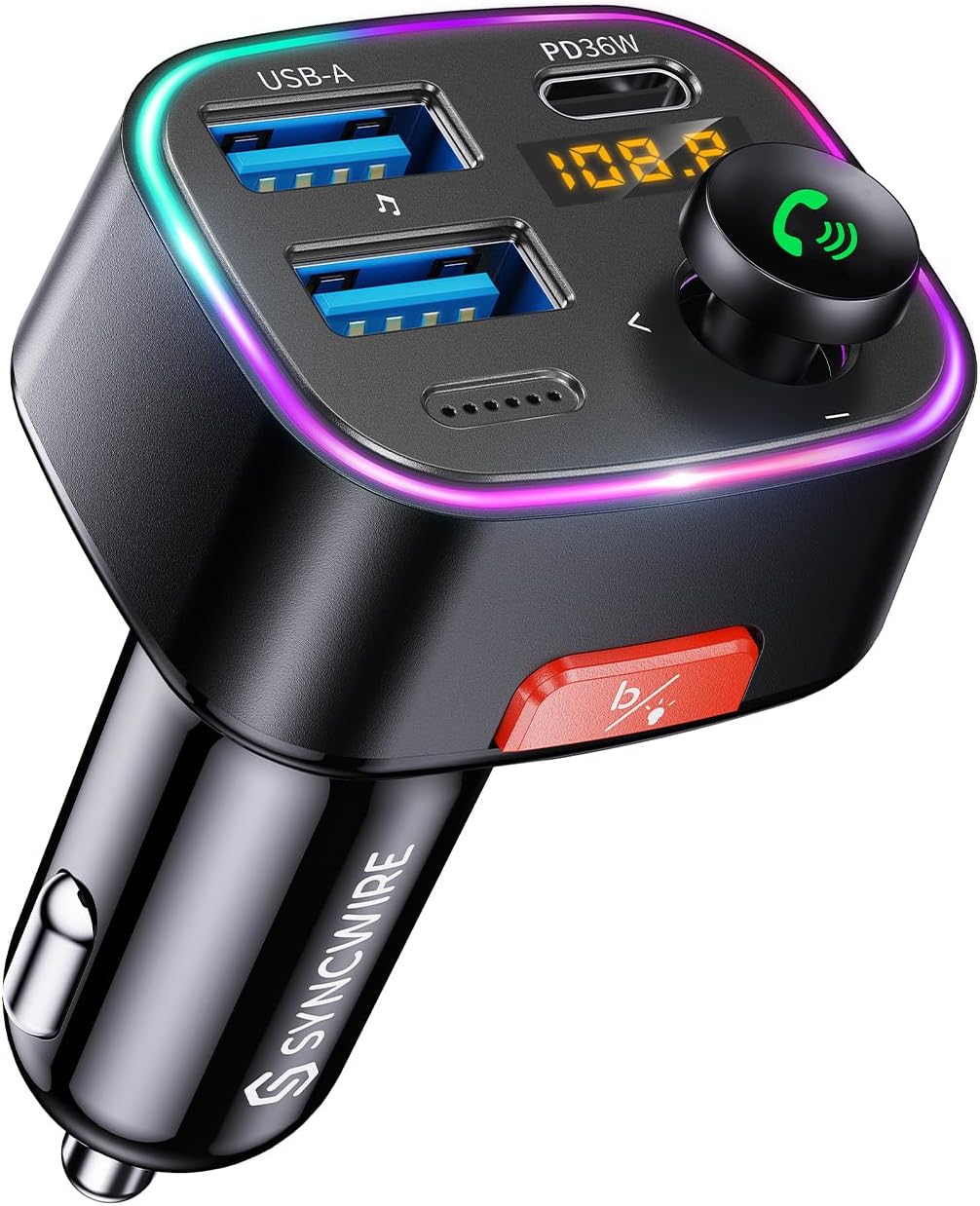
Imatge: Frontal view of the Syncwire Bluetooth FM Transmitter Car Adapter, showing the USB ports, LED display, control knob, and light switch button.
The Syncwire SW-XC725 features a compact design that plugs into your car's cigarette lighter socket. It includes:
- Port USB-C PD 36W: Per a dispositius compatibles amb càrrega ràpida.
- USB-A 12W Port: For charging and USB flash drive music playback.
- Pantalla LED: Shows FM frequency and battery voltage.
- Pom multifunció: Controls volume, FM frequency, and call management.
- Light/Bass Booster Button: Activates deep bass mode and controls ambient light.
- Micròfon: Per a trucades amb mans lliures.
- Ambient Light Ring: Provides colorful illumination.
Instruccions de configuració
1. Power On and Find a Clear FM Frequency
Insert the Syncwire FM Transmitter into your car's 12V cigarette lighter socket. The LED display will light up, showing the current FM frequency and vehicle voltage. Tune your car's FM radio to an unused, blank frequency (one with only static). Frequencies between 87.5 MHz and 108.0 MHz are available. Avoid frequencies occupied by strong radio stations to minimize interference.

Image: Illustration showing how to select a blank FM frequency on the car radio (e.g., 103.00 MHz).
2. Adjust Transmitter to Match Car Radio Frequency
On the Syncwire transmitter, press and hold the multi-function knob until the FM frequency on the LED display starts flashing. Rotate the knob left or right to adjust the transmitter's frequency to match the blank frequency you selected on your car radio. Once matched, the audio from the transmitter will be broadcast through your car's speakers.
Image: Illustration showing how to adjust the FM transmitter's frequency to match the car radio's frequency.
3. Pair with Your Phone via Bluetooth
Activa el Bluetooth al teu dispositiu mòbil. Cerca Bluetooth devices and select "SW-XC725" from the list to pair. Once connected, the LED display will show "bt" (Bluetooth) mode. The device will automatically reconnect to your phone upon subsequent power-ons if Bluetooth is enabled on your phone.
Image: Illustration showing the Bluetooth pairing process on a smartphone, connecting to "SW-XC725".

Image: Diagram highlighting the benefits of Bluetooth 5.4 technology, including faster and more stable connections, super clear sound quality, and automatic pairing.
4. USB Disk Music Playback (Optional)
Insert a USB flash drive (up to 64GB) containing MP3/WMA/WAV/FLAC audio files into the USB-A port (the one without PD 36W label). The device will automatically detect and play music from the USB drive. You can switch between Bluetooth and USB disk playback by short pressing the multi-function knob.
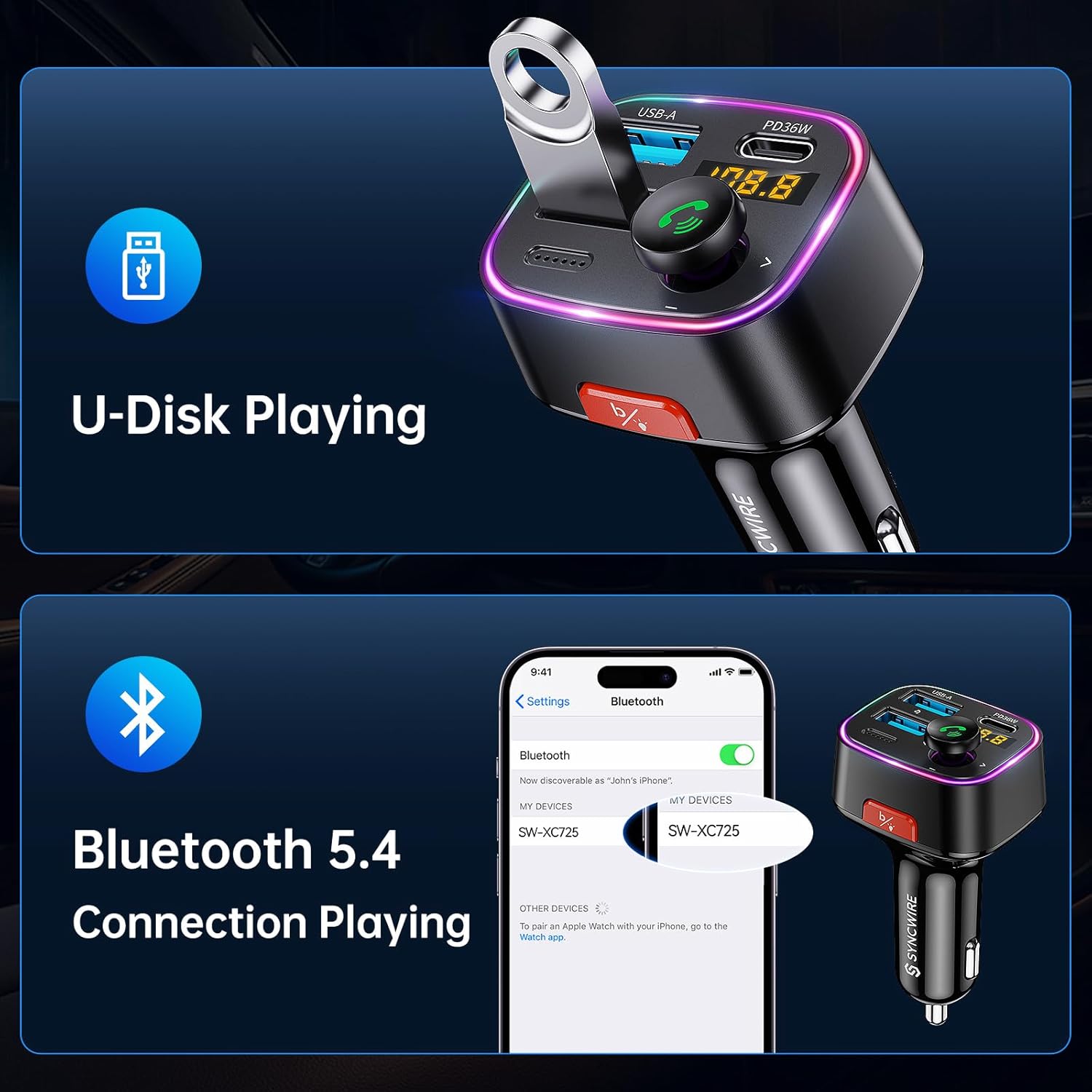
Image: Visual representation of U-Disk playing functionality and Bluetooth 5.4 connection for music playback.
Instruccions de funcionament
Reproducció de música
- Reproduir/pausa: Short press the multi-function knob.
- Pista següent: Rotate the multi-function knob clockwise.
- Pista anterior: Rotate the multi-function knob counter-clockwise.
- Pujar/baixar el volum: Rotate the multi-function knob while playing music (adjust car radio volume for overall sound level).
- Deep Bass Mode: Short press the red "B" button to activate Hi-Fi Deep Bass sound. Press again to return to standard mode.

Image: Visual demonstrating the Hi-Fi Deep Bass feature with musical notes and colorful ambient light.
Trucades mans lliures
- Respon a la trucada: Short press the multi-function knob.
- Finalitzar la trucada: Short press the multi-function knob during a call.
- Rebutja la trucada: Press and hold the multi-function knob for 2 seconds.
- Torna a marcar l'últim número: Double press the multi-function knob.
Funcions de càrrega
The device features two charging ports:
- Port USB-C PD 36W: Provides Power Delivery fast charging for compatible devices.
- USB-A 12W Port: Provides standard charging for devices.
Both ports can be used simultaneously to charge two devices. The built-in protection mechanisms ensure safe charging.

Image: Illustration showing the dual USB ports (USB C 36W and USB A 12W) and their fast charging capabilities for various smartphones.

Image: The Syncwire charger in a car setting, demonstrating its universal super fast charging capability for various devices and vehicle types.
Control de la llum ambiental
The device features a colorful ambient light ring. To turn the light ON or OFF, double press the red "B" button (the same button used for Deep Bass mode).

Image: Depiction of the ambient LED light being turned on and off by double-tapping the red button.
Manteniment
- Mantingueu el dispositiu net netejant-lo amb un drap suau i sec.
- Eviteu utilitzar netejadors abrasius o dissolvents.
- Guardeu el dispositiu en un lloc fresc i sec quan no l'utilitzeu.
- Ensure the cigarette lighter socket is clean and free of debris for optimal connection.
Resolució de problemes
| Problema | Causa possible | Solució |
|---|---|---|
| Qualitat del so estàtica o deficient | FM frequency interference; weak signal. | Find a new, clear FM frequency on your car radio and match the transmitter to it. Avoid frequencies with strong local radio stations. |
| Bluetooth no connectat | Bluetooth not enabled on phone; device not in pairing mode; already connected to another device. | Ensure Bluetooth is on your phone. Restart the transmitter by unplugging and re-plugging it. Forget "SW-XC725" on your phone's Bluetooth settings and re-pair. |
| El dispositiu no s'encén | No hi ha corrent a la presa de l'encenedor; connexió fluixa. | Check if the car's cigarette lighter socket is working. Ensure the transmitter is firmly inserted. Check car fuse if necessary. |
| Càrrega lenta o sense càrrega | Cable issue; device not compatible with fast charging; multiple devices drawing too much power. | Try a different charging cable. Ensure your device supports PD fast charging for the USB-C port. Reduce the number of devices being charged simultaneously. |
| USB flash drive not playing | Sense suport file format; USB drive too large or corrupted. | Assegureu-vos l'àudio files are in MP3, WMA, WAV, or FLAC format. Check if the USB drive is formatted correctly (FAT32 recommended) and is not larger than 64GB. |
Especificacions
| Característica | Detall |
|---|---|
| Número de model | SW-XC725 |
| Versió Bluetooth | 5.4 |
| Interval de freqüència FM | 87.5 - 108.0 MHz |
| Entrada Voltage | 12V-24V |
| Sortida USB-C | PD 36 W (màx.) |
| Sortida USB-A | 12 W (màx.) |
| Potència total de sortida | 48 W (màx.) |
| Suport per a unitats flaix USB | Up to 64GB (MP3/WMA/WAV/FLAC formats) |
| Dimensions | 3.39 x 3.31 x 1.54 polzades |
| Pes de l'article | 2.11 unces |
| Material | Plàstic |
Garantia i Suport
Syncwire provides a 36 mesos de garantia and lifetime support for this product. If you encounter any issues or have questions, please contact Syncwire customer service for assistance. We are committed to providing a satisfying solution.
For further support, please visit the official Syncwire weblloc web o contacteu directament amb el seu servei d'atenció al client.