
1. Introducció
This manual provides comprehensive instructions for the installation, operation, and maintenance of your XIAOVV 10000mAh Wireless Outdoor Solar Security Camera. Please read this manual thoroughly before using the product to ensure proper functionality and safety.
2. Informació de seguretat
- Ensure the solar panel receives adequate direct sunlight for optimal charging.
- Do not expose the camera to extreme temperatures outside its operating range (-10°C to 50°C / 14°F to 122°F).
- Avoid placing the camera in areas prone to strong electromagnetic interference.
- Mantingueu el dispositiu allunyat dels nens i de les mascotes.
- Only use approved accessories and power adapters.
- No intenteu desmuntar ni reparar la càmera vosaltres mateixos. Poseu-vos en contacte amb el servei d'atenció al client per obtenir ajuda.
3. Contingut del paquet
Verifiqueu que tots els elements siguin presents al paquet:
- XIAOVV Wireless Outdoor Solar Security Camera
- Solar Panel (integrated)
- Suport de muntatge i cargols
- Cable de càrrega USB
- Manual d'usuari (aquest document)
4. Producte acabatview
4.1 Característiques clau
- Bateria integrada de 10000 mAh: Ensures extended operation, supplemented by solar charging.
- Energia solar: Designed for continuous operation with sufficient sunlight.
- PIR Smart Detection: Reduces false alarms by detecting human body temperature.
- Spotlight and Voice Siren: Deters intruders with visual and auditory alarms.
- Resistent a la intempèrie IP65: Withstands rain, snow, and high temperatures for outdoor use.
- Funcionalitat de panoràmica i inclinació: 355° horizontal and 100° vertical rotation for wide coverage.
- Visió nocturna HD: Visibilitat clara en condicions de poca llum.
- Seguiment de moviments: Automatically follows detected movement within the monitoring range.
- Military-Grade Data Encryption: Ensures user privacy and data security.
4.2 Components de la càmera
Refer to the image below for a visual representation of the camera's main components.

Figura 4.2.1: Davant view of the XIAOVV Solar Security Camera, showing the main camera unit, solar panel, and mounting bracket. The camera features a dome shape with integrated spotlights and lenses.
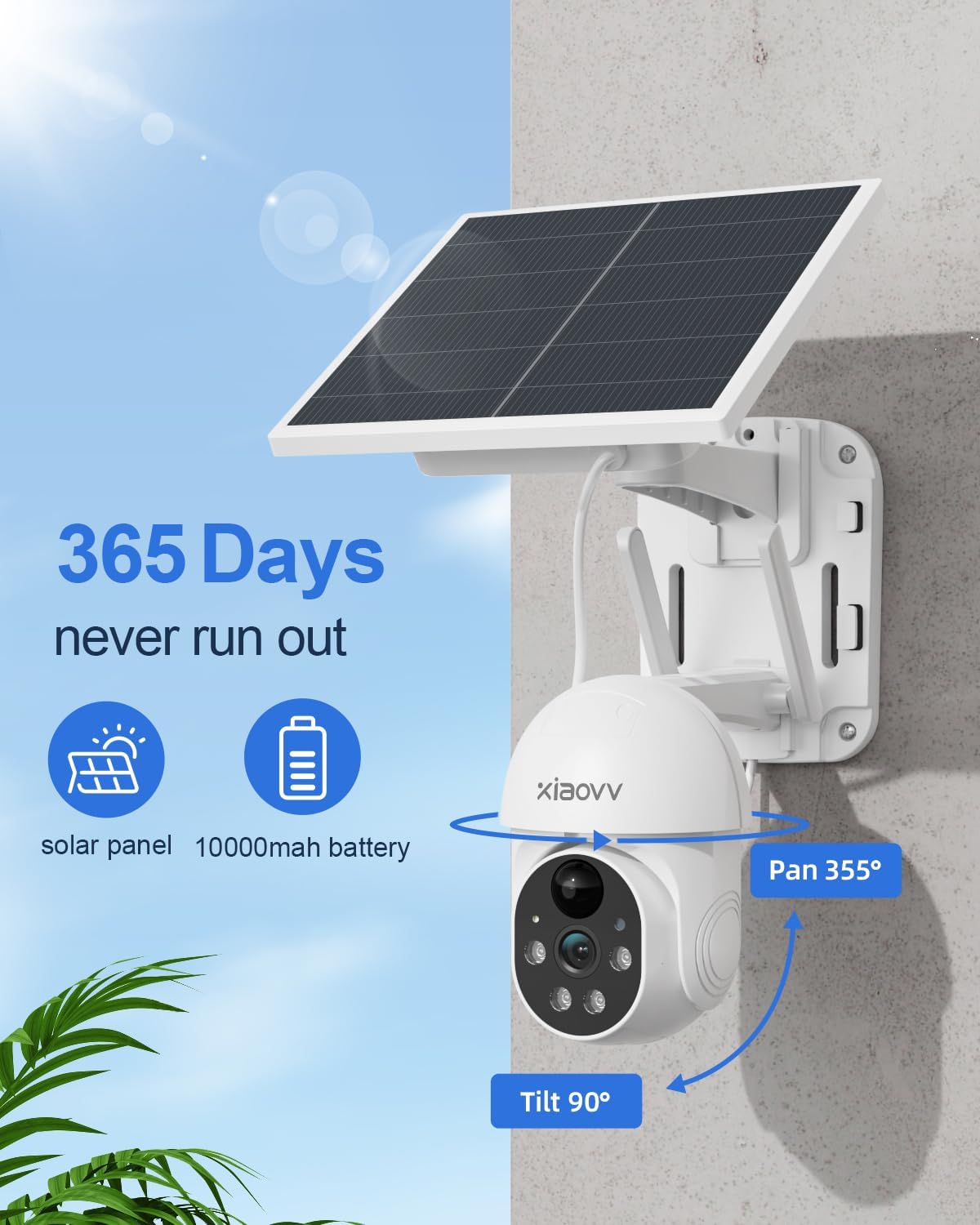
Figura 4.2.2: Diagram illustrating the 355-degree pan and 90-degree tilt capabilities of the XIAOVV Solar Security Camera, highlighting its wide coverage area.
5. Configuració
5.1 Càrrega inicial
Before first use, fully charge the camera's built-in 10000mAh battery using the provided USB cable. Connect the cable to the camera's charging port and a standard 5V USB power adapter (not included). The charging indicator will show the status.
5.2 Instal·lació de l'aplicació
The XIAOVV camera operates via a dedicated mobile application. Download the "XIAOVV APP" from your device's app store:


Figura 5.2.1: Icons representing the availability of the XIAOVV APP on both Apple App Store and Google Play Store.
5.3 Emparellament de la càmera
- Open the XIAOVV APP and create an account or log in.
- Follow the in-app instructions to add a new device. Ensure your smartphone is connected to a 2.4GHz Wi-Fi network.
- Power on the camera. The camera will enter pairing mode (indicated by a specific light pattern or voice prompt).
- Scan the QR code on the camera or follow alternative pairing methods provided in the app.
- Un cop connectat, pots posar nom a la teva càmera i començar a fer directe viewing.
5.4 Muntatge de la càmera
The camera offers flexible installation options. Choose a location that provides optimal sunlight for the solar panel and a clear view de la zona de monitorització desitjada.
- Muntatge en paret: Use the provided screws and mounting bracket to secure the camera to a sturdy wall. Ensure the solar panel is positioned to receive maximum direct sunlight throughout the day.
- Muntatge a l'arbre: The design allows for mounting on trees, ensuring the camera and solar panel are stable and have an unobstructed view.

Figura 5.4.1: The XIAOVV Solar Security Camera mounted on an outdoor wall, demonstrating a typical installation scenario.

Figura 5.4.2: The XIAOVV Solar Security Camera mounted on a tree, showcasing an alternative outdoor installation method.
6. Instruccions de funcionament
6.1 Viu View i control de panoràmica/inclinació
Access the live feed of your camera through the XIAOVV APP. Use the on-screen controls to pan the camera 355° horizontally and tilt it 100° vertically to adjust the viewangle de ing.

Figura 6.1.1: Illustration of the PIR detection zone, showing how the camera identifies human presence to minimize false alarms.
6.2 Detecció de moviment i alertes
The camera features PIR (Passive Infrared) smart detection, which senses changes in body temperature to trigger recording and alerts. You can customize sensitivity settings within the app.
- Seguiment automàtic: Quan detecta moviment, la càmera pot seguir automàticament l'objecte en moviment.
- Spotlight and Siren: Configure the camera to activate its spotlight and/or voice siren upon detection to deter intruders.
- Notificacions: Rep notificacions instantànies al teu telèfon intel·ligent quan es detecta moviment.

Figura 6.2.1: The XIAOVV Solar Security Camera with its spotlight activated, demonstrating its ability to illuminate and deter in low-light conditions.
6.3 Visió nocturna
The camera is equipped with HD night vision, allowing clear monitoring even in complete darkness. It utilizes infrared and LED vision for optimal performance.

Figura 6.3.1: A split image showing the difference between daytime and night vision views from the camera, highlighting its clarity in darkness.
6.4 Enregistrament i emmagatzematge
The camera supports local storage via an SD card (up to 128GB, not included) or cloud storage subscription. Recordings are triggered by motion detection.
- Emmagatzematge local: Inseriu una targeta microSD a la ranura designada de la càmera.
- Emmagatzematge al núvol: Subscribe to the cloud storage service through the XIAOVV APP for remote access to recordings.
6.5 Multicàmera View
The XIAOVV APP allows you to view live feeds from up to four cameras simultaneously, providing comprehensive coverage of your property.
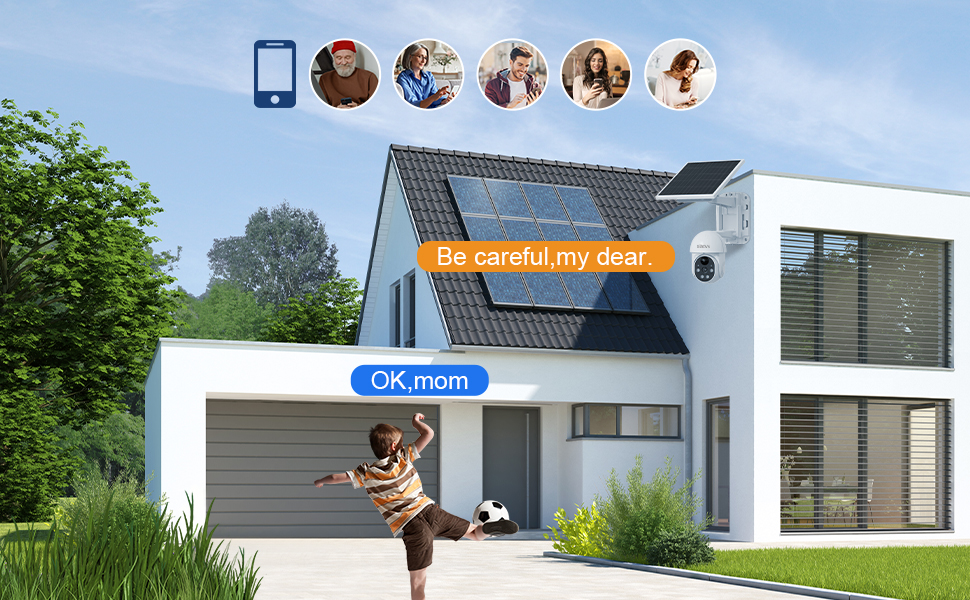
Figura 6.5.1: A smartphone screen displaying live feeds from four different XIAOVV cameras simultaneously, illustrating the multi-view característica.
7. Manteniment
- Neteja: Netegeu periòdicament la lent de la càmera i el panell solar amb un drap suau i sec.amp cloth to ensure clear vision and efficient charging. Do not use harsh chemicals.
- Cura de la bateria: While the solar panel provides continuous power, ensure the camera receives sufficient sunlight. In prolonged cloudy periods, you may need to manually charge the battery via USB.
- Actualitzacions de firmware: Check the XIAOVV APP regularly for firmware updates to ensure optimal performance and security.
8. Solució De Problemes
| Problema | Causa possible | Solució |
|---|---|---|
| La càmera es desconnecta sovint. | Weak Wi-Fi signal; low battery; app issue. | Ensure camera is within Wi-Fi range. Recharge battery if needed. Restart the app or camera. Consider a Wi-Fi extender. |
| Battery not charging via solar. | Insufficient direct sunlight; dirty solar panel. | Relocate the camera to an area with more direct sunlight. Clean the solar panel surface. |
| Alertes de moviment falses. | PIR sensitivity too high; environmental factors (e.g., swaying branches). | Adjust PIR sensitivity settings in the app. Reposition the camera to avoid non-human triggers. |
| Night vision unclear. | Dirty lens; obstructions. | Clean the camera lens. Ensure no obstructions are blocking the infrared LEDs. |
9. Especificacions
| Característica | Detall |
|---|---|
| Número de model | B0BTYBSDJQ |
| Marca | XIAOVV |
| Font d'alimentació | Energia solar |
| Capacitat de la bateria | 10000 mAh |
| Connectivitat | Wi-Fi de 2.4 GHz |
| Angle de panoràmica | 355° |
| Angle d'inclinació | 100° |
| Classificació impermeable | IP65 |
| Opcions d'emmagatzematge | MicroSD (up to 128GB), Cloud Storage |
| Temperatura de funcionament | -10 °C a 50 °C (de 14 °F a 122 °F) |
| Pes de l'article | 3.32 lliures |
| Dimensions del paquet | 9.65 x 8.82 x 7.95 polzades |
10. Garantia i Suport
XIAOVV provides a one-year after-sales guarantee for this product. If you encounter any issues or require assistance, please contact our customer support team.
For technical support, troubleshooting, or warranty claims, please visit the official XIAOVV website or contact us via the information provided in the XIAOVV APP.
Nota: Conserveu el comprovant de compra per motius de garantia.