
Introducció
This manual provides detailed instructions for the AITIAO 2S 1A Type-C Boost Charging Module. This module is designed for charging 2-cell (2S) lithium-ion batteries, providing an 8.4V charging voltage. It features a Type-C USB input for convenience and incorporates essential protection mechanisms to ensure safe and efficient battery charging. Please read this manual thoroughly before use to ensure proper operation and longevity of the product.
Característiques del producte
- High Safety Performance: Includes battery over-voltage protection and protection against voltage below input and battery short circuits.
- Entrada USB tipus C: Convenient power input via Type-C USB (DC 3-6V recommended).
- Indicadors LED: "CR" LED indicates charging status; "OK" LED indicates fully charged or constant voltagmode e.
- Aplicació àmplia: Suitable for various portable electronic devices such as PDA, MP3/MP4 players, game consoles, notebooks, and mobile phones.
- Quasi-CV Mode: Compensates for battery internal resistance voltage loss for optimized charging.
- Disseny compacte: Small dimensions (37mm x 18mm x 6.3mm) and lightweight (5g) for easy integration.
Especificacions
| Paràmetre | Valor |
|---|---|
| Entrada Voltage | DC 3-6V (Recommended DC 3.7V-5V) |
| Input Current (1A version) | 1A |
| Vol. De càrregatage | 8.4 V |
| Charging Current (1A version) | 0.55A |
| Freqüència de commutació | Fins a 1 MHz |
| Indicadors LED | "CR" (Charging Status), "OK" (Fully Charged/Constant Voltage) |
| Temperatura ambient de treball | -40 °C a +85 °C |
| Dimensions | 37 mm x 18 mm x 6.3 mm (1.45 polzades x 0.7 polzades x 0.2 polzades) |
| Pes | 5g |
Nota: This module is specifically for 2-cell (2S) lithium-ion batteries, providing an 8.4V charging output. Other versions (3S, 4S) have different charging voltages (12.6V, 16.8V respectively) and charging currents. Refer to the product listing for details on other versions.
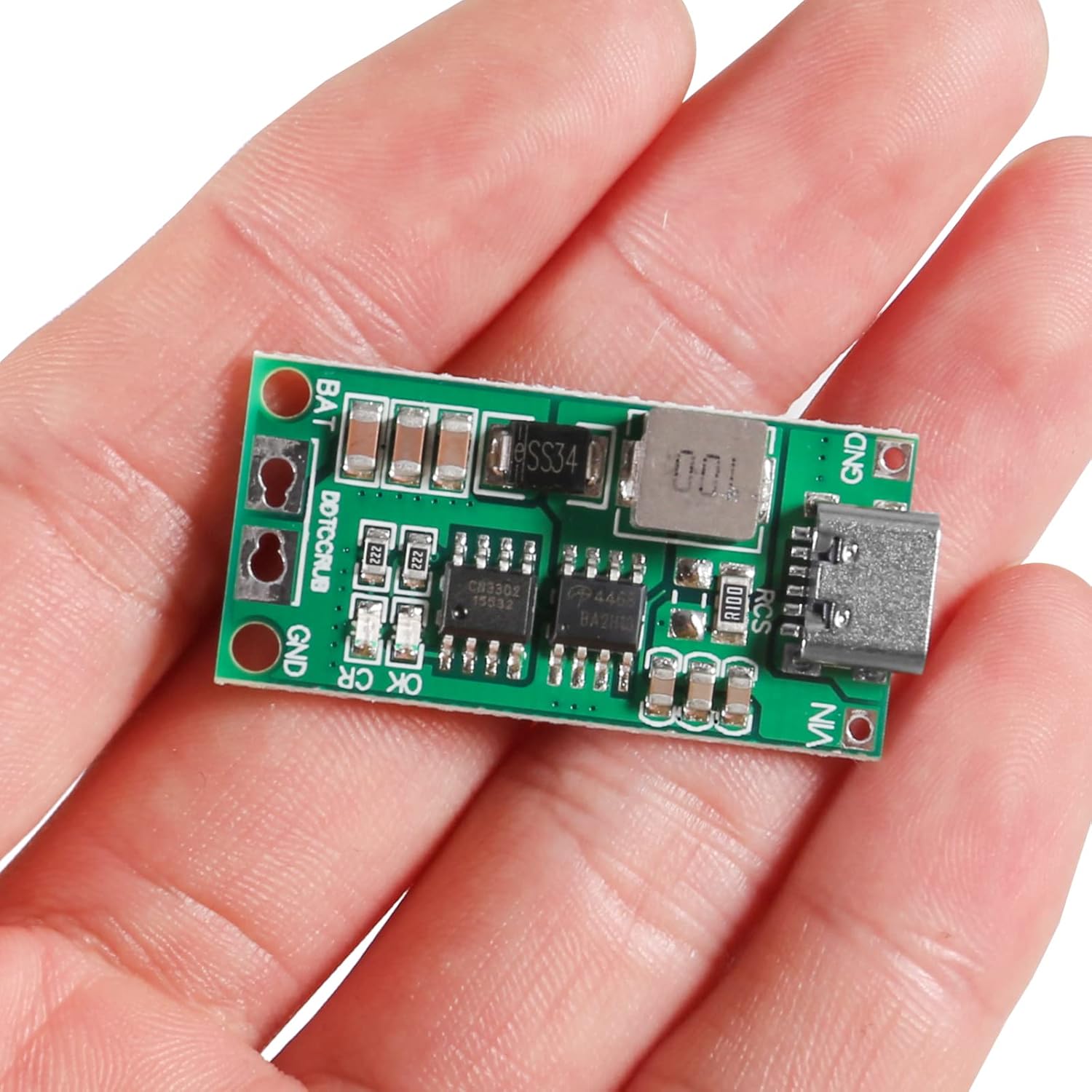
Table showing input current, charging voltage, and charging current for 2S, 3S, and 4S versions of the module.

Image illustrating the physical dimensions of the charging module.
Informació de seguretat
- Always ensure correct polarity when connecting batteries to avoid damage to the module or battery.
- Do not short-circuit the battery terminals or the module's input/output.
- Use within the specified input voltage range (DC 3-6V). Exceeding this may damage the module.
- Ensure adequate ventilation during operation, especially when charging at higher currents.
- This module is designed for lithium-ion batteries. Do not use with other battery chemistries unless explicitly stated.
- For the 4A version (if applicable), ensure your power supply can provide the necessary current.
Configuració i connexió
Follow these steps to set up and connect your AITIAO 2S 1A Boost Charging Module.
1. Mòdul acabatview

A dalt i a baix views of the charging module, showing components and connection points.
The module features a Type-C USB input port, battery connection pads (BAT and GND), and indicator LEDs ("CR" and "OK"). The bottom side indicates the version (2S, 3S, 4S) and current ratings (1A, 2A, 4A).
2. Connexió de la bateria
- Connect the positive terminal of your 2-cell (8.4V) lithium-ion battery pack to the "BAT" pad on the module.
- Connect the negative terminal of your battery pack to the "GND" pad on the module.
- Ensure all connections are secure and correctly polarized. Incorrect wiring can damage the module and battery.

Diagram illustrating the connection of a 2-cell battery pack to the BAT and GND terminals of the module, with the Type-C input for power.
3. Alimentació del mòdul
The module can be powered via its Type-C USB port or directly through the VIN and GND pads.
Using Type-C USB Input:
- Connect a standard USB-A to Type-C cable from a 5V power source (e.g., USB wall adapter, power bank) to the module's Type-C port.
- Important: The module typically requires a 5V input. Some USB-C to USB-C cables may not trigger the necessary 5V power delivery (PD) from certain power sources, resulting in no power to the module. It is recommended to use a USB-A to USB-C cable for reliable operation.
- For higher current versions (e.g., 4A), ensure your Type-C power supply can provide the required current.
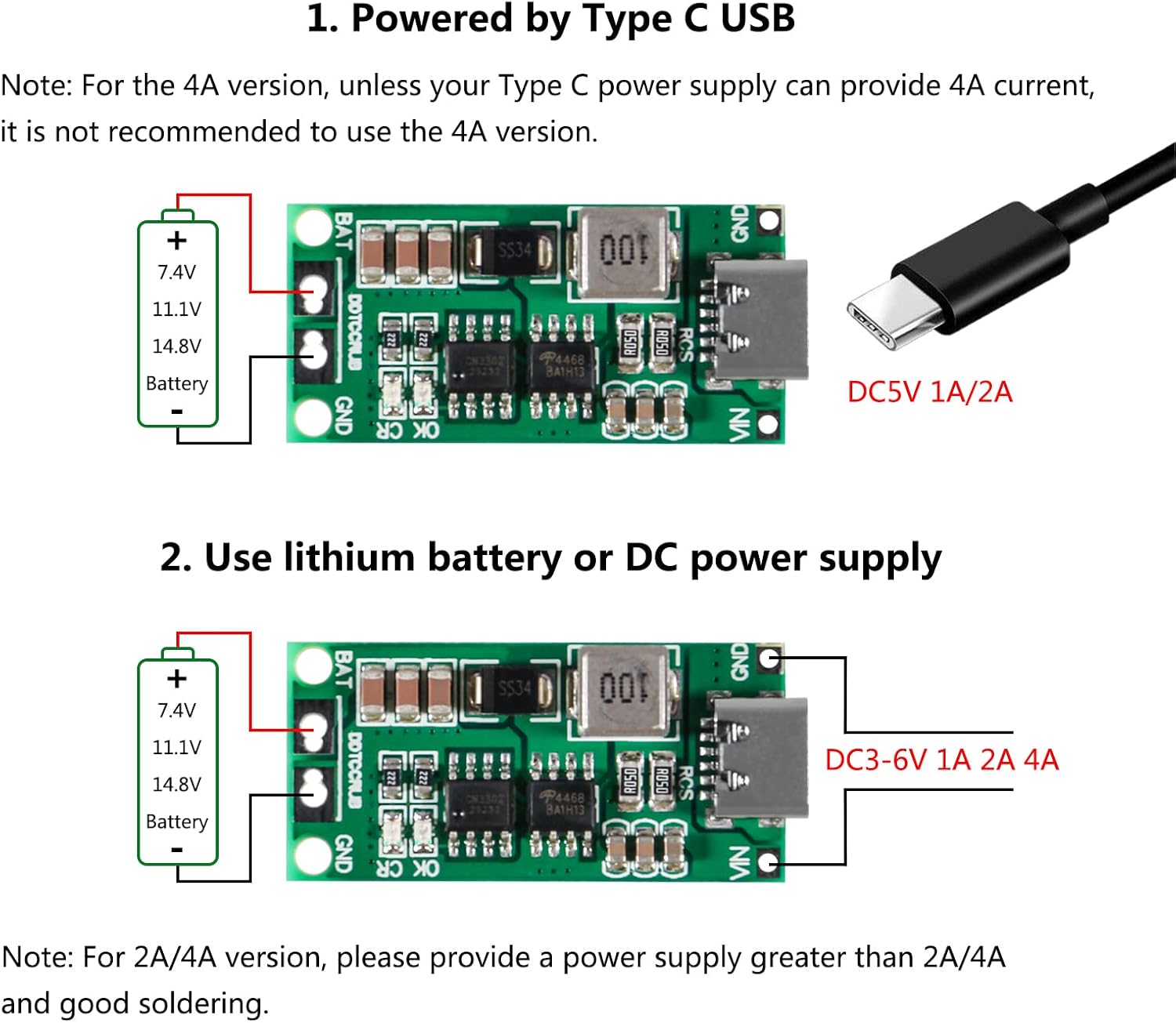
Illustration of connecting a Type-C USB cable to the module for power input.
Using DC Power Supply Input:
- Alternatively, you can connect a DC power supply directly to the "VIN" (positive) and "GND" (negative) pads on the module.
- Assegureu-vos que l'entrada de CC voltage està dins del rang de 3-6 V.
- For 2A/4A versions, provide a power supply capable of delivering greater than 2A/4A current respectively.

Illustration of connecting a DC power supply to the VIN and GND terminals of the module.
Instruccions de funcionament
Once the battery and power supply are correctly connected, the module will begin charging the battery.
- Charging Indicator ("CR" LED): This LED will illuminate when the battery is actively charging.
- Fully Charged Indicator ("OK" LED): This LED will illuminate when the battery is fully charged or when the module enters constant voltagmode e.
- The module automatically manages the charging process, including over-voltagprotecció.
Manteniment
- Mantingueu el mòdul net i lliure de pols i humitat.
- Eviteu exposar el mòdul a temperatures extremes o a la llum solar directa.
- Inspeccioneu regularment les connexions per detectar qualsevol signe de desgast o dany.
- Do not attempt to modify the module, as this may void any implied warranty and could lead to unsafe operation.
Resolució de problemes
| Problema | Possible causa/solució |
|---|---|
| Module does not power on / No charging activity. |
|
| Battery is not charging or charges slowly. |
|
| Module or battery gets excessively hot during charging. |
|
| "OK" LED does not illuminate after prolonged charging. |
|
Contingut del paquet
El paquet inclou:
- 2 x AITIAO 2S 1A Type-C USB Lithium Battery Step-up Charging Board
Garantia i Suport
If you encounter any issues or have questions regarding the AITIAO 2S 1A Type-C Boost Charging Module, please contact the seller or manufacturer for support.