
1. Introducció
The FOXWELL NT710 is an advanced OE-level diagnostic scanner designed for BMW, MINI, and Rolls-Royce vehicles. It features a 5.5-inch TFT touch screen, runs on Android 9.0, and offers comprehensive system diagnostics, bi-directional control, and a wide range of maintenance services. This manual provides essential information for setting up, operating, and maintaining your NT710 device.

Figure 1: FOXWELL NT710 Diagnostic Scanner Overview
2. Configuració
Follow these steps for the initial setup and connection of your FOXWELL NT710 diagnostic scanner:
- Plug into OBD2 Port: Locate your vehicle's OBD2 (16-pin) port, typically found under the dashboard on the driver's side. Connect the NT710's diagnostic cable to this port.
- Engegar l'encesa: Turn your vehicle's ignition to the 'ON' position (engine off). Power on the NT710 tablet.
- Inicia el diagnòstic: The device will automatically detect the vehicle's VIN (Vehicle Identification Number) and prompt you to begin diagnosis. Follow the on-screen instructions to proceed.

Figure 2: Connecting the NT710 to the OBD2 port

Figure 3: Turning on vehicle ignition
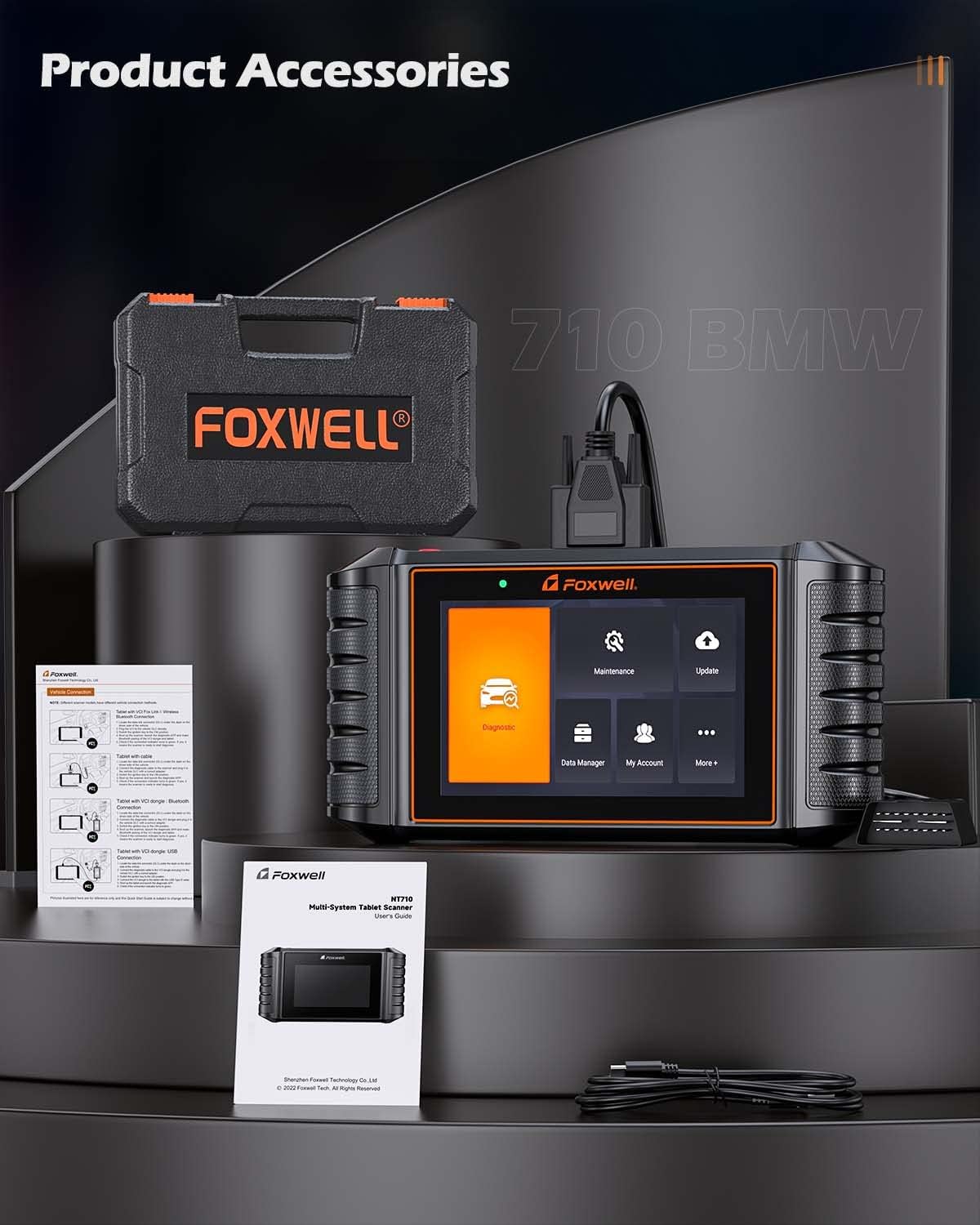
Figure 4: NT710 ready for diagnosis
3. Operating the NT710
3.1 Diagnòstic complet del sistema
The NT710 provides OE-level access to all available electronic control modules in BMW, MINI, and Rolls-Royce vehicles. This allows for comprehensive scanning to quickly locate faults. You can read and clear fault codes, turn off warning lights, and view live sensor data in text and graph formats.
- Llegir codis: Retrieve Diagnostic Trouble Codes (DTCs) from various vehicle systems.
- Codis clars: Erase DTCs after repairs have been made, turning off warning indicators.
- Dades en directe: View real-time sensor data, such as engine RPM, coolant temperature, and vehicle speed, in both text and graphical displays.

Figure 5: Full System Diagnostic Capabilities
3.2 Control bidireccional / Prova activa
The bi-directional control feature allows the NT710 to send commands directly to your vehicle's Electronic Control Unit (ECU) to perform specific active tests. This helps in verifying component functionality and identifying potential issues without manual intervention. Examples include testing doors, windows, mirrors, locks, lights, wipers, and sunroofs.
Video 1: Demonstrating Bi-Directional Control with FOXWELL NT710
Video 2: FOXWELL NT710 All System Diagnostic Tool in action

Figure 6: Bi-Directional Control Functionality
3.3 Maintenance Service Resets
The NT710 offers a wide array of maintenance and service reset functions, including:
- Restabliment de la llum d'oli
- Restabliment del fre d'estacionament electrònic (EPB)
- Calibració del sensor d'angle de direcció (SAS).
- Restabliment del sistema de control de la pressió dels pneumàtics (TPMS)
- Reaprenentatge de l'accelerador
- Sagnat de l’ABS
- Regeneració del filtre de partícules dièsel (DPF)
- Codificació d'injectors
- Registre de bateries
- Codificació ECU
- Restabliment de l'airbag
- Inicialització del sostre solar
- Prova d'EVAP
- CVT Reset
- Restabliment de la suspensió pneumàtica
- A/T Reset
- Calibració del seient
- AC System Reset
- Reaprenentatge del cigonyal
- Aprenentatge d’engranatges
Note: Specific functions available may vary depending on your vehicle's model and year. Always confirm compatibility via VIN before performing services.

Figure 7: Available Maintenance Services
3.4 Funcions OBD2 completes
The NT710 is compatible with all OBD2-compliant vehicles and performs standard OBD2 tests, including:
- Reading and Clearing Fault Codes
- I/M Readiness Status Check
- Viewcongelació de dades de fotogrames
- Prova del sistema EVAP
- Prova del sensor d’O2
- Prova de monitor a bord
- Reading Vehicle Information (VIN, CID, CVN)
- Cerca DTC

Figure 8: Full OBD2 Functions Interface
4. Manteniment
4.1 Actualitzacions de programari
The NT710 offers lifetime free one-click WiFi updates. Simply connect the device to a WiFi network and navigate to the 'Update' menu to download and install the latest software versions and vehicle data.

Figura 9: Interfície d'actualització de programari
4.2 Gestió de dades
The device allows for efficient data management, including:
- Registre i reproducció de dades: Record live sensor data during diagnosis for later review i anàlisi.
- Data Print & Share: Generate diagnostic reports that can be printed or shared electronically for record-keeping or consultation.

Figure 10: Data Management and Utility Functions
5. Solució De Problemes
If you encounter issues with your FOXWELL NT710, consider the following general troubleshooting steps:
- Assegureu-vos que el dispositiu estigui connectat correctament al port OBD2 del vehicle.
- Verify that the vehicle's ignition is in the 'ON' position.
- Check for sufficient battery charge on the NT710.
- Perform a software update to ensure you have the latest fixes and vehicle data.
- If the device fails to power on, ensure the OBD2 connection is stable, as the device draws power from the vehicle.
For persistent issues, utilize the online feedback feature or remote assistance options available on the device.
6. Especificacions
| Característica | Especificació |
|---|---|
| Model | FOXWELL NT710 |
| Sistema operatiu | Android 9.0 |
| Mida de la pantalla | 5.5 Inches TFT Touch Screen |
| Resolució de visualització | 1280*720 píxels |
| Processador | Quad-core 1.3 GHz |
| Memòria | 1 GB de RAM + 32 GB d'emmagatzematge |
| Capacitat de la bateria | 4000 mAh |
| Mètode d'actualització | One-Click WiFi Update (Lifetime Free) |
| Compatibilitat de vehicles | BMW, MINI, Rolls-Royce (OE-level) |
| Funcions clau | Full System Diagnosis, Bi-directional Control, All Maintenance Services Reset, Full OBD2 Functions |
7. Informació de la garantia
For detailed warranty information regarding your FOXWELL NT710 diagnostic scanner, please refer to the official FOXWELL website or contact their customer support directly. Warranty terms and conditions may vary by region and purchase date.
8. Suport
FOXWELL provides several support options for users of the NT710:
- Comentaris en línia: Submit feedback or report issues directly through the device's interface.
- Assistència a distància: Access remote technical support for guided troubleshooting and problem resolution.
- Oficial Weblloc: Visit the FOXWELL official weblloc web per a preguntes freqüents, descàrregues de programari i recursos addicionals.