
Introducció
Thank you for choosing the ODK L-Shaped Gaming Desk. This manual provides essential information for the safe assembly, operation, and maintenance of your new desk. Please read these instructions carefully before assembly and retain them for future reference.

Image: The ODK L-Shaped Gaming Desk, showcasing its design with LED lighting and space for multiple monitors.
Informació de seguretat
Atenció: Ensure the furniture is securely fixed before use to prevent any risk of tipping. Always follow assembly instructions precisely. Do not overload the desk or monitor stand. Keep electrical components away from liquids. Use only the provided power adapter for the LED lights and power outlets.
Contingut del paquet
Before beginning assembly, verify that all parts listed below are present and undamaged. If any parts are missing or damaged, contact customer support.
- Desk panels (L-shaped main surface, monitor stand)
- Metal frame components (legs, support bars)
- Maquinari de muntatge (cargols, perns, clau Allen)
- LED light strip with controller
- Regleta integrada amb 2 preses de corrent altern i 2 ports USB
- Power cord (200cm)
- Portavasos
- Headphone hooks (x2)
- Peus ajustables
- Manual d'instruccions
Instruccions de muntatge i muntatge
Assembly is designed to be straightforward. Follow these steps carefully for a stable and secure setup. It is recommended to assemble the desk with two people.
- Desempaquetar i identificar les peces: Lay out all components on a clean, soft surface to prevent scratches. Identify each part using the provided parts list and diagrams.
- Muntar el marc: Attach the metal legs to the main support bars using the provided screws and Allen wrench. Ensure all connections are tight.
- Enganxar panells d'escriptori: Secure the L-shaped desk panels to the assembled metal frame. Pay attention to the orientation of each panel.
- Instal·leu el suport del monitor: Mount the monitor stand to the designated area on the desk surface. This stand helps maintain an ergonomic posture by elevating your screen.
- Instal·lació d'accessoris: Attach the cup holder and headphone hooks to the desired locations on the desk frame.
- Instal·lació d'il·luminació LED: Adhere the LED light strip to the underside of the monitor stand or desk edge as desired. Connect the LED controller and power cable.
- Instal·leu una regleta d'endolls: Secure the integrated power strip into its designated slot on the desk. Connect its power cord.
- Ajustar els peus de nivellació: Once the desk is in its final position, adjust the leveling feet at the bottom of each leg to ensure stability on uneven floors.
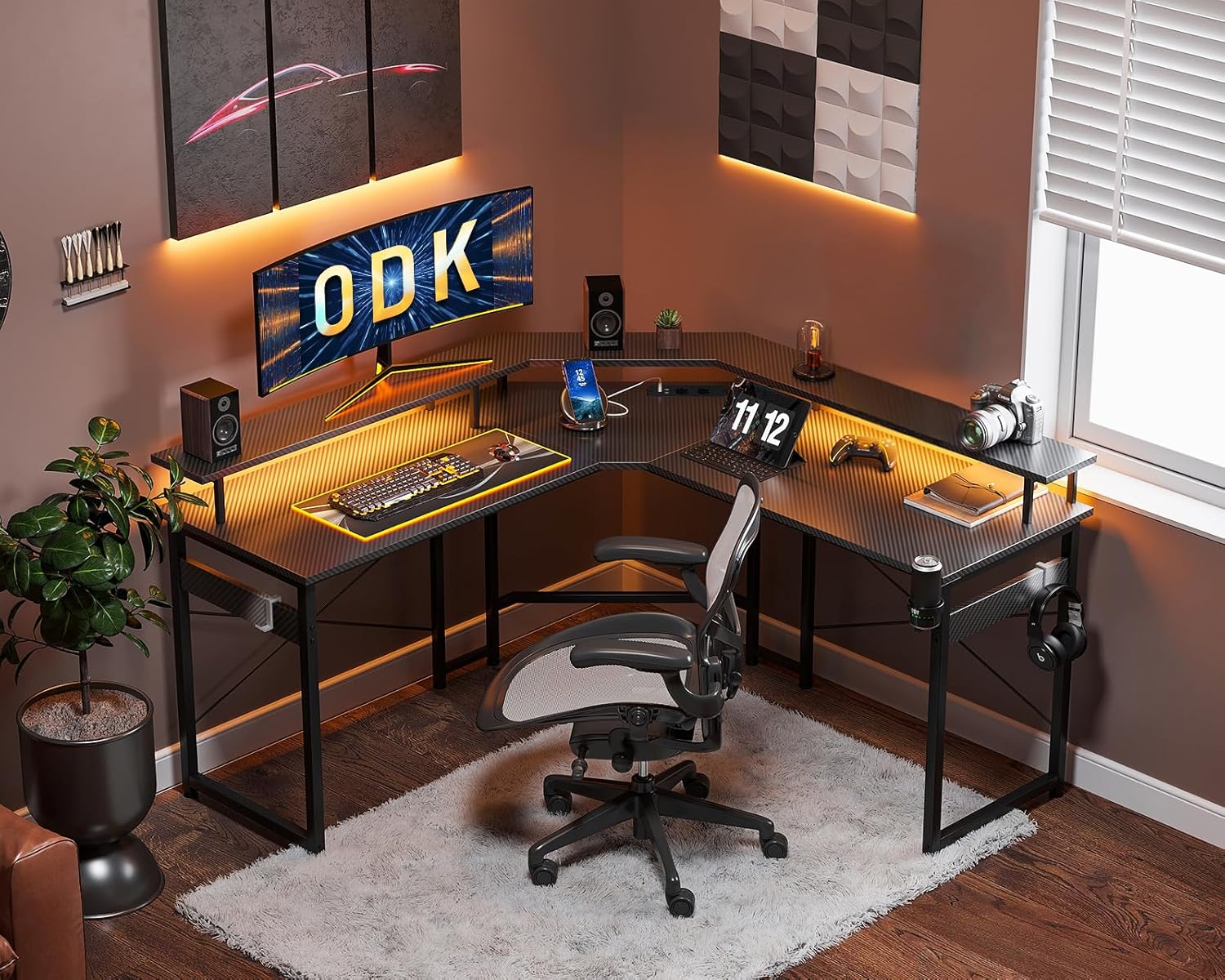
Image: An illustration of the ODK L-Shaped Gaming Desk during the assembly process, highlighting the frame and desk panels.
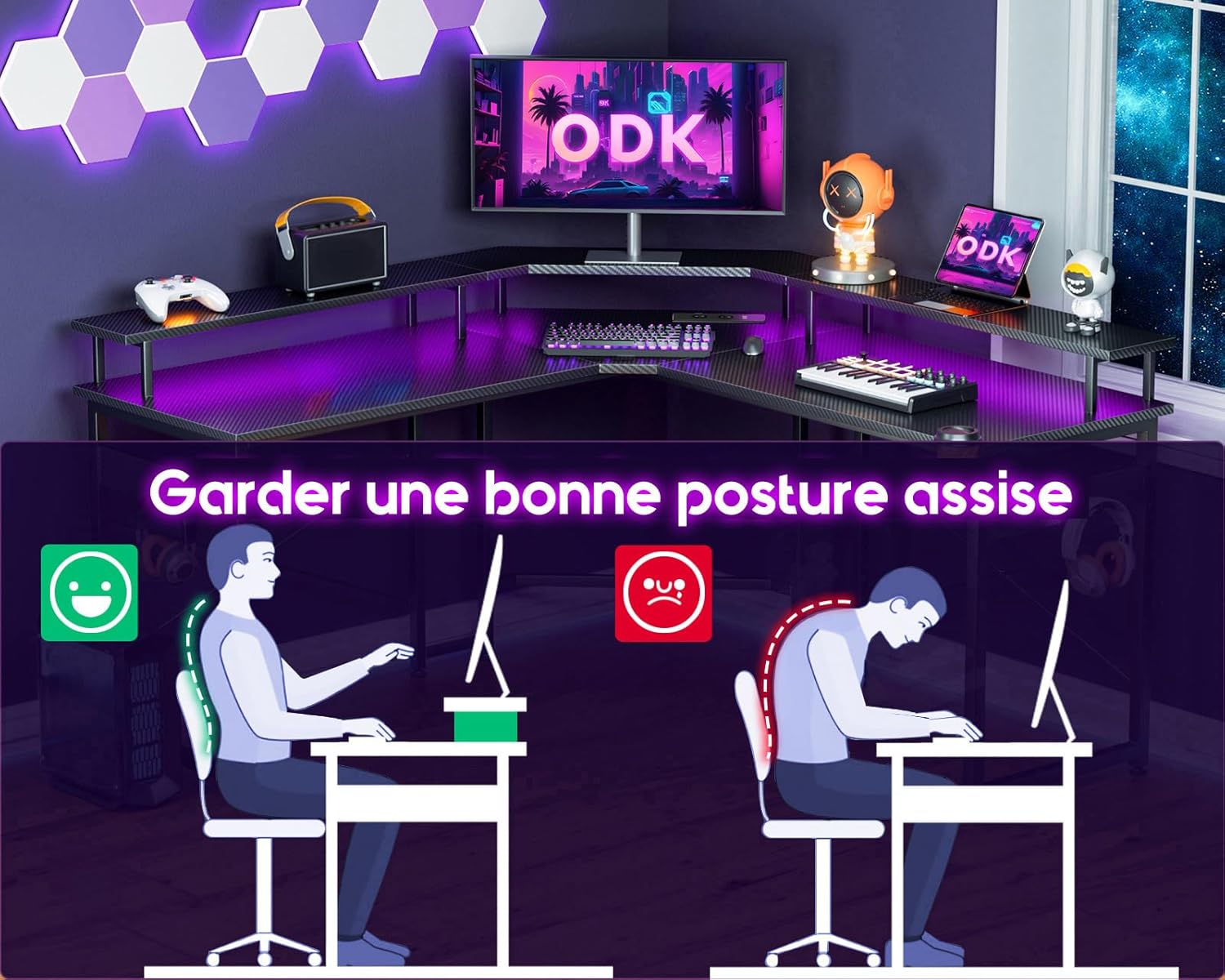
Image: A diagram illustrating correct and incorrect ergonomic sitting postures, emphasizing the benefit of the monitor stand for maintaining a healthy back and neck alignment.

Imatge: Un primer pla view of the headphone hook attachment point on the desk frame.

Imatge: Un primer pla view of the cup holder attachment, designed for convenient beverage access.

Imatge: Una imatge detallada view of the adjustable leveling foot at the base of a desk leg, used for stability on uneven surfaces.
Instruccions de funcionament
Sistema d'il·luminació LED
The integrated LED lighting system offers customizable ambiance for your gaming or work setup.
- Encès/apagat: Press the power button on the LED controller to turn the lights on or off.
- Selecció de color: Use the 'C' button to cycle through 7 different static colors.
- Selecció del mode: Use the 'M' button to switch between 13 dynamic lighting modes.
- Ajust de brillantor: Use the up/down arrows to adjust the brightness level (8 levels available).
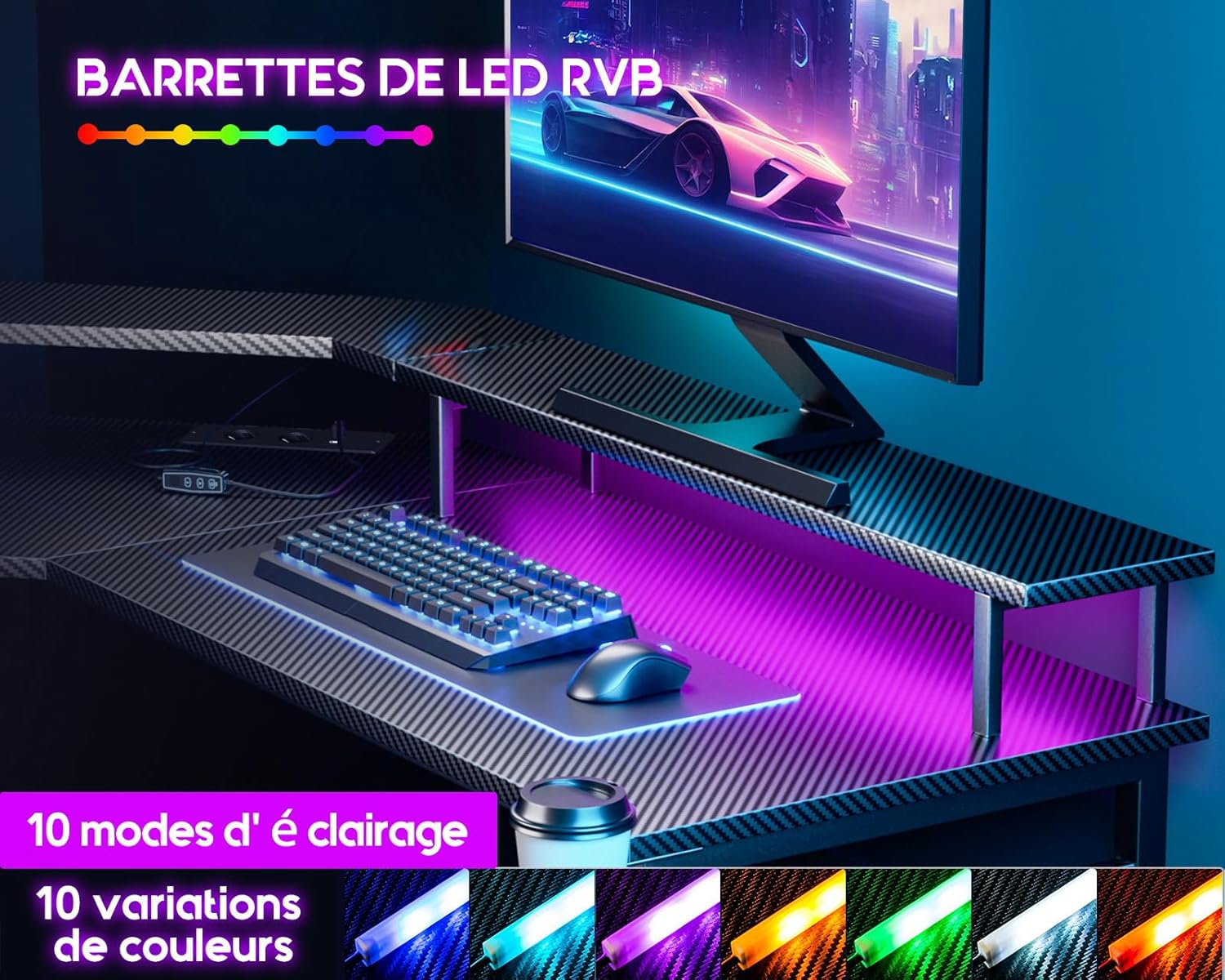
Image: The ODK Gaming Desk with its LED lighting system active, showing various color options illuminating the workspace.

Image: A close-up of the LED light controller, showing buttons for power, color, mode, and brightness adjustment.
Preses de corrent integrades i ports USB
The desk includes a built-in power strip for convenient access to power for your devices.
- Preses de CA: Two standard AC outlets (220-250V/15A) are provided for powering monitors, computers, or other peripherals.
- Ports USB: Two USB ports (5V/2.1A) are available for charging mobile devices, headphones, or other USB-powered accessories.
- Ús: Plug the desk's main power cord into a wall outlet. Then, connect your devices to the integrated outlets and USB ports.
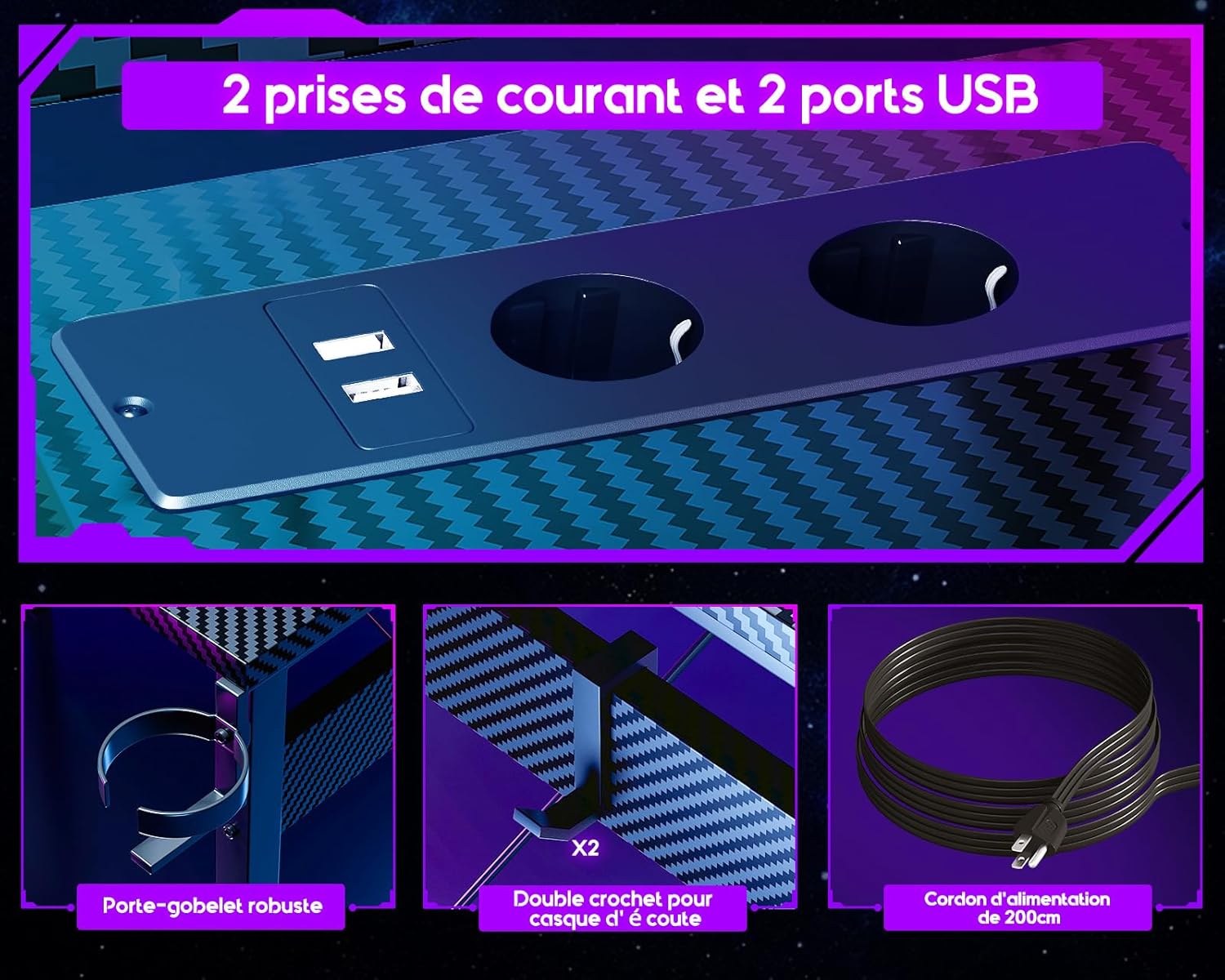
Imatge: Una imatge detallada view of the integrated power strip on the ODK Gaming Desk, featuring two AC power outlets and two USB charging ports.

Image: A close-up of the power strip, indicating its specifications for AC outlets (220-250V/15A) and USB ports (5V/2.1A).
Manteniment
Regular maintenance will help prolong the life and appearance of your ODK Gaming Desk.
- Neteja: Netegeu la superfície de l'escriptori amb un damp cloth. Avoid abrasive cleaners or harsh chemicals that could damage the carbon fiber finish.
- Pols: Regularly dust the desk and LED strips to maintain optimal light output and prevent dust buildup.
- Apretar els elements de fixació: Reviseu i estrenyeu periòdicament tots els cargols i perns per assegurar-vos que l'escriptori es mantingui estable.
- Gestió de cables: Organize cables to prevent tangles and reduce strain on connections.
Resolució de problemes
| Problema | Causa possible | Solució |
|---|---|---|
| Els llums LED no s'encenen. | Power cable disconnected; LED controller faulty; LED strip damaged. | Ensure all cables are securely connected. Check if the main power cord is plugged into a working outlet. If issues persist, contact customer support. |
| LED lights flickering or malfunctioning. | Loose connection; power supply issue; controller malfunction. | Check all connections. Try plugging the LED power supply into a different outlet. If the problem continues, the controller or strip may be faulty; contact support. |
| Les preses de corrent/ports USB no funcionen. | Desk's main power cord unplugged; circuit breaker tripped; internal wiring issue. | Verify the desk's main power cord is securely plugged into a live wall outlet. Check your home's circuit breaker. Do not attempt to repair internal wiring; contact customer support. |
| L'escriptori està inestable. | Fixacions fluixes; terra irregular. | Tighten all assembly screws and bolts. Adjust the leveling feet at the bottom of each leg to stabilize the desk on uneven surfaces. |
Especificacions
| Característica | Detall |
|---|---|
| Número de model | ZJZ-QTMDCZ |
| Dimensions (L x A x A) | 129 x 129 x 89 cm (50.8 x 50.8 x 35 polzades) |
| Pes | 21 quilos (46.3 lliures) |
| Material | Wood (panels), Metal (frame), Carbon Fiber (top finish) |
| Color | Black/Transparent |
| Il·luminació LED | 7 colors, 13 dynamic modes, 8 brightness levels |
| Preses de corrent | 2 x AC (220-250V/15A) |
| Ports USB | 2 USB (5V/2.1A) |
| Característiques especials | Ergonomic monitor stand, Cup holder, Headphone hooks, Adjustable leveling feet |
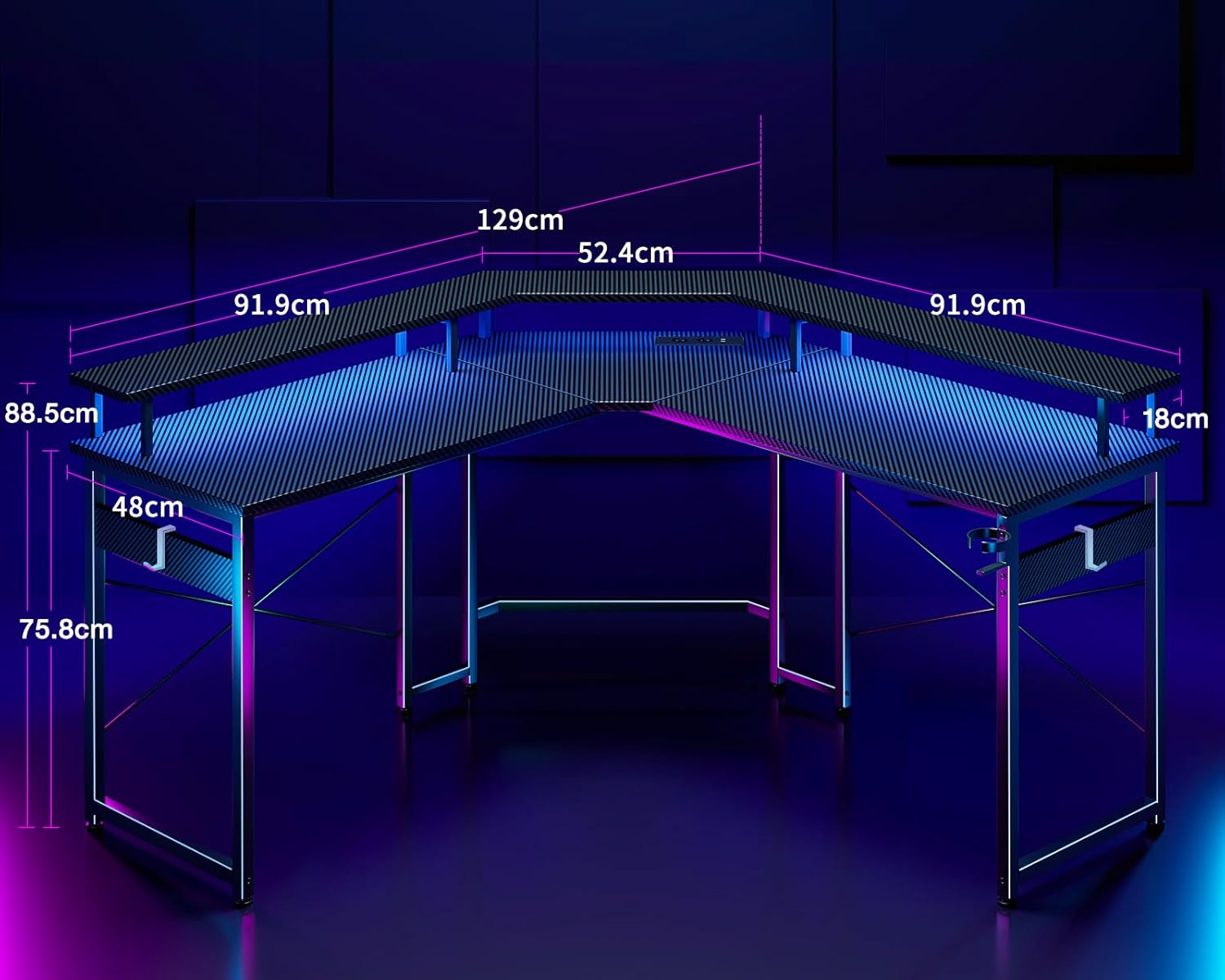
Image: A technical diagram illustrating the precise dimensions of the ODK L-Shaped Gaming Desk, including length, width, and height measurements.
Garantia i Suport
ODK products are manufactured to high-quality standards. For warranty information or technical support, please refer to the contact details provided at the point of purchase or visit the official ODK website. Please have your model number (ZJZ-QTMDCZ) and purchase date ready when contacting support.