
DIZO DA2105
DIZO GoPods Neo True Wireless Earbuds Instruction Manual
Model: DA2105
Marca: DIZO (by realme Techlife)
Introducció
This manual provides comprehensive instructions for the DIZO GoPods Neo True Wireless Earbuds. Please read carefully to ensure proper use, maintenance, and to maximize your audio experience. These earbuds feature Active Noise Cancellation (ANC), Transparency Mode, and a long-lasting battery, designed for a seamless listening experience.

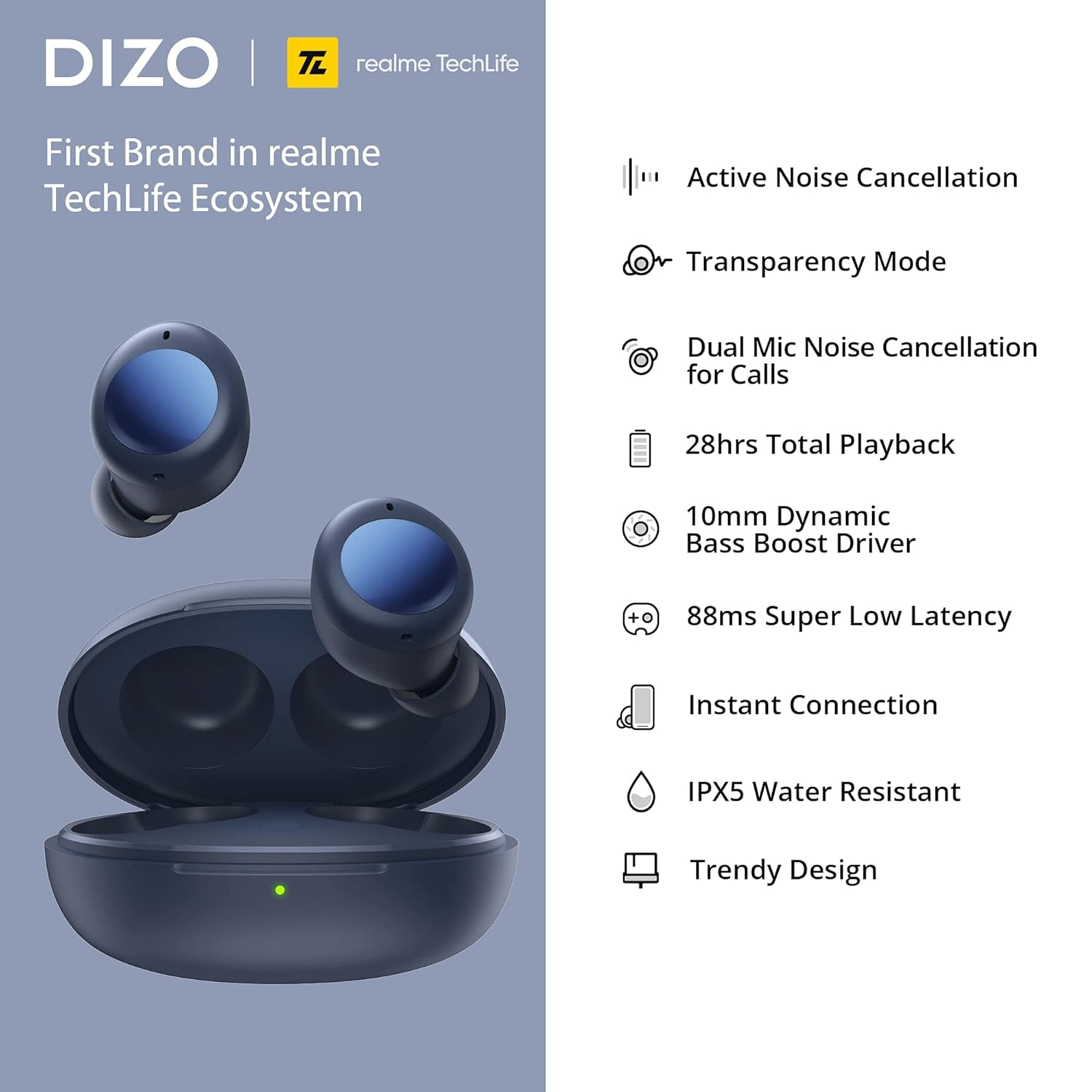
The DIZO GoPods Neo earbuds and their charging case, showcasing the compact design and deep blue color.
Característiques clau
Cancel·lació activa de soroll (ANC)
Immerse yourself in music by reducing ambient noise up to 25dB, allowing for a focused listening experience.

Experience tranquility with ANC.
Mode de transparència
Stay aware of your surroundings without removing your earbuds. This mode allows external sounds to pass through.

Hear your environment clearly.
Dual Mic Noise Cancellation for Calls
Ensure clear voice calls even in noisy environments, thanks to advanced dual microphone technology.

Crystal-clear calls, anywhere.
10mm Bass Boost Driver
Experience rich, deep bass and high-quality audio with the powerful 10mm dynamic drivers.

Powerful audio performance.
Bateria de llarga durada i càrrega ràpida
Enjoy up to 28 hours of total playback with the charging case. A quick 10-minute charge provides 3 hours of playback.

Extended listening with quick top-ups.
88ms Super Low Latency Game Mode
Experience synchronized audio and video for an immersive gaming experience with minimal delay.

Optimized for gaming.
Resistència a l'aigua IPX5
Dissenyats per resistir esquitxades i suor, cosa que els fa adequats per a entrenaments i activitats a l'aire lliure.

Durable for active lifestyles.
Guia de configuració
1. Càrrega dels auriculars i l'estoig
Before first use, fully charge the DIZO GoPods Neo charging case and earbuds. Use the provided USB-C charging cable.
- Col·loqueu els dos auriculars a la caixa de càrrega.
- Connect the USB-C cable to the charging port on the case and the other end to a power adapter (not included) or a computer's USB port.
- The indicator light on the case will show charging status. A full charge typically takes about 120 minutes.
Ensure your earbuds and case are fully charged for optimal performance.
2. Emparellament amb el dispositiu
Follow these steps to pair your DIZO GoPods Neo with a new device via Bluetooth:
- Assegureu-vos que els auriculars estiguin a l'estoig de càrrega i que la tapa de l'estoig estigui oberta.
- On your device (smartphone, tablet, laptop), go to the Bluetooth settings and turn Bluetooth on.
- The DIZO GoPods Neo should appear in the list of available devices. Select it to initiate pairing.
- Un cop connectats, sentireu una confirmació audible i els auriculars estaran llestos per al seu ús.
The earbuds offer instant connection for quick pairing.
Instruccions de funcionament
Controls tàctils
The DIZO GoPods Neo earbuds feature intuitive touch controls on their outer surface. The following table outlines the default functions:
| Acció | Funció |
|---|---|
| Fes doble toc | Reproduir / Pausar música, Respondre / Finalitzar trucada |
| Toca tres vegades | Següent cançó |
| Press and Hold (one earbud) | Toggle between ANC / Transparency Mode / Normal Mode |
| Press and Hold (both earbuds simultaneously) | Entra/Surt del mode de joc |
Note: Some touch controls may be customizable via the realme Link app (if applicable).
Modes de so
- Cancel·lació activa del soroll (ANC): Reduces external noise for an immersive audio experience. Activate by pressing and holding one earbud.
- Mode de transparència: Allows you to hear your surroundings clearly without removing the earbuds. Activate by pressing and holding one earbud.
- Mode normal: Mode d'àudio estàndard sense cancel·lació de soroll ni transparència.
Realització de trucades
When a call comes in, double-tap either earbud to answer. Double-tap again to end the call. The dual microphones ensure clear communication.
Manteniment i cura
Neteja
- Netegeu regularment els auriculars i l'estoig de càrrega amb un drap suau, sec i sense borrissol.
- Per a la brutícia tossuda, lleugerament dampRenta el drap amb aigua. Evita utilitzar productes químics agressius o materials abrasius.
- Gently clean the ear tips and speaker mesh to prevent wax buildup, which can affect sound quality.
Emmagatzematge
- Always store the earbuds in their charging case when not in use to protect them from dust, dirt, and damage.
- Store the case and earbuds in a cool, dry place, away from direct sunlight and extreme temperatures.
Cura de la bateria
- To prolong battery life, avoid fully discharging the earbuds and case frequently.
- Carregueu el dispositiu regularment, fins i tot si no l'utilitzeu amb freqüència, per mantenir la bateria en bon estat.
Resolució de problemes
If you encounter issues with your DIZO GoPods Neo, try the following solutions:
- Auriculars que no s'emparellan/connecten:
- Assegura't que els dos auriculars estiguin a l'estoig de càrrega i que l'estoig tingui prou bateria.
- Desactiva i activa el Bluetooth al dispositiu.
- Oblida el dispositiu de la llista de Bluetooth i intenta emparellar-lo de nou.
- Reset the earbuds (refer to the product's specific reset procedure if available, typically involves holding a button on the case).
- No se sent cap so d'un auricular:
- Place both earbuds back into the case, close the lid, wait a few seconds, then open and try again.
- Assegureu-vos que els dos auriculars estiguin carregats.
- Netegeu els contactes de càrrega tant dels auriculars com de la funda.
- Problemes de càrrega:
- Comproveu si el cable de càrrega i l'adaptador estan danyats.
- Assegureu-vos que el port de càrrega de la carcassa estigui net i lliure de residus.
- Prova amb un cable de càrrega o font d'alimentació diferent.
- L'ANC no funciona eficaçment:
- Assegureu-vos que els auriculars estiguin correctament col·locats a les orelles per crear un bon segellat.
- Check if ANC mode is correctly activated via touch controls.
Especificacions tècniques
| Característica | Especificació |
|---|---|
| Nom del model | DIZO GoPods Neo |
| Número de model | DA2105 |
| Tecnologia de connectivitat | Sense fil (Bluetooth) |
| Control de soroll | Cancel·lació activa del soroll |
| Mida del controlador | 10mm Dynamic Bass Boost Driver |
| Resposta de freqüència | 20000 kHz |
| Sensibilitat | 103 dB |
| Temps total de reproducció | Fins a 28 hores (amb estoig de càrrega) |
| Temps de reproducció única | Fins a 7 hores |
| Single Talk Time | Fins a 4 hores |
| Temps de càrrega | Aprox. 120 minuts |
| Càrrega ràpida | 10 mins charge for 3 hrs playback |
| Latència baixa | 88 ms (mode de joc) |
| Nivell de resistència a l'aigua | IPX5 Water Repellent |
| Tipus de control | Tàctil, control per veu |
| Dispositius compatibles | Cellphones, Laptops, Telephones |
| Material | Plàstic |
| Pes de l'article | 10 grams (auriculars) |
| Dimensions del producte (caixa) | 6 x 4.5 x 3.3 cm |
| Components inclosos | Cable de càrrega USB |
Informació de la garantia
The DIZO GoPods Neo comes with a 12 mesos de garantia from the date of purchase. This warranty covers manufacturing defects and issues arising from normal use. Please retain your proof of purchase for warranty claims. The warranty does not cover damage caused by misuse, accidents, unauthorized repairs, or normal wear and tear.
Suport
For further assistance, technical support, or warranty claims, please visit the official DIZO website or contact their customer service. Refer to the packaging or the official weblloc web per obtenir la informació de contacte i els recursos d'assistència més actualitzats.
You can often find FAQs, troubleshooting guides, and software/firmware updates on the official product support page.
Ask a question about this manual
Ask about setup, troubleshooting, compatibility, parts, safety, or missing instructions. Manuals+ will review the question and use this page’s manual context to help answer it.