
Introducció
The DIZO Earphones with HD Mic (Model DA2106) are designed to provide a clear audio experience for music listening and calls. Featuring an 11.2mm dynamic driver for enhanced bass and a built-in HD microphone for clear communication, these wired in-ear earphones are equipped with a tangle-free cable and a 90-degree angle audio jack for durability and ease of use.
Contingut del paquet
Si us plau, verifiqueu que tots els elements siguin presents al paquet:
- DIZO Earphones (Model DA2106)
- Manual d'usuari (aquest document)
Producte acabatview
Familiarize yourself with the components of your DIZO Earphones.

Imatge 1: Acabatview of DIZO Earphones, illustrating the earbuds, in-line remote control, and 3.5mm audio jack.
- Auriculars: Designed for in-ear comfort and sound delivery.
- In-line Remote Control: Integrated into the cable for easy access to functions.
- Micròfon HD: Located on the in-line remote for clear voice capture during calls.
- Cable antiembolics: Durable cable designed to resist tangling.
- 90-Degree Angle Audio Jack: A 3.5mm connector designed for reduced strain and enhanced durability when plugged into devices.

Imatge 2: Detallada view of the in-line remote control and the 90-degree 3.5mm audio jack.

Imatge 3: Focus on the 90-degree angle audio jack, highlighting its design for durability.
Configuració
Connecting your DIZO Earphones is a straightforward process:
- Identify the Audio Port: Locate the 3.5mm audio jack on your device (e.g., smartphone, laptop, tablet). This port is typically marked with a headphone icon.
- Insert the Jack: Gently insert the 3.5mm audio jack of the DIZO Earphones into your device's audio port until it is fully seated. The 90-degree angle design helps reduce stress on the cable.
- Adjust Earphones: Place the earbuds comfortably into your ears. Ensure a snug fit for optimal sound quality and bass response.
- Àudio de prova: Play some audio from your device to confirm that the earphones are working correctly. Adjust the volume on your device as needed.
Instruccions de funcionament
The in-line remote control allows for easy management of audio playback and calls.

Imatge 4: Various angles of the earphones, highlighting the in-line remote for control.
- Reproduir/pausar música: Press the multi-function button on the in-line remote once to play or pause the current audio track.
- Pista següent: Premeu el botó multifunció dues vegades ràpidament per saltar a la pista següent.
- Pista anterior: Premeu el botó multifunció tres vegades ràpidament per tornar a la pista anterior.
- Respondre/Finalitzar la trucada: Press the multi-function button once to answer an incoming call or end an active call.
- Rebutja la trucada: Premeu i manteniu premut el botó multifunció durant aproximadament 2 segons per rebutjar una trucada entrant.
- Activa l'Assistent de veu: Press and hold the multi-function button for approximately 2 seconds (when not on a call) to activate your device's voice assistant (e.g., Google Assistant, Siri).
Nota: El control de volum es gestiona directament a través del dispositiu connectat.
Manteniment
Proper care ensures the longevity and performance of your earphones.
- Neteja:
- Gently wipe the earbuds and cable with a soft, dry, lint-free cloth.
- For ear tips, remove them and clean with a mild soap solution if necessary, then rinse thoroughly and ensure they are completely dry before reattaching.
- No utilitzeu productes químics agressius, netejadors abrasius ni dissolvents.
- Emmagatzematge:
- Store the earphones in a clean, dry place when not in use.
- Eviteu les temperatures extremes i la llum solar directa.
- Do not wrap the cable too tightly to prevent damage. The tangle-free design helps with neat storage.
- Manipulació:
- Avoid pulling the cable forcefully when disconnecting from a device; always grasp the 3.5mm jack.
- Do not expose the earphones to water or excessive moisture. While they have some water repellency, they are not waterproof.
Resolució de problemes
Si teniu problemes, consulteu els següents problemes i solucions habituals:
| Problema | Solució |
|---|---|
| No se sent so dels auriculars. |
|
| El micròfon no funciona durant les trucades. |
|
| La qualitat del so és deficient o distorsionada. |
|
Especificacions
Key technical specifications for the DIZO Earphones (Model DA2106):
| Característica | Detall |
|---|---|
| Número de model | DA2106 |
| Mida del controlador | Controlador dinàmic de 11.2 mm |
| Col·locació de l'orella | A l'orella |
| Connectivitat | Cablejat (connector de 3.5 mm) |
| Impedància | 28 ohms |
| Resposta de freqüència | 20000 kHz |
| Sensibilitat | 106 dB |
| Micròfon | HD Microphone Included |
| Característiques del cable | Sense enredos |
| Audio Jack Angle | 90 graus |
| Pes | 14 grams |
| Material | Plàstic |
| Dispositius compatibles | Cellphones, Laptops, Telephones |
| Nivell de resistència a l'aigua | Repel·lent a l'aigua |
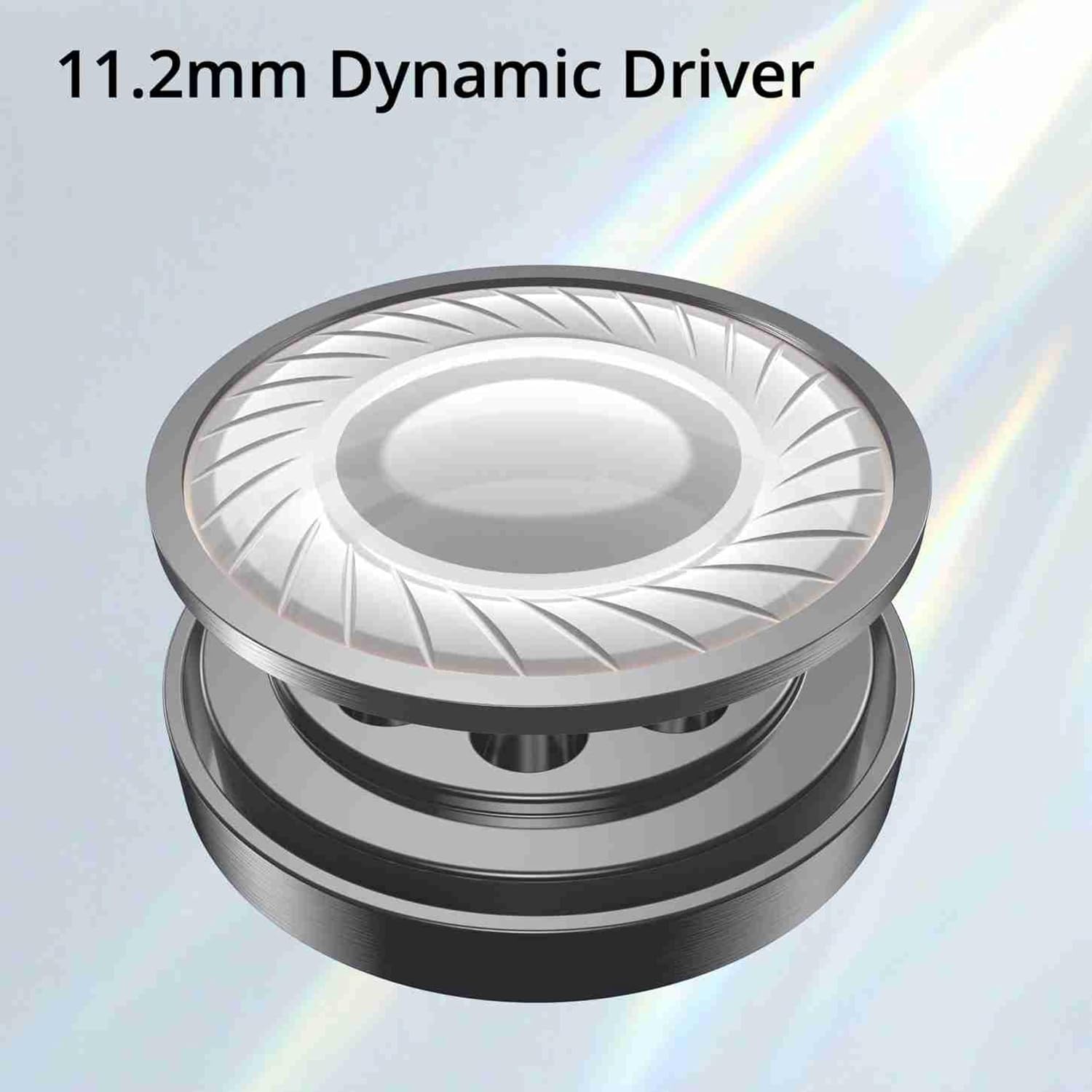
Imatge 5: Illustration of the 11.2mm Dynamic Driver, responsible for audio output.

Imatge 6: Visual representation of the earphones' capability for excellent bass performance.

Imatge 7: Detail of the tangle-free cable, designed for durability and ease of use.
Garantia i Suport
DIZO provides a limited warranty for this product.
- Període de garantia: 12 mesos des de la data de compra.
- Servei de garantia: For warranty claims or technical support, please carry the product to an authorized service center.
- Informació de contacte:
- Correu electrònic: service.in@dizo.net
- Número gratuït: 1800 843 3030
Si us plau, conserveu el comprovant de compra per validar la garantia.