
Introducció
This manual provides essential instructions for the setup, operation, and maintenance of your Swann CoreCam Pro Wireless Security Camera 3-Pack. These cameras offer 2K HD video, a spotlight, two-way talk, heat motion detection, and color night vision, designed for both indoor and outdoor surveillance.
Què hi ha a la caixa
Verifiqueu que tots els components siguin presents abans de continuar amb la instal·lació.
- 3 x Swann CoreCam Pro Wireless Security Cameras
- 3 x Mounting Stands
- Cargols de muntatge i tacs de paret
- 3 x cables de càrrega USB
- 3 x 32GB Micro SD Cards (pre-installed or included separately)
- Adhesius de seguretat

Configuració
1. Instal·lació de la càmera
The Swann CoreCam Pro cameras are 100% wire-free, allowing flexible placement. They are designed for both indoor and outdoor use with an IP65 weatherproof rating. Choose a location that provides the desired viewangle d'inclinació i està dins de l'abast del Wi-Fi.
- Attach the mounting stand to the desired surface using the provided screws and wall plugs.
- Securely screw the camera onto the mounting stand.
- Ajusteu l'angle de la càmera per obtenir una cobertura de vigilància òptima.
2. App Pairing and Configuration
Per controlar i view your cameras, download the Swann Security app on your smartphone or tablet.
- Descarrega't el Seguretat Swann aplicació des de la botiga d'aplicacions del dispositiu.
- Creeu un compte o inicieu sessió si ja en teniu un.
- Follow the in-app instructions to add your CoreCam Pro cameras to your account. This typically involves scanning a QR code on the camera.


Funcionament de la càmera
1. Powering On and Battery Life
The CoreCam Pro features a rechargeable battery designed for long-lasting operation, typically up to 3 months on a single charge, depending on usage and settings. Ensure the camera is fully charged before initial use.

2. En directe Viewing i enregistrament
Access live 2K HD video streams from your cameras via the Swann Security app. Recordings are stored on the included 32GB Micro SD card and can also be backed up to the cloud (subscription may be required).
3. Two-Way Talk and Siren
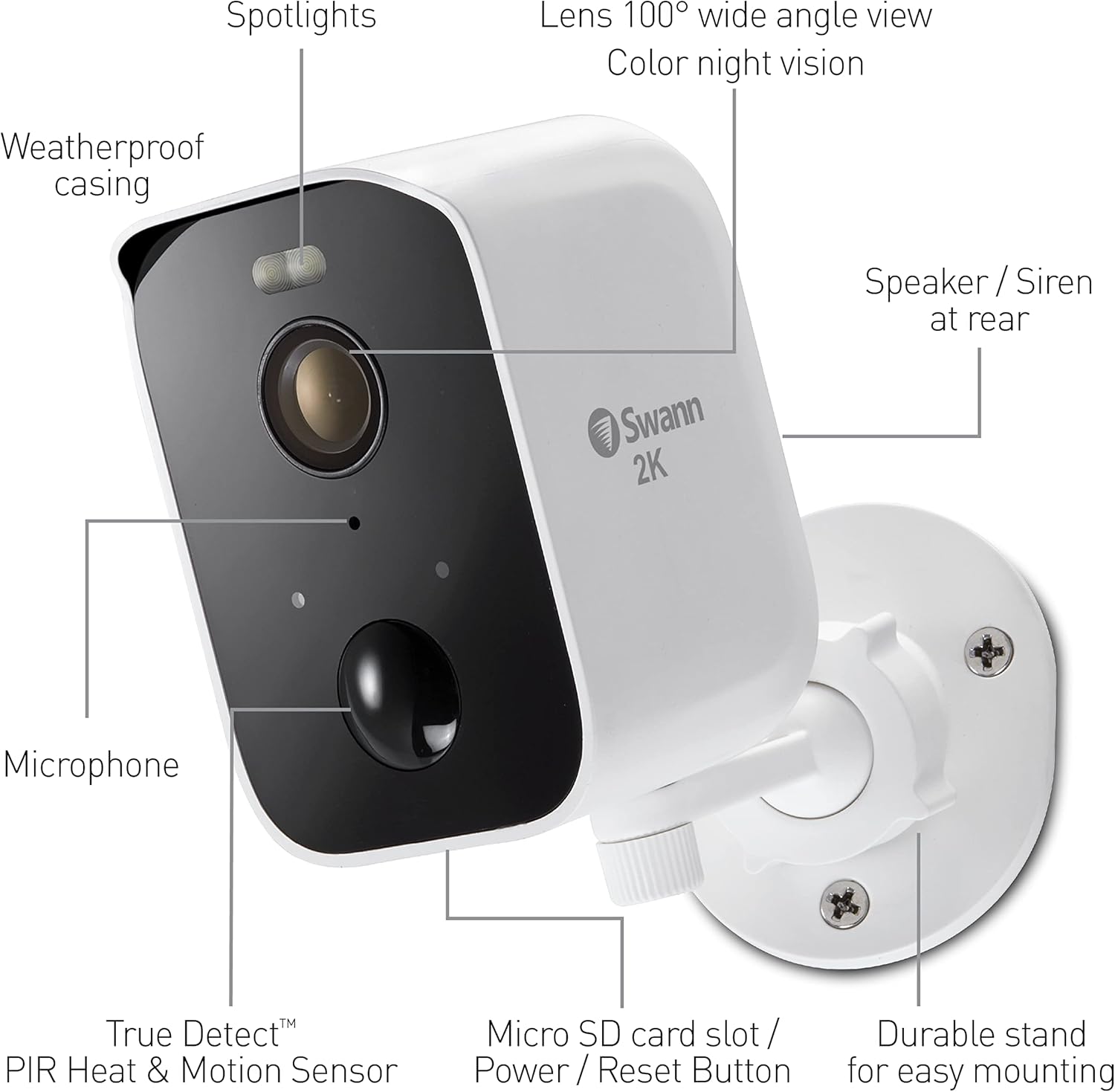
Utilize the built-in microphone and speaker for two-way communication. You can speak to visitors or deter unwanted guests using the siren feature, all controlled through the Swann Security app.

4. Motion and Heat Detection (True Detect™)
The camera employs Swann's True Detect™ technology, combining heat and motion sensing to accurately detect people, large animals, and vehicles, reducing false alerts from inanimate objects like swaying branches. You will receive reliable push notifications to your smartphone.

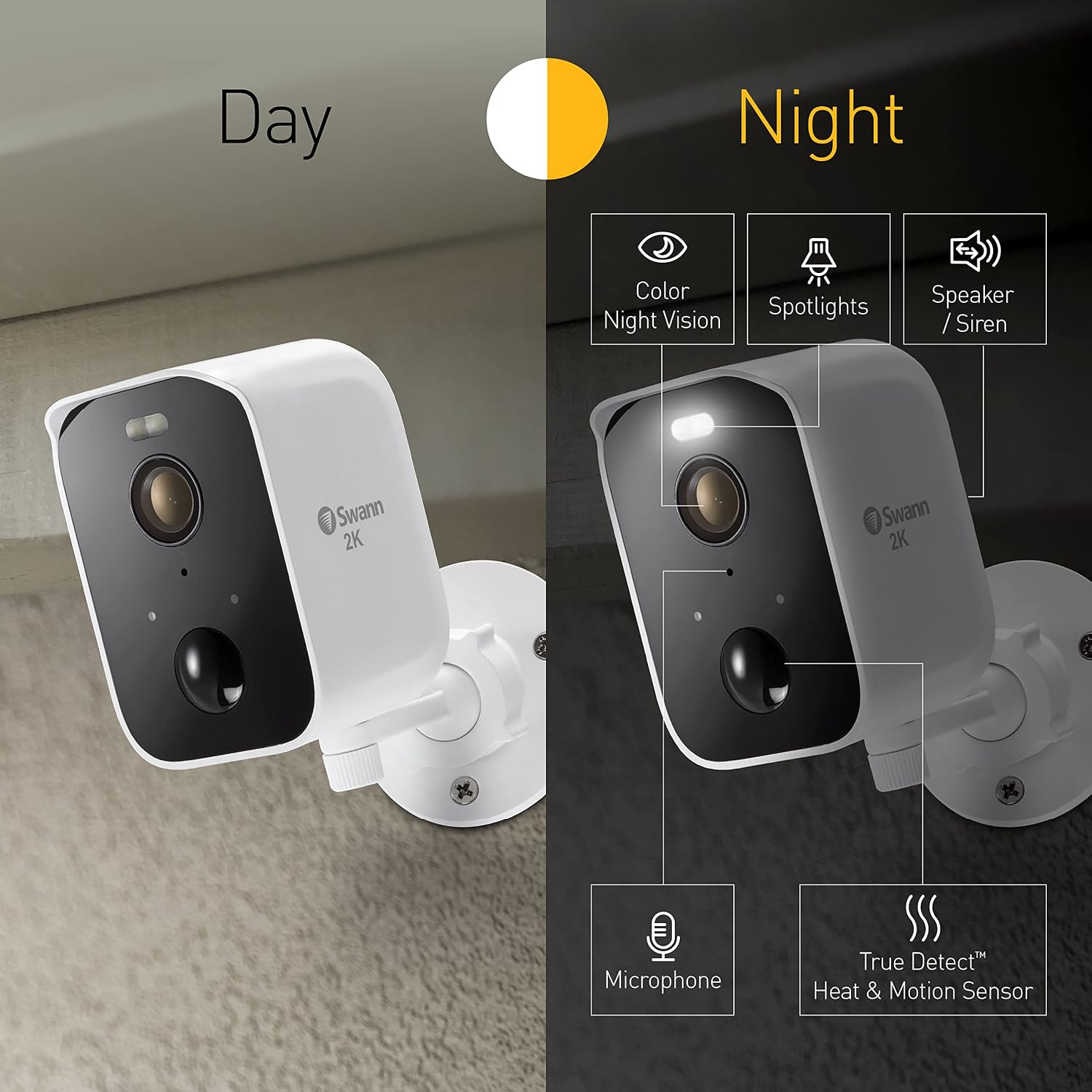
5. Spotlight and Color Night Vision
The integrated spotlight illuminates the area upon detection, enabling color night vision for clearer identification of objects and individuals in low-light conditions. The camera also features standard infrared night vision.
6. Weatherproof Design
With an IP65 rating, your CoreCam Pro camera is built to withstand various weather conditions, making it suitable for reliable outdoor surveillance year-round.

Manteniment
1. Càrrega de la bateria
When the battery level is low, you will receive a notification via the Swann Security app. Use the provided USB charging cable to recharge the camera. A full charge typically takes several hours.
2. Neteja
Netegeu periòdicament la lent i la carcassa de la càmera amb un drap suau iamp cloth to ensure optimal image clarity and prevent debris from obstructing sensors. Do not use harsh chemicals or abrasive materials.
Resolució de problemes
- No Live View/Càmera fora de línia: Check Wi-Fi connectivity and ensure the camera battery is charged. Restart the camera by pressing the reset button (if applicable) or power cycling.
- Alertes de moviment falses: Adjust the motion sensitivity settings within the Swann Security app. Ensure the camera is positioned to minimize detection of non-human/non-vehicle movement.
- Mala qualitat d'imatge: Netegeu la lent de la càmera. Assegureu-vos que no hi hagi obstruccions en el camp de visió de la càmera. view. Check Wi-Fi signal strength for optimal streaming.
- La bateria s'esgota ràpidament: Reduce the frequency of recordings, live view access, or adjust motion detection zones to conserve battery life. Ensure the camera is not in an area with constant activity.
Especificacions
| Característica | Detall |
|---|---|
| Marca | Swann |
| Nom del model | CoreCam Pro |
| Número de model | SWIFI-COREPROPK3-GL |
| Tecnologia de connectivitat | Sense fil (Wi-Fi) |
| Característiques especials | Motion Sensor, Night Vision, Spotlight, 2-Way Talk, Siren |
| Ús interior/exterior | A l'aire lliure |
| Dispositius compatibles | Smartphone, tauleta |
| Tipus de controlador | Assistent de Google, Amazon Alexa |
| Tipus de muntatge | Muntatge de paret |
| Factor de forma | Bala |
| Tipus d'alerta | Només moviment |
| Resolució de fixes efectius | 4 MP |
| Classificació impermeable | IP65 |
| Font d'alimentació | Funciona amb bateria |
| Voltage | 5 Volts |
| Wattage | 3 watts |
| Potència de la bateria | 6000 milionsampabans de l'hora (mAh) |
| Dimensions de l'article | 7.87 x 14.76 x 11.61 polzades |
| Pes de l'article | 2.06 quilos |
| Resolució de captura de vídeo | 1080p (Note: Product title states 2K HD, this may refer to recording resolution vs. capture resolution) |
| Gamma de visió nocturna | 26 peus |
| Tipus de visió nocturna | Nit de colors |
| UPC | 840236137527 |
Garantia i Suport
Informació de la garantia
Aquest producte està cobert per a 1 anys de garantia del fabricantSi us plau, conserveu el comprovant de compra per a reclamacions de garantia.
Atenció al client
Per a més ajuda, suport tècnic o per a view additional products, please visit the official Swann weblloc web o la seva botiga d'Amazon: