
Producte acabatview
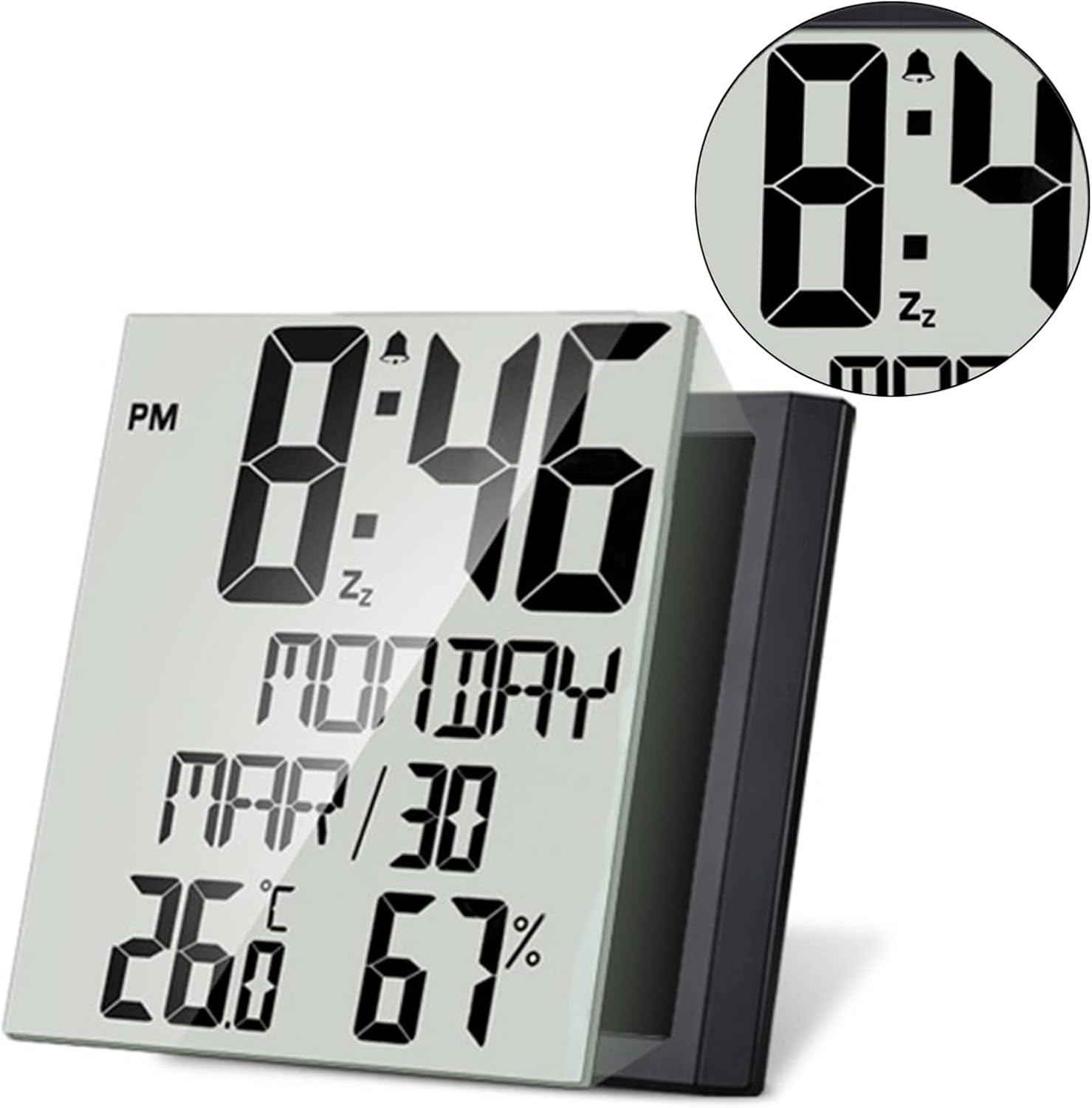
The ThreeH Digital Wall Clock H-HD19 is a versatile device designed to display time, day of the week, date, temperature, and humidity. It functions as both a wall-mounted and desk clock, featuring a large, clear display for easy readability. This battery-operated alarm clock is suitable for various indoor environments.
Característiques clau
- Pantalla gran i clara: TN high-resolution screen clearly shows time, day, date, temperature, and humidity. Functions as a digital temperature and humidity monitor.
- Funcionament silenciós: Unlike mechanical alarm clocks, this clock operates silently, ensuring a peaceful sleeping environment.
- Col·locació versàtil: Can be hung on a wall or used as a desktop alarm clock with its integrated stand.
- Controls fàcils d'utilitzar: Easily switch between 12/24 hour modes and utilize the snooze function by pressing the button on the back.
Guia de configuració
Instal·lació de la bateria
The clock requires three AAA batteries (not included). Locate the battery compartment on the back of the device. Insert the batteries, ensuring correct polarity (+/-). Close the compartment cover securely.

Encès inicial
Once batteries are installed, the display will activate. The clock will typically start with a default time and date, which will need to be adjusted.
Instruccions de funcionament
Configuració de l'hora i la data
Press and hold the "SET" button on the back of the clock to enter time setting mode. Use the "UP" and "DOWN" buttons to adjust the hour, minute, year, month, and day. Press "SET" again to confirm each selection and move to the next setting. The clock supports 12-hour and 24-hour formats.
Configuració de l'Alarma
Press the "ALARM" button to view the current alarm time. To set the alarm, press and hold the "ALARM" button. Use the "UP" and "DOWN" buttons to adjust the alarm hour and minute. Press "ALARM" again to confirm. To activate or deactivate the alarm, press the "ALARM" button once briefly.
Funció de posposar
When the alarm sounds, press the "SNOOZE" button on the back of the clock to temporarily silence the alarm. The alarm will sound again after a short interval.
Display de temperatura i humitat
The clock continuously displays indoor temperature and humidity. To switch between Celsius (°C) and Fahrenheit (°F) temperature units, locate the dedicated button (often labeled "°C/°F" or integrated with another button, refer to the small instruction sheet for exact location if not obvious).

Manteniment
Neteja
Wipe the clock's surface with a soft, dry cloth. Avoid using abrasive cleaners or solvents, as these may damage the display or casing.
Canvi de bateria
When the display dims or functions become erratic, it's time to replace the batteries. Follow the battery installation steps outlined in the "Setup Guide". Always replace all three AAA batteries at the same time for optimal performance.
Resolució de problemes
- La pantalla està en blanc o apagada: Check if batteries are correctly installed and not depleted. Replace with fresh AAA batteries if necessary.
- Alarm Does Not Sound: Ensure the alarm is activated (look for an alarm icon on the display). Verify the alarm time is set correctly.
- Hora/data incorrecta: Re-enter time and date settings as per the "Operating Instructions".
- Les lectures de temperatura/humitat semblen inexactes: Ensure the clock is placed in a stable indoor environment, away from direct sunlight, heat sources, or drafts that could affect readings.
Especificacions
| Marca | Tres H |
| Número de model | H-HD19 |
| Tipus de visualització | Digital |
| Font d'alimentació | Battery Powered (3 AAA batteries, not included) |
| Dimensions del producte | 7.8 cm d'amplada x 7.8 cm d'alçada |
| Pes de l'article | 370 grams |
| Tipus de material | Plàstic |
| Tipus de muntatge | Desk Clock, Wall Mount |
| Característiques especials | Large Display, Temperature, Humidity, Date, Week, Alarm Clock, Snooze Function |
Garantia i Suport
For warranty information or technical support, please refer to the contact details provided on the product packaging or visit the official ThreeH weblloc. Conserveu el rebut de compra per a reclamacions de garantia.