
1. Introducció
Thank you for choosing the OtterBox React Folio Case for your iPad 10th Gen 2022 or 11th Gen 2025 (A16). This instruction manual provides essential information on how to install, use, and maintain your new protective case. The React Folio Series is designed to offer robust protection against drops while maintaining a slim profile and enhancing usability.
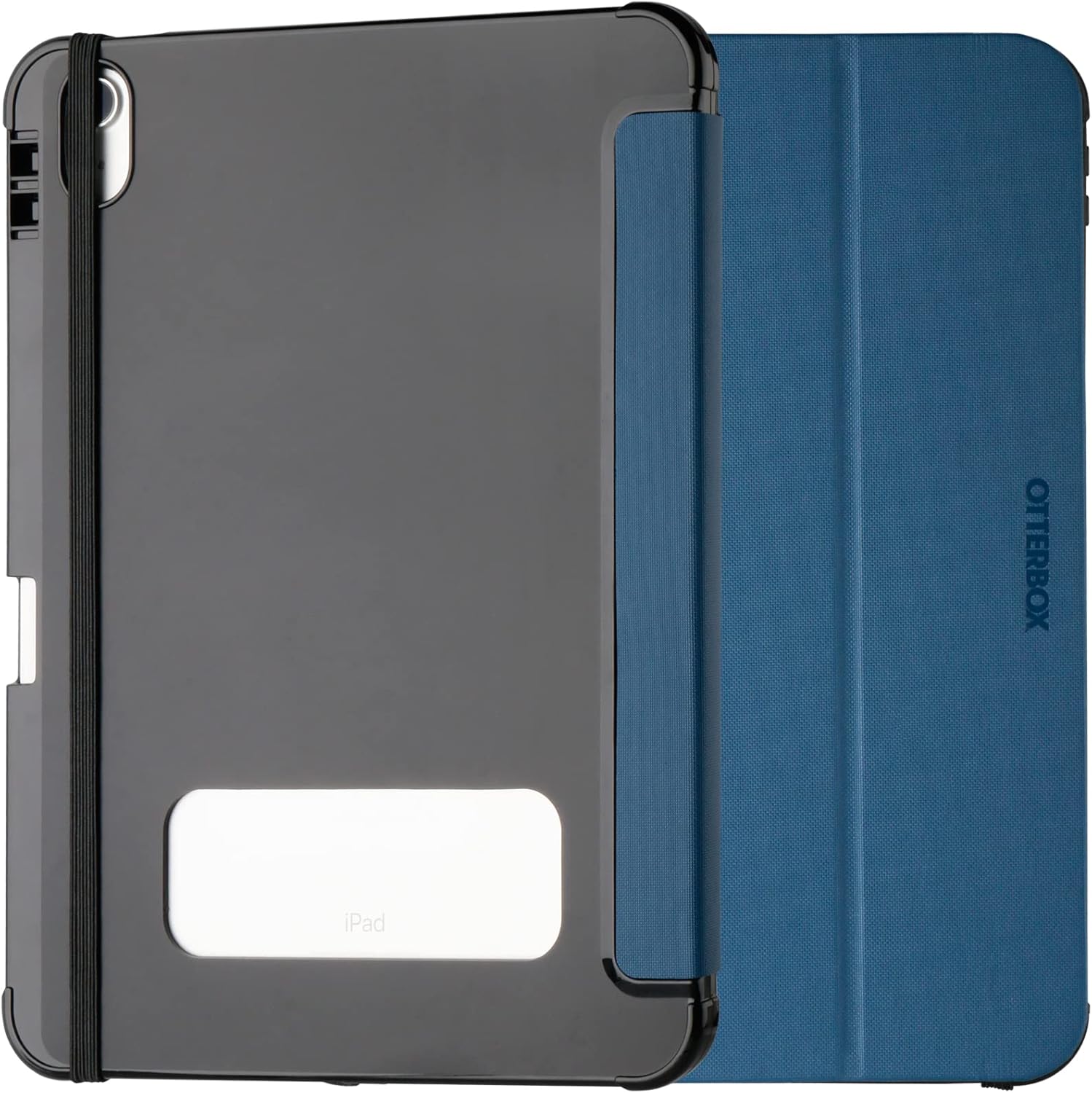
Image: OtterBox React Folio Case in blue, closed, showing the back with a clear window for the iPad logo and an elastic band.
2. Característiques clau
- Advanced Drop Protection: The React Folio Series case is ultra-slim and has undergone thousands of hours of drop testing to ensure maximum tablet protection. It is tested to military standards (MIL-STD-810G 516.6) for reliable drop resistance.
- Protecció de pantalla: The folio cover features a soft microfiber lining that protects your iPad's screen from scratches and abrasions when closed. An elastic closure keeps the cover securely shut.
- Transparent Back: The clear back panel allows for easy identification of your iPad's engravings and inventory labels without removing the case.
- Suport integrat: The case transforms into two vertical stand positions, providing comfortable angles for typing, viewing, and video calls.
- Apple Pencil/Stylus Storage: Securely store your Apple Pencil or other stylus within the case, ensuring it's always at hand and protected.
- Disseny prim: The ultra-slim folio cover is designed to easily slide into and out of bags and backpacks.

Image: Drop test illustration of the case.

Image: iPad in React Folio Case in viewing stand position.
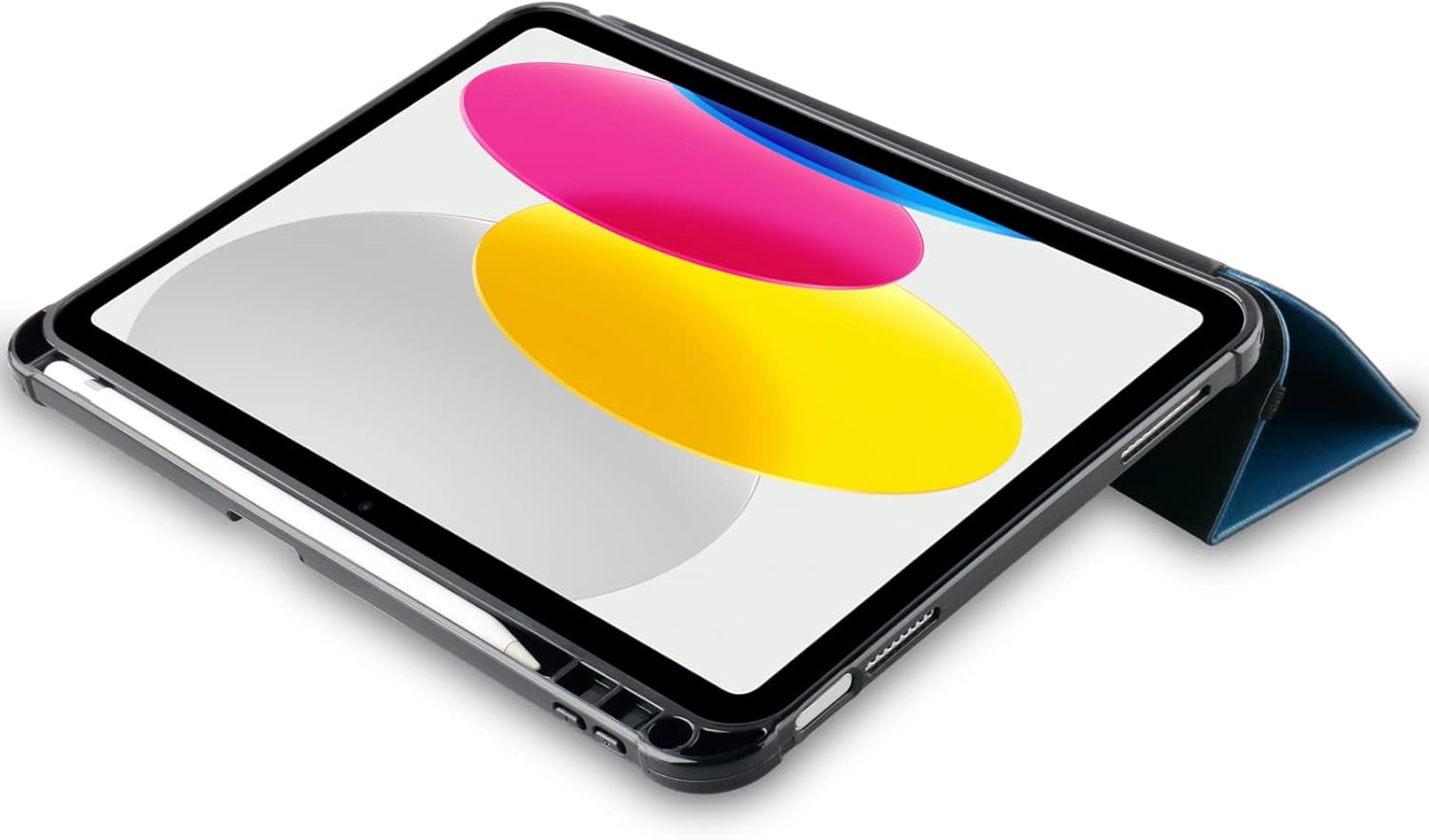
Image: iPad in React Folio Case with Apple Pencil storage.

Image: Transparent back of the case.
3. Guia d'instal·lació
Follow these steps to properly install your iPad into the OtterBox React Folio Case:
- Prepare your iPad: Assegura't que el teu iPad estigui net i lliure de pols o brutícia.
- Align the iPad: Gently align your iPad with the hard shell of the case, ensuring the camera cutout and port openings match.
- Encaixa al seu lloc: Press firmly around the edges of the iPad until it securely snaps into the case. Ensure all corners are fully seated.
- Close the Folio: Close the folio cover over the screen and use the elastic band to secure it if desired.

Image: iPad securely installed in the React Folio Case.
4. Funcionament i ús
4.1 Ús del suport integrat
The React Folio Case offers two vertical stand positions for enhanced usability:
- ViewMode d'acció: Fold the folio cover back to create a stable triangle stand. This position is ideal for watching videos, making video calls, or browsing.
- Mode d'escriptura: Adjust the fold to a lower angle for a comfortable typing experience.
4.2 Apple Pencil/Stylus Storage
The case includes a dedicated slot or loop for your Apple Pencil or stylus. Insert your stylus into this designated area to keep it secure and prevent loss.
4.3 Screen Protection
When not in use, close the folio cover to protect your iPad's screen from scratches and impacts. The elastic band can be used to keep the cover firmly closed.
Video: Official OtterBox React Folio Series video demonstrating key features such as drop protection, screen protection, transparent back design, and secure Apple Pencil storage. The video shows the case being dropped, the folio cover closing, and the iPad in various stand positions.
5. Cura i Manteniment
To ensure the longevity and appearance of your OtterBox React Folio Case, follow these simple care instructions:
- Neteja: Utilitzeu un suau, damp cloth to wipe down the exterior of the case. Avoid harsh chemicals or abrasive cleaners, as these can damage the material.
- Neteja interior: Periodically remove your iPad from the case and clean both the iPad and the interior of the case to prevent dust and debris buildup.
- Eviteu condicions extremes: Do not expose the case to extreme temperatures or prolonged direct sunlight, which can cause material degradation.
6. Solució De Problemes
If you encounter any issues with your OtterBox React Folio Case, consider the following:
- Ajust de la caixa: Ensure your iPad is correctly seated in the case. Remove and re-install the iPad, making sure all edges and corners snap into place.
- Estabilitat de l'estand: If the stand is unstable, ensure the folds are properly creased and the iPad is placed on a flat, stable surface.
- Screen Cover Closure: If the folio cover does not stay closed, ensure no foreign objects are preventing it from closing properly. Use the elastic band for added security.
For further assistance, please contact OtterBox customer support.
7. Especificacions del producte
| Característica | Detall |
|---|---|
| Marca | Otterbox |
| Número de model | 77-92189 |
| Dispositius compatibles | iPad 10th Gen 2022, 11th Gen 2025 (A16) |
| Color | Blau |
| Material | Plàstic |
| Factor de forma | Folio with Stand |
| Tipus de cas | Dur |
| Característica especial | Protecció robusta |
| Dimensions del producte (L x A x A) | 19.8 x 26.8 x 2.2 cm |
| Pes de l'article | 340 grams |
| Maximum Compatible Device Size | 10.9 polzades |
| País d'origen | Xina |
| Contingut de la caixa | OtterBox Case |
8. Informació de la garantia
This OtterBox React Folio Case comes with a 2 any de garantia del fabricantAquesta garantia cobreix els defectes de materials i de fabricació en condicions d'ús normal. Si us plau, conserveu el comprovant de compra per a qualsevol reclamació de garantia.
For detailed warranty terms and conditions, or to initiate a warranty claim, please visit the official OtterBox weblloc web o contacteu directament amb el seu servei d'atenció al client.
9. Atenció al client
If you have any questions, require technical assistance, or need further support regarding your OtterBox React Folio Case, please contact OtterBox customer service through their official channels:
- Weblloc: Visita el OtterBox Brand Store per obtenir informació sobre el producte i recursos d'assistència.
- Informació de contacte: Refer to the OtterBox official website for the most up-to-date contact details, including phone numbers and email support.