
Introducció
This manual provides essential information for the proper installation, operation, and maintenance of your ESR AirPods Pro 2 Case. Please read these instructions carefully before use to ensure optimal performance and longevity of your product.
Compatibilitat
The ESR AirPods Pro 2 Case is designed for specific AirPods models. Ensure your device is compatible before installation.
- Compatible amb: AirPods Pro 2nd Generation (2023/2022) (USB-C/Lightning Cable) and AirPods Pro 1st Generation (2019).
- No compatible amb: AirPods 4, AirPods 3, AirPods 2, or AirPods 1.

Característiques clau
- Drop-Proof Lid Lock: Features strong magnets with 700g of holding force in the top and bottom of the lid, along with an internal latch. This mechanism keeps your AirPods securely inside, preventing them from opening if dropped.
- Slide to Open: A rubber slider on the front allows for easy, one-handed opening. Sliding it opens the latch and reverses magnet polarity, causing the lid to spring open for instant access.
- MagSafe Ready: Integrated strong magnets in the back of the case ensure a secure connection with MagSafe chargers, enabling convenient wireless charging.
- Hybrid Drop Protection: Provides enhanced protection for your charging case through a combination of an ultra-hard shell and a flexible, shock-absorbing core.
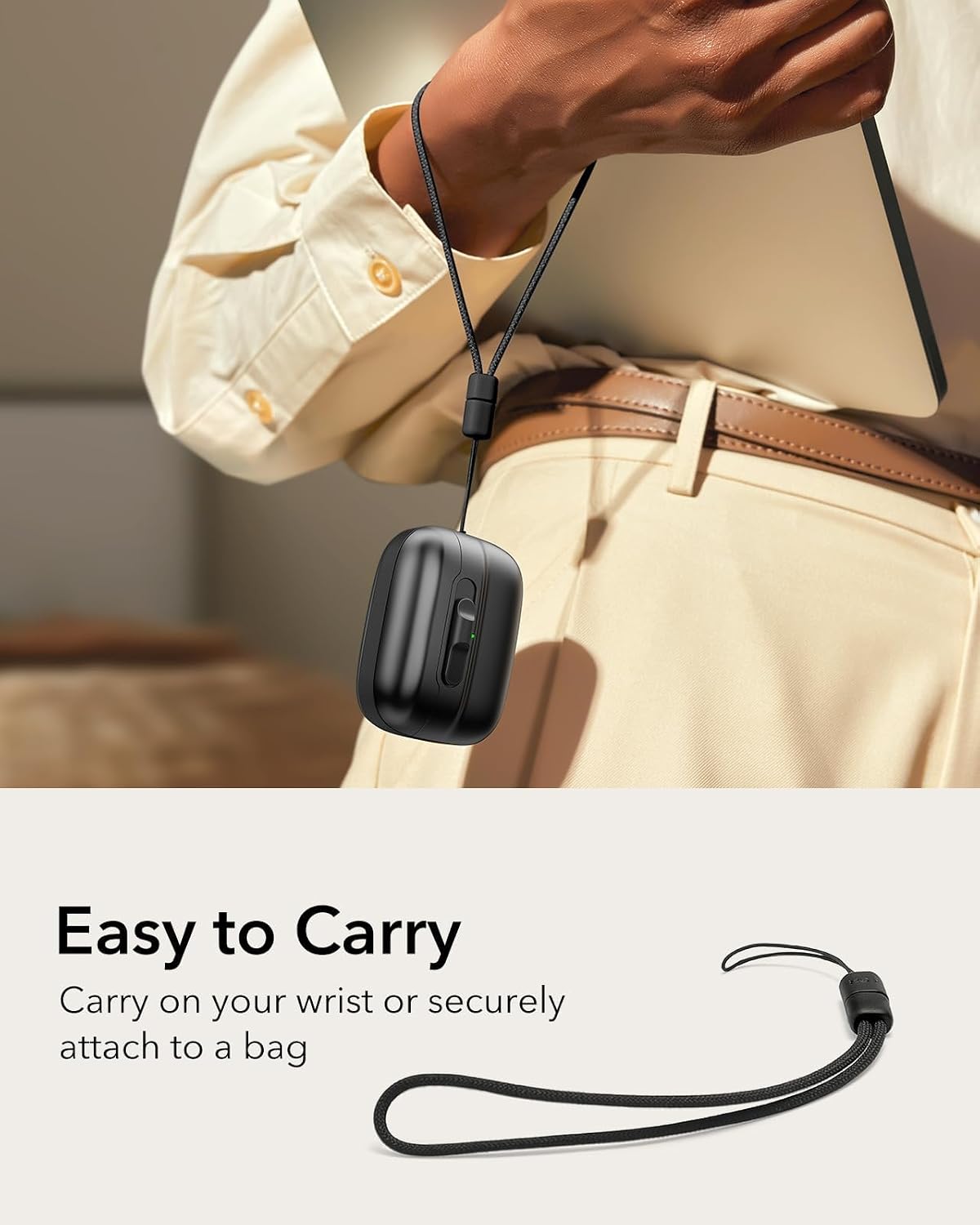
- Portabilitat: Includes an adjustable braided strap for carrying on your wrist or securely attaching to a bag.
- Disseny fàcil d'utilitzar: Features a visible status light for charging indication, an easy-press button, and precise speaker cutouts for clear audio alerts.
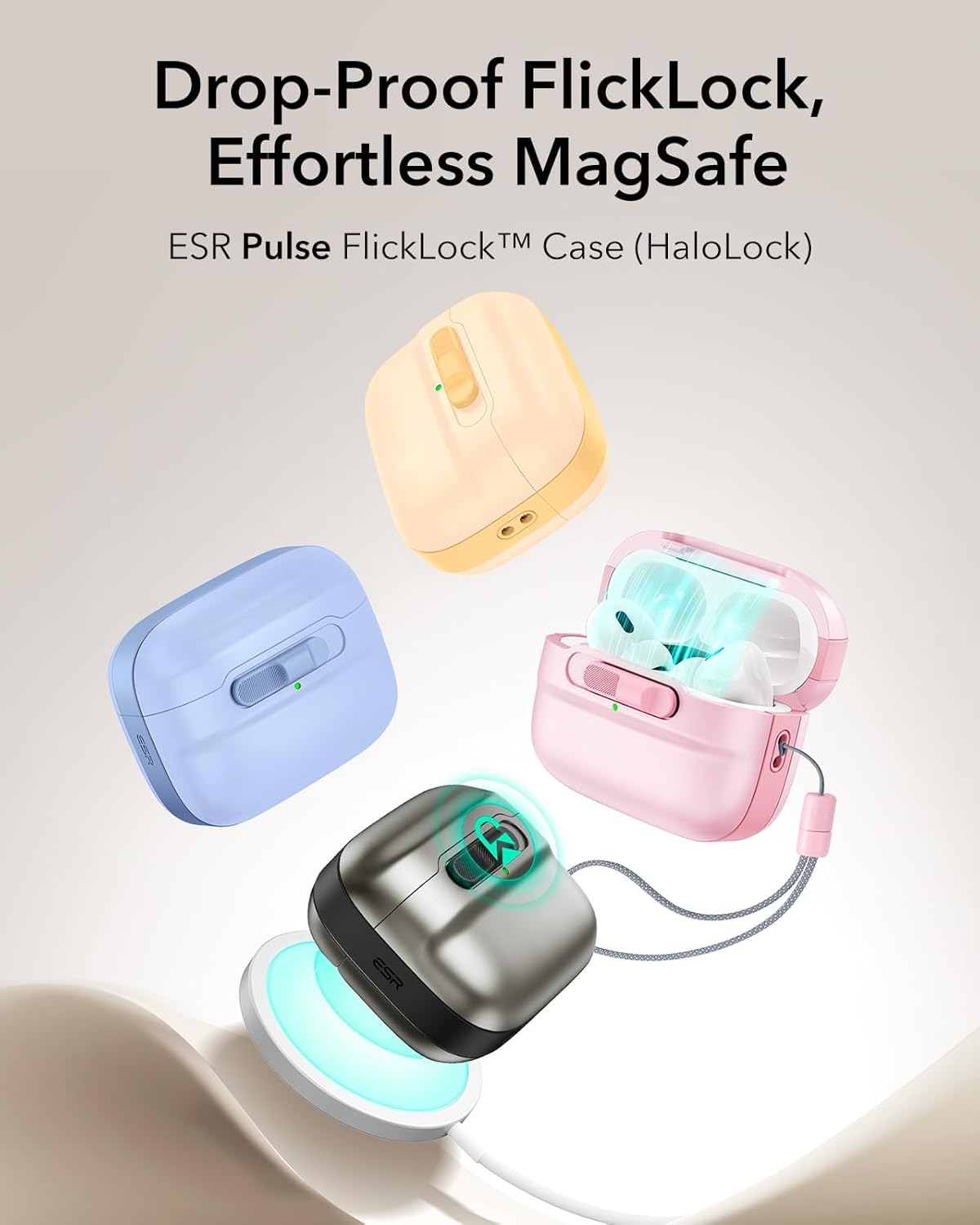

Guia d'instal·lació
Follow these steps to install and remove your AirPods Pro charging case from the ESR protective case.
Què hi ha a la caixa:

El vostre paquet inclou:
- ESR Pulse FlickLock Case
- Adjustable braided strap
- Raspall de neteja
- Easy-removal tool
- Adhesive strip for lid (optional, for extra security)
Installing the Case:
- Ensure your AirPods Pro charging case is clean and free of debris.
- Carefully insert the bottom part of your AirPods Pro charging case into the bottom section of the ESR case. Ensure it sits snugly.
- Align the top part of the ESR case with the lid of your AirPods Pro charging case. If desired, peel off the protective film from the adhesive strip and apply it to the inside of the top case for a more secure fit.
- Press the top part firmly onto the AirPods Pro charging case lid until it clicks into place.
- Attach the adjustable braided strap to the designated loop on the side of the ESR case if you wish to use it for carrying.
Removing the Case:
To remove the case, especially the top part, use the provided easy-removal tool. Insert the tool into the designated slot and gently pry the case open. For the bottom part, gently push the AirPods case out from the charging port cutout.

Instruccions de funcionament
Obertura del cas:
To open the case, simply swipe the rubber slider on the front. This action releases the internal latch and reverses the magnet polarity, allowing the lid to spring open for quick access to your AirPods.

Tancament del cas:
To close the case, simply push the lid down until the FlickLock mechanism engages and the magnets secure it. You will feel a positive lock, ensuring your AirPods are safely stored.

Càrrega sense fil MagSafe:
Place the back of the ESR case onto a MagSafe compatible wireless charger. The strong magnets in the case will align it correctly for efficient charging. The visible status light on the front of the case will indicate charging status.

Càrrega per cable:
The case features precise cutouts for the charging port, allowing direct access for wired charging without removing the case.
Ús del cordó:
The included adjustable braided strap can be attached to the case for secure carrying. Loop it around your wrist or attach it to a bag to prevent loss.
Cura i Manteniment
To keep your ESR AirPods Pro 2 Case in optimal condition, follow these guidelines:
- Neteja: Use the provided cleaning brush to remove dust and debris from crevices and ports. For general cleaning, wipe the case with a soft, damp tela. Eviteu productes químics agressius o materials abrasius.
- Emmagatzematge: Guardeu la caixa en un lloc fresc i sec, allunyat de la llum solar directa i de temperatures extremes.
- Evitar l'impacte: While the case offers drop protection, excessive force or sharp impacts can still cause damage.
Resolució de problemes
Lid not opening smoothly:
- Ensure the rubber slider is fully engaged when swiping.
- Check for any debris obstructing the slider mechanism. Clean with the provided brush if necessary.
MagSafe charging not working:
- Verify that your wireless charger is MagSafe compatible.
- Ensure the case is properly aligned on the MagSafe charger. The strong magnets should provide a clear connection.
- Check if the AirPods Pro charging case itself is functioning correctly with wireless charging when removed from the ESR case.
AirPods falling out when dropped:
- Ensure the FlickLock mechanism is fully engaged and the lid is securely closed before carrying or dropping.
- If the top part of the case feels loose, consider using the provided adhesive strip for a more secure attachment to the AirPods Pro charging case lid.
Especificacions
| Característica | Detall |
|---|---|
| Marca | ESR |
| Número de model | 4894240185476 |
| Dispositius compatibles | AirPods Pro 2 (2023, 2022), AirPods Pro (2019) |
| Color | Negre |
| Material | Thermoplastic Polyurethane (TPU), Polycarbonate |
| Factor de forma | Cas |
| Tipus de closca | Híbrid |
| Nivell de resistència a l'aigua | No resistent a l'aigua |
| Dimensions de l'article (L x A x A) | 2.07 x 1.02 x 1.99 polzades |
| Pes de l'article | 32.3 g |
Garantia i Suport
ESR provides a comprehensive 12-month protection plan for this product. For detailed setup videos, frequently asked questions (FAQs), or personalized assistance, please visit the official ESR support weblloc o contacteu directament amb el servei d'atenció al client.
Atenció al client: www.esrgear.com/support