
1. Introducció
Aquest manual proporciona informació essencial per a l'ús i manteniment adequats del filament d'impressora 3D FLASHFORGE Chameleon PLA. Aquest filament està dissenyat per a impressores 3D FDM i presenta un efecte únic de canvi de color, que canvia d'aspecte amb la llum i viewangles ing. El material és àcid polilàctic (PLA), conegut per la seva facilitat d'ús i les consideracions mediambientals.
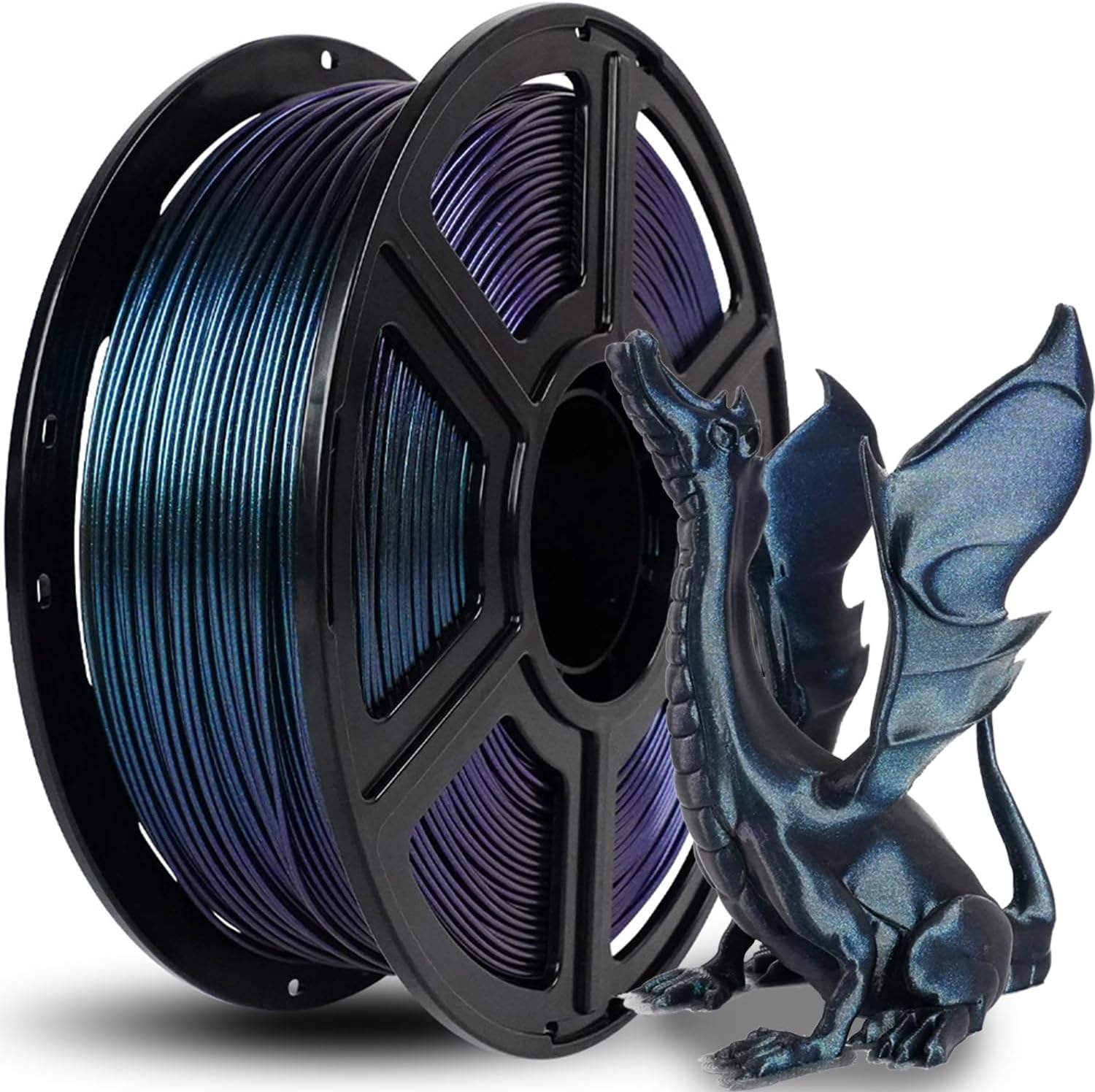
Imatge 1.1: Una bobina de filament PLA Burnt Titanium Chameleon al costat d'un model de drac imprès en 3D acabat, mostrantasing l'efecte de canvi de color.
2. Característiques del producte
- Resistència del filament PLA: Ofereix una major facilitat d'ús, una qualitat d'impressió optimitzada i una contracció mínima. Proporciona una resistència i estabilitat millorades per a projectes funcionals.
- Sense obstruccions i sense bombolles: Fabricat amb mètodes resistents a les obstruccions per garantir una impressió consistent i estable. Assecat a fons durant 24 hores abans de l'embalatge i segellat al buit amb dessecant per protegir contra la humitat.
- Disseny sense embussos: Compta amb bobinatge automàtic amb detecció manual suplementària per garantir una línia ordenada i reduir els embolics, evitant possibles enganxalls i trencaments de la línia.
- Àmplia compatibilitat: Ofereix una fluïdesa millorada i és compatible amb aproximadament el 99% de les impressores 3D FDM disponibles al mercat.
- Alt rendiment d'impressió: Dissenyat per a la impressió detallada, garantint un color consistent, precisió dimensional i minimitzant problemes com ara deformacions, embús o delaminació de capes.
- Ecològic: Derivat del gra de blat de moro, aquest material no és tòxic i produeix poca olor, cosa que el fa adequat per a diversos entorns.

Imatge 2.1: Una matriu de bobines de filament PLA FLASHFORGE Chameleon i objectes impresos, que destaquen l'acabat brillant i les propietats dinàmiques del color.

Imatge 2.2: Il·lustració que emfatitza la naturalesa ecològica i segura del filament, ja que deriva del gra de blat de moro.
3. Configuració i preparació
La manipulació i la preparació adequades del filament són crucials per obtenir resultats d'impressió 3D reeixits.
3.1 Desembalatge i emmagatzematge
El filament està segellat al buit amb un sobre dessecant per protegir-lo de la humitat durant el transport i l'emmagatzematge. En obrir-lo, es recomana guardar el filament no utilitzat en un ambient sec i fresc, preferiblement a la seva bossa original segellada al buit o en un recipient hermètic amb dessecant per mantenir-ne la qualitat.

Imatge 3.1: acabatview de l'embalatge professional del filament, que il·lustra el dessecant, el segell de buit i la caixa protectora.
4. Instruccions de funcionament
Aquest filament PLA Chameleon és compatible amb la majoria d'impressores 3D FDM. Es recomanen els paràmetres següents com a punt de partida per a un rendiment d'impressió òptim. Pot ser necessari fer ajustaments en funció del model d'impressora específic i de les condicions ambientals.
4.1 Paràmetres d'impressió recomanats
| Paràmetre | Valor recomanat |
|---|---|
| Diàmetre del filament | 1.75 mm |
| Tolerància dimensional | ± 0.02 mm |
| Temperatura d'impressió | 190-220°C |
| Temperatura del foc | 25-60°C |
| Velocitat d'impressió | 40-200 mm/s |
| Dimensió del broquet | ≥0.2 mm |
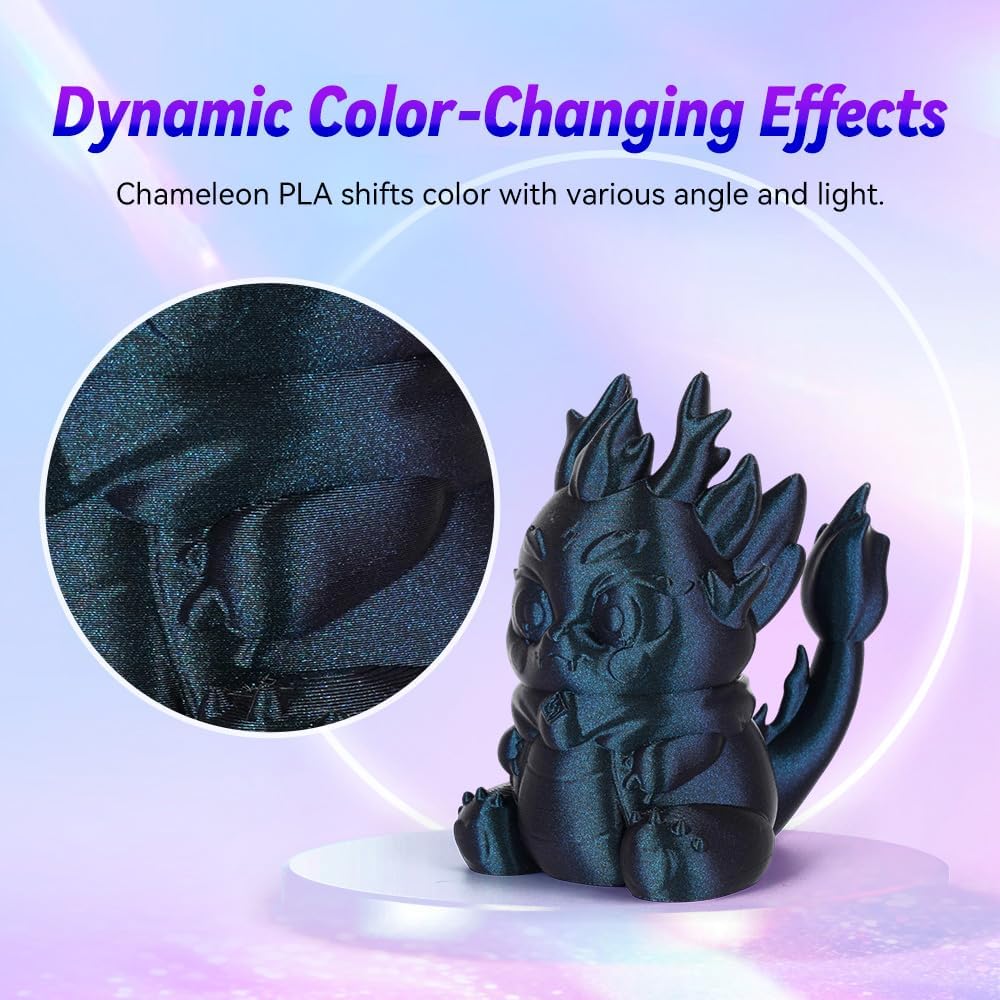
Imatge 4.1: Una imatge detallada view d'un objecte imprès que demostra les propietats dinàmiques de canvi de color del filament, amb paràmetres d'impressió clau superposats.

Imatge 4.2: A sampla impressió que demostra l'alta qualitat que es pot aconseguir amb aquest filament, incloent-hi superfícies llises i línies de capes ocultes.
4.2 Compatibilitat
El filament PLA FLASHFORGE Chameleon està dissenyat per a una àmplia compatibilitat amb les impressores 3D FDM. La seva fluïdesa millorada garanteix un funcionament suau en diversos tipus de màquines.

Imatge 4.3: Una il·lustració de diverses impressores 3D FLASHFORGE, que indica l'àmplia compatibilitat del filament.
5. Manteniment
Per garantir la longevitat i el rendiment del filament, seguiu les següents pautes de manteniment:
- Emmagatzematge adequat: Guardeu sempre el filament no utilitzat en un lloc fresc i sec, idealment en un recipient hermètic amb dessecant per evitar l'absorció d'humitat. La humitat pot provocar problemes d'impressió com ara bombolles i mala adherència.
- Manejar amb cura: Eviteu doblegar o retorçar excessivament el filament, ja que això pot causar punts febles o trencaments durant la impressió.
- Mantenir net: Assegureu-vos que la ruta del filament de la impressora 3D estigui lliure de pols i deixalles per evitar obstruccions.
6. Solució De Problemes
El filament PLA FLASHFORGE Chameleon està dissenyat per minimitzar els problemes d'impressió habituals. Tanmateix, si teniu problemes, tingueu en compte el següent:
- Obstrucció: Aquest filament es fabrica amb mètodes resistents a les obstruccions. Si es produeix una obstrucció, verifiqueu que la temperatura d'impressió estigui dins del rang recomanat (190-220 °C) i que el broquet estigui net.
- Bombolles: El filament s'asseca completament i es segella al buit per evitar bombolles. Si apareixen bombolles a la impressió, pot indicar absorció d'humitat. Si és possible, torneu a assecar el filament o assegureu-vos d'emmagatzemar-lo correctament.
- Deformació o mala adherència: Aquest filament està dissenyat per evitar la deformació. Assegureu-vos que la temperatura de la base d'impressió estigui correctament configurada (25-60 °C) i que la superfície d'impressió estigui neta i anivellada correctament. L'ús d'un adhesiu (per exemple, una barra de cola) a la base d'impressió també pot millorar l'adhesió.
- Embulls o trencament de línia: El filament té un sistema d'enrotllament automàtic per reduir els embolics. Si es produeixen embolics, inspeccioneu el carret per detectar qualsevol enrotllament incorrecte o obstruccions externes. Assegureu-vos que el filament s'alimenti suaument a la impressora.
- Extrusió inconsistent: Verifiqueu que la velocitat d'impressió estigui dins del rang recomanat (40-200 mm/s) i que l'engranatge de l'extrusora estigui net i subjecti correctament el filament.

Imatge 6.1: Representació visual del rendiment d'impressió fiable del filament, que destaca una extrusió suau i l'absència de defectes d'impressió comuns.
7. Especificacions
| Especificació | Detall |
|---|---|
| Marca | FLASHFORGE |
| Número de model | FF-Pro |
| Material | Àcid polilàctic (PLA) |
| Color | Titani cremat |
| Diàmetre del filament | 1.75 mm |
| Precisió dimensional | ± 0.02 mm |
| Pes de l'article | 1 quilogram (2.2 lliures) |
| Dimensions del paquet | 8.43 x 8.31 x 2.91 polzades |
| Fabricant | Zhejiang Flashforge 3D Technology Co., Ltd |
| Data de primera disponibilitat | 21 de febrer de 2023 |
8. Garantia i Suport
FLASHFORGE es compromet a oferir productes de qualitat i la satisfacció del client.
- Garantia: Tots els filaments de la impressora 3D FLASHFORGE tenen una garantia de dos mesos a partir de la data de compra.
- Garantia de devolució dels diners: S'ofereix una garantia de devolució de 30 dies si no esteu satisfets amb el producte.
- Atenció al client: El servei d'atenció al client en línia està disponible les 24 hores per ajudar-vos amb qualsevol pregunta o problema relacionat amb el producte. No dubteu a contactar amb nosaltres per obtenir ajuda.
Per a més informació o per explorar altres productes, visiteu la pàgina oficial Botiga FLASHFORGE.