
1. Introducció
Welcome to the user manual for your Havit Gaming Mouse MS1032. This document provides essential information for setting up, operating, maintaining, and troubleshooting your device. Please read it carefully to ensure optimal performance and longevity of your mouse.
The Havit MS1032 is a gaming mouse featuring six adjustable DPI settings, a comfortable ergonomic design, and a non-slip surface. It is engineered for smooth and quiet operation, aiming to reduce fatigue during extended use.
2. Configuració
2.1 Contingut del paquet
- Havit Gaming Mouse MS1032
- Manual d'usuari
2.2 Requisits del sistema
- Operating System: Windows XP, Windows 7, Linux
- Port USB disponible
2.3 Connexió del ratolí
- Unpack the Havit Gaming Mouse MS1032 from its packaging.
- Localitzeu un port USB disponible al vostre ordinador.
- Inseriu el connector USB del ratolí al port USB.
- El vostre sistema operatiu hauria de detectar i instal·lar automàticament els controladors necessaris. Aquest procés pot trigar uns instants.
- Once installation is complete, the mouse is ready for use.
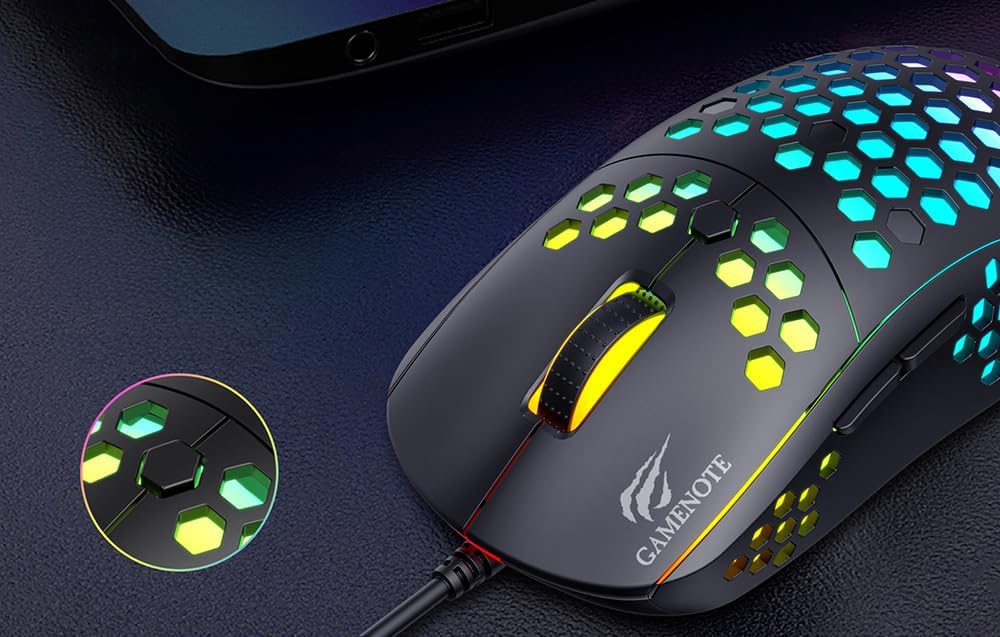
Figure 1: Havit MS1032 Gaming Mouse connected via USB.
3. Instruccions de funcionament
3.1 Funcions bàsiques
- Clic esquerre: Acció primària, selecció, activació.
- Clic dret: Opens context menus, performs secondary actions.
- Roda de desplaçament: Scrolls up/down documents or web pàgines. També es pot prémer per a la funcionalitat de clic central.
- Botons laterals: Normalment s'utilitza per a la navegació endavant/enrere en web browsers or custom functions in games.
3.2 Ajust de DPI
The Havit MS1032 features six adjustable DPI (Dots Per Inch) settings, allowing you to change the mouse sensitivity on the fly. This is useful for adapting to different tasks, such as precise aiming in games or fast navigation across multiple monitors.
To adjust the DPI, locate the DPI button, typically positioned behind the scroll wheel. Press this button to cycle through the available DPI settings. The LED lighting on the mouse may change to indicate the current DPI level, providing visual feedback for your selection.
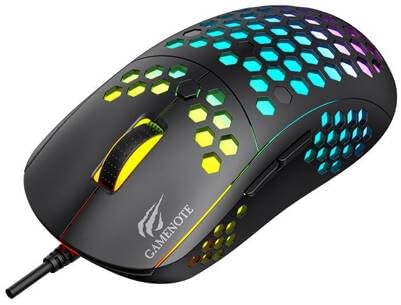
Figure 2: Location of the DPI button (behind the scroll wheel).
4. Manteniment
4.1 Neteja
Per mantenir un rendiment i un aspecte òptims, netegeu el ratolí regularment:
- Desconnecteu el ratolí de l'ordinador abans de netejar-lo.
- Utilitzeu un drap suau i sense pelusa lleugerament dampesbandit amb aigua o una solució de neteja suau i no abrasiva.
- Gently wipe the surface of the mouse.
- For crevices and the optical sensor, use a cotton swab or compressed air to remove dust and debris.
- Avoid using harsh chemicals, abrasive cleaners, or excessive moisture, as these can damage the mouse's finish or internal components.
4.2 Emmagatzematge
When not in use, store the mouse in a clean, dry environment away from direct sunlight and extreme temperatures to prevent damage.
4.3 Atenció general
- Eviteu deixar caure el ratolí o sotmetre'l a impactes forts.
- Do not attempt to disassemble the mouse, as this will void the warranty and may cause irreparable damage.
- Keep the mouse away from liquids to prevent electrical damage.
5. Solució De Problemes
If you encounter issues with your Havit Gaming Mouse MS1032, please refer to the following common solutions:
5.1 El ratolí no respon
- Comprova la connexió USB: Assegureu-vos que el cable USB estigui ben connectat a un port USB que funcioni de l'ordinador. Proveu-ho amb un altre port USB.
- Reinicieu l'ordinador: De vegades, un simple reinici de l'ordinador pot resoldre els problemes de connectivitat.
- Prova en un altre ordinador: If possible, test the mouse on another computer to determine if the issue is with the mouse or your computer's setup.
5.2 Cursor Movement is Erratic or Jumpy
- Neteja el sensor: Ensure the optical sensor on the bottom of the mouse is clean and free of dust or debris.
- Comprovar la superfície: Use the mouse on a clean, non-reflective, and uniform surface (e.g., a mouse pad). Avoid glass or highly reflective surfaces.
- Ajusta els DPI: If the cursor is too fast or too slow, adjust the DPI setting using the DPI button.
5.3 Els botons no funcionen
- Comproveu si hi ha obstruccions: Assegureu-vos que no hi hagi restes enganxades sota els botons.
- Conflicte de programari: If you have custom mouse software installed, try uninstalling it temporarily to see if it resolves the issue.
5.4 Els llums LED no funcionen
- Comprova la connexió: Ensure the mouse is properly connected to the computer.
- Cicle d'alimentació: Disconnect and reconnect the mouse to reset its power.
6. Especificacions

Figure 3: Havit MS1032 Gaming Mouse design overview.
| Característica | Detall |
|---|---|
| Model | MS1032 |
| Marca | Havit |
| Dimensions | 15 x 8 x 5.2 cm |
| Pes | 200 g |
| Configuració de DPI | 6 nivells ajustables |
| Sistemes operatius | Linux, Windows 7, Windows XP |
| Connectivitat | USB per cable |
| Piles necessàries | No |
7. Garantia i Suport
For detailed warranty information and technical support, please refer to the official Havit website or contact your local retailer where the product was purchased. It is recommended to keep your purchase receipt as proof of purchase for any warranty claims.
Fabricant: Havit
Número de model: MS1032