
1. Introducció
This manual provides detailed instructions for the safe and efficient use of your Havit H2590BT PRO Wireless Bluetooth Headphones. Please read this guide thoroughly before operating the device to ensure optimal performance and longevity. Keep this manual for future reference.

Imatge 1.1: Frontal view of the Havit H2590BT PRO Wireless Bluetooth Headphones, showcasing the sleek black design and over-ear cups.
2. Producte acabatview
The Havit H2590BT PRO headphones are designed for wireless audio playback, offering comfort and convenience. Familiarize yourself with the components and controls:
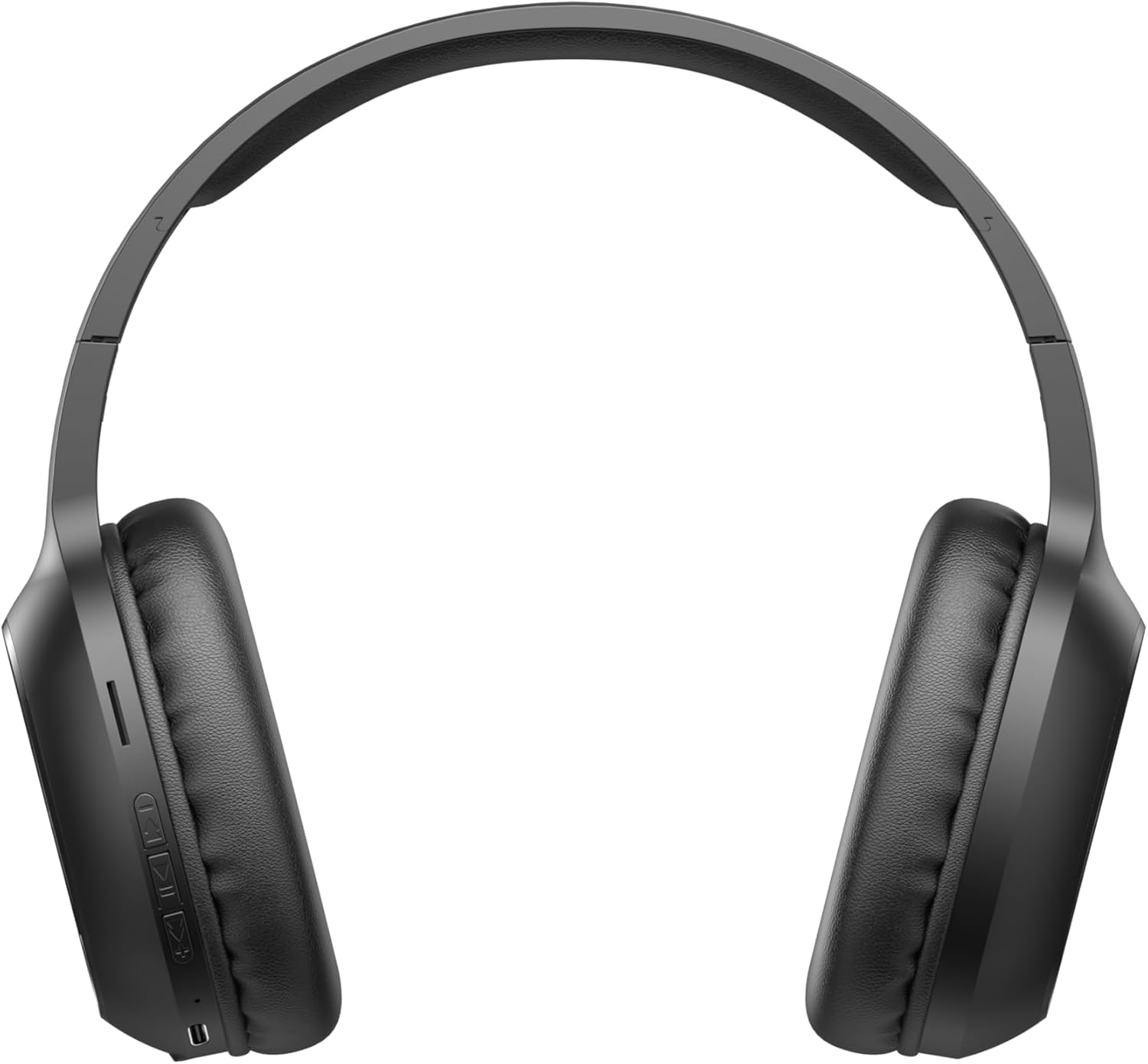
Image 2.1: Close-up of the left earcup showing the control buttons and charging port.
2.1. Controls i indicadors
- Botó d'engegada/multifunció: Used to power on/off, play/pause music, answer/end calls, and activate pairing mode.
- Botó per pujar el volum (+): Increases audio volume. Long press for next track.
- Botó per baixar el volum (-): Decreases audio volume. Long press for previous track.
- Indicador LED: Displays power status, charging status, and Bluetooth pairing status.
- Micròfon: Per a trucades amb mans lliures.
- Port de càrrega: Per connectar el cable de càrrega.
3. Configuració
3.1. Càrrega dels auriculars
Before first use, fully charge the headphones. The headphones include a Lithium-polymer battery.
- Connecteu el cable de càrrega al port de càrrega dels auriculars.
- Connecteu l'altre extrem del cable de càrrega a una font d'alimentació USB (per exemple, un port USB de l'ordinador o un adaptador de paret USB).
- L'indicador LED mostrarà l'estat de càrrega (per exemple, vermell per a la càrrega, blau/apagat per a la càrrega completa).
- Un cop estigui completament carregat, desconnecteu el cable de càrrega.
3.2. Emparellament Bluetooth
Per connectar els auriculars a un dispositiu amb Bluetooth:
- Assegureu-vos que els auriculars estiguin apagats.
- Press and hold the Power/Multi-function Button until the LED indicator flashes rapidly (e.g., blue and red alternately), indicating pairing mode.
- Al dispositiu (telèfon intel·ligent, tauleta, ordinador), activeu el Bluetooth i cerqueu els dispositius disponibles.
- Select "Havit H2590BT PRO" from the list of found devices.
- Once paired, the LED indicator will typically show a slow blue flash or turn off, and you will hear an audible confirmation.
- Si se us demana una contrasenya, introduïu "0000".
4. Instruccions de funcionament
4.1. Encendre/apagar
- Encès: Press and hold the Power/Multi-function Button for approximately 3 seconds until the LED indicator lights up and you hear a power-on prompt.
- Apagar: Press and hold the Power/Multi-function Button for approximately 3-5 seconds until the LED indicator turns off and you hear a power-off prompt.
4.2. Reproducció de música
- Reproduir/pausa: Premeu el botó d'engegada/multifunció una vegada.
- Pujar el volum: Premeu el botó Pujar volum (+).
- Baixar el volum: Premeu el botó per baixar el volum (-).
- Pista següent: Premeu llargament el botó d'apujar el volum (+).
- Pista anterior: Premeu llargament el botó per baixar el volum (-).
4.3. Gestió de trucades
- Respon a la trucada: Press the Power/Multi-function Button once when an incoming call rings.
- Finalitzar la trucada: Press the Power/Multi-function Button once during a call.
- Rebutja la trucada: Press and hold the Power/Multi-function Button for approximately 2 seconds when an incoming call rings.
- Torna a marcar l'últim número: Premeu dues vegades el botó d'engegada/multifunció.
5. Manteniment
Una cura adequada garanteix la longevitat dels vostres auriculars:
- Neteja: Feu servir un drap suau i sec per netejar els auriculars. No utilitzeu productes de neteja abrasius ni dissolvents.
- Emmagatzematge: Guardeu els auriculars en un lloc fresc i sec, allunyat de la llum solar directa i de temperatures extremes.
- Eviteu l'aigua: Aquests auriculars no són impermeables. Eviteu l'exposició a l'aigua o a una humitat excessiva.
- Càrrega: Carregueu els auriculars regularment, fins i tot si no els feu servir, per mantenir la bateria en bon estat.
6. Solució De Problemes
Si teniu problemes amb els auriculars, consulteu les solucions habituals següents:
| Problema | Causa possible | Solució |
|---|---|---|
| No es pot encendre | Bateria baixa | Carregueu els auriculars completament. |
| No es pot emparellar amb el dispositiu | Headphones not in pairing mode; Bluetooth off on device; device too far | Ensure headphones are in pairing mode (flashing LED). Turn on Bluetooth on your device. Move device closer to headphones (within 10 meters). |
| Sense so | Volum massa baix; auriculars no connectats; sortida d'àudio incorrecta seleccionada | Augmenta el volum dels auriculars i del dispositiu. Torna a emparellar els auriculars. Comprova la configuració de sortida d'àudio del dispositiu. |
| Poca qualitat de trucada | Senyal feble; micròfon obstruït | Mou-te a una zona amb millor senyal. Assegura't que el micròfon no estigui tapat. |
| Problema de càrrega | Cable o font d'alimentació defectuosos | Try a different charging cable and USB power source. |
7. Especificacions
- Nom del model: H2590BT PRO
- Número de model: 6939119045722
- Marca: Havit
- Color: Negre
- Tipus de bateria: 1 de polímer de liti (incloses)
- Dimensions del producte (L x A x A): 15 x 19.5 x 6.8 cm
- Pes de l'article: 1000 grams (1 kg) (Note: This weight is as provided in product data and may include packaging or be a data entry error.)
- Components inclosos: 1 package (typically headphones and charging cable)
8. Garantia i Suport
8.1. Informació de la garantia
The Havit H2590BT PRO Wireless Bluetooth Headphones come with a 2 any de garantia del fabricantAquesta garantia cobreix els defectes de materials i de fabricació en condicions d'ús normal. Si us plau, conserveu el comprovant de compra per a reclamacions de garantia.
8.2. Atenció al client
For further assistance, technical support, or warranty inquiries, please contact Havit customer service through their official website or the retailer where the product was purchased. Refer to the product packaging or Havit's official channels for specific contact details.