
ZOUKAI F3
Manual d'usuari dels auriculars amb clip per a l'orella oberta ZOUKAI amb conducció òssia Bluetooth 5.3
Model: F3
1. Introducció
Thank you for choosing the ZOUKAI Bone Conduction Bluetooth 5.3 Open Ear Clip Headphones. This manual provides essential information for the proper use, setup, and maintenance of your new headset. Please read it thoroughly before use to ensure optimal performance and longevity.
2. Producte acabatview
2.1 Característiques clau
- Disseny d'orella oberta: Allows you to enjoy audio while remaining aware of your surroundings, enhancing safety during outdoor activities.
- Tecnologia de conducció òssia: Delivers sound through vibrations to your cheekbones, bypassing the eardrum.
- Connectivitat Bluetooth 5.3: Ensures stable and efficient wireless connection with compatible devices.
- Comfortable Ear Clip Design: Lightweight (4.5g per earbud) and ergonomic for pain-free, secure wearing, even with glasses.
- Emparellament automàtic: Simplifies connection after initial setup.
- Controls intuïtius: Easy single-hand operation for music playback, calls, and voice assistant.
- Reducció de soroll ENC: Millora la claredat de les trucades.
- Disseny impermeable: Suitable for use during exercise and in wet conditions.
- Llarga vida útil de la bateria: Up to 72 hours music time (with charging case), 30 days standby, 1 hour fast charging.
2.2 Contingut del paquet
The ZOUKAI Bone Conduction Bluetooth 5.3 Open Ear Clip Headphones package includes:
- ZOUKAI Bone Conduction Bluetooth 5.3 Open Ear Clip Headphones (Left and Right Earbuds)
- Estoig de càrrega
- Cable de càrrega
- Manual d'usuari (aquest document)
2.3 Diagrama del producte

Image: ZOUKAI Bone Conduction Bluetooth 5.3 Open Ear Clip Headphones with their charging case. The earbuds are white and have an open-ear clip design. The charging case is also white with a green indicator light.
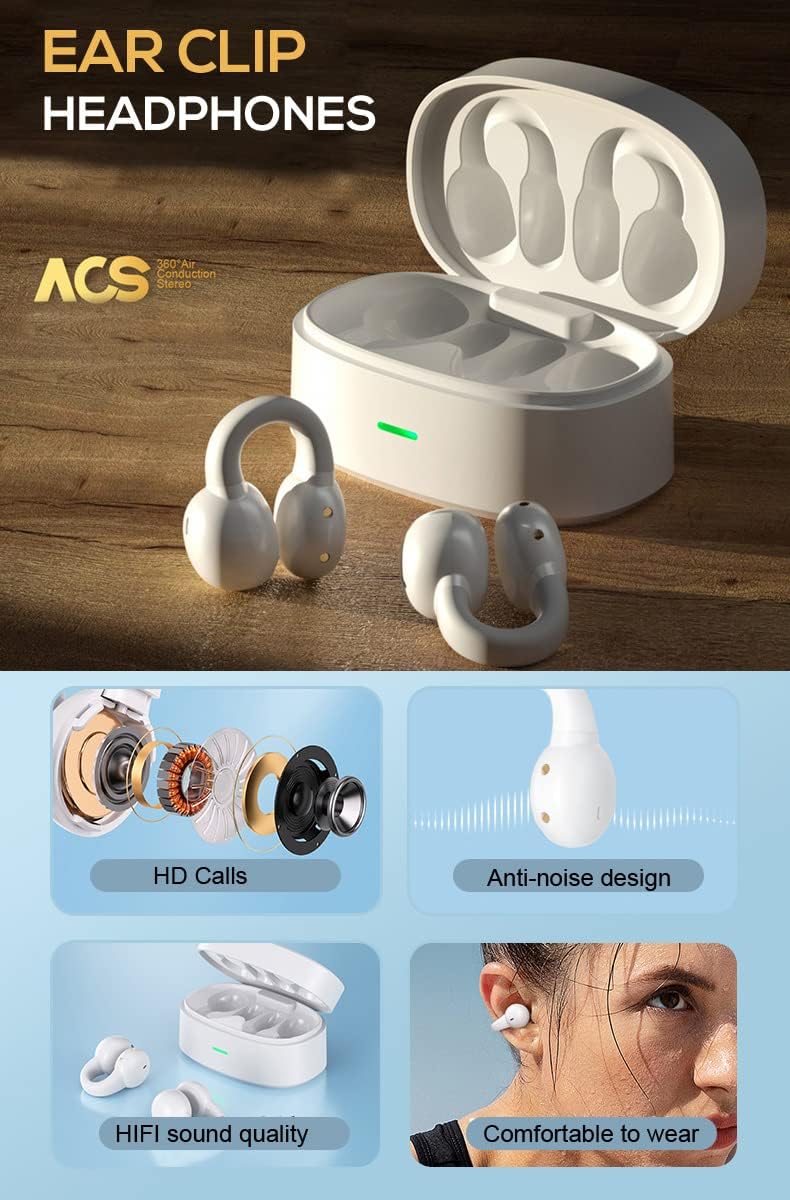
Image: A detailed diagram showing the internal components of the ZOUKAI ear clip headphones, including the bone conduction driver, coil, and other sound elements. Also shows the headphones in their charging case.
3. Configuració
3.1 Càrrega inicial
Before first use, ensure the headphones and charging case are fully charged. Connect the provided charging cable to the charging case and a compatible USB power source. The indicator light on the case will show charging status.
- Una càrrega completa triga aproximadament 1 hora.
- The charging case provides multiple charges for the earbuds.
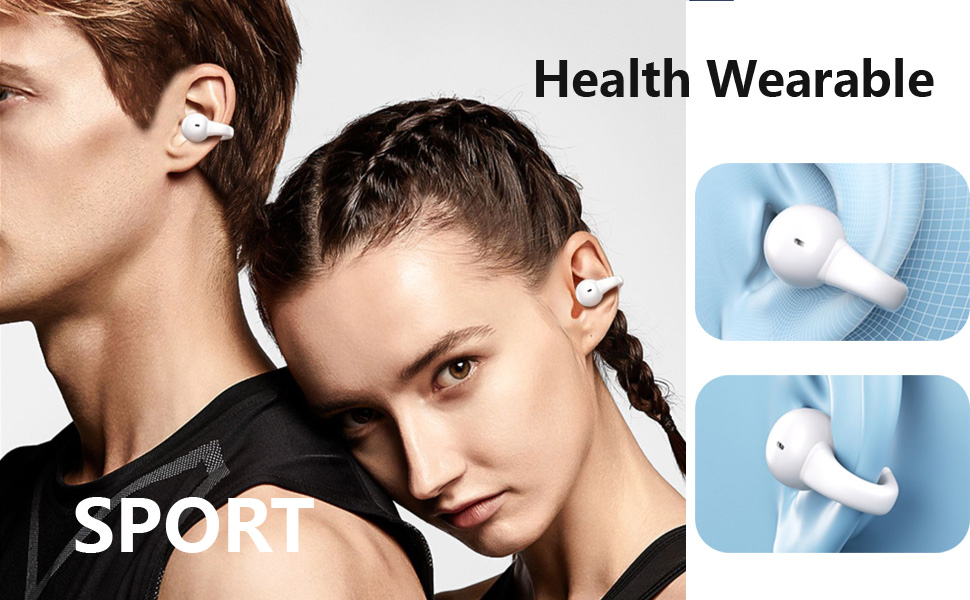
Image: An illustration highlighting the long battery life of the ZOUKAI headphones, showing 72 hours music time, 30 days standby time, and 1 hour fast charging, with the charging case and earbuds in the background.
3.2 Emparellament amb un dispositiu Bluetooth
- Assegureu-vos que els auriculars estiguin carregats i dins de l'estoig de càrrega.
- Open the lid of the charging case. The headphones will automatically enter pairing mode.
- Al dispositiu (telèfon intel·ligent, tauleta, ordinador portàtil), aneu a la configuració de Bluetooth i activeu el Bluetooth.
- Cerca available devices. Select "ZOUKAI F3" (or similar name) from the list.
- Once connected, the headphones will indicate successful pairing (e.g., a voice prompt or indicator light change).
Note: After the first successful pairing, the headphones will automatically connect to the last paired device when the charging case lid is opened, provided Bluetooth is enabled on the device.

Image: An illustration demonstrating the broad compatibility of the ZOUKAI headphones with Bluetooth 5.3 enabled devices, including smartphones and tablets. It also shows the ear clip design being comfortable even for users wearing glasses.
4. Instruccions de funcionament
4.1 Com posar-se els auriculars
Gently clip the headphones onto your earlobe. The open-ear design ensures comfort and allows ambient sound awareness. Adjust for a secure and comfortable fit.

Image: A man wearing the white ZOUKAI ear clip headphones, demonstrating their comfortable and discreet fit.

Image: Close-up illustrations showing how the ZOUKAI ear clip headphones are worn, highlighting their secure and comfortable placement on the earlobe for sports and daily use.
4.2 Basic Controls (Touch Sensitive)
The headphones feature touch controls for easy operation:
| Acció | Funció |
|---|---|
| Un sol toc | Reproduir/Pausar música, Respondre/Finalitzar trucada |
| Doble toc (auricular esquerre) | Baixa el volum |
| Doble toc (auricular dret) | Puja el volum |
| Toc tres vegades (auricular esquerre) | Cançó anterior |
| Toc triple (auricular dret) | Següent Cançó |
| Premsa llarga (2 segons) | Rebutja la trucada, activa l'assistent de veu |
5. Manteniment
5.1 Neteja
Una neteja regular ajuda a mantenir el rendiment i la higiene dels teus auriculars.
- Netegeu els auriculars i l'estoig de càrrega amb un drap suau, sec i sense borrissol.
- Per a la brutícia persistent, lleugerament dampRenta el drap amb aigua. Evita utilitzar productes químics agressius o materials abrasius.
- Do not submerge the headphones or charging case in water, despite their waterproof rating, to prevent damage to charging contacts or internal components.
5.2 Emmagatzematge
When not in use, store the headphones in their charging case to protect them from dust, dirt, and physical damage.
- Emmagatzemar en un lloc fresc i sec, allunyat de temperatures extremes i de la llum solar directa.
- Avoid storing in highly humid environments.
5.3 Cura de la bateria
- Charge the headphones regularly, even if not used frequently, to prolong battery life.
- Eviteu esgotar completament la bateria abans de tornar-la a carregar.
- Feu servir només el cable de càrrega proporcionat o un equivalent certificat.
6. Solució De Problemes
If you encounter issues with your ZOUKAI headphones, refer to the following common solutions:
| Problema | Possible causa/solució |
|---|---|
| Els auriculars no s'encenen. | Battery is low. Place headphones in the charging case and charge fully. |
| No es pot emparellar amb el dispositiu. |
|
| Sense so o amb un volum baix. |
|
| Intermittent connection / audio drops. |
|
| El micròfon no funciona durant les trucades. |
|
7. Especificacions
| Característica | Detall |
|---|---|
| Nom del model | F3 |
| Tecnologia de connectivitat | Sense fil (Bluetooth) |
| Versió Bluetooth | 5.3 |
| Tipus de controlador d'àudio | Controlador de conducció òssia |
| Col·locació de l'orella | Orella oberta |
| Factor de forma | Clip per a les orelles |
| Tipus de control | Volume Control, Voice Control, Noise Control (Touch) |
| Control de soroll | Cancel·lació activa de soroll (ENC per a trucades) |
| Nivell de resistència a l'aigua | Impermeable |
| Interval de freqüència | 20 Hz a 20,000 Hz |
| Material | Plàstic |
| Pes de l'article | 4.2 unces (paquet total) |
| Color | Blanc |
| Components inclosos | Cable |
| Fabricant | ZOUKAI |
| UPC | 768399192675 |
8. Garantia i Suport
For warranty information and customer support, please refer to the purchase platform or contact ZOUKAI customer service directly. Keep your proof of purchase for warranty claims.
Assistència en línia: Visit the official ZOUKAI website or the product page on the retailer's weblloc web per a preguntes freqüents i recursos de suport addicionals.
Ask a question about this manual
Ask about setup, troubleshooting, compatibility, parts, safety, or missing instructions. Manuals+ will review the question and use this page’s manual context to help answer it.