
1. Introducció
This instruction manual provides essential information for the proper installation, operation, and maintenance of your EONON V0051 12/24V Full-Seg 4x4 Digital TV Tuner. Please read this manual thoroughly before using the product to ensure safe and optimal performance. Keep this manual for future reference.
2. Informació de seguretat
- Ensure the product is installed by a qualified professional to prevent damage to the vehicle or the tuner.
- Do not attempt to disassemble or modify the unit. This may void the warranty and cause malfunction.
- Mantingueu la unitat allunyada de l'aigua, la humitat i les temperatures extremes.
- Feu servir només els accessoris proporcionats o els recanvis aprovats.
- Always ensure the vehicle's power is off before making any electrical connections.
3. Contingut del paquet
Verifiqueu que tots els elements que s'enumeren a continuació s'inclouen al vostre paquet:
- EONON V0051 Digital TV Tuner Unit (1)
- Control remot (1) (Bateries no incloses)
- Infrared (IR) Receiver Cable (1)
- Antenes (4)
- Power AV Cable (1)
- Mini B-CAS Card (1)
- Cable Clamps (4)
- Instruction Manual (Japanese) (1)
- Targeta de garantia (1)

4. Producte acabatview
The EONON V0051 is a high-performance digital terrestrial TV tuner designed for in-vehicle use. It supports both 12V and 24V systems, making it suitable for a wide range of vehicles including passenger cars, trucks, and buses. Featuring 4x4 antenna input, it ensures stable reception even at high speeds. The tuner is compatible with Full-Seg and One-Seg broadcasts, offering high-definition viewing with automatic switching based on signal conditions.


5. Especificacions
| Característica | Especificació |
|---|---|
| Número de model | V0051 |
| Senyal de recepció | ISDB-T Full-Seg / One-Seg |
| Interval de freqüència de recepció | 170~770MHz (UHF) |
| HDTV Signal Sensitivity | 95 dB |
| SDTV Signal Sensitivity | 85 dB |
| Entrada d'antena | 4x4 Design (SMA terminals) |
| Max Reception Speed | 150 km/h |
| Sortida HDMI | Version 1.4 or lower compatible |
| Sortida AV | 1x RCA Video, 1x RCA Audio (R&L) |
| Entrada de potència | DC 9V ~ DC 40V |
| EPG Support | Sí |
| Visualització de subtítols | Sí |
| Idioma del menú | Japanese / English |
| Actualització del firmware | USB / SD compatible |
| Dimensions (L x A x A) | 142 x 87 x 26 mm |
| Pes | 950 g |
| Color | Negre |
6. Configuració
6.1 Instal·lació de l'antena
The EONON V0051 features a 4x4 antenna input design for enhanced reception. Install the four included antennas in locations that provide the best possible signal reception, typically on the vehicle's windows or roof, ensuring they are spaced appropriately for optimal performance. Connect each antenna to the corresponding SMA terminal on the tuner unit.

6.2 Connexió d'alimentació
Connect the provided power AV cable to the tuner unit and to your vehicle's power supply. The EONON V0051 supports a wide power input range from DC 9V to 40V, making it compatible with various vehicle types, including passenger cars, trucks, and buses.

6.3 Video Output Connection
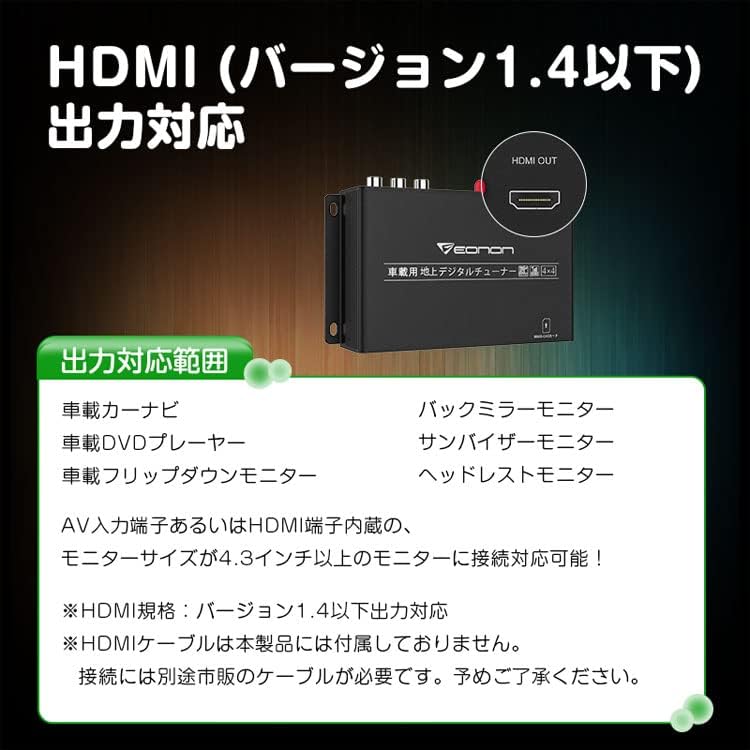
Connect the tuner to your display device (e.g., car navigation, monitor) using either an HDMI cable (not included) or the RCA AV output. The HDMI output supports version 1.4 or lower. Ensure your monitor is 4.3 inches or larger for optimal viewing.
- Sortida HDMI: For high-definition video and audio. Compatible with car navigation systems, flip-down monitors, etc.
- RCA AV Output: For standard definition video and audio, compatible with older monitors or systems.
6.4 Mini B-CAS Card Insertion
Carefully insert the provided Mini B-CAS card into the designated slot on the tuner unit. Ensure the card is inserted in the correct orientation as indicated on the unit.
7. Instruccions de funcionament
7.1 Encès/Apagat
Turn on your vehicle's ignition. The tuner will power on automatically. Use the remote control to turn the tuner on or off as needed.
7.2 Escaneig de canals
After initial setup or if you move to a new area, perform a channel scan to find available TV stations.
- Navigate to the 'Settings' menu using the remote control.
- Select 'Channel Scan' or 'Auto Scan'.
- Choose 'Automatic Scan' or 'Manual Scan' as desired. Automatic scan is recommended for initial setup.
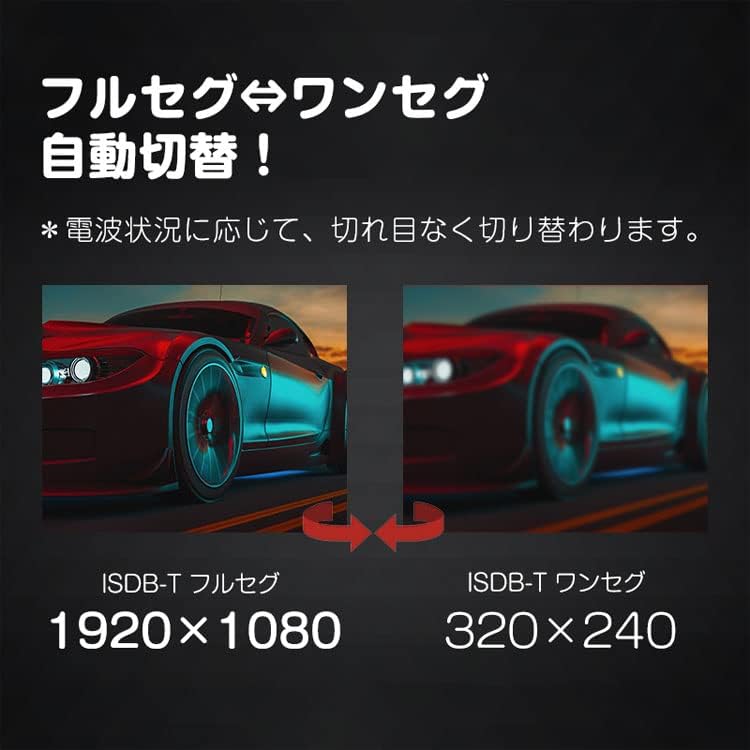
7.3 Full-Seg / One-Seg Automatic Switching
The tuner automatically switches between Full-Seg (high definition) and One-Seg (standard definition) broadcasts based on signal strength. This ensures continuous viewing even in areas with fluctuating signal conditions.

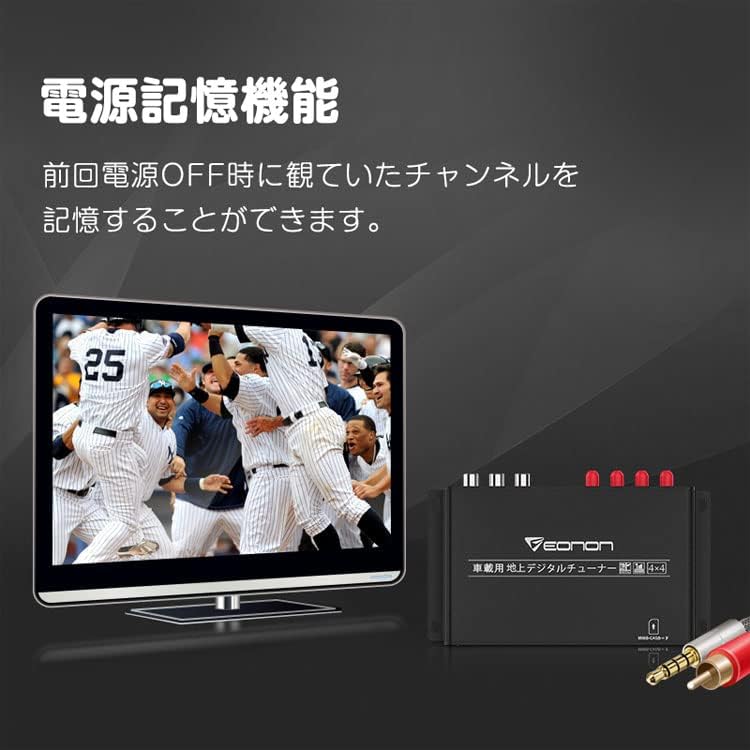
7.4 Power Memory Function
The tuner is equipped with a power memory function. It will remember the last viewed channel when the power is turned off and automatically resume playing that channel upon restart.
7.5 Subtitle Display
The tuner supports subtitle broadcasting. You can enable or disable subtitles through the menu settings using the remote control.
7.6 Ús del control remot
Use the provided remote control to navigate menus, change channels, adjust volume, and access other functions. Refer to the remote control diagram in the Japanese instruction manual for specific button functions.
8. Manteniment
- Netegeu la unitat amb un drap suau i sec. No utilitzeu netejadors líquids ni materials abrasius.
- Assegureu-vos que tots els cables estiguin connectats correctament i no presentin danys.
- Periodically check antenna connections for corrosion or looseness.
9. Solució De Problemes
| Problema | Causa possible | Solució |
|---|---|---|
| Sense imatge ni so | Loose power/AV cables; Tuner not powered on; No signal. | Check all connections; Ensure tuner is powered on; Perform a channel scan. |
| Poor reception quality | Weak signal; Antenna placement; Interference. | Adjust antenna positions; Re-scan channels; Move to an area with better signal. |
| El comandament a distància no funciona | Dead batteries; IR receiver blocked; Remote out of range. | Replace batteries; Ensure IR receiver is unobstructed; Point remote directly at the receiver. |
| Tuner does not turn on | No power supply; Blown fuse in vehicle. | Check power cable connection; Verify vehicle's power supply and fuses. |
10. Actualitzacions de firmware
The EONON V0051 supports firmware updates via USB or SD card. Periodically check the official EONON website for available updates to ensure your tuner has the latest features and performance enhancements. Follow the instructions provided with the firmware update package carefully.
11. Garantia i Suport
This product comes with a warranty as detailed on the included warranty card. Please retain your proof of purchase for warranty claims.
Please note: Support for installation and usage methods is not provided by the manufacturer. Due to manufacturing variations, the appearance and specifications (stated values) of the product may be subject to minor changes without prior notice. Your understanding is appreciated.