
1. Introducció
Thank you for choosing the Gearlab G220 Wireless Keyboard. This manual provides detailed instructions for setting up, operating, and maintaining your new keyboard. The Gearlab G220 is designed for convenience and efficiency, featuring a US/International layout, wireless connectivity via Bluetooth, and an ergonomic design for comfortable use. Please read this manual thoroughly before using the product to ensure proper functionality and longevity.
2. Contingut del paquet
Si us plau, comproveu el contingut del paquet en desembalar-lo. Si falta algun article o hi ha algun dany, poseu-vos en contacte amb el vostre distribuïdor.
- Gearlab G220 Wireless Keyboard
- Cable de càrrega USB
- Manual d'usuari
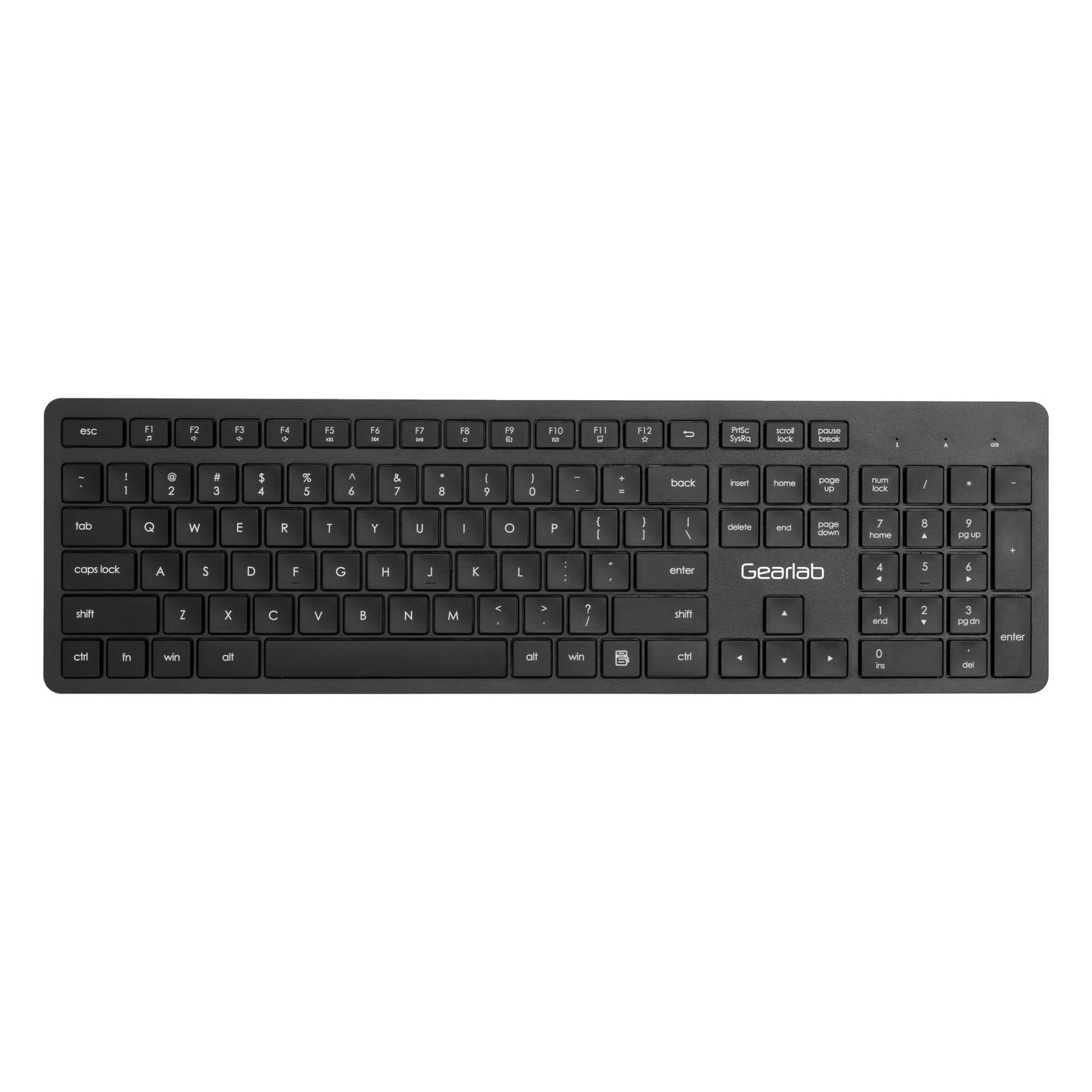
Image: The Gearlab G220 Wireless Keyboard, showcasing its US/International layout and compact design.
3. Configuració
3.1 Càrrega del teclat
The Gearlab G220 keyboard is rechargeable. Before first use, ensure the keyboard is fully charged.
- Connect the supplied USB charging cable to the charging port on the keyboard.
- Connecteu l'altre extrem del cable USB a un port USB amb alimentació (per exemple, un ordinador o un adaptador de paret USB).
- El llum indicador de càrrega s'il·luminarà. Un cop completament carregat, el llum indicador pot canviar de color o apagar-se.
3.2 Connecting to a Device (Bluetooth)
The Gearlab G220 uses Bluetooth for wireless connectivity. It is compatible with laptops and other devices supporting Bluetooth input.
- Turn on the keyboard using the power switch, usually located on the side or back of the keyboard.
- Activate Bluetooth pairing mode on the keyboard. This typically involves pressing and holding a dedicated Bluetooth pairing button or a function key combination (e.g., Fn + C or a specific Bluetooth icon key) until an indicator light flashes, signifying it's discoverable.
- On your device (e.g., laptop), go to the Bluetooth settings.
- Enable Bluetooth on your device if it's not already on.
- Cerca new devices. The keyboard should appear as "Gearlab G220" or a similar name.
- Select the keyboard from the list to initiate pairing.
- If prompted, enter a pairing code on the Gearlab G220 keyboard and press Entra, or confirm the connection on your device.
- Once successfully paired, the indicator light on the keyboard will stop flashing and remain solid, or turn off.
4. Instruccions de funcionament
After successful connection, the Gearlab G220 Wireless Keyboard is ready for use.
4.1 Funcions bàsiques del teclat
- Mecanografia: Use the keys as you would a standard keyboard. The layout is US/International English.
- Tecles de funció: The top row of keys (F1-F12) may have secondary functions (e.g., media control, volume, brightness). These are typically accessed by holding down the Fn key and pressing the desired function key. Refer to the keycap legends for specific functions.
- Estalvi d'energia: The keyboard may enter a sleep mode after a period of inactivity to conserve battery. Press any key to wake it up.
4.2 Estat de la bateria
The keyboard features a rechargeable battery. A low battery indicator light (if present) will typically flash or change color when the battery level is low, signaling that it needs to be recharged.
5. Manteniment
5.1 Neteja
- Apagueu el teclat abans de netejar-lo.
- Utilitzeu un drap suau i sense pelusa lleugerament dampEsbandiu amb aigua o una solució netejadora suau per netejar la superfície del teclat.
- Do not use harsh chemicals, abrasive cleaners, or spray liquids directly onto the keyboard.
- Per netejar entre les tecles, feu servir aire comprimit o un raspall petit.
5.2 Cura de la bateria
- To prolong battery life, avoid fully discharging the keyboard frequently.
- Guardeu el teclat en un lloc fresc i sec quan no el feu servir durant períodes prolongats.
- Recharge the keyboard regularly, even if not used daily, to maintain battery health.
6. Solució De Problemes
If you encounter issues with your Gearlab G220 Wireless Keyboard, refer to the following common solutions:
| Problema | Possible solució |
|---|---|
| El teclat no s'encén. | Ensure the keyboard is charged. Connect it to a power source using the USB charging cable. |
| El teclat no es connecta per Bluetooth. |
|
| Les tecles no responen o s'escriuen incorrectament. |
|
| El teclat es desconnecta sovint. |
|
7. Especificacions
| Característica | Detall |
|---|---|
| Marca | Gearlab |
| Model | W126339682 |
| Dispositius compatibles | Portàtil |
| Tecnologia de connectivitat | Bluetooth, Sense fil |
| Descripció del teclat | Ergonòmic |
| Característica especial | Recarregable |
| Llengua | Anglès |
| Orientació de la mà | Ambidextre |
| Nombre de botons | 78 |
| Dimensions del producte | 25.4 x 5.08 x 6.86 cm; 560 g (approximately 10 x 2 x 2.7 inches; 1.23 lbs) |
| ASIN | B0BXM1MFCZ |
| Primera data disponible | 7 de març de 2023 |
8. Garantia i Suport
The Gearlab G220 Wireless Keyboard comes with a standard manufacturer's warranty. Please refer to the warranty card included in your package or contact your retailer for specific warranty terms and conditions.
For technical support, troubleshooting assistance beyond this manual, or inquiries regarding parts and service, please contact Gearlab customer support through their official weblloc web o la informació de contacte proporcionada amb la compra.