
LFF LWC150
LFF Atomic Clock User Manual
Model: LWC150
Marca: LFF
1. Introducció
The LFF Atomic Clock (Model LWC150) is a versatile digital wall or desk clock designed for accurate timekeeping and environmental monitoring. It automatically synchronizes with the WWVB radio broadcast for precise time and features a large, easy-to-read LCD display showing time, date, day of the week, alarm status, and both indoor and outdoor temperature and humidity.
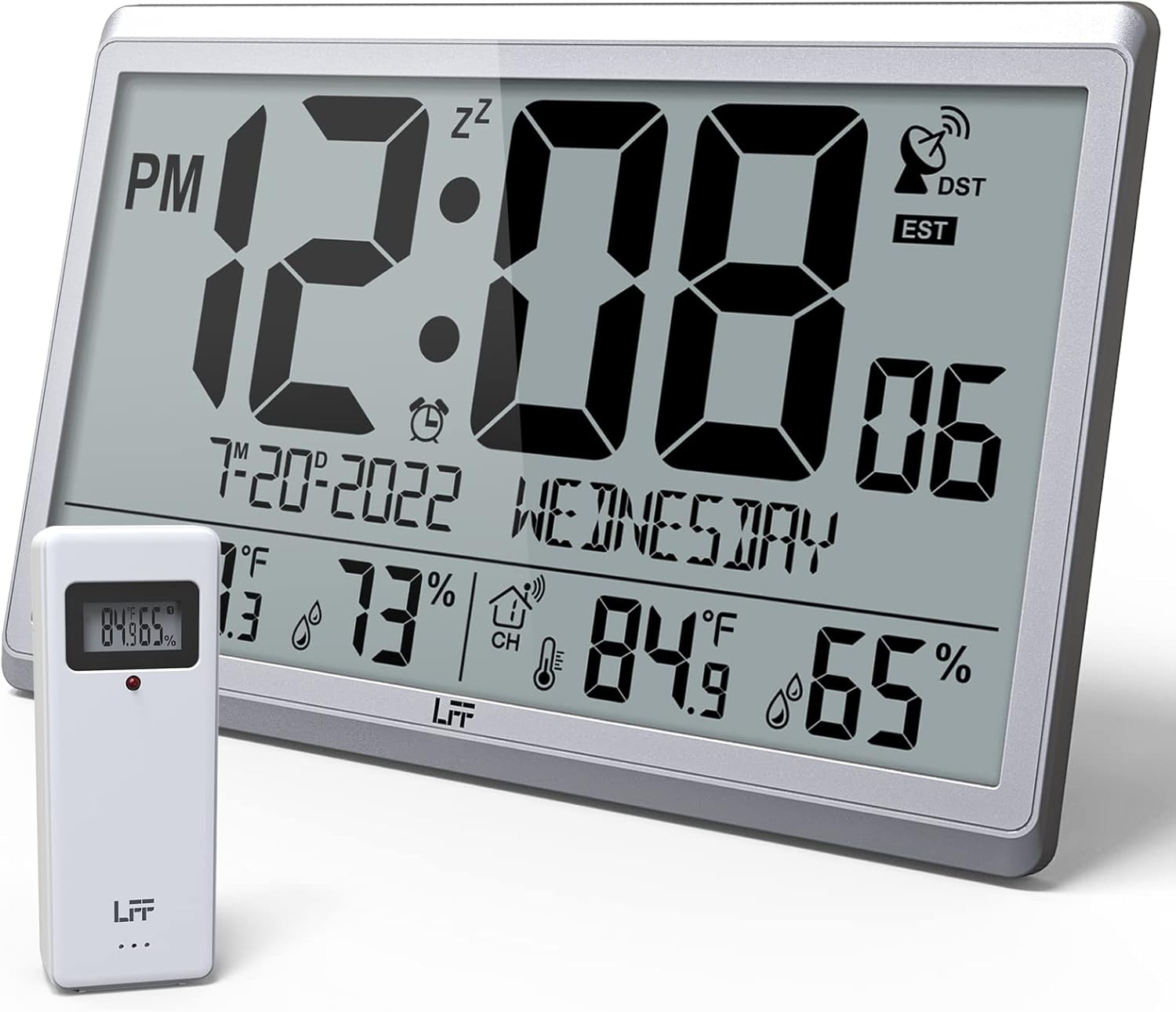
Figure 1.1: LFF Atomic Clock with its wireless outdoor sensor.
2. Característiques
- Accurate Atomic Clock: Built-in receiver automatically synchronizes with the WWVB radio broadcast from NIST in Fort Collins, Colorado, ensuring precise time and calendar adjustments.
- Large LCD High-Definition Display: 9.4-inch tall display with large numbers for easy readability. Displays time (12/24H), calendar, day of the week, alarm, indoor/outdoor temperature (°C/°F), and humidity simultaneously.
- Sensor exterior sense fil: Transmits accurate outdoor temperature and humidity measurements up to 328 feet (100 meters). The sensor has an IPX4 splash-proof rating.
- Funciona amb piles: Main clock requires 4 AA batteries (not included), and the outdoor sensor requires 2 AAA batteries (not included). No backlight display.
- Múltiples zones horàries: Supports 8 time zones including EST, CST, MST, PST, AKT, HST, AST, NST.
- Col·locació flexible: Can be used as a wall clock (3 hanging holes) or a desk clock (integrated bracket).
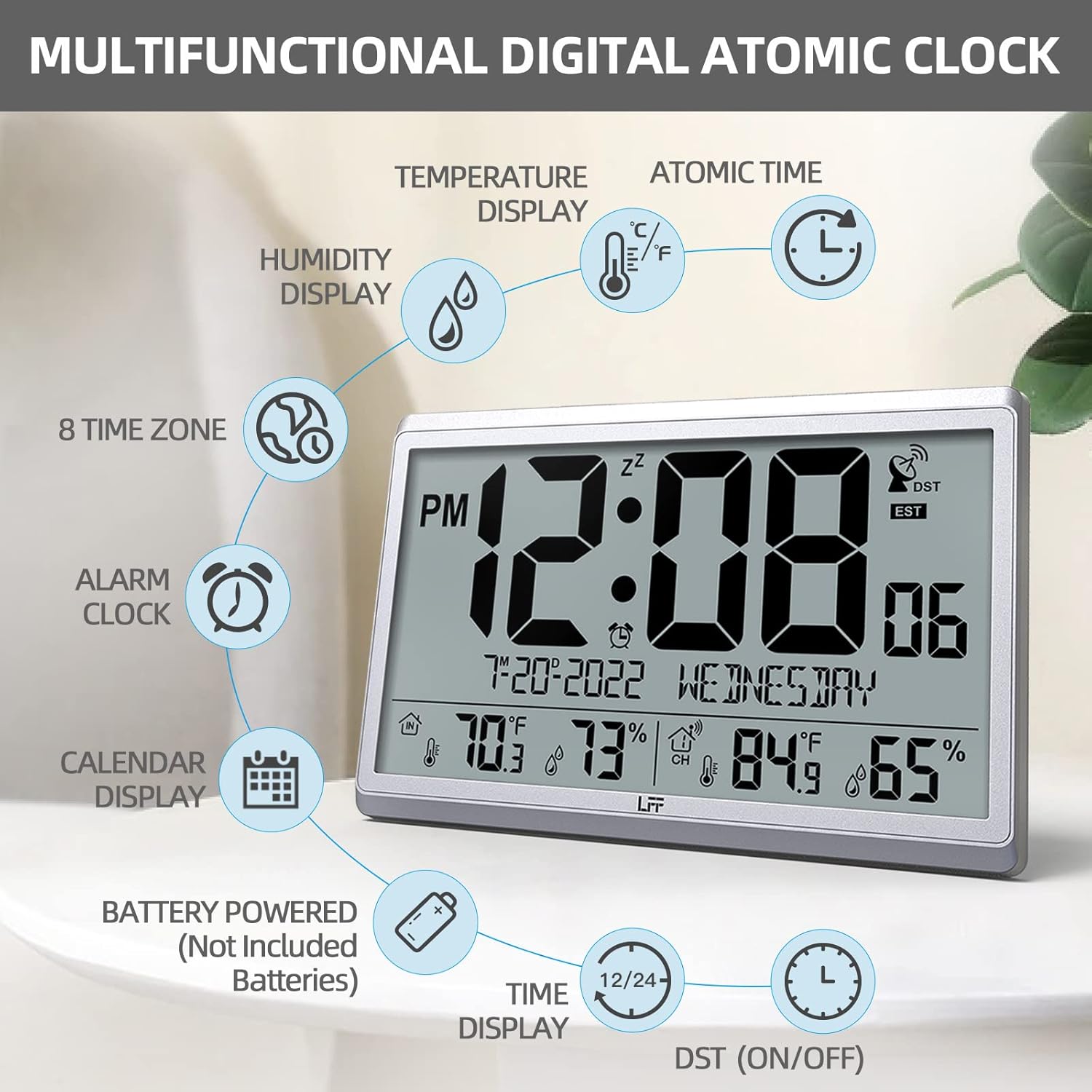
Figura 2.1: Mésview of the clock's multifunctional display and features.
3. Contingut del paquet
Si us plau, comproveu el contingut del paquet en desembalar-lo per assegurar-vos que hi hagi tots els elements:
- 1 x LFF Atomic Clock (Main Unit)
- 1 x Sensor exterior sense fil
- 1 x Manual d'usuari
4. Configuració
4.1 Instal·lació de la bateria
The main clock unit and the outdoor sensor are battery-powered. Batteries are not included.
- For the Main Clock Unit: Open the battery compartment on the back of the clock. Insert 4 new AA batteries, ensuring correct polarity (+/-).
- For the Wireless Outdoor Sensor: Open the battery compartment on the back of the sensor. Insert 2 new AAA batteries, ensuring correct polarity (+/-).

Figure 4.1: Battery installation and button layout on the main clock unit.
4.2 Col·locació del sensor exterior
For accurate temperature and humidity readings, place the outdoor sensor in a location that is:
- Out of direct sunlight and rain.
- Away from any heat sources (e.g., vents, exhaust fans) or extreme cold sources.
- Within the wireless transmission range of 328 feet (100 meters) from the main clock unit.

Figure 4.2: Optimal placement for the wireless outdoor sensor.
4.3 Initial Atomic Time Synchronization
After battery installation, the clock will automatically attempt to synchronize with the WWVB atomic time signal. This process may take several minutes to several hours, depending on your location and signal strength. Ensure the clock is placed in an area where it can receive a clear signal, ideally near a window and away from electronic interference.

Figure 4.3: The clock synchronizes with the atomic time signal broadcast from Fort Collins, Colorado.
5. Instruccions de funcionament
5.1 Manual Time and Date Setting
While the clock primarily relies on atomic synchronization, you can manually set the time and date if needed (e.g., during initial setup before signal acquisition or in areas with poor reception).
- Manteniu premut el botó SET button on the back of the clock until the display flashes.
- Utilitza el UP or DOWN/RCC botons per ajustar el valor intermitent (per exemple, hora, minut, any, mes, dia).
- Premeu SET de nou per confirmar la configuració i passar al valor següent.
- Repetiu fins que tots els paràmetres desitjats estiguin configurats.
5.2 Time Zone Selection
The clock supports 8 time zones. After atomic synchronization, you may need to select your local time zone.
- Premeu el botó SET button repeatedly until the time zone setting flashes.
- Utilitza el UP or DOWN/RCC buttons to cycle through the available time zones (EST, CST, MST, PST, AKT, HST, AST, NST).
- Premeu SET per confirmar la vostra selecció.
5.3 Selecció de la unitat de temperatura (°C/°F)
To switch between Celsius and Fahrenheit for temperature display:
- Premeu breument DOWN/RCC button. The temperature unit will toggle between °C and °F.
5.4 Funció de despertador
The clock includes an alarm function.
- Premeu el botó ALARMA botó per view l'hora actual de l'alarma.
- Manteniu premut el botó ALARMA botó fins que l'hora de l'alarma parpellegi.
- Utilitza el UP or DOWN/RCC botons per ajustar l'hora i els minuts de l'alarma desitjats.
- Premeu ALARMA per confirmar cada configuració.
- Per activar/desactivar l'alarma, premeu breument el botó ALARMA button when the alarm time is displayed. An alarm icon will appear/disappear on the screen.
5.5 Mostra informació
The large LCD display provides comprehensive information at a glance:
- Secció superior: Current time (with AM/PM indicator), atomic signal strength, DST indicator, and time zone.
- Secció mitjana: Date (Month-Day-Year) and Day of the Week.
- Secció inferior: Indoor temperature and humidity, and outdoor temperature and humidity (from wireless sensor).

Figure 5.1: The LFF Atomic Clock can be placed on a desk or mounted on a wall.
6. Manteniment
6.1 Substitució de la bateria
Replace batteries in both the main unit and the outdoor sensor when the display becomes dim or readings become erratic. Always replace all batteries at the same time with new ones of the same type. For temperatures below -4°F, lithium batteries are recommended for the outdoor sensor.
6.2 Neteja
Wipe the clock and sensor with a soft, dry cloth. Do not use abrasive cleaners or solvents, as they may damage the display or casing. Avoid getting moisture into the battery compartments or electronic components.
6.3 Cura del sensor
Periodically check the outdoor sensor for any debris or obstructions that might affect its readings. Ensure it remains in a sheltered location to protect it from extreme weather conditions, despite its splash-proof design.
7. Solució De Problemes
| Problema | Causa possible | Solució |
|---|---|---|
| El rellotge no es sincronitza amb el temps atòmic. | Weak signal, interference, incorrect time zone. | Relocate the clock closer to a window or away from electronic devices. Ensure correct time zone is selected. Allow up to 24 hours for initial synchronization. |
| La temperatura/humitat exterior no es mostra o és inexacta. | Sensor out of range, low sensor batteries, sensor exposed to direct elements. | Ensure sensor is within 328 feet of the main unit. Replace sensor batteries. Reposition sensor in a shaded, dry area. Press the CANAL button on the main unit to re-establish connection. |
| La pantalla està tènue o en blanc. | Piles baixes a la unitat principal. | Replace all 4 AA batteries in the main clock unit. |
| Time is incorrect after synchronization. | S'ha seleccionat una zona horària incorrecta. | Verify and adjust the time zone setting as described in Section 5.2. |
8. Especificacions
| Característica | Detall |
|---|---|
| Número de model | LWC150 |
| Tipus de visualització | LCD digital |
| Dimensions del producte | 14.2" d'amplada x 9.4" d'alçada x 1.2" de profunditat |
| Font d'alimentació (unitat principal) | 4 piles AA (no incloses) |
| Font d'alimentació (sensor exterior) | 2 piles AAA (no incloses) |
| Rang de temperatura interior | De 14.1 °F a 122.0 °F (-9.9 °C a 50.0 °C) |
| Interval de temperatura exterior | -58.0 °F a 158.0 °F (-50.0 °C a 70.0 °C) |
| Interval d'humitat interior | del 1% al 99% |
| Interval d'humitat exterior | del 1% al 99% |
| Interval de transmissió sense fil | Fins a 100 metres (328 peus) en zona oberta |
| Outdoor Sensor Waterproof Rating | IPX4 (a prova d'esquitxades) |
| Material | Plastic (Acrylonitrile Butadiene Styrene frame) |
| Pes de l'article | 2.7 lliures (1.23 quilograms) |
9. Garantia i Suport
LFF products are designed for reliability and performance. For any questions, technical support, or warranty claims, please contact LFF customer service through the retailer's platform or the official LFF weblloc web. Si us plau, conserveu el comprovant de compra per a finalitats de garantia.
Ask a question about this manual
Ask about setup, troubleshooting, compatibility, parts, safety, or missing instructions. Manuals+ will review the question and use this page’s manual context to help answer it.