
1. Producte acabatview
The Charmast Portable Charger W1148 is a versatile 10000mAh power bank designed for convenient on-the-go charging. It features built-in charging cables and multiple output ports, making it compatible with a wide range of devices.
1.1 Què hi ha a la caixa
En desembalar, assegureu-vos que hi hagi tots els elements:
- 1 x Charmast Portable Charger (Model W1148)
- 1 x Manual d'usuari
- 1 x Bossa

Image: Contents of the Charmast Portable Charger package, including the power bank, user manual, and a protective pouch.
1.2 Característiques del producte
- Cables integrats: Includes 3 output cables (for iPhone, Android, Micro USB) and 1 input cable for recharging the power bank.
- Sortides múltiples: Total of 6 output options (3 built-in cables + 3 additional ports) to charge multiple devices simultaneously.
- Múltiples entrades: 3 input options (1 built-in recharging cord, 1 USB-C input, 1 Micro USB input) for convenient power bank recharging.
- Pantalla LED digital: Provides an accurate percentage de càrrega restant de la bateria.
- Disseny compacte: Slim and lightweight, making it easy to carry.
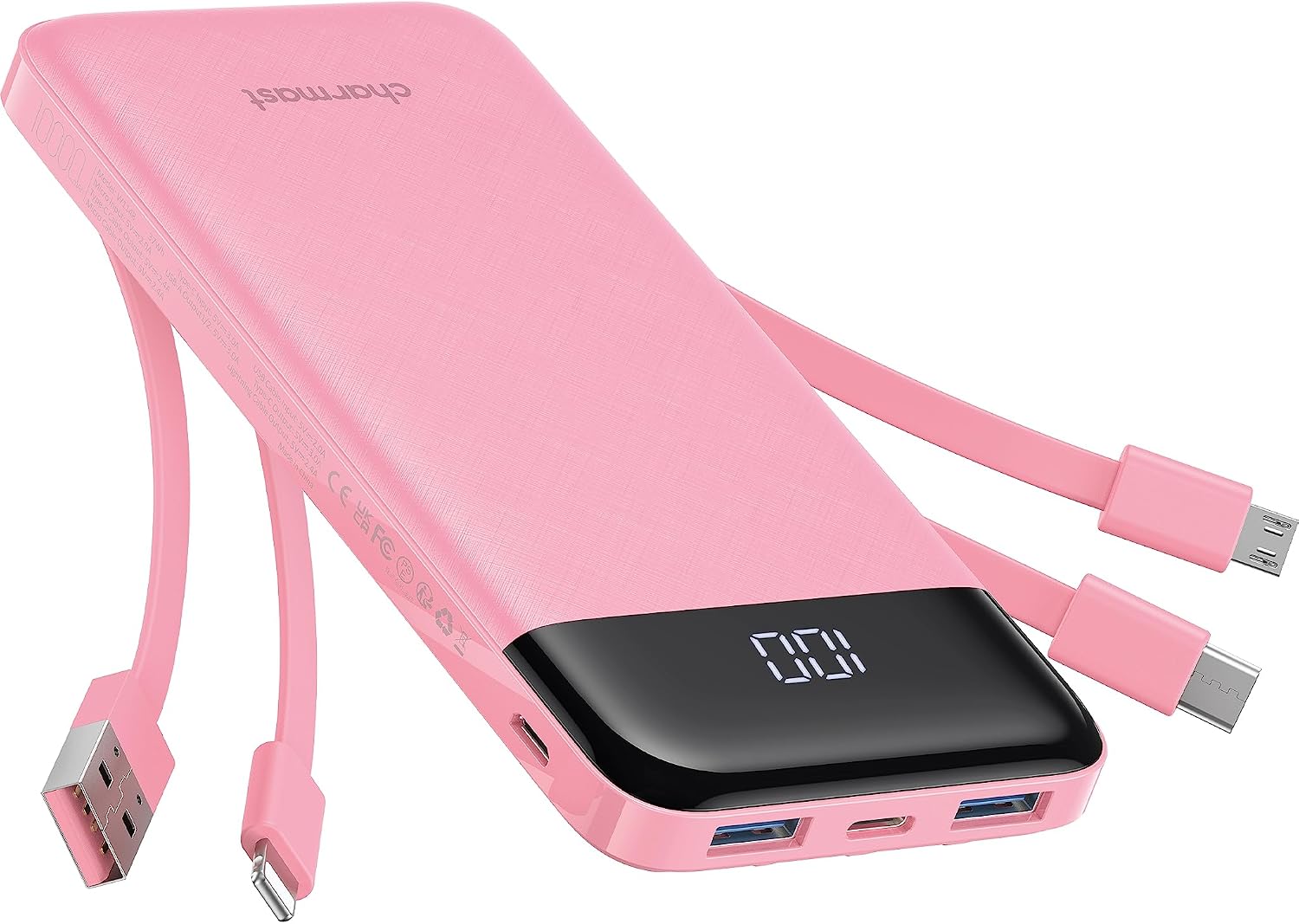
Image: The Charmast Portable Charger W1148 in pink, showcasing its built-in cables and digital LED display.

Imatge: Un primer pla view of the Charmast Portable Charger highlighting its four built-in cables: one for iPhone, one for Android (USB-C), one for Micro USB, and one for recharging the power bank itself (USB-A).
2. Configuració
The Charmast Portable Charger is designed for immediate use. Before first use, it is recommended to fully charge the power bank.
2.1 Càrrega inicial del banc d'energia extern
To charge the power bank, connect it to a power source using one of the available input methods:
- Using the Built-in USB-A Cable: Extend the built-in USB-A cable and plug it into a USB wall adapter (not included) or a computer's USB port.
- Using the USB-C Input Port: Connect a USB-C cable (not included) from a wall adapter to the power bank's USB-C input port.
- Using the Micro USB Input Port: Connect a Micro USB cable (not included) from a wall adapter to the power bank's Micro USB input port.
The digital LED display will show the charging progress. A full charge typically takes approximately 6 hours with a 10W or higher wall charger.

Image: Visual guide illustrating three methods to recharge the power bank: using the built-in USB-A cable, via a 10W Micro USB input, or via a 15W USB-C input. Each method shows the approximate charging time.
3. Instruccions de funcionament
3.1 Càrrega dels vostres dispositius
The Charmast Portable Charger offers multiple ways to charge your electronic devices:
- Ús de cables integrats:
- For Apple devices: Use the built-in Lightning cable.
- For USB-C devices: Use the built-in USB-C cable.
- For Micro USB devices: Use the built-in Micro USB cable.
- Ús de cables externs:
- Plug your device's charging cable into one of the available USB-A output ports or the USB-C input/output port on the power bank.
The power bank can charge up to 6 devices simultaneously, utilizing a combination of its built-in cables and external ports.

Image: The Charmast Portable Charger connected to and charging six different electronic devices, demonstrating its multi-device charging capability.
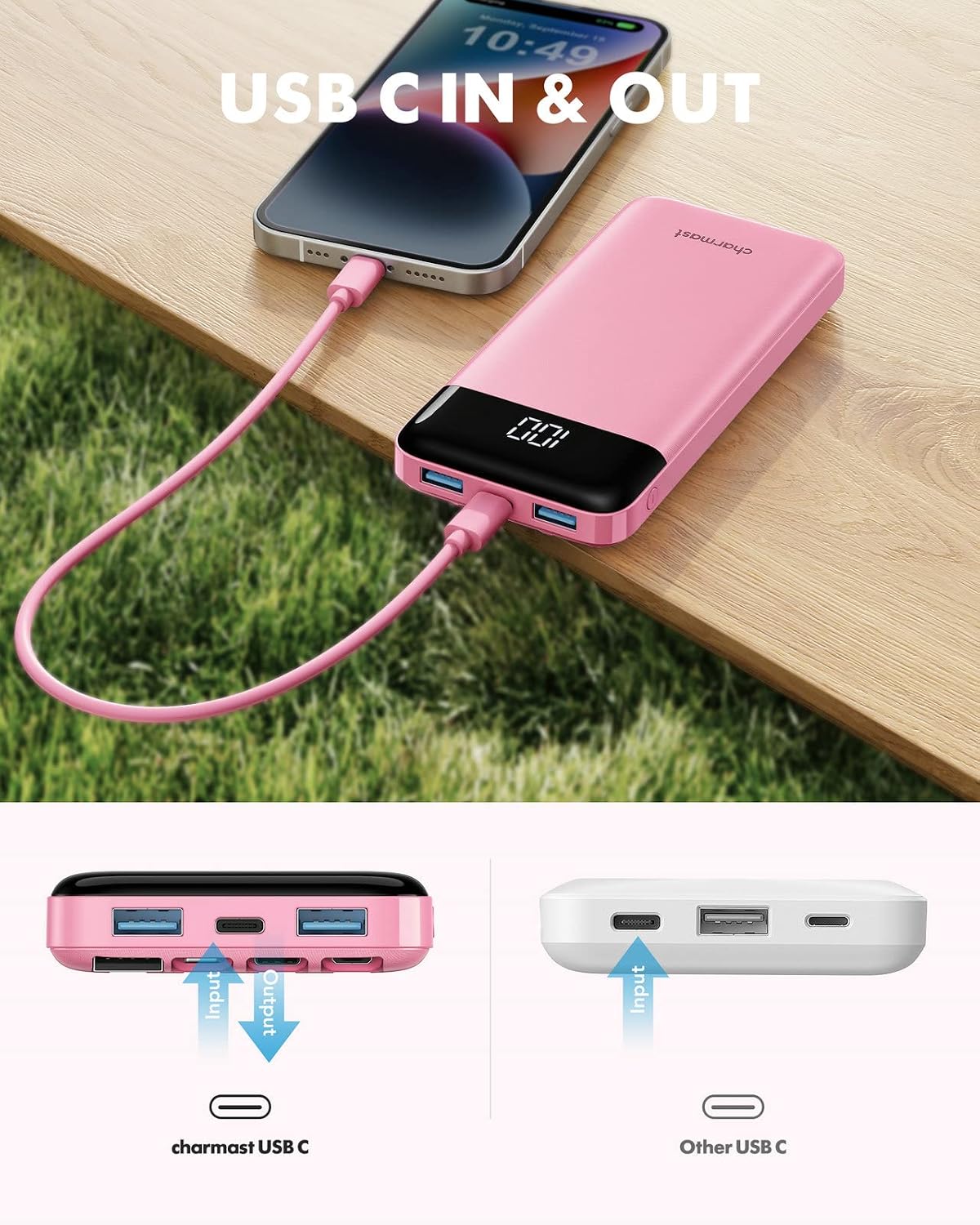
Image: A smartphone being charged via the USB-C port of the Charmast Portable Charger, illustrating its dual input/output functionality for USB-C.
3.2 Comprovació del nivell de la bateria
The integrated digital LED display shows the exact remaining battery percentage of the power bank. Simply turn on the power bank (if it's off) or connect a device to see the current charge level.

Image: The Charmast Portable Charger with its digital LED display clearly showing "100", indicating a full battery charge.
4. Manteniment
Proper care and maintenance will extend the lifespan of your Charmast Portable Charger.
- Neteja: Wipe the power bank with a soft, dry cloth. Do not use liquid cleaners or abrasive materials.
- Emmagatzematge: Guardeu el banc d'energia en un lloc fresc i sec, allunyat de la llum solar directa i de temperatures extremes.
- Cicles de càrrega: For optimal battery health, avoid completely draining the power bank before recharging it. Recharge it regularly, even if not in frequent use.
- Eviteu les gotes: Protect the device from physical shocks and drops, which can damage internal components.
5. Solució De Problemes
If you encounter issues with your Charmast Portable Charger, please refer to the following common solutions:
| Problema | Causa possible | Solució |
|---|---|---|
| El banc d'energia no es carrega |
|
|
| El dispositiu no es carrega des del banc d'energia |
|
|
| La pantalla digital no funciona |
|
|
If the problem persists after trying these solutions, please contact Charmast customer support for further assistance.
6. Especificacions
| Característica | Detall |
|---|---|
| Número de model | W1148 |
| Capacitat de la bateria | 10000 milionsamp Hores (mAh) |
| Dimensions (L x A x A) | 15.6 x 7.19 x 2.29 cm |
| Pes | 240 g |
| Ports d'entrada | Built-in USB-A cable, USB-C, Micro USB |
| Ports de sortida | Built-in Lightning, Built-in USB-C, Built-in Micro USB, USB-A (x2), USB-C (shared input/output) |
| Voltage | 5 Volts |
| Temps de càrrega (bateria externa) | Approx. 6 hours (with 10W+ charger) |
| Característiques especials | Built-in Cables, Digital Display, Fast Charging, Lightweight, Slim |
| Dispositius compatibles | Smartphones (iPhone, Samsung, Google Pixel, etc.), Tablets, Drones, Speakers |

Image: The Charmast Portable Charger demonstrating its ultra-slim and lightweight design, shown being held in a pocket and a handbag.

Image: A chart illustrating the approximate number of charges the 10000mAh Charmast power bank can provide for different devices, such as iPhone 14, iPhone 8, iPad mini 6, Samsung S22, Samsung S8, and Google Pixel 6.
7. Garantia i assistència
Charmast provides an 18 mesos de garantia for the Portable Charger W1148, covering manufacturing defects and issues arising from normal use.
Additionally, lifetime technical support is available to assist you with any questions or concerns regarding the product.
For warranty claims or technical assistance, please contact Charmast customer service through the retailer where the product was purchased or visit the official Charmast weblloc.


