
1. Introducció
Thank you for choosing the Havit MS1038 Programmable RGB Gaming Mouse. This manual provides essential information for setting up, operating, maintaining, and troubleshooting your new gaming mouse. Please read this guide thoroughly to ensure optimal performance and longevity of your device.
2. Producte acabatview
The Havit MS1038 is a high-performance wired gaming mouse designed for precision and customization. It features a high-precision optical sensor, adjustable DPI settings up to 8000, 7 programmable buttons, and dynamic RGB backlighting to enhance your gaming experience.
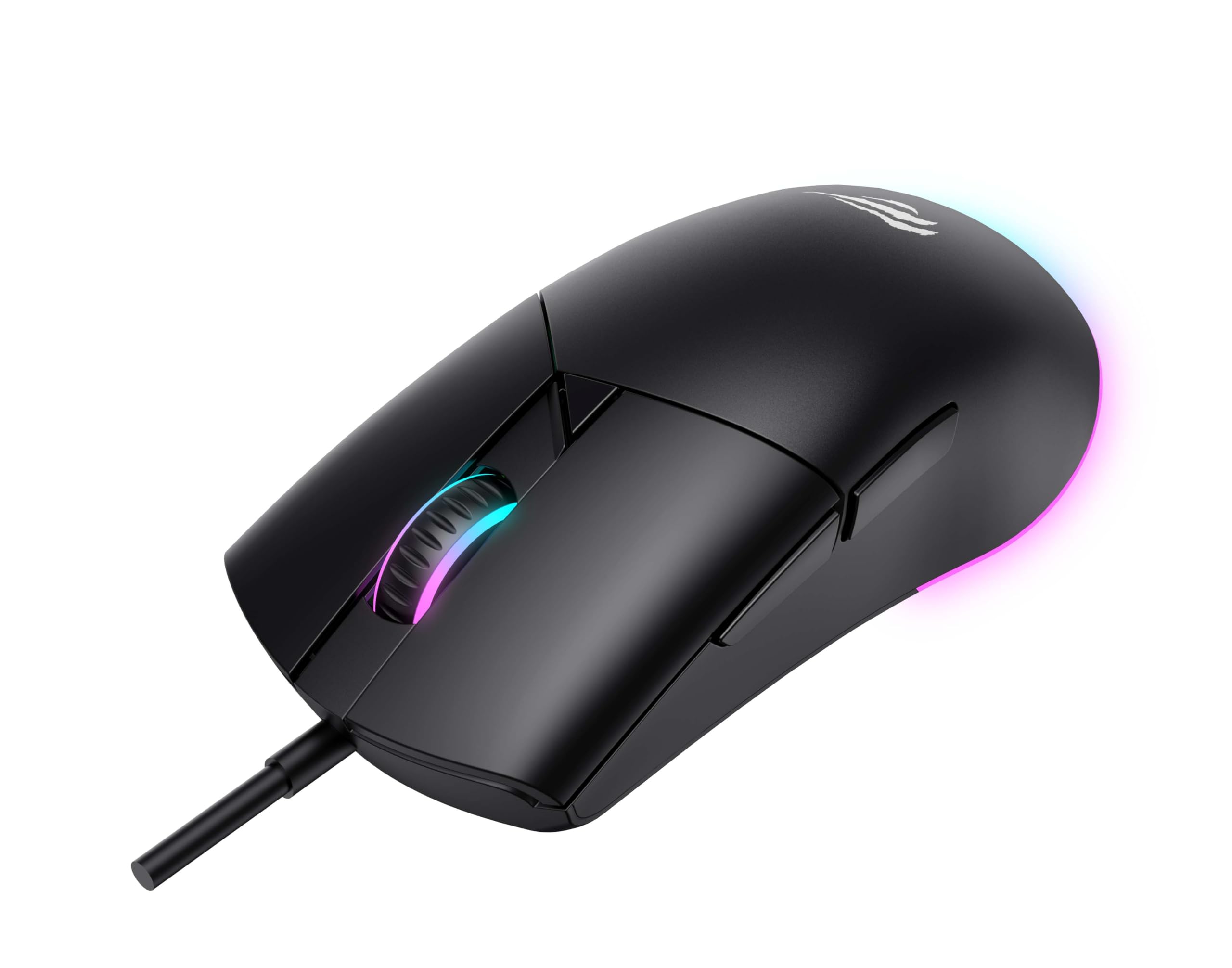
Figura 1: Frontal view of the Havit MS1038 Gaming Mouse, showcasinel seu disseny ergonòmic i la il·luminació RGB.
3. Especificacions
| Característica | Detall |
|---|---|
| Marca | Havit |
| Model | MS1038 |
| Color | Negre |
| Connectivitat | USB (per cable) |
| Característiques especials | RGB Backlight, Programmable Buttons, High-Precision Optical Sensor |
| Dispositius compatibles | PC, ordinador portàtil, tauleta |
| Detecció de moviment | Òptic |
| Configuració de DPI | 1200-2400-3200-4800-6400-8000 DPI |
| Nombre de botons | 7 |
| Vida útil de la clau | 3,000,000 clics |
| Longitud del cable | 1.6 metres |
| Vol. Operatiutage | 5V |
| Corrent de funcionament | 150 mA |
| Xip | SPCP199C |
| Dimensions (L*W*H) | 121 x 64 x 42 mm |
| Pes del producte | 82 g |
| Piles necessàries | No |
| Font d'alimentació | Cordat |
| Sistema operatiu compatible | Windows, Mac, Linux |
| País d'origen | Xina |
4. Guia de configuració
- Desempaqueta el ratolí: Carefully remove the Havit MS1038 mouse from its packaging.
- Connexió a l'ordinador: Connecteu el connector USB del ratolí a un port USB disponible de l'ordinador.
- Instal·lació del controlador: The mouse is typically plug-and-play. Your operating system (Windows, Mac, Linux) should automatically detect and install the necessary drivers. Allow a few moments for the installation to complete.
- Instal·lació del programari (opcional): For advanced customization of programmable buttons and RGB lighting, download the official Havit MS1038 software from the manufacturer's weblloc. Seguiu les instruccions que apareixen a la pantalla per a la instal·lació.
5. Instruccions de funcionament
5.1 Funcions bàsiques
- Clic esquerre: Acció primària.
- Clic dret: Acció secundària, normalment obre menús contextuals.
- Roda de desplaçament: Scrolls content up or down. Pressing the scroll wheel often acts as a middle click.
5.2 Ajust de DPI
The Havit MS1038 features a dedicated DPI button (usually located behind the scroll wheel) to cycle through different sensitivity settings. Each press will switch to the next DPI level, indicated by a change in the RGB lighting color or pattern.
- Available DPI settings: 1200, 2400, 3200, 4800, 6400, 8000.
- Select the DPI that best suits your preference for gaming or general use.
5.3 Botons programables
The mouse has 7 buttons, including the standard left/right click, scroll wheel, DPI button, and additional side buttons. These additional buttons can be customized using the Havit MS1038 software.

Figura 2: lateral view of the Havit MS1038 Gaming Mouse, highlighting the additional programmable buttons.
6. Personalització
To unlock the full potential of your Havit MS1038 mouse, utilize the dedicated software (available for download from the Havit official website). This software allows you to:
- Remapatge de botons: Assign custom functions, macros, or keyboard shortcuts to any of the 7 programmable buttons.
- Adjust DPI Stages: Fine-tune the DPI levels and assign specific values to each stage.
- Control RGB Lighting: Choose from various lighting effects, colors, and brightness levels to personalize your mouse's appearance.
- Crea Profiles: Save different configurations for various games or applications.
7. Manteniment
Proper care ensures the longevity and performance of your mouse.
- Neteja: Feu servir un drap suau i sec per netejar la superfície del ratolí. Per a la brutícia persistent, netegeu lleugerament.ampNetegeu el drap amb aigua o una solució de neteja suau. Eviteu productes químics agressius.
- Cura del sensor: Keep the optical sensor on the underside of the mouse clean and free from dust or debris. Use a cotton swab if necessary.
- Gestió de cables: Eviteu doblegar bruscament o estirar excessivament el cable USB per evitar danys.
- Emmagatzematge: Quan no l'utilitzeu, guardeu el ratolí en un entorn net i sec, allunyat de temperatures extremes.
8. Solució De Problemes
If you encounter issues with your Havit MS1038 mouse, refer to the following common solutions:
- El ratolí no respon:
- Assegureu-vos que el cable USB estigui ben connectat a un port USB que funcioni.
- Prova de connectar el ratolí a un port USB diferent.
- Reinicieu l'ordinador.
- Moviment erràtic del cursor:
- Netegeu el sensor òptic de la part inferior del ratolí.
- Ensure you are using the mouse on a clean, non-reflective surface or a mouse pad.
- Comproveu si hi ha conflictes de programari o controladors obsolets.
- La il·luminació RGB no funciona:
- Verify that the mouse is properly connected.
- If using customization software, ensure lighting effects are enabled and configured correctly.
- Botons que no funcionen:
- If programmable buttons are not working as expected, check the settings in the Havit MS1038 software.
- Ensure no other software is interfering with mouse button assignments.
9. Garantia i Suport
The Havit MS1038 Programmable RGB Gaming Mouse comes with a 1 any de garantia des de la data de compra. Aquesta garantia cobreix els defectes de fabricació en condicions d'ús normal.
For technical support, warranty claims, or further assistance, please contact Havit customer service through their official website or your local retailer. Please have your proof of purchase ready when contacting support.