
Introducció
The JOYROOM JR-CL16 is a versatile car accessory designed to enhance your in-car audio and charging experience. This device functions as a Bluetooth FM transmitter, allowing you to stream music and make hands-free calls through your car's stereo system. It also features dual fast-charging ports, including USB-C PD and USB-A QC3.0, to quickly charge your mobile devices. The smart LED display provides essential information such as car battery voltage and FM frequency. This manual provides detailed instructions for setup, operation, and maintenance to ensure optimal performance.
Informació de seguretat
Please read and understand all safety instructions before using this product. Failure to follow these instructions may result in injury or damage to the device.
- Seguretat de la bateria: Keep the device away from excessive heat and humidity. Do not short-circuit the device. Dispose of batteries (if applicable, though this device is car-powered) according to local regulations.
- Interferència: This device may interfere with other wireless devices. Follow the instructions in this manual to minimize potential interference.
- Seguretat de conducció: Do not operate the device in a manner that distracts you from driving. Only use hands-free functions when it is safe and permitted by local traffic laws.
- Font d'alimentació: Ensure the device is connected to a compatible 12V-24V car cigarette lighter socket.
Contingut del paquet
Verifiqueu que tots els elements siguin presents al paquet:
- 1 × JOYROOM JR-CL16 48W Wireless FM Transmitter Car Charger
Producte acabatview
Familiarize yourself with the components of your JR-CL16 FM Transmitter.

Imatge: Davant view of the JOYROOM JR-CL16 FM Transmitter, showing the LED display, multi-function knob, call button, USB-C PD port, USB-A QC3.0 port, and a standard USB port for U-disk playback.
The device features a smart LED display, a multi-function knob for volume and frequency adjustment, a dedicated call button, and multiple charging ports for convenience.
Instruccions de configuració
- Inseriu a la presa del cotxe: Plug the JR-CL16 FM Transmitter into your car's cigarette lighter socket. The device will power on automatically, and the LED display will light up.
- Sintonitza la freqüència FM:
- Find an empty FM frequency on your car radio (a frequency with no active broadcast).
- Adjust the FM frequency on the JR-CL16 to match your car radio's frequency. To do this, press and hold the multi-function knob until the FM frequency on the display flashes. Rotate the knob left or right to change the frequency. Press the knob again to confirm.
- Emparellament Bluetooth:
- Al dispositiu mòbil, activeu el Bluetooth i cerqueu els dispositius disponibles.
- Select "JR-CL16" from the list to pair. Once paired, the device will confirm the connection.

Imatge: Diagram illustrating the Bluetooth 5.0 connection process, highlighting faster and more stable pairing with automatic connection.
Instruccions de funcionament
Reproducció de música
The JR-CL16 supports three music playing modes:
- Transmissió Bluetooth: After successful Bluetooth pairing, open your music player on your mobile device. Audio will be transmitted wirelessly to your car stereo via the selected FM frequency.
- USB Flash Drive (U-Disk) Playback: Insert a USB flash drive (up to 64GB) containing MP3/WMA/WAV/FLAC files into the dedicated USB port (not the charging ports). The device will automatically detect and play music from the U-disk.
- AUX Cable Playback: Connect your audio device to the JR-CL16 using a 3.5mm AUX cable. The device will switch to AUX mode for audio transmission.

Imatge: Visual representation of the three music playback options: USB flash drive, AUX cable, and Bluetooth 5.0, showing the respective connection points on the device.
Control de la música:
- Ajust de volum: Rotate the multi-function knob to adjust the volume.
- Reproduir/pausa: Short press the multi-function knob.
- Pista següent: Rotate the multi-function knob clockwise and hold.
- Pista anterior: Rotate the multi-function knob counter-clockwise and hold.
- Intensificació dels sons més greus: Press the "B" button (Bass) to activate or deactivate enhanced bass.

Imatge: The JR-CL16 FM Transmitter with an emphasis on its Deep BASS and Hi-Fi Stereo sound capabilities, indicating CD-level audio quality.
Trucades mans lliures
The built-in microphone with CVC noise cancellation ensures clear and safe hands-free calls.
- Respon a la trucada: Short press the call button (green phone icon).
- Rebutja la trucada: Long press the call button.
- Penjar: Short press the call button during a call.
- Torna a marcar l'últim número: Double press the call button.

Imatge: A driver using the JR-CL16 for a hands-free call, demonstrating the clear and stable calling feature with CVC Noise Cancellation. The image also shows controls for volume, answering, rejecting, and hanging up calls.
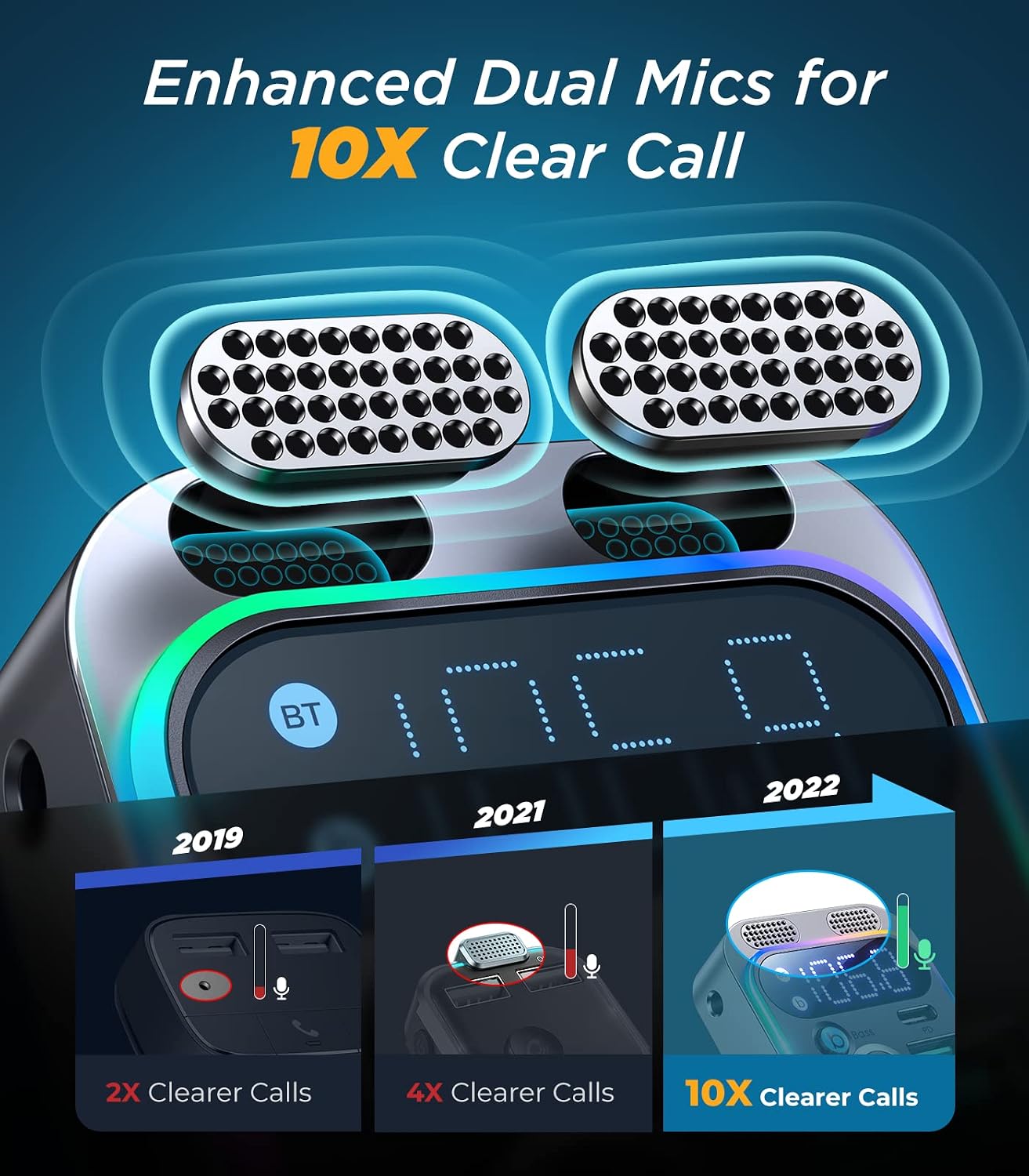
Imatge: Un detallat view of the JR-CL16's enhanced dual microphones, designed to provide 10 times clearer call quality compared to previous versions.
Dispositius de càrrega
The JR-CL16 is equipped with two fast-charging ports:
- Port USB-C PD de 30 W: Per a dispositius USB-C compatibles amb càrrega ràpida.
- USB-A QC3.0 18W Port: Per a dispositius USB-A compatibles amb càrrega ràpida.
You can charge two devices simultaneously with a total output of 48W.

Imatge: The JR-CL16 connected to a car's power outlet, simultaneously charging an iPhone 13 Pro via PD30W and a Samsung S22 via QC18W, demonstrating its 48W super fast charging capability.
Assistent de veu
Activate your phone's voice assistant (Siri or Google Assistant) directly through the JR-CL16 by long-pressing the call button when not on a call.
Manteniment
- Mantingueu el dispositiu net netejant-lo amb un drap suau i sec.
- Eviteu exposar el dispositiu a temperatures extremes, llum solar directa o humitat.
- No intenteu desmuntar o reparar el dispositiu vosaltres mateixos. Contacteu amb l'assistència al client per obtenir assistència.
Resolució de problemes
| Problema | Causa possible | Solució |
|---|---|---|
| Sense alimentació/pantalla LED apagada | Loose connection; car socket issue; blown fuse in car. | Ensure the device is firmly plugged in. Check if the car's cigarette lighter socket is working. Consult a car technician if necessary. |
| Mala qualitat d'àudio/estàtica | FM frequency interference; volume too low; Bluetooth not properly connected. | Change to a different, clear FM frequency on both the device and car radio. Increase volume on both the device and car stereo. Re-pair Bluetooth. |
| No es pot emparellar per Bluetooth | Bluetooth not enabled on phone; device not in pairing mode; too many paired devices. | Ensure Bluetooth is on and visible on your phone. Restart the JR-CL16. Forget previous Bluetooth connections on your phone and try again. |
| La càrrega ràpida no funciona | Cable not compatible; device not supporting fast charging; incorrect port used. | Use a high-quality, fast-charging compatible cable. Ensure your device supports PD or QC3.0. Use the correct USB-C PD or USB-A QC3.0 port. |
Especificacions
| Característica | Detall |
|---|---|
| Marca | SALA DE JOIES |
| Nom del model | JR-CL16 |
| Tecnologia de connectivitat | USB, Bluetooth |
| Estàndard sense fils | Bluetooth 5.0 |
| Font d'alimentació | Car Cigarette Lighter (12V-24V) |
| Material | Plàstic, acrílic |
| Dimensions del producte (L x A x A) | 10 x 5 x 1.3 cm |
| Color | Black (Note: Product title mentions Silver, but specifications indicate Black) |
| Dispositius compatibles | Car Stereo System, Mobile Phones |
| Característiques especials | USB-C PD Port, Hands-Free Calling, Voice Assistant Support, LED Display, Bass Boost |
| Compatibilitat amb tipus de suport | USB Flash Drive (MP3, WMA, WAV, FLAC), Bluetooth Audio, AUX Input |
| Sortida de càrrega | USB-C PD 30W, USB-A QC3.0 18W (Total 48W) |
| Tipus de sortida d'àudio | Ràdio FM, Bluetooth |
| Entrada d'àudio | 3.5 mm AUX |
| Mètode de control | Touch (Multi-function knob) |
| Aplicacions compatibles | Spotify, YouTube, MP3, AAC, etc. |
| GTIN (UPC/EAN) | 06941237199652 |
Garantia i Suport
Garantia: The product description indicates "No Warranty". Please refer to your point of purchase for specific return or exchange policies.
Atenció al client: For any questions, issues, or technical assistance, please contact the retailer or JOYROOM customer service through their official website or contact channels. Keep your purchase receipt for any warranty claims or support inquiries.


