
Introducció
This manual provides comprehensive instructions for the Point PT-775 Wired USB RGB Gaming Keyboard. Designed for both gaming and typing, this keyboard features high-quality construction with customizable RGB lighting. Its sleek, modern design adheres to industry standards, ensuring a comfortable and durable user experience. Please read this manual carefully before using your new keyboard.
Contingut del paquet
Assegureu-vos que tots els elements siguin presents al paquet:
- Point PT-775 Wired USB RGB Gaming Keyboard
- Cable USB integrat
Configuració
Follow these steps to set up your Point PT-775 keyboard:
- Descomprimir el teclat: Traieu amb cura el teclat del seu embalatge.
- Connexió a l'ordinador: Locate an available USB port on your laptop or desktop computer. Insert the keyboard's USB cable into the port.
- Instal·lació del controlador: The keyboard is plug-and-play. Your operating system (Windows 7, 8, or 10) should automatically detect and install the necessary drivers. No additional software installation is typically required.
- Verificació de la funcionalitat: Once connected, the keyboard's RGB lighting should illuminate, and you should be able to type.
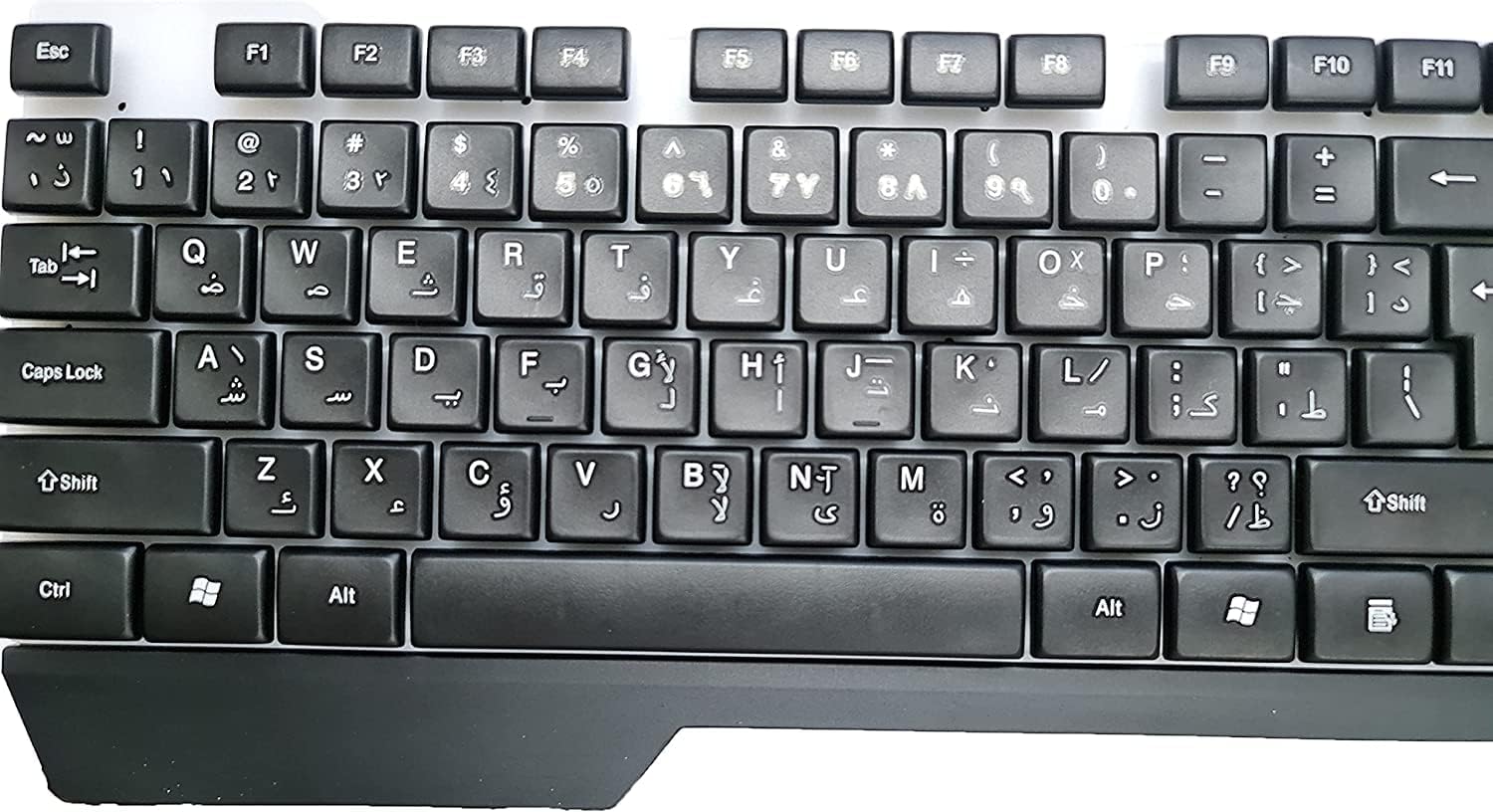
Figura 1: superior view of the keyboard, illustrating the key layout and USB cable connection point.
Instruccions de funcionament
The Point PT-775 keyboard offers standard typing functionality along with special features:
Mecanografia bàsica
Simply connect the keyboard to your computer, and it will function as a standard 104-key input device for daily use, including word processing, browsing, and general computer tasks.
Control d'il·luminació RGB
The keyboard features integrated RGB lighting. While specific control keys are not detailed, the lighting typically cycles through various effects automatically or can be adjusted using dedicated function keys (often combined with the 'Fn' key) if available on your specific model. Refer to the keyboard itself for any printed key combinations related to lighting.

Figure 2: The Point PT-775 keyboard illuminated with RGB backlighting.
Tecles de drecera multimèdia
The keyboard includes 10 practical multimedia shortcut keys for quick access to functions such as volume control, media playback, and more. These keys are typically located along the top row (F-keys) and activated by pressing the 'Fn' key simultaneously with the desired function key.

Figure 3: Close-up of RGB keys and multimedia function keys.
Manteniment
Per garantir la longevitat i el rendiment òptim del teclat, seguiu aquestes pautes de manteniment:
- Neteja: Use a soft, dry cloth to wipe the surface of the keyboard. For dust between keys, use compressed air.
- Eviteu líquids: This keyboard is no resistent a l'aigua. Do not expose it to liquids, as this can cause permanent damage.
- Emmagatzematge: Guardeu el teclat en un lloc fresc i sec, allunyat de la llum solar directa i de temperatures extremes quan no l'utilitzeu.
- Cura del cable: Avoid bending or twisting the USB cable excessively to prevent internal damage. The cable is designed with a protective covering and strong copper for durability.
Resolució de problemes
If you encounter issues with your keyboard, try the following solutions:
| Problema | Solució |
|---|---|
| Keyboard not recognized / Not typing |
|
| La il·luminació RGB no funciona |
|
| Les tecles són enganxoses o no responen |
|
Especificacions
Key technical details for the Point PT-775 keyboard:
- Marca: Punt
- Fabricant: Genèric
- Model: PT-775
- Tecnologia de connectivitat: USB (per cable)
- Dispositius compatibles: Ordinador portàtil, ordinador de sobretaula
- Compatibilitat del sistema operatiu: Windows 7, Windows 8, Windows 10
- Descripció del teclat: Jocs
- Usos recomanats: Daily Use, Gaming
- Característica especial: Comfortable Design, RGB Backlighting
- Color: Negre
- Estil: Modern
- Material: High-quality materials (Copper for cable)
- Components inclosos: Cable USB
- Orientació de la mà: Ambidextre
- Nombre de claus: 104
- Tecles multimèdia: 10 practical shortcut keys
- Nivell de resistència a l'aigua: No resistent a l'aigua
- Pes de l'article: 400 grams
Garantia i Suport
For warranty information or technical support, please refer to the documentation provided at the time of purchase or contact the retailer/manufacturer directly. Keep your proof of purchase for any warranty claims.