
1. Producte acabatview
The OTO Magbike MB-1000 is a versatile fitness equipment designed for both cycling and strength training. It features a magnetic resistance system, adjustable intensity levels, and integrated resistance bands for upper body workouts. Its foldable design and castor wheels ensure easy storage and portability.
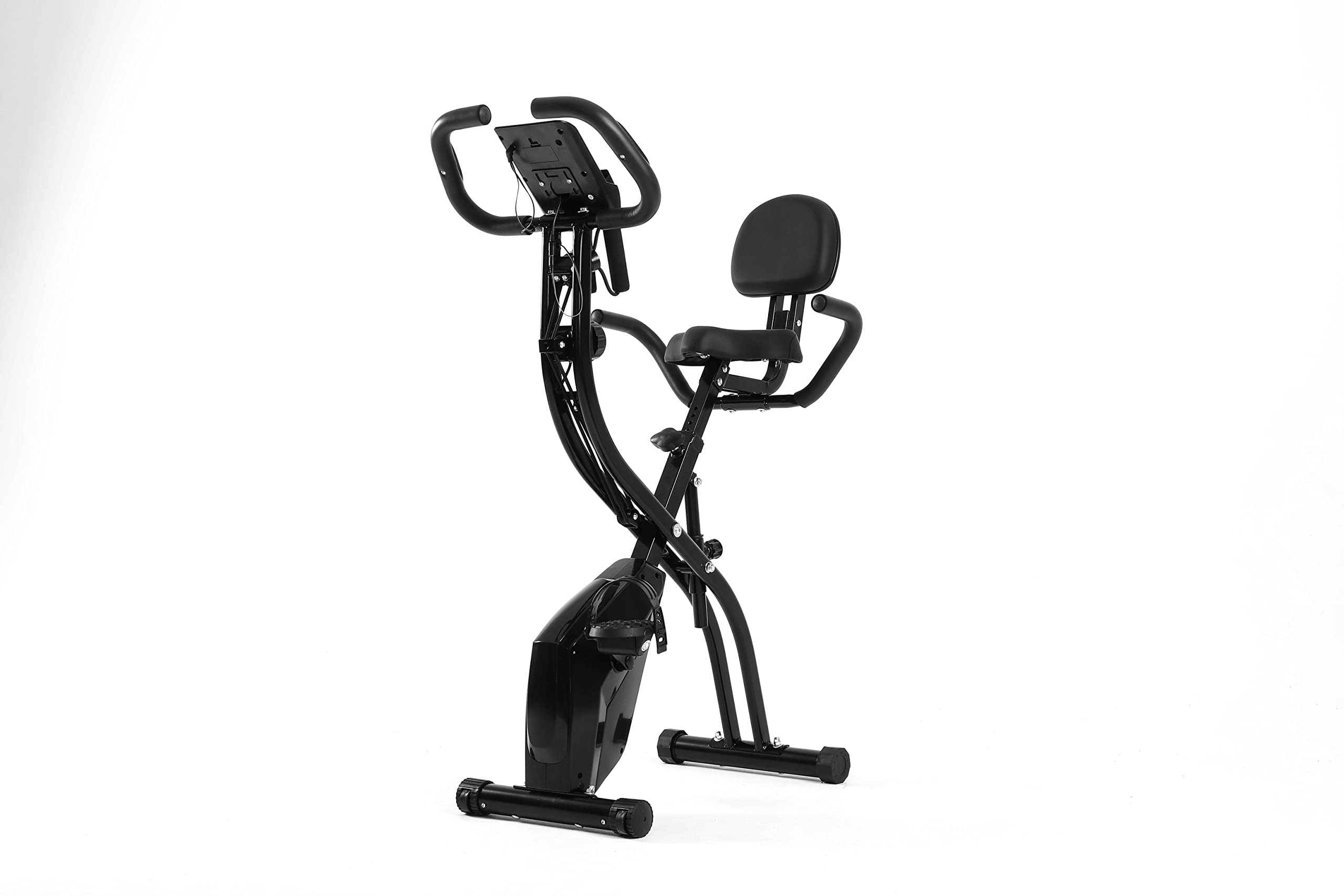
Image 1.1: The OTO Magbike MB-1000 in an active use scenario, demonstrating its dual functionality for cycling and arm exercises with resistance bands.
Característiques principals:
- Adjustable Cycling Intensity: 10 levels of magnetic resistance.
- Integrated Resistance Bands: For upper body and arm exercises.
- Alçada del seient ajustable: 7 levels for user comfort.
- Monitor LCD: Displays time, speed, distance, calories, and pulse. Includes a mobile phone holder.
- Plegable i portàtil: Space-saving design with castor wheels for easy movement.
- Pedals amb corretges: Ensures a secure cycling experience.
2. Informació important de seguretat
Before using the OTO Magbike MB-1000, please read and understand all instructions in this manual. Keep this manual for future reference.
- Consulta el teu metge abans de començar qualsevol nou programa d'exercicis.
- Assegureu-vos que totes les peces estiguin correctament muntades i ajustades abans de cada ús.
- Place the bike on a flat, stable surface. Do not use on uneven ground.
- Mantingueu els nens i les mascotes lluny de l'equip durant el funcionament.
- Porteu roba i calçat adequats per fer exercici.
- Do not exceed the maximum user weight limit (if specified in product documentation).
- Deixa de fer exercici immediatament si et sents dèbil, marejat o tens dolor.
- Mantingueu les mans i els peus allunyats de les parts mòbils.
3. Muntatge i muntatge
The OTO Magbike MB-1000 is designed for easy setup. Minimal assembly is required, primarily unfolding and securing components.
3.1 Desplegament de la bicicleta
- Traieu amb cura la bicicleta del seu embalatge.
- Place the bike on a clear, flat area.
- Locate the folding pin or knob (refer to specific diagrams in your packaged manual). Release it to unfold the main frame.
- Extend the frame until it locks securely into the open position. Ensure the locking mechanism is fully engaged.

Image 3.1: The OTO Magbike MB-1000 shown in its compact, folded configuration, ready for storage or transport.
3.2 Ajust del seient
- Loosen the seat adjustment knob located on the seat post.
- Slide the seat up or down to your desired height. The bike offers 7 adjustable seat height levels.
- Ensure your leg has a slight bend at the knee when the pedal is at its lowest point.
- Tighten the adjustment knob firmly to secure the seat in place.

Imatge 3.2: Una imatge detallada view of the OTO Magbike MB-1000's adjustable seat and the mechanism for setting its height.
3.3 Securing Pedals
The pedals come with adjustable straps. Place your feet onto the pedals and adjust the straps to ensure a snug and secure fit. This prevents your feet from slipping during cycling.
4. Instruccions de funcionament
4.1 Adjusting Cycling Resistance
The OTO Magbike MB-1000 features 10 levels of magnetic resistance. To adjust the intensity:
- Locate the tension control knob on the main frame of the bike.
- Turn the knob clockwise to increase resistance (higher intensity).
- Turn the knob counter-clockwise to decrease resistance (lower intensity).

Imatge 4.1: Una imatge detallada view of the tension control knob on the OTO Magbike MB-1000, used to adjust the magnetic resistance from low to high (1-10).
4.2 Using the Resistance Bands
The integrated resistance bands allow for upper body workouts while cycling or separately.
- Grasp the handles of the resistance bands firmly.
- Perform various arm exercises such as bicep curls, tricep extensions, or chest presses.
- Maintain a controlled motion and avoid sudden jerks.
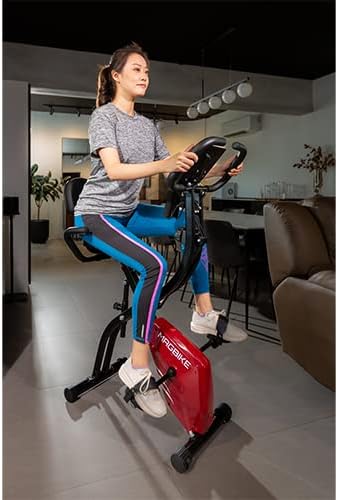
Image 4.2: A close-up of the OTO Magbike MB-1000's resistance band handles, which are integrated into the bike's frame for upper body exercises.
4.3 Understanding the LCD Monitor
The LCD monitor tracks your workout progress. It is powered by batteries (typically AA or AAA, refer to the battery compartment for specifics).

Imatge 4.3: Una imatge detallada view of the OTO Magbike MB-1000's LCD monitor, displaying workout metrics and control buttons for 'Reset', 'Mode', and 'Set'.
Funcions del monitor:
- ESCANEAR: Cicla automàticament per totes les funcions.
- HORA: Mostra la durada del teu entrenament.
- VELOCITAT: Mostra la teva velocitat actual amb bicicleta.
- DIST (distància): Tracks the distance covered during your workout.
- CAL (calories): Estima les calories cremades.
- IMPULS: Mostra la freqüència cardíaca quan subjectes els sensors de pols al manillar.
Botons:
- Mode: Press to select a specific function or to activate SCAN mode.
- RESET: Press and hold to clear all current workout data.
- SET: Used for setting target values (if applicable, refer to specific monitor instructions).
4.4 Using the Mobile Phone Holder
The handlebars include a holder designed to securely place your mobile phone or small tablet, allowing you to view content during your workout.
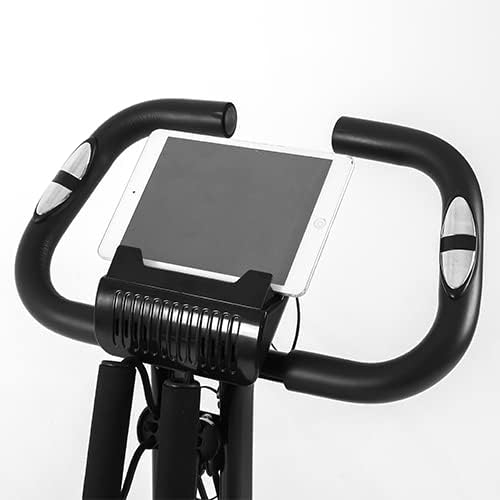
Image 4.4: A close-up of the OTO Magbike MB-1000's handlebars, featuring the integrated holder designed to secure a mobile phone or tablet during exercise.
5. Manteniment i cura
Regular maintenance ensures the longevity and safe operation of your OTO Magbike MB-1000.
- Neteja: Netegeu la bicicleta amb un anunciamp drap després de cada ús per eliminar la suor i la pols. Eviteu productes de neteja abrasius.
- Inspecció: Comproveu periòdicament tots els cargols, femelles i peces mòbils per assegurar-vos que estiguin ben ajustats i que no estiguin desgastats. Estrenyeu qualsevol element de fixació solt.
- Lubricació: Moving parts may require occasional lubrication. Refer to your specific product manual for recommended lubricants and frequency.
- Emmagatzematge: When not in use, fold the bike and store it in a cool, dry place away from direct sunlight and moisture.
- Substitució de la bateria: Replace the monitor batteries when the display becomes dim or stops functioning.
6. Solució De Problemes
This section addresses common issues you might encounter with your OTO Magbike MB-1000.
| Problema | Causa possible | Solució |
|---|---|---|
| El monitor LCD no mostra la pantalla | Dead batteries; Loose connection | Replace batteries; Check all cable connections to the monitor. |
| No resistance or resistance too low/high | Tension control knob not adjusted; Internal mechanism issue | Adjust the tension control knob; If issue persists, contact customer support. |
| Bike feels unstable or makes noise | Loose bolts/nuts; Uneven surface | Ensure all assembly bolts are tightened; Place bike on a flat, stable surface. |
| Pulse reading inaccurate or not appearing | Hands not firmly on sensors; Dry hands | Ensure both hands are firmly gripping the pulse sensors; Lightly moisten hands if too dry. |
7. Especificacions del producte
| Característica | Especificació |
|---|---|
| Marca | OTO |
| Nom del model | MB-1000 |
| Mecanisme de resistència | Magnètic |
| Nombre de nivells de resistència | 10 |
| Sistema d'accionament | Pedals |
| Font d'alimentació | Battery Powered (for LCD monitor) |
| Característiques especials | Foldable, Portable, Resistance Bands, LCD Monitor, Mobile Phone Holder |
| Dimensions del producte (P x A x A) | 67D x 41W x 93H centimetres (unfolded) |
| Color | Negre |
8. Garantia i Suport
For warranty information and customer support, please refer to the documentation included with your purchase or visit the official OTO weblloc web. Conserveu el comprovant de compra per a reclamacions de garantia.
If you encounter issues not covered in this manual, please contact OTO customer service for assistance.