
ASHATA B0BYNK2339
ASHATA 16.5-inch 3D Holographic Fan Projector User Manual
Model: B0BYNK2339
1. Introducció
This manual provides essential instructions for the safe and efficient operation of your ASHATA 16.5-inch 3D Holographic Fan Projector. Please read this manual thoroughly before use and retain it for future reference.
2. Producte acabatview
The ASHATA 16.5-inch 3D Holographic Fan Projector creates stunning 3D visual effects, making images appear to float in the air. It is designed for various applications, from retail displays to event venues.
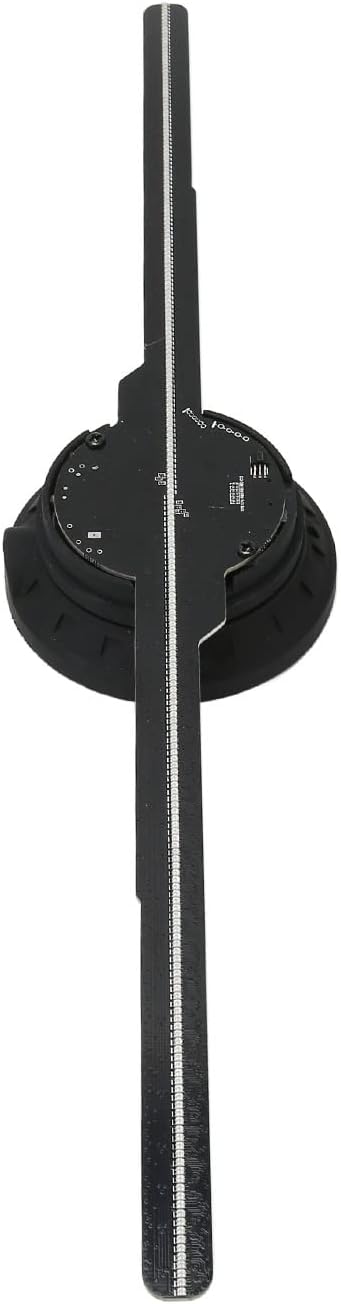
Figura 2.1: De dalt a baix view of the ASHATA 3D Holographic Fan Projector, showing its four blades and central hub.

Figura 2.2: Detallada view of the LED blades and the central motor unit, highlighting the individual LED beads.
3. Contingut del paquet
Assegureu-vos que tots els articles estiguin presents i en bon estat en desembalar-los:
- 1 x 3D Holographic Fan Projector
- 1 x comandament a distància
- 1 x Lector de targetes
- 1 x Memory Card (16GB)
- 1 x tornavís
- 2 x cargols
- 2 x mànigues de cargol
- 1 x adaptador de corrent
- 1 x Manual d'usuari (aquest document)
Vídeo 3.1: Desempaquetatge i component inicial acabatview of the ASHATA 3D Holographic Fan Projector. This video demonstrates the contents of the package and how to identify each part.
4. Especificacions
| Característica | Detall |
|---|---|
| Tipus d'element | 3D Holographic Advertising Machine |
| Material | ABS, PC, Hardware |
| Color | Negre |
| Bateria de control remot | 160mAh CR2025 Button Battery (included) |
| Entrada de potència | 100-240V AC 50/60Hz |
| Display Diameter | 42 cm / 16.54 polzades |
| Resolució | 512 x 234 P |
| Nombre de perles LED | 234 unitats |
| Mida de la memòria | 16GB (Memory Card Built-in) |
| Content Transfer Methods | Memory Card, WiFi, APP |
| Mode de sincronització | WiFi Transmission, BT Audio Output, Remote Control |
| Formats suportats | MP4, AVI, RMVB, MOV, GIF, JPG, PNG |
| Vida útil | > 30000 hores |
| Software Support Systems | Android, iOS |
| Mètodes de control | Aplicació, control remot |
| Dimensions del producte | 46 x 11 x 6 cm; 449 g |
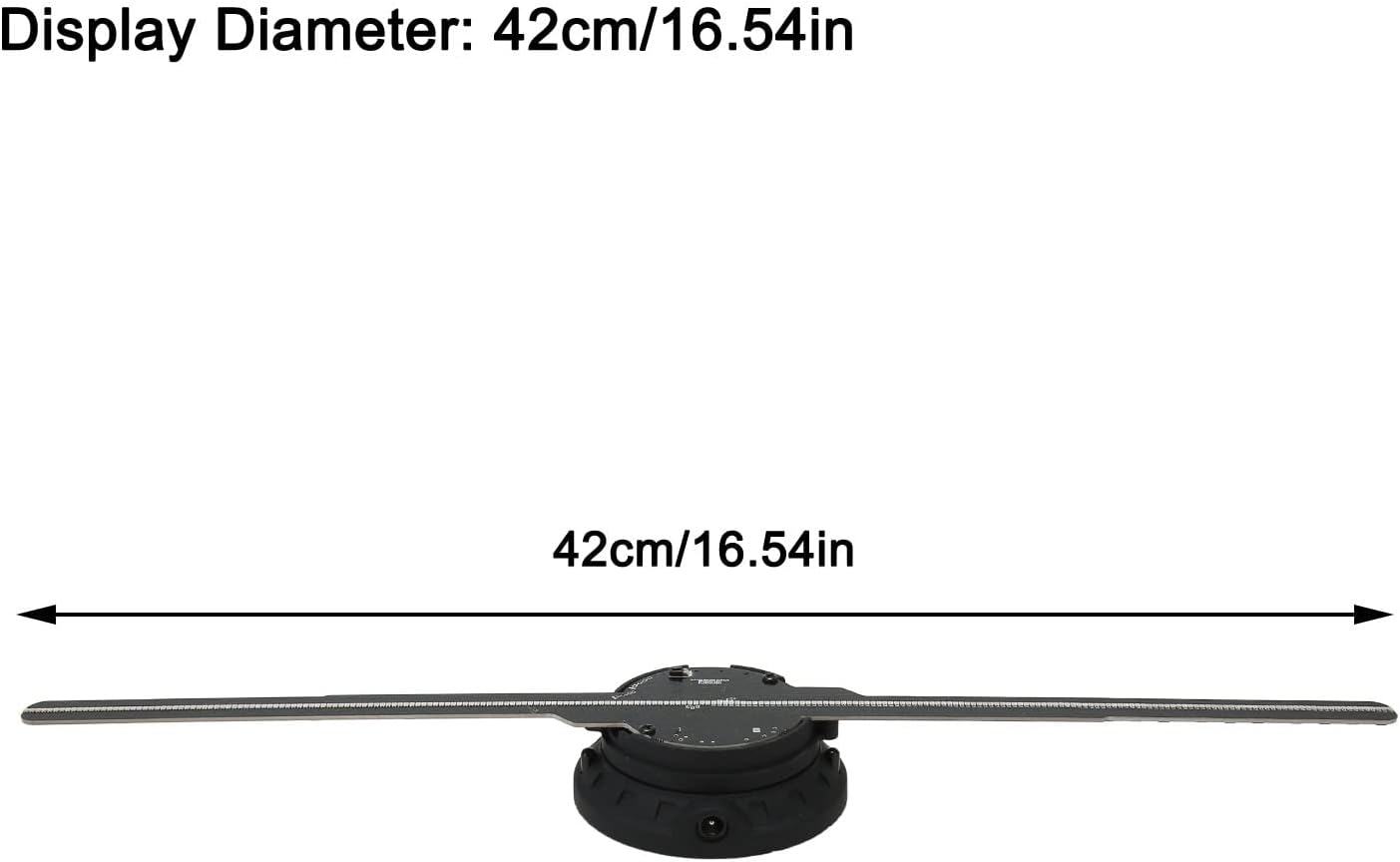
Figure 4.1: The display diameter of the ASHATA 3D Holographic Fan Projector is 42cm (16.54 inches).
5. Instruccions de configuració
- Instal·lació de la fulla:
Carefully attach each fan blade to the central unit. Ensure the light bar symbols (A, B, etc.) correspond to the markings on the pedestal. Press the pedestal firmly before inserting each light bar to secure it.
Video 5.1: Detailed assembly guide for the ASHATA 3D Holographic Fan Projector, showing how to correctly attach the fan blades to the main unit.
Video 5.2: Visual instructions for installing the fan blades and securing them with screws, ensuring proper alignment.
- Muntatge:
The projector can be mounted on a wall or a stand. Use the provided screws and screw sleeves for secure installation. Ensure the mounting surface is stable and can support the device's weight.
- Connexió d'alimentació:
Connect the power adapter to the device and then to a 100-240V AC 50/60Hz power outlet.
6. Instruccions de funcionament
6.1. Operació de control remot
The included remote control allows for basic functions such as power on/off, content selection, and brightness adjustment.

Figure 6.1: The remote control for the ASHATA 3D Holographic Fan Projector, showing buttons for power, playback, and brightness.
6.2. Mobile App and WiFi Control
For advanced control and content management, use the dedicated mobile application (compatible with Android and iOS).
- Descarrega l'aplicació: Scan the QR code provided in the package or search for "Holoscope" in your app store.
- Connecteu-vos a WiFi:
- Turn on the holographic fan.
- On your mobile device, go to WiFi settings and connect to the device's WiFi network (e.g., "3D-PZ65-XXXX"). The default password is "12345678".
- Inicieu l'aplicació: Open the "Holoscope" app.
- Puja contingut:
- Within the app, navigate to the content upload section.
- Select the video or image files you wish to display. Supported formats include MP4, AVI, RMVB, MOV, GIF, JPG, PNG.
- Adjust video length and customize naming as needed.
- Initiate the upload. The device will show a blue light during transmission.
- Contingut de reproducció: Once uploaded, select the desired content from the app and click the green start button to play.
- Àudio Bluetooth: To enable BT sound output, go to the app's settings, select 'Bluetooth', and turn 'Bluetooth On'. Connect to your desired Bluetooth speaker.
Video 6.2: Demonstrates connecting the ASHATA 3D Holographic Fan Projector to a mobile device via WiFi, uploading content, and enabling Bluetooth audio.
Video 6.3: Shows various 3D holographic displays and different control methods, including mobile app control.
6.3. Content Examples
The projector supports a wide range of 3D content, including videos, animations, and images. The 512x234P resolution ensures clear visuals even in well-lit environments.
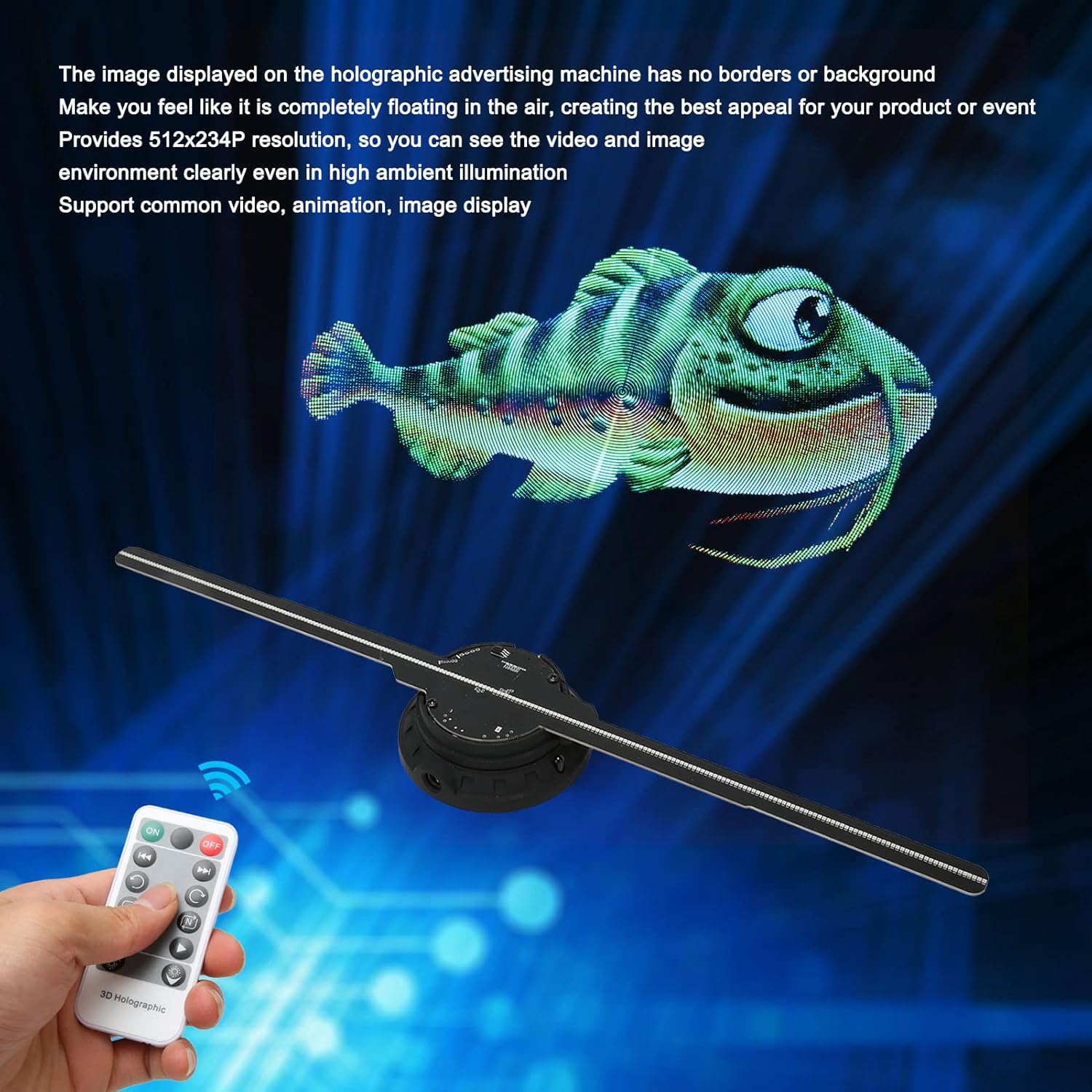
Figure 6.3.1: A 3D holographic fish appears to float in the air, controlled by the remote.

Figure 6.3.2: A collage of various 3D holographic content, demonstrating the versatility of the projector.
Video 6.3.3: A 3D holographic dinosaur is displayed, showcasing the vivid visual effects.
Video 6.3.4: A 3D holographic burger is displayed, illustrating the product's use for advertising and product visualization.
7. Manteniment
- Mantingueu el dispositiu net i lliure de pols. Feu servir un drap suau i sec per netejar-lo.
- Eviteu exposar el dispositiu a l'aigua o a una humitat excessiva.
- No intenteu desmuntar o reparar el dispositiu vosaltres mateixos. Contacteu amb l'assistència al client per obtenir assistència.
- Guardeu el dispositiu en un lloc fresc i sec quan no l'utilitzeu.
8. Solució De Problemes
| Problema | Causa possible | Solució |
|---|---|---|
| El dispositiu no s'encén. | Sense corrent, connexió fluixa. | Comproveu la connexió de l'adaptador de corrent i la presa de corrent. |
| No 3D image displayed. | Incorrect content format, blades not installed correctly. | Ensure content is in a supported format. Verify fan blades are securely installed. |
| No es pot connectar a la xarxa Wi-Fi. | Incorrect password, device too far from mobile. | Double-check WiFi password (default: 12345678). Move closer to the device. |
| No sound from Bluetooth. | Bluetooth not enabled, speaker not paired. | Ensure Bluetooth is enabled in the app settings and the speaker is paired. |
9. Informació de seguretat
- Do not touch the rotating blades while the device is operating.
- Mantingueu el dispositiu fora de l'abast dels nens.
- Assegureu-vos una ventilació adequada per evitar el sobreescalfament.
- Utilitzeu només l'adaptador d'alimentació subministrat.
- Eviteu col·locar el dispositiu a la llum solar directa o a prop de fonts de calor.
10. Garantia i Suport
For warranty information or technical support, please refer to the contact details provided with your purchase or visit the official ASHATA website. The product has a service life of over 30,000 hours under normal operating conditions.
Ask a question about this manual
Ask about setup, troubleshooting, compatibility, parts, safety, or missing instructions. Manuals+ will review the question and use this page’s manual context to help answer it.