
1. Introducció
Thank you for choosing the Kinstone 10.1-inch Android Tablet KST102MF. This manual provides essential information for setting up, operating, and maintaining your device. Please read it carefully to ensure optimal performance and longevity of your tablet.

Figure 1: Kinstone 10.1-inch Android Tablet KST102MF, front and rear view, highlighting 5G WiFi, 6GB RAM, and 128GB ROM.
2. Configuració
2.1 Desembalatge i inspecció inicial
Upon receiving your Kinstone tablet, carefully unbox the contents. Ensure all items listed in the packaging are present and undamaged.
Vídeo 1: Desempaquetatge i primera impressióview of the Kinstone Tablet 102MF, demonstrating the contents of the package including the tablet, charging cable, adapter, quick start guide, and screen protector.
2.2 Càrrega de la tauleta
Before first use, fully charge your tablet using the provided Type-C charging adapter and cable. The tablet features a 6000mAh battery, offering extended usage times.

Figure 2: The Kinstone tablet connected to its Type-C charger, illustrating the 6000mAh battery and estimated battery life for various activities: 36 hours browsing, 72 hours standby, 6 hours video playback, and 24 hours music playback.
2.3 Engegada i configuració inicials
Press and hold the power button to turn on the tablet. Follow the on-screen prompts to complete the initial setup, including language selection, Wi-Fi connection, and Google account setup. The tablet runs on Android OS.
Video 2: Demonstrates the initial power-on sequence and basic setup steps for the Kinstone Tablet 102MF, including connecting to Wi-Fi and navigating the Android interface.
3. Instruccions de funcionament
3.1 Navegació bàsica
The Kinstone tablet features a 10.1-inch HD display with 5-point capacitive touch for smooth and accurate control. Navigate the interface by tapping, swiping, and pinching.
3.2 Instal·lació i ús de l'aplicació
Access the Google Play Store to download and install various applications. The tablet's MTK8183 Octa-Core 2.0GHz processor and 6GB RAM ensure smooth performance for gaming, streaming, and productivity apps.
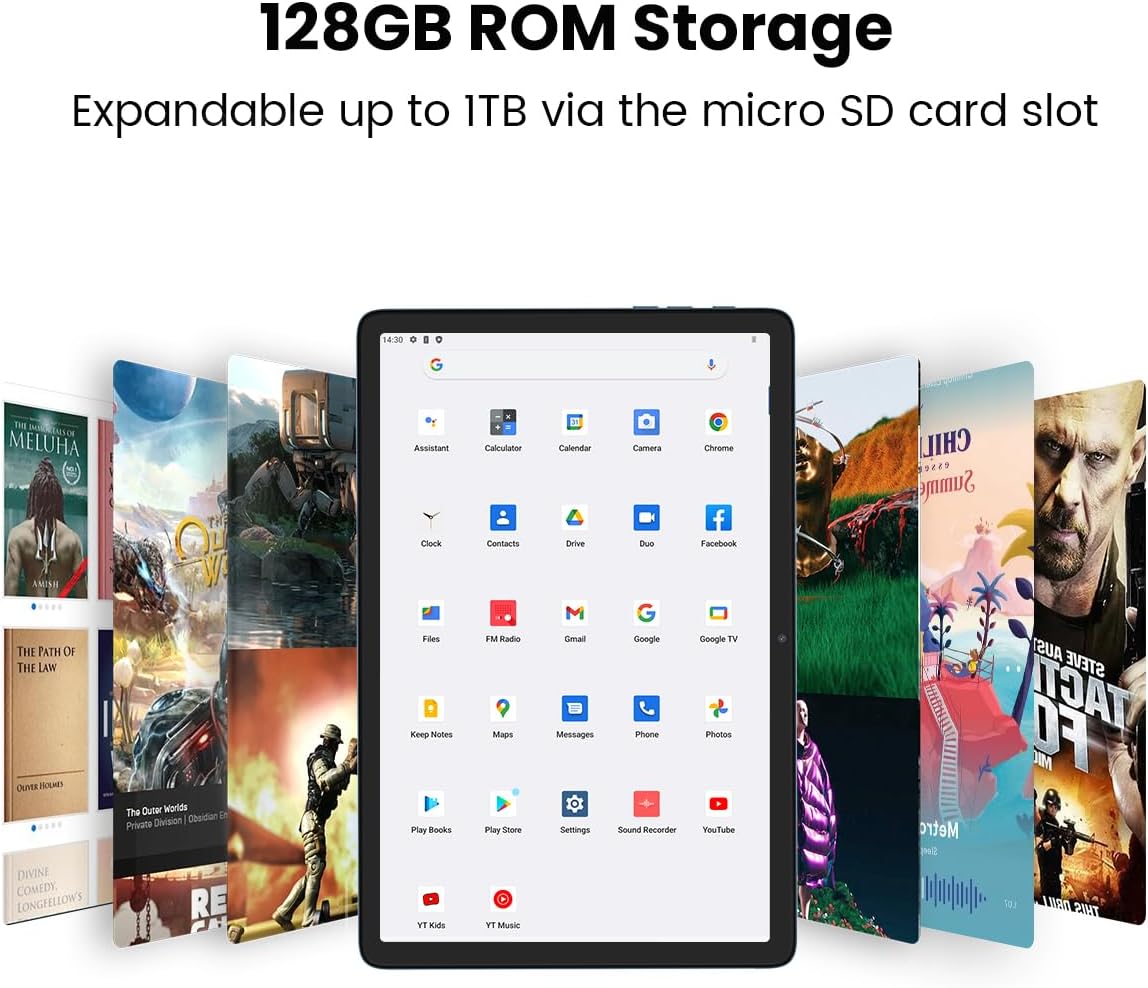
Figure 3: The tablet's home screen showing pre-installed and downloaded applications, illustrating the 128GB ROM storage and its expandability up to 1TB via a micro SD card slot.
3.3 Control de volum
Adjust the volume using the dedicated volume buttons located on the side of the tablet. The dual BOX speakers provide rich, balanced sound for media consumption.
3.4 Connectivitat
The tablet supports 2.4G/5G dual-band WiFi for fast and stable internet access and Bluetooth 5.0 for connecting wireless accessories.

Figure 4: Various usage scenarios for the Kinstone tablet, including watching movies, playing games, reading, and listening, demonstrating its versatility for different user needs.
Funcionalitat de càmera 3.5
The tablet is equipped with dual cameras: a 5MP rear camera and a 2MP front camera, suitable for capturing photos, videos, and video calls.

Figure 5: The tablet's display showcasing images, with callouts for the 2MP front camera and 5MP rear camera, emphasizing the 10.1-inch 1280x800 IPS display.
4. Especificacions
Below are the detailed specifications for the Kinstone 10.1-inch Android Tablet KST102MF:
| Característica | Especificació |
|---|---|
| Nom del model | KST102MF |
| Sistema operatiu | Android |
| Mida de la pantalla | 10.1 polzades |
| Resolució de pantalla | 1280 x 800 píxels |
| Processador | MTK8183 Octa-Core 2.0 GHz |
| Coprocessador gràfic | Mali-G72 MP3 |
| RAM | 6 GB |
| Emmagatzematge intern (ROM) | 128 GB |
| Emmagatzematge ampliable | Up to 1 TB via SD card |
| posterior WebResolució de la càmera | 5 MP |
| Davant WebResolució de la càmera | 2 MP |
| Capacitat de la bateria | 6000 mAh |
| Durada mitjana de la bateria | 8 hores |
| Connectivitat | 2.4G/5G Dual-Band WiFi, Bluetooth 5.0 |
| Ports | Tipus-C |
| Pes de l'article | 2.01 lliures |
| Dimensions del producte | 12.9 x 7.5 x 1.4 polzades |

Figure 6: An illustration of the MTK 12nm 8183 Octa-core chipset, highlighting its ARM Mali-G72 GPU and the configuration of its A73 and A53 CPU cores, both clocked at 2.0GHz.
5. Manteniment
To ensure the longevity and optimal performance of your Kinstone tablet, follow these maintenance guidelines:
- Cura de la pantalla: Feu servir un drap suau i sense borrissol per netejar la pantalla. Eviteu productes químics agressius o materials abrasius.
- Temperatura: Operate and store the tablet within recommended temperature ranges to prevent damage to the battery and internal components.
- Actualitzacions de programari: Regularly check for and install system updates to ensure your tablet has the latest security patches and performance enhancements.
- Gestió d'emmagatzematge: Netegeu periòdicament els innecessaris filei aplicacions per alliberar espai d'emmagatzematge i mantenir un funcionament sense problemes.
- Protecció física: Penseu en utilitzar una funda protectora i un protector de pantalla per protegir-vos de caigudes i ratllades.
6. Solució De Problemes
If you encounter issues with your Kinstone tablet, refer to the following common troubleshooting steps:
- La tauleta no s'encén: Assegureu-vos que la bateria estigui carregada. Connecteu la tauleta al carregador i espereu uns minuts abans d'intentar engegar-la de nou.
- Pantalla que no respon: If the screen is unresponsive, try restarting the tablet by holding down the power button for approximately 10-15 seconds until the device powers off and then restart it.
- Problemes de connectivitat Wi-Fi: Check if Wi-Fi is enabled in settings. Restart your router and the tablet. If the issue persists, try forgetting the network and reconnecting.
- Rendiment lent: Close unused applications, clear cache, and ensure sufficient storage space is available. Restarting the tablet can also help.
- Les aplicacions es bloquegen: Ensure apps are updated to their latest versions. Clear the app's cache or reinstall the app if necessary.
7. Garantia i Suport
The Kinstone 10.1-inch Android Tablet KST102MF comes with a 1 any de garantia. For any technical assistance, warranty claims, or further inquiries, please contact Kinstone customer support. Refer to the quick start guide included in your package for specific contact details or visit the official Kinstone weblloc.