
1. Producte acabatview
The SEQURE D60B Pro is a portable electric soldering iron designed for various welding and repair tasks. It features an open-source application layer, allowing for customizable parameter settings such as sleep/shutdown times and temperature compensation. This tool supports multiple power supply options, including PD 3.0, DC12V-24V, and XT60 cable for Lipo batteries, making it highly versatile for both industrial and residential use.
Key features include rapid heating, intelligent temperature control, auto sleep and shut-off functions, and a digital display for precise temperature adjustments. Its compact design ensures portability and ease of use.
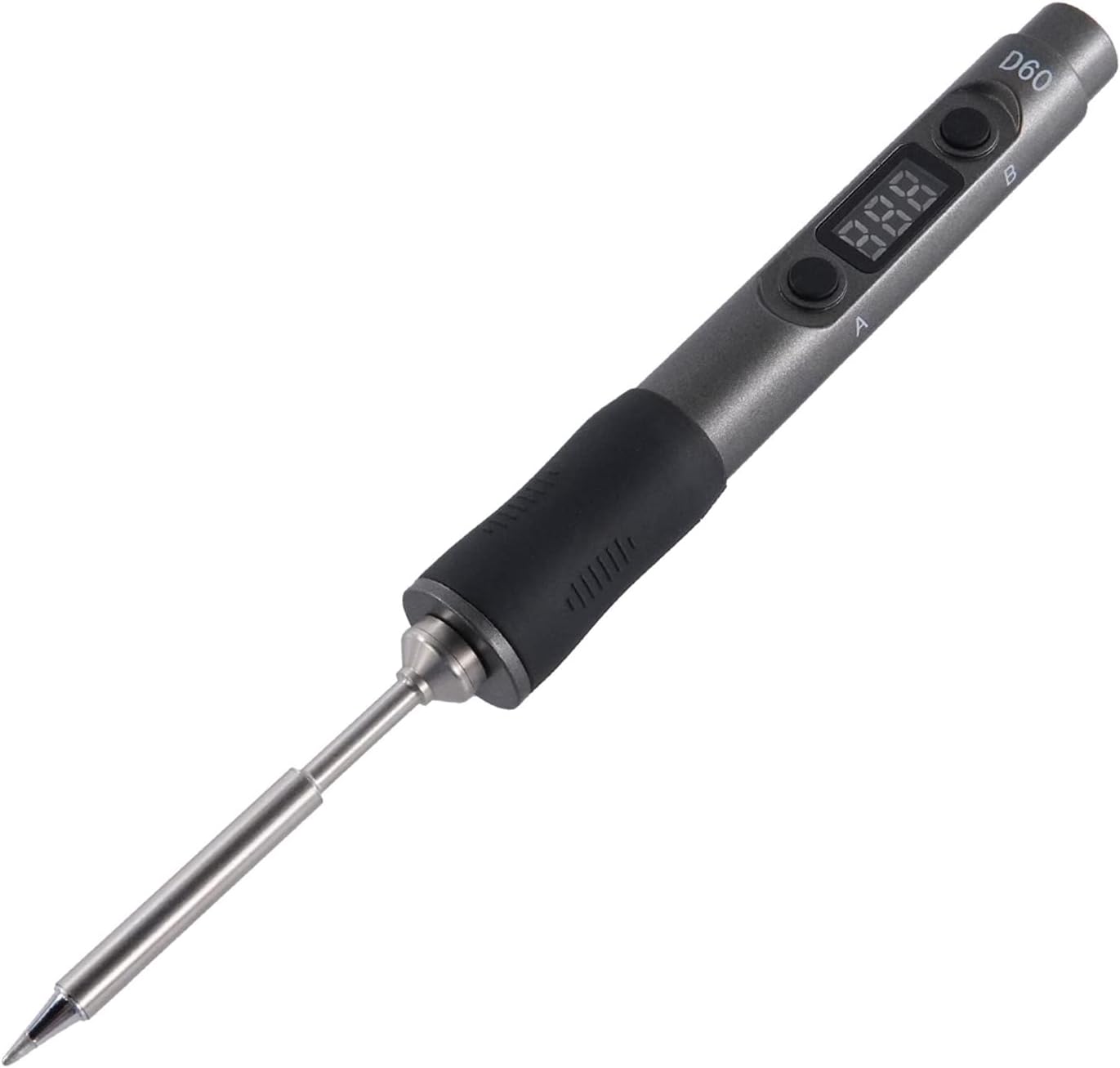
Figure 1: The SEQURE D60B Pro Portable Soldering Iron with its digital display and ergonomic design.

Figure 2: Visual representation of key product features including Auto Sleep, Auto Wake-up, Auto Shut Off, Fast Heating, Adjustable Temperature, Smart Constant Temperature, Temperature Compensation, Digital Display, and Portable & Outdoor use.
2. Contingut del paquet
Abans de continuar amb la configuració, comproveu que tots els components estiguin presents al paquet:
- SQ-D60B Pro Soldering Iron
- Soldering Iron Tips (TS-B2 tip included, other tips available separately)
- Suport de soldadura
- Adaptador de corrent de 19V
- Conversion Line (for Type-C interface)
- Cable d'alimentació XT60
- Manual d'instruccions
- Eines de desmuntatge

Figure 3: All items included in the SEQURE D60B Pro Soldering Iron kit, showing the soldering iron, stand, power adapter, cables, and instruction manual.
Vídeo 1: Un overview of the SEQURE D60B Pro Soldering Iron and its included accessories, demonstrating the unboxing experience and identifying each component.
3. Guia de configuració
3.1 Connexió a la font d'alimentació
The SQ-D60B Pro supports multiple power input methods:
- 3S-6S Lipo Batteries (via XT60 Cable): Connect your compatible Lipo battery to the provided XT60 cable, then connect the cable to the soldering iron.
- 12V-24V DC Power Adapter: Use the included 19V power adapter or another compatible 12V-24V DC power source. Connect the power adapter to the conversion line, then plug the conversion line into the soldering iron's Type-C port.
- PD 3.0 Power Supply: The soldering iron can be powered directly via a Type-C PD 3.0 compatible power supply.

Figure 4: Illustration of different power supply options for the soldering iron, including PD3.0 power supply, FPV Lipo battery, laptop power, and vehicle power supply, all connecting via the Type-C interface.
Video 2: Demonstrates connecting the soldering iron to a 3S-6S Lipo battery via the XT60 cable and to a 12V-24V power adapter, showing the different power supply modes.
3.2 Soldering Tip Installation
The SQ-D60B Pro supports TS soldering iron tips. To install or replace a tip:
- Assegureu-vos que el soldador estigui apagat i refredat.
- Gently pull out the existing tip (if any).
- Insert the desired TS soldering tip firmly into the heating element socket until it clicks into place.
- Ensure the tip is securely seated before powering on the device.

Figure 5: Step-by-step visual guide on how to properly install and remove the soldering iron tip.
Video 3: Illustrates the process of installing and removing a TS soldering iron tip, emphasizing proper handling and securing the tip.
4. Instruccions de funcionament
4.1 Power On and Temperature Adjustment
Once powered, the digital display will show the current temperature. The D60B Pro features rapid heating, reaching the melting point of 572°F (300°C) within 13 seconds (with 24V/60W power supply).
- Use the 'A' and 'B' buttons to adjust the working temperature. The adjustable range is 100°C-400°C / 212°F-752°F.
- The intelligent temperature control algorithm ensures precise temperature control with a stability range of ±5°C.

Figure 6: Demonstrates the fast heat-up capability of the soldering iron, reaching 400°C quickly.

Figure 7: Details the temperature control range (100°C-400°C) and compensation range (-50°C to 50°C), along with button functions for adjustment.
Video 4: Shows how to adjust various function parameters and switch settings on the soldering iron using its buttons and digital display.
4.2 Auto Sleep and Shut-off
To protect the tip and conserve energy, the soldering iron features intelligent sleep and shut-off modes:
- Repòs automàtic: If not used for 10 minutes, the soldering iron will automatically enter sleep mode, reducing the tip temperature to 100°C (212°F).
- Desperta: Simply pick up and shake the soldering iron to wake it up. It will quickly return to the previously set temperature.
- Tancament automàtic: If the soldering iron remains in sleep mode for more than 5 minutes, it will automatically shut down completely.
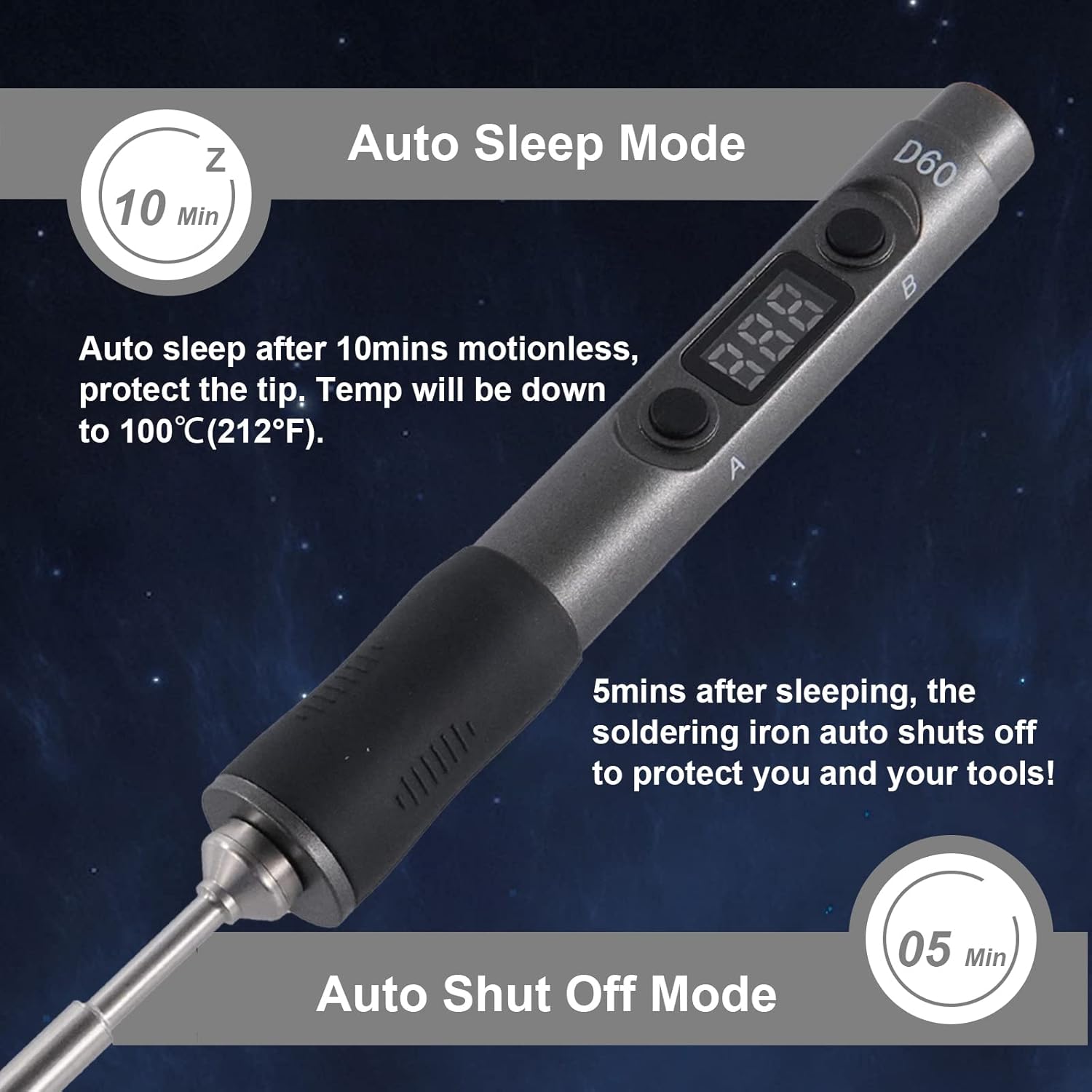
Figure 8: Explains the auto sleep mode (after 10 minutes of inactivity) and auto shut-off mode (after 5 minutes in sleep mode) to protect the tip and ensure safety.
4.3 Soldering Application
The D60B Pro is suitable for a wide range of applications, including:
- Welding circuit boards
- Reparació d'electrodomèstics
- Computer hardware maintenance
- DIY projects (e.g., Racing Drones)
- Small electronic work
Always ensure proper ventilation and safety precautions when soldering. Use the soldering iron stand to safely rest the hot iron when not in use.

Figure 9: Collage showing the soldering iron being used in various scenarios, such as repairing circuit boards, working on drones, and general electronic repairs.
Video 5: Demonstrates the soldering iron in action, showing a user performing soldering on a circuit board, highlighting its precision and ease of use.
5. Manteniment
Proper maintenance ensures the longevity and optimal performance of your soldering iron:
- Neteja de consells: Regularly clean the soldering tip using the included sponge or brass wool. This removes oxidation and ensures efficient heat transfer. Always wet the sponge before use.
- Estanyant la punta: After cleaning and before storing, apply a small amount of solder to the tip (tinning). This protects the tip from oxidation.
- Emmagatzematge: Store the soldering iron in a dry, cool place when not in use. Ensure it is completely cool before storing.
- Cura del mànec: The ESD control handle is made of special high-temperature resistant material. Keep it clean and free from debris.
6. Solució De Problemes
If you encounter issues with your SEQURE D60B Pro, consider the following common solutions:
- Planxa no escalfa:
- Check power supply connection. Ensure the power adapter or battery is properly connected and providing sufficient voltage (12V-24V CC).
- Verifiqueu que la font d'alimentació funciona correctament.
- Ensure the soldering tip is correctly installed and making good contact.
- Fluctuacions de temperatura:
- Ensure the tip is clean and properly tinned.
- Comproveu si hi ha connexions soltes.
- "Over-temperature" or "High-pressure" Alarm:
- This is a safety feature. Power off the device immediately and allow it to cool down.
- Check for any obstructions or issues with the heating element.
- Si el problema persisteix, poseu-vos en contacte amb el servei d'atenció al client.
- La pantalla digital no funciona:
- Assegureu-vos que el dispositiu estigui encès.
- Si el problema persisteix després de comprovar l'alimentació, poseu-vos en contacte amb el servei d'atenció al client.
For further assistance, refer to the official SEQURE support channels.
7. Especificacions
| Característica | Detall |
|---|---|
| Marca | SEQURE |
| Model | SQ-D60B Pro |
| Font d'alimentació | DC (supports PD 3.0, 12V-24V, XT60) |
| Wattage | 60 watts |
| Voltage | 24 volts (CC) |
| Interval de temperatura | 100 °C-400 °C / 212 °F-752 °F |
| Estabilitat de temperatura | ±5 °C |
| Material del mànec | Acrilonitril butadiè estirè (ABS) |
| Tipus d'element calefactor | Ceràmica |
| Pes de l'article | 1.01 lliures |
| Dimensions | 8.39 x 6.85 x 1.81 polzades (paquet) |
| Característiques especials | Adjustable Working Temperature, Easy to Install, Portable, Auto Sleep, Auto Shutoff, Digital Display, Open Source Design |

Figura 10: Intern view of the soldering iron, highlighting the digital display, A and B buttons, Type-C socket, and PCBA (Printed Circuit Board Assembly).

Figure 11: Shows the compact size of the soldering iron, emphasizing its portability and ease of carrying, along with its dimensions.
8. Garantia i Suport
For warranty information, product support, or to purchase additional accessories and replacement parts, please visit the official SEQURE weblloc web o poseu-vos en contacte amb el seu servei d'atenció al client. Conserveu el rebut de compra com a comprovant de compra per a qualsevol reclamació de garantia.
Protection plans are available for extended coverage. Please refer to the product listing or contact your retailer for details on available protection plans.