
pTron Bassbuds Air
pTron Bassbuds Air TWS Earbuds User Manual
Model: Bassbuds Air
Introducció
This manual provides detailed instructions for the safe and efficient use of your pTron Bassbuds Air True Wireless Stereo (TWS) Earbuds. Please read this guide thoroughly before operating the device and retain it for future reference.

Image: pTron Bassbuds Air TWS Earbuds and their charging case in dark blue.
Què hi ha a la caixa
Verifiqueu que tots els elements siguin presents al paquet:
- 1 x pTron Bassbuds Air Earbuds (Left and Right)
- 1 x funda de càrrega
- 1 x Extra Ear Tips (S/M/L sizes)
- 1 x cable de càrrega USB tipus C
- 1 x Manual d'usuari (aquest document)
- 1 x Targeta de garantia
Configuració
1. Càrrega dels auriculars i l'estoig
Before first use, fully charge the earbuds and the charging case. The charging case provides extended playtime for the earbuds.
- Insert the earbuds into their respective slots in the charging case. Ensure the charging contacts align.
- Connect the provided USB Type-C charging cable to the charging port on the case and to a DC5V-1A power adapter (not included).
- The indicator light on the case will show charging status. Once fully charged, the indicator light may change or turn off.
- Precaució: Utilitzant cables USB incompatibles o alt voltage chargers can damage the product and void the warranty. Always use DC5V-1A chargers.
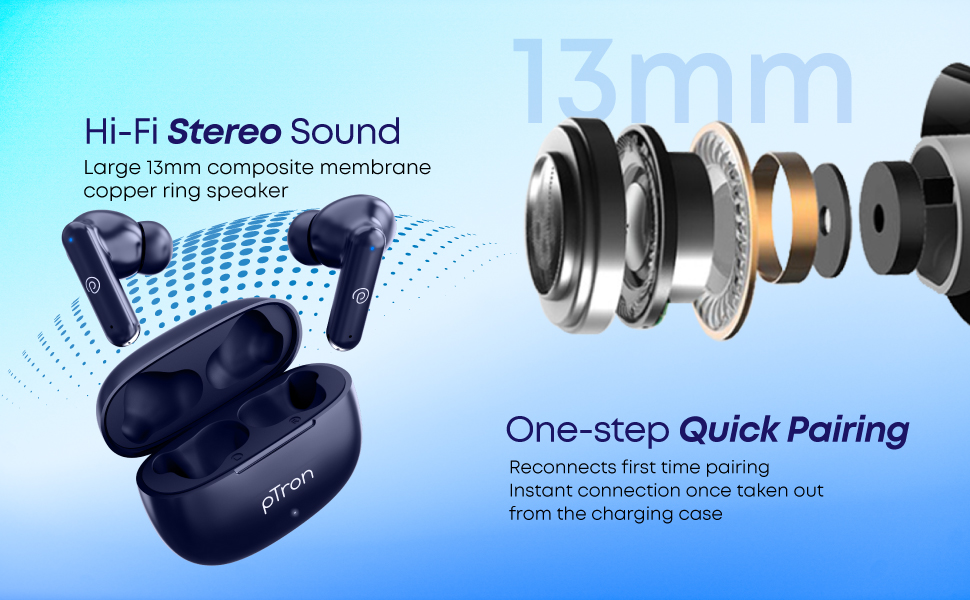
Image: The pTron Bassbuds Air charging case with earbuds inside, connected to a Type-C charging cable.
2. Vinculació amb un dispositiu
The earbuds feature 1-step pairing for quick and easy connection.
- Assegureu-vos que els auriculars estiguin carregats.
- Obre l'estoig de càrrega. Els auriculars s'encendran automàticament i entraran en mode d'emparellament.
- Al telèfon intel·ligent, la tauleta o un altre dispositiu compatible amb Bluetooth, aneu a la configuració de Bluetooth.
- Cerca available devices and select "pTron Bassbuds Air" de la llista.
- Un cop connectats, sentireu un to de confirmació i els auriculars estaran a punt per al seu ús.
- The earbuds will automatically re-connect to the last paired device when taken out of the case, provided Bluetooth is enabled on the device.
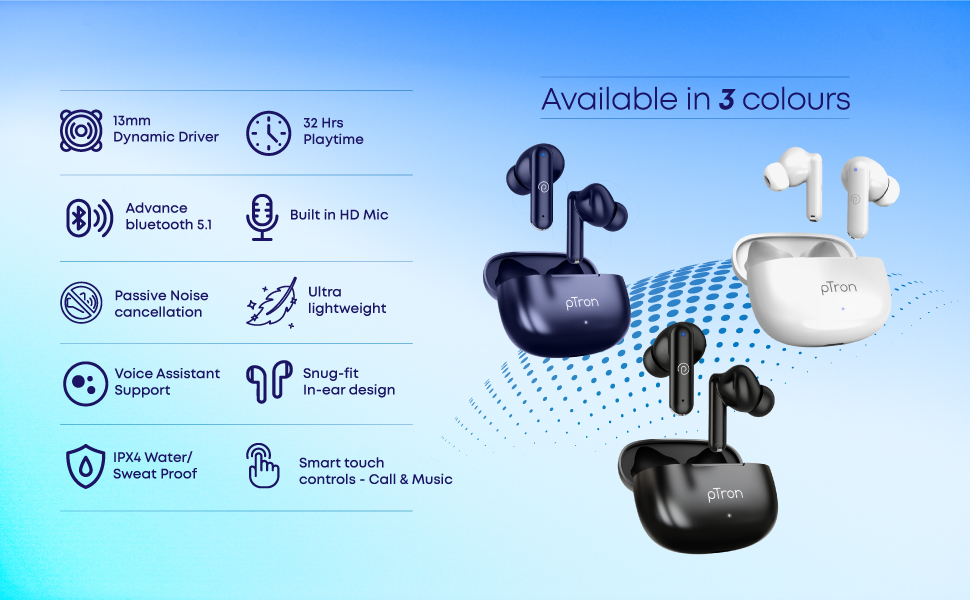
Image: pTron Bassbuds Air earbuds shown next to a smartphone, illustrating Bluetooth connectivity.
Funcionament dels auriculars
Controls tàctils
The pTron Bassbuds Air feature intuitive touch controls on each earbud for managing music playback, calls, and voice assistant activation.
| Funció | Acció |
|---|---|
| Reproducció/pausa de música | Un sol toc a qualsevol dels auriculars |
| Pista següent | Toqueu dues vegades l'auricular dret |
| Pista anterior | Toqueu dues vegades l'auricular esquerre |
| Respondre/Finalitzar la trucada | Un sol toc a qualsevol dels auriculars |
| Rebutja la trucada | Premeu llargament qualsevol dels auriculars |
| Activa l'Assistent de veu | Toqueu tres vegades a qualsevol dels auriculars |

Imatge: Un primer pla view of a pTron Bassbuds Air earbud, indicating the location of the touch sensor for controls.
Assistent de veu
Your pTron Bassbuds Air earbuds support instant access to your device's voice assistant (e.g., Google Assistant, Siri). Triple tap either earbud to activate it.
Mono Bud Capability
You can use either the left or right earbud independently for calls or music playback. Simply take one earbud out of the case, and it will connect to your device.
Manteniment
Un manteniment adequat garanteix la longevitat i el rendiment òptim dels teus auriculars.
- Neteja: Netegeu regularment els auriculars i l'estoig de càrrega amb un drap suau, sec i sense borrissol. No utilitzeu productes químics agressius ni materials abrasius.
- Consells per a les orelles: Traieu i netegeu les puntes de les orelles periòdicament. Assegureu-vos que estiguin completament seques abans de tornar-les a col·locar.
- Contactes de càrrega: Mantingueu els contactes de càrrega dels auriculars i de l'interior de la funda nets i lliures de residus per garantir una càrrega correcta.
- Resistència a l'aigua: The earbuds are IPX4 water/sweat resistant, meaning they are protected against splashing water from any direction. They are not designed for submersion in water. Do not expose them to heavy rain or immerse them in liquids.
- Emmagatzematge: Quan no els utilitzeu, guardeu els auriculars a la seva funda de càrrega per protegir-los i mantenir-los carregats. Guardeu-los en un lloc fresc i sec, allunyat de temperatures extremes.
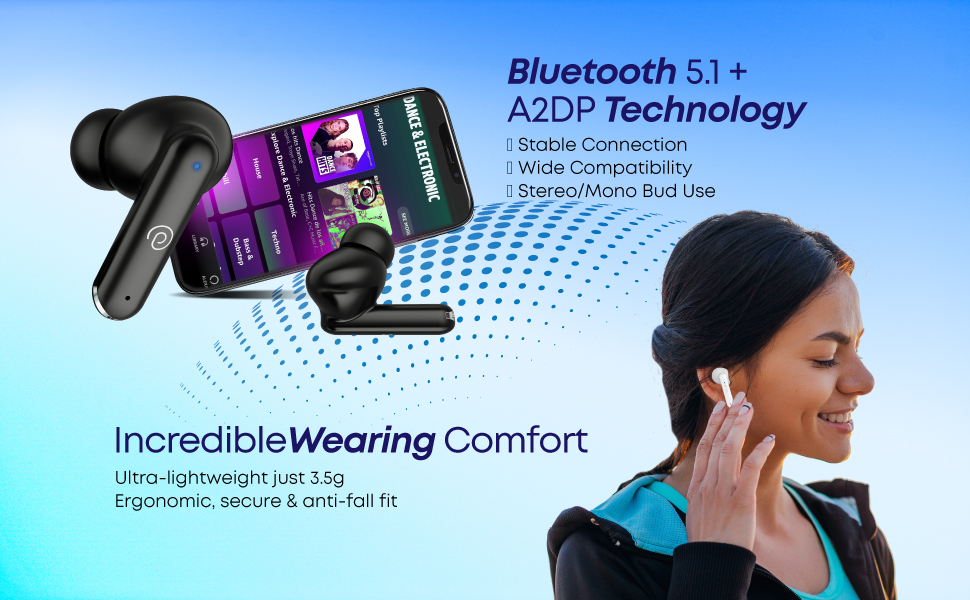
Image: pTron Bassbuds Air earbuds with water droplets, demonstrating their IPX4 water and sweat resistance.
Resolució de problemes
If you encounter issues with your pTron Bassbuds Air, refer to the following common solutions:
| Problema | Possible solució |
|---|---|
| Els auriculars no s'emparellan/connecten |
|
| Només funciona un auricular |
|
| Els auriculars no es carreguen |
|
| Volum baix o mala qualitat de so |
|
| Problemes de qualitat de trucada |
|
Especificacions
Key technical specifications for the pTron Bassbuds Air TWS Earbuds:
- Nom del model: Bassbuds Air
- Col·locació de les orelles: A l'orella
- Factor de forma: A l'orella
- Mida del controlador: Controlador dinàmic de 13 mm
- Impedància: 32 ohms
- Versió Bluetooth: 5.1
- Interval sense fil: Fins a 10 metres (33 peus)
- Durada de la bateria (auriculars): Fins a 32 hores (amb estoig de càrrega)
- Port de càrrega: USB tipus C
- Resistència a l'aigua: IPX4 (Water/Sweat Resistant)
- Control de soroll: Cancel·lació passiva de soroll
- Mètode de control: Toca
- Interval de freqüència: 20 Hz - 20 kHz
- Material: Acrilonitril butadiè estirè (ABS)
- Pes de l'article: 43 Grams (total, likely case + earbuds)
- Dispositius compatibles: All Bluetooth Devices, Laptops, Mobile Phones, Tablets, PC, Smart TVs, iOS, Android

Imatge: Una explosió view of the pTron Bassbuds Air earbud, highlighting the 13mm dynamic driver for immersive sound.
Garantia i Suport
Your pTron Bassbuds Air TWS Earbuds come with a manufacturer's warranty and dedicated customer support.
- Garantia: 1-Year Manufacturer Warranty from the date of purchase, covering manufacturing defects only.
- Fabricant: PALRED ELECTRONICS PVT. LTD.
- Detalls d'atenció al client:
- Telèfon: 040-67138888
- Correu electrònic: Support@pTron.in
- Adreça del fabricant: SY.NO. 56, 1ST FLOOR, GUNDLAPOCHAMPALLY VILLAGE, TECH PARK MTP, TSIIC-IALA NACHARAM, HYDERABAD - 500076, TELANGANA, ÍNDIA.
Documents relacionatsBassbuds Air

Ask a question about this manual
Ask about setup, troubleshooting, compatibility, parts, safety, or missing instructions. Manuals+ will review the question and use this page’s manual context to help answer it.