
Introducció
This manual provides essential information for the safe and effective use of your Paladone Green Xbox Icons Light. Please read these instructions carefully before use and retain them for future reference.

The Paladone Green Xbox Icons Light, featuring the iconic Xbox logo and sphere, illuminated in a vibrant green hue.
Informació de seguretat
- Mantenir fora de l'abast dels nens: Aquest producte no és una joguina.
- Ús només en interiors: No exposar a la pluja ni a la humitat.
- Font d'alimentació: Use only the provided USB cable or 3x AAA batteries. Do not mix old and new batteries, or different types of batteries.
- Eviteu temperatures extremes: Do not operate in excessively hot or cold environments.
- Neteja: Desconnecteu l'aparell de la xarxa elèctrica abans de netejar-lo. Feu servir un drap suau i sec. No utilitzeu productes de neteja líquids.
- Eliminació: Dispose of batteries and the product responsibly according to local regulations.
Contingut del paquet
Desembaleu la caixa amb cura i assegureu-vos que hi hagi tots els elements:
- 1 x Paladone Green Xbox Icons Light Unit
- Cable d’alimentació 1 x USB

The product packaging, indicating the Xbox Icons Light and its features.
Configuració
Your Xbox Icons Light can be powered by either the included USB cable or 3x AAA batteries (not included).
Powering via USB:
- Insert the small end of the USB cable into the USB port on the back of the light unit.
- Insert the large end of the USB cable into a powered USB port (e.g., computer, USB wall adapter, game console).
Powering via Batteries:
- Locate the battery compartment on the underside of the light unit.
- Obriu la tapa del compartiment de la bateria.
- Introduïu 3 piles AAA, assegurant-vos de la polaritat correcta (+/-).
- Tanqueu bé la tapa del compartiment de la bateria.

The Xbox Icons Light can be powered using the included USB cable or 3x AAA batteries (not included).
Instruccions de funcionament
The Xbox Icons Light features a power button, typically located on the base or side of the unit. Press this button to cycle through the available lighting modes.
Per activar/desactivar:
- Premeu el botó d'encesa una vegada per encendre la llum.
- Continue pressing the power button to cycle through the lighting modes.
- Press the power button after the last lighting mode to turn the light off.

The Xbox Icons Light offers dynamic phasing and pulsing light modes for varied visual effects.
Modes d'il·luminació
The Paladone Green Xbox Icons Light offers three distinct lighting modes:
- Mode estàndard: The light remains steadily illuminated.
- Shifting Mode: The light transitions between different brightness levels or sections.
- Pulsing Mode: The light gently pulses, creating a dynamic effect.
Press the power button repeatedly to switch between these modes.
Manteniment
Neteja:
- Ensure the light is turned off and disconnected from any power source before cleaning.
- Netegeu la superfície amb un drap suau, sec i sense borrissol.
- No utilitzeu netejadors abrasius, dissolvents ni productes químics agressius, ja que poden danyar l'acabat.
Substitució de la bateria:
- If using batteries, replace all three AAA batteries when the light dims or stops functioning.
- Follow the instructions in the 'Powering via Batteries' section under 'Setup' for safe battery replacement.
- Always dispose of used batteries according to local environmental guidelines.
Resolució de problemes
| Problema | Causa possible | Solució |
|---|---|---|
| La llum no s’encén. | No power supply or depleted batteries. | Check USB cable connection or replace AAA batteries. |
| La llum és tènue o parpelleja. | Potència de bateria baixa. | Canvieu les piles AAA o feu servir l'alimentació USB. |
| No es poden canviar els modes d'il·luminació. | Power issue or button malfunction. | Ensure stable power. If problem persists, contact support. |
Especificacions
| Característica | Detall |
|---|---|
| Número de model | PP8961XB |
| Dimensions (L x A x A) | 12.45 x 4.92 x 2.91 polzades (31.8 cm x 12.5 cm x 7.4 cm) |
| Pes de l'article | 16 unces (aproximadament 453 grams) |
| Material | Plàstic |
| Font d'alimentació | USB Cable (included) or 3x AAA Batteries (not included) |
| Tipus de bombeta | LED |
| Nombre de llums | 1 |
| Voltage | Operates on low voltage DC (5V via USB, 4.5V via AAA batteries). Listed specification: 230 Volts (AC) for power adapter compatibility (adapter not included). |
| Característiques especials | Dynamic Phasing and Pulsing Light Modes |
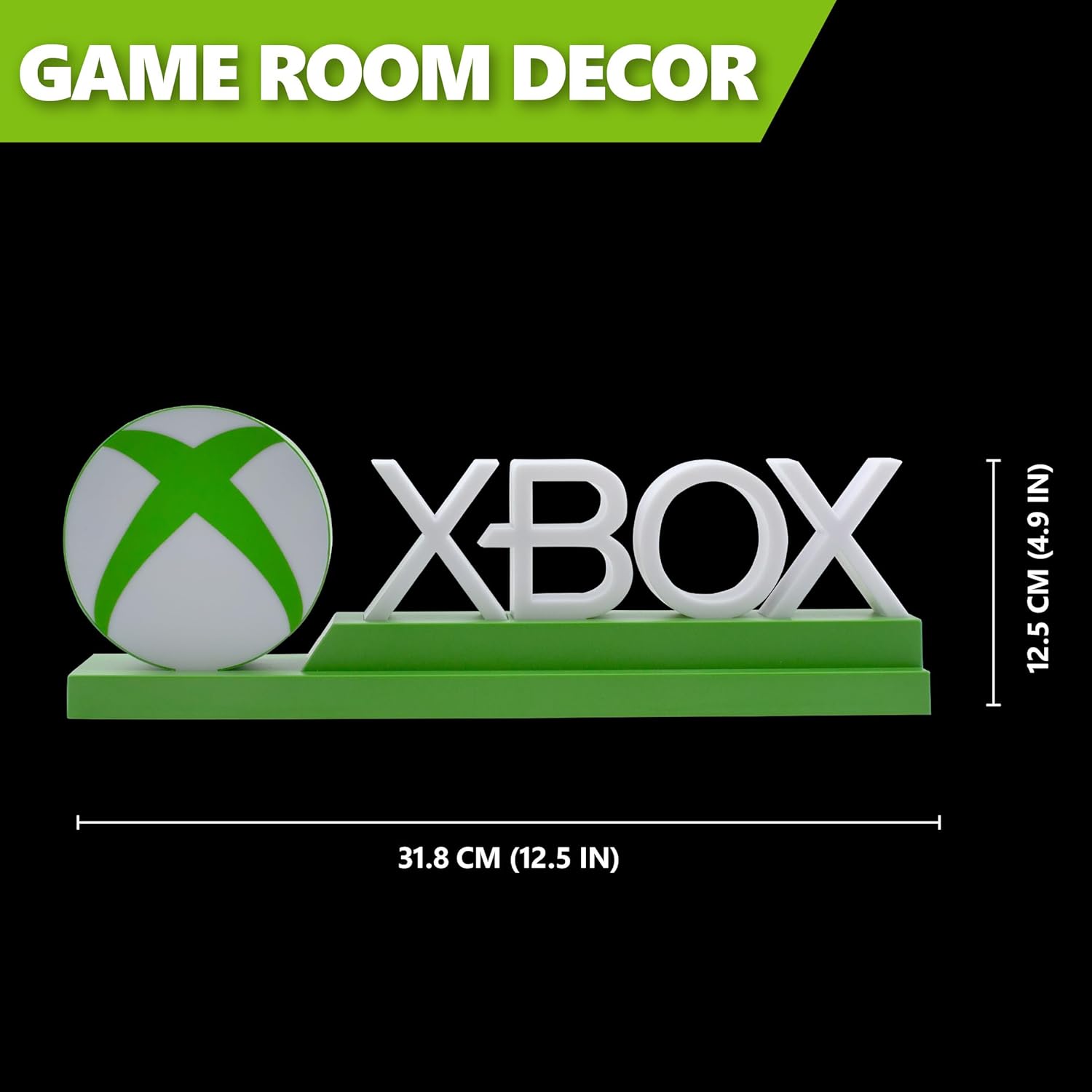
Detailed dimensions of the Xbox Icons Light, measuring 31.8 cm (12.5 inches) in width and 12.5 cm (4.9 inches) in height.
Garantia i Suport
For warranty information, product support, or to inquire about replacement parts, please refer to the retailer where the product was purchased or visit the official Paladone weblloc web. Conserveu el comprovant de compra per a reclamacions de garantia.
Paladone Official Weblloc: www.paladone.com