
VEGER V0556
VEGER Portable Charger User Manual
Model: V0556
Introducció
Thank you for choosing the VEGER Portable Charger. This compact and powerful 5000mAh mini battery pack is designed for fast charging your USB-C compatible Android phones and other devices. Please read this manual carefully to ensure proper use and maintenance of your device.
Producte acabatview

Figura 1: VEGER Portable Charger connected to a smartphone via its integrated USB-C connector.

Figura 2: The VEGER Portable Charger is specifically designed for Android phones with USB-C ports, offering a direct plug-in solution.
The VEGER Portable Charger (Model V0556) is a compact 5000mAh power bank featuring a built-in USB-C connector for direct charging of compatible devices. It supports 20W PD fast charging and is designed for portability and convenience.
Configuració
Càrrega inicial del banc d'energia
Before first use, it is recommended to fully charge your VEGER Portable Charger.
- Locate the USB-C input port on the power bank.
- Connect a USB-C charging cable (not included) to the power bank's input port.
- Connect the other end of the cable to a compatible 9V-2A (18W) power adapter.
- Connecteu l'adaptador de corrent a una presa de corrent.
- The indicator lights on the power bank will illuminate to show charging progress. All lights will be solid when fully charged. A full recharge typically takes about 1.5 hours with an 18W adapter.
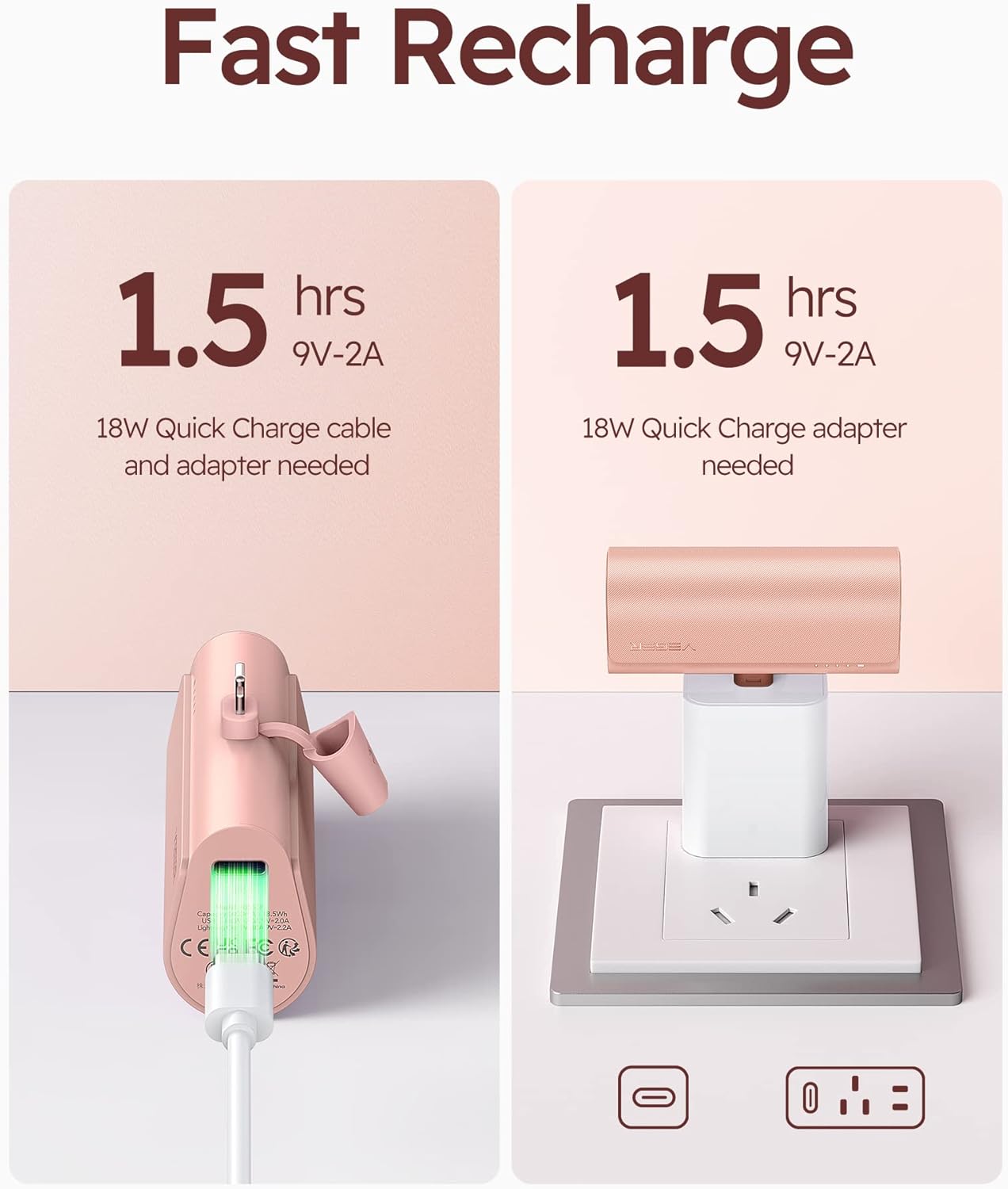
Figura 3: Recharging the VEGER Portable Charger. An 18W Quick Charge cable and adapter are needed for optimal charging speed.
Instruccions de funcionament
Carregant el teu dispositiu
The VEGER Portable Charger is designed for direct plug-in charging of USB-C compatible devices.
- Ensure your device has a USB-C charging port.
- Remove the protective cap from the power bank's integrated USB-C connector.
- Carefully insert the power bank's USB-C connector directly into your device's USB-C charging port. Ensure a secure connection.
- The power bank will automatically begin charging your device. The indicator lights on the power bank will show its remaining charge level.
- To stop charging, simply disconnect the power bank from your device.

Figura 4: Direct plug-in charging of a smartphone using the VEGER Portable Charger. This eliminates the need for extra cables.
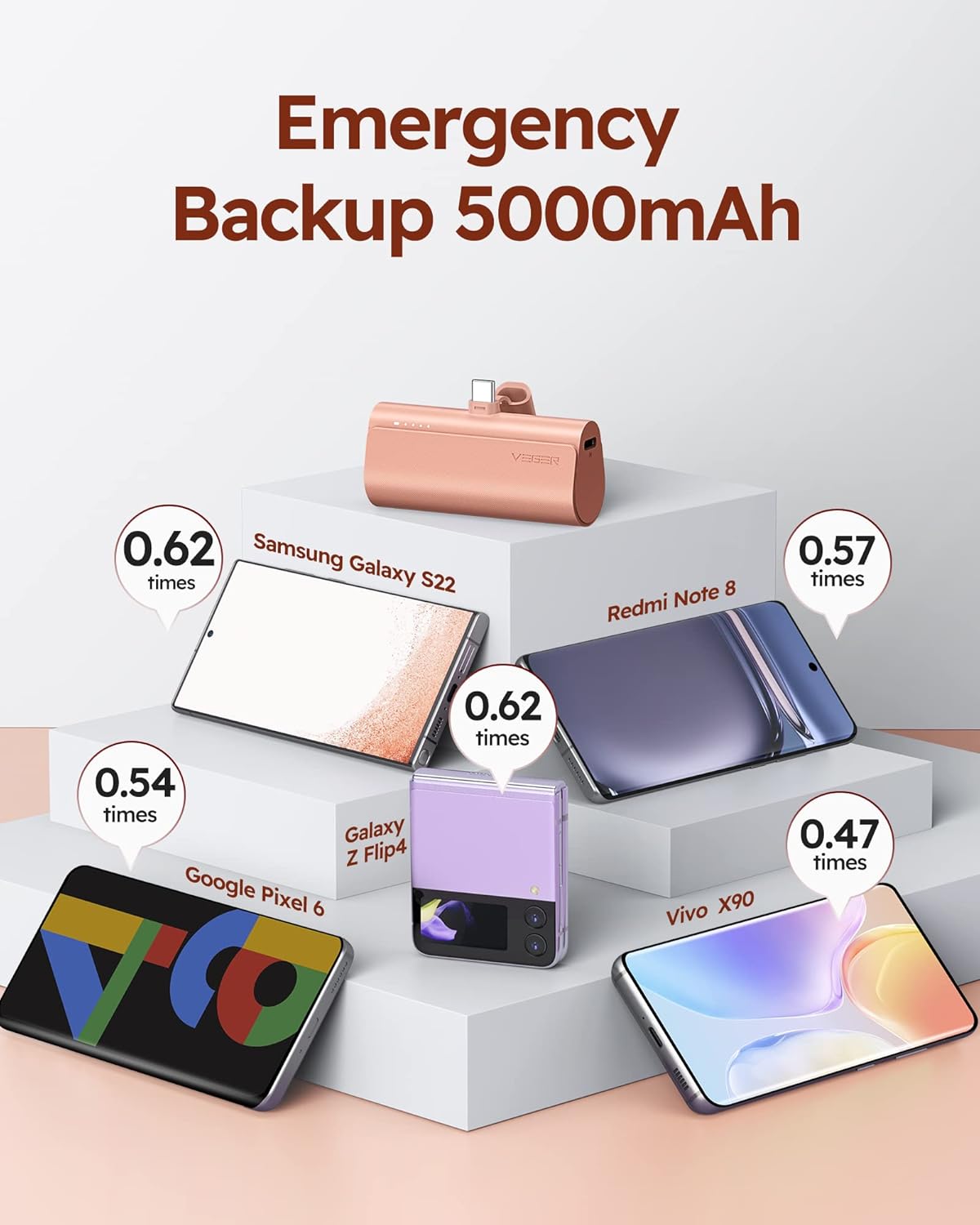
Figura 5: The power bank supports pass-through charging, allowing it to be recharged while simultaneously charging a connected device.
Càrrega Pass-Through
The VEGER Portable Charger supports pass-through charging, meaning you can recharge the power bank while it is simultaneously charging your device.
- Connect the power bank to your device as described above.
- Connect a USB-C charging cable to the power bank's input port.
- Connecteu l'altre extrem del cable a un adaptador de corrent i connecteu-lo a una presa de corrent.
- Both the power bank and your connected device will charge.
Manteniment i cura
- Neteja: Feu servir un drap suau i sec per netejar la superfície del banc d'energia extern. No utilitzeu netejadors líquids ni aerosols.
- Emmagatzematge: Guardeu el banc d'energia en un lloc fresc i sec, allunyat de la llum solar directa i de temperatures extremes.
- Durada de la bateria: To prolong battery life, avoid fully discharging the power bank frequently. Recharge it when the charge indicator lights are low.
- Manipulació: No deixis caure, desmuntis ni intentis reparar el banc d'energia vosaltres mateixos. Això pot anul·lar la garantia i causar danys.
- Exposició a l'aigua: Mantingueu el banc d'energia allunyat de l'aigua i de la humitat elevada.
Resolució de problemes
| Problema | Causa possible | Solució |
|---|---|---|
| El banc d'energia no es carrega. | Charging cable or adapter is faulty; power bank is already full; poor connection. | Try a different USB-C cable and adapter. Ensure the cable is securely connected to both the power bank and the power source. Check indicator lights. |
| El dispositiu no es carrega des del banc d'energia. | Power bank is discharged; poor connection; device is not USB-C compatible; device case interference. | Recharge the power bank. Ensure the power bank's USB-C connector is fully inserted into your device. Verify your device uses a USB-C port. If using a phone case, ensure it does not obstruct the connection (the power bank is designed for cases up to 4mm thick). |
| Càrrega lenta. | Power bank or device does not support fast charging protocol; cable/adapter not fast charge compatible. | Ensure both the power bank and your device support fast charging protocols (PD, QC3.0). Use an 18W or 20W fast charging adapter and a compatible cable for recharging the power bank. |
| El banc d'energia s'escalfa durant l'ús. | Normal operation during charging/discharging. | This is normal. If it becomes excessively hot, disconnect immediately and contact customer support. |
Especificacions
- Model: V0556
- Capacitat de la bateria: 5000 mAh (3.7 V)
- Entrada (USB-C): 18 W (9 V - 2 A)
- Sortida (USB-C): 20W (PD, QC3.0, FCP, MTK PE1.1/2.0, AFC)
- Dimensions: 3.04 x 1.38 x 0.97 polzades (77.2 x 35.0 x 24.7 mm)
- Pes: 3.2 unces (90.7 grams)
- Tipus de bateria: Polímer de liti
- Color: Rosa
Garantia i Suport
For warranty information or technical support, please contact VEGER customer service through the retailer where you purchased the product or visit the official VEGER weblloc web. Si us plau, conserveu el comprovant de compra per a reclamacions de garantia.
Fabricant: VEGER
Data de primera disponibilitat: 29 de març de 2023
Ask a question about this manual
Ask about setup, troubleshooting, compatibility, parts, safety, or missing instructions. Manuals+ will review the question and use this page’s manual context to help answer it.