
1. Producte acabatview
The MOKA SFX MK-LD02C LED Dance Floor Panels are designed for dynamic lighting effects in various event settings. These panels feature a matte, non-slip tempered glass surface and magnetic connections for easy assembly. They offer RGB color-changing capabilities with multiple control options.
- Acabat mat: Features a soft-diffused 10mm tempered glass surface that eliminates harsh reflections, reduces glare, and provides secure footing.
- Magnetic Snap Connection: Panels align and lock instantly with built-in magnetic edges, enabling gap-free assembly without tools or screws.
- Canvi de color RGB: Offers smooth color-fading transitions or vibrant single-color effects.
- Heavy-Duty Load Capacity: Engineered to safely support up to 500 kilograms per square meter.
- Multi-Control Options: Control via wireless remote, SD card, or DMX512.
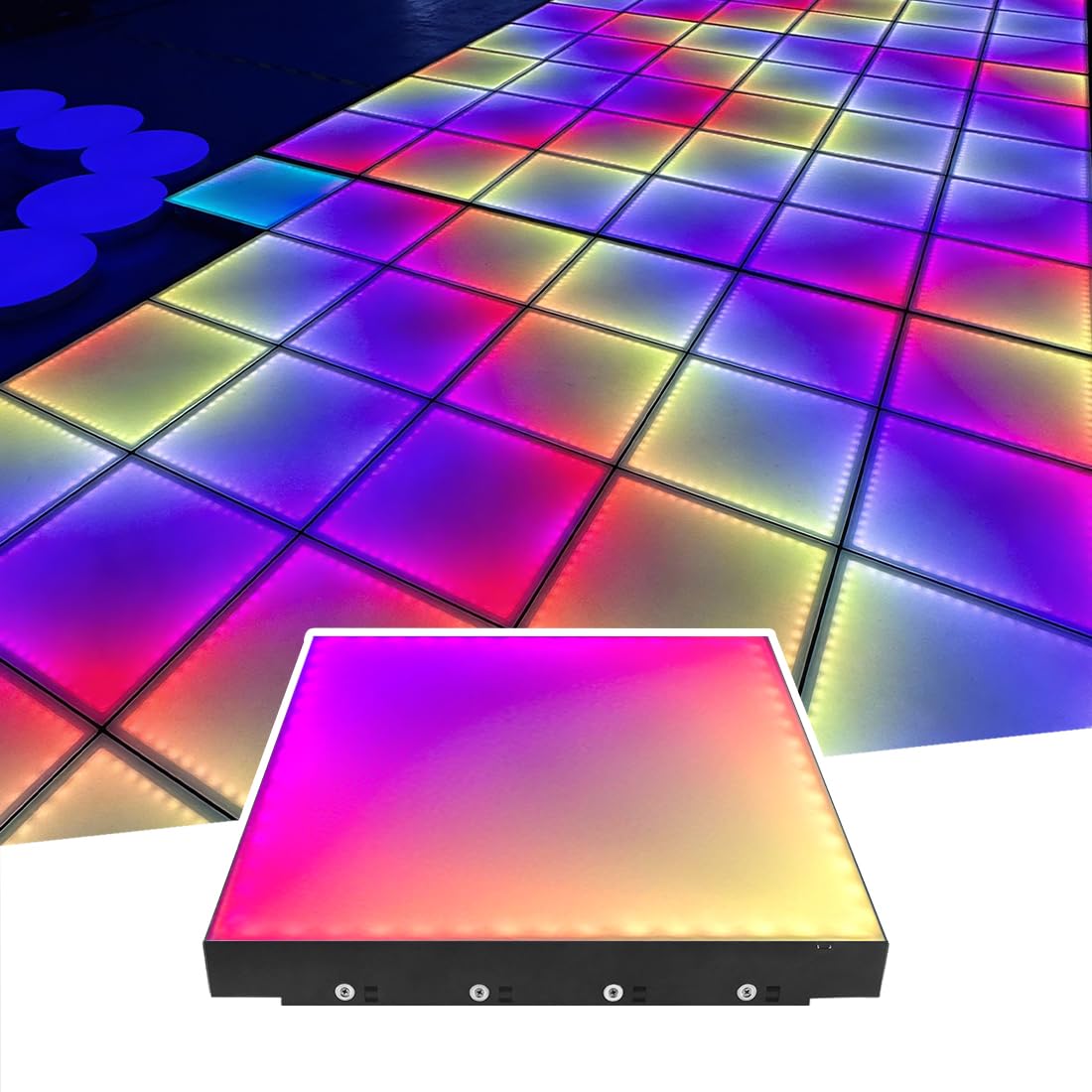
Image 1.1: MOKA SFX LED Dance Floor Panels showcasing a range of vibrant RGB colors.
2. Instruccions de configuració
Follow these steps to set up your MOKA SFX LED Dance Floor Panels:
- Desempaquetar components: Carefully remove all panels and accessories from the flight case. Inspect for any damage.
- Prepara la superfície: Ensure the installation surface is flat, dry, and clean.
- Connecteu els panells: Place the first panel. Align subsequent panels by bringing their magnetic edges together. The panels will snap into place, forming a secure, gap-free connection. Continue this process until the desired floor layout is achieved.
- Connectar l'alimentació: Connect the power supply to the designated input on the dance floor system. Ensure all connections are secure.
- Connectar el controlador: Connect the SD controller to the dance floor system.

Image 2.1: A section of the MOKA SFX LED Dance Floor Panels connected and illuminated with red and blue lighting effects.
3. Instruccions de funcionament
The MOKA SFX LED Dance Floor Panels can be operated using a wireless remote, SD card, or DMX512 control.
3.1. Operació de control remot
Use the provided wireless remote control to manage lighting effects:
- Encès/apagat: Press the power button to turn the dance floor on or off.
- Selecció de color: Use the dedicated color buttons (Red, Green, Blue, White) or the color wheel to select static colors.
- Selecció del mode: Cycle through various dynamic modes such as fade, jump, flash, and strobe effects.
- Ajust de brillantor: Augmentar o disminuir la intensitat de la llum.
- Ajust de velocitat: Ajusta la velocitat dels efectes d'il·luminació dinàmica.
Video 3.1: Demonstration of MOKA SFX LED Dance Floor Panels controlled by a remote, showing various color changes and effects.
3.2. SD Card Control
For pre-programmed sequences, insert an SD card with compatible lighting programs into the SD controller. The system will automatically play the stored effects.
3.3. Control DMX512
For professional installations, connect the dance floor system to a DMX512 controller. Refer to your DMX controller's manual for specific programming and addressing instructions to integrate the dance floor into your lighting setup.
4. Manteniment
Proper maintenance ensures the longevity and optimal performance of your LED Dance Floor Panels.
- Neteja: Regularly clean the tempered glass surface with a soft, damp cloth and a mild, non-abrasive cleaner. Avoid harsh chemicals that may damage the finish.
- Inspecció: Periodically check all connections and cables for wear or damage. Ensure magnetic connections are free of debris.
- Emmagatzematge: When not in use, store the panels in their flight case in a dry, temperate environment to protect them from dust and physical damage.
5. Solució De Problemes
If you encounter issues with your MOKA SFX LED Dance Floor Panels, refer to the following common problems and solutions:
- Panels Not Lighting Up:
- Ensure the power supply is correctly connected and receiving power.
- Check all panel connections for proper magnetic engagement.
- Verify the controller is properly connected and powered. - Il·luminació/colors inconsistents:
- Check for loose connections between panels or to the controller.
- Ensure the SD card (if used) is correctly inserted and the files no estan malmeses.
- If using DMX, verify DMX addressing and cable integrity. - El control remot no respon:
- Replace the remote control batteries.
- Ensure there are no obstructions between the remote and the receiver.
For issues not covered here, please contact MOKA SFX customer support.
6. Especificacions
| Característica | Detall |
|---|---|
| Número de model | MK-LD02C |
| Marca | MOKA SFX |
| Color | RGB (Xarxa, Green, Blue) |
| Forma | Plaçada |
| Material | Tempered glass, PC |
| Tipus d'acabat | Vidre temperat |
| Tipus de font de llum | LED RGB |
| Font d'alimentació | Elèctric amb cable |
| Voltage | 110 Volts |
| Font de llum Wattage | 15 watts per panell |
| Tipus de muntatge | Muntatge al terra |
| Característiques de la bombeta | Remote control, RGB, Sound control |
| Nombre de fonts de llum | 60 per panel |
| Ampedat | 0.14 Amps |
| Product Dimensions (per panel) | 19.6" de llargada x 2.7" d'amplada x 19.6" d'alçada (50 cm x 6.8 cm x 50 cm) |
| Capacitat de càrrega | 500 kg/m² |
| Components inclosos | LED dance floors, SD controller, Power Supply, Protection Edge, User Manual |
7. Garantia i Suport
MOKA SFX products are designed for reliability and performance. For warranty information, please refer to the documentation included with your purchase or visit the official MOKA SFX website. For technical support, troubleshooting assistance, or spare parts, please contact MOKA SFX customer service through their official channels.