
1. Producte acabatview
The KOPUO mic-RGB is a versatile USB condenser microphone designed for high-quality audio capture. It features a cardioid polar pattern, built-in noise reduction, and customizable RGB lighting, making it suitable for various applications such as streaming, gaming, podcasting, and recording. The microphone offers plug-and-play compatibility with multiple operating systems and includes convenient on-board controls for microphone gain, headphone volume, and echo/reverb effects.

Image: KOPUO mic-RGB Condenser Microphone with its stand, showcasinel seu disseny i la il·luminació RGB.
2. Què hi ha a la caixa
Upon unboxing your KOPUO mic-RGB microphone, please ensure all components are present and in good condition.
- KOPUO mic-RGB Condenser Microphone with integrated desktop stand
- Cable USB a USB tipus C
- Manual d'instruccions

Image: The KOPUO mic-RGB microphone and its USB cable securely packaged in protective foam.
3. Guia de configuració
- Connecteu el micròfon: Insert the USB Type-C end of the provided cable into the microphone's USB port (located at the bottom). Connect the standard USB-A end to an available USB port on your computer (PC or Mac).
Note: It is recommended to use a direct USB port on your computer rather than a USB hub to maintain optimal sound quality.
- Reconeixement del sistema operatiu: The microphone is plug-and-play. Your operating system (Windows XP/7/8/10, Mac OS, Linux OX) should automatically detect and install the necessary drivers.
Image: The KOPUO mic-RGB microphone connected to a laptop via its USB cable, demonstrating compatibility with various operating systems and platforms like YouTube, Skype, Twitch, PS4, and Zoom.
- Audio Settings Configuration:
- Per a Windows: Go to "Control Panel" > "Hardware and Sound" > "Manage Audio Devices." Select the KOPUO microphone as your default recording device. Adjust the input level as needed.
- Per a Mac OS: Click the Apple symbol in the upper left corner of the screen and select "System Preferences" > "Sound." Open the "Input" tab and select "USB Audio" from the device list. Adjust the input level.
- Col·locació del micròfon: For optimal sound capture, position the microphone within 15cm (6 inches) of the sound source, with the front of the microphone facing you at a 45-degree angle. The microphone's stand allows for 360-degree rotation and angle adjustment.

Image: A diagram illustrating the microphone's controls (Mute, Mic Volume, Headphone Volume, Echo) and the recommended distance for the user from the microphone for clear audio capture.
4. Instruccions de funcionament
The KOPUO mic-RGB features intuitive controls for easy operation:
- Funció de silenci:
- Top Touch Mute: Tap the top of the microphone to instantly mute/unmute. The LED indicator will change from blue (active) to red (muted).
- Front Mute Button: Press the dedicated MUTE button on the front panel to mute/unmute.
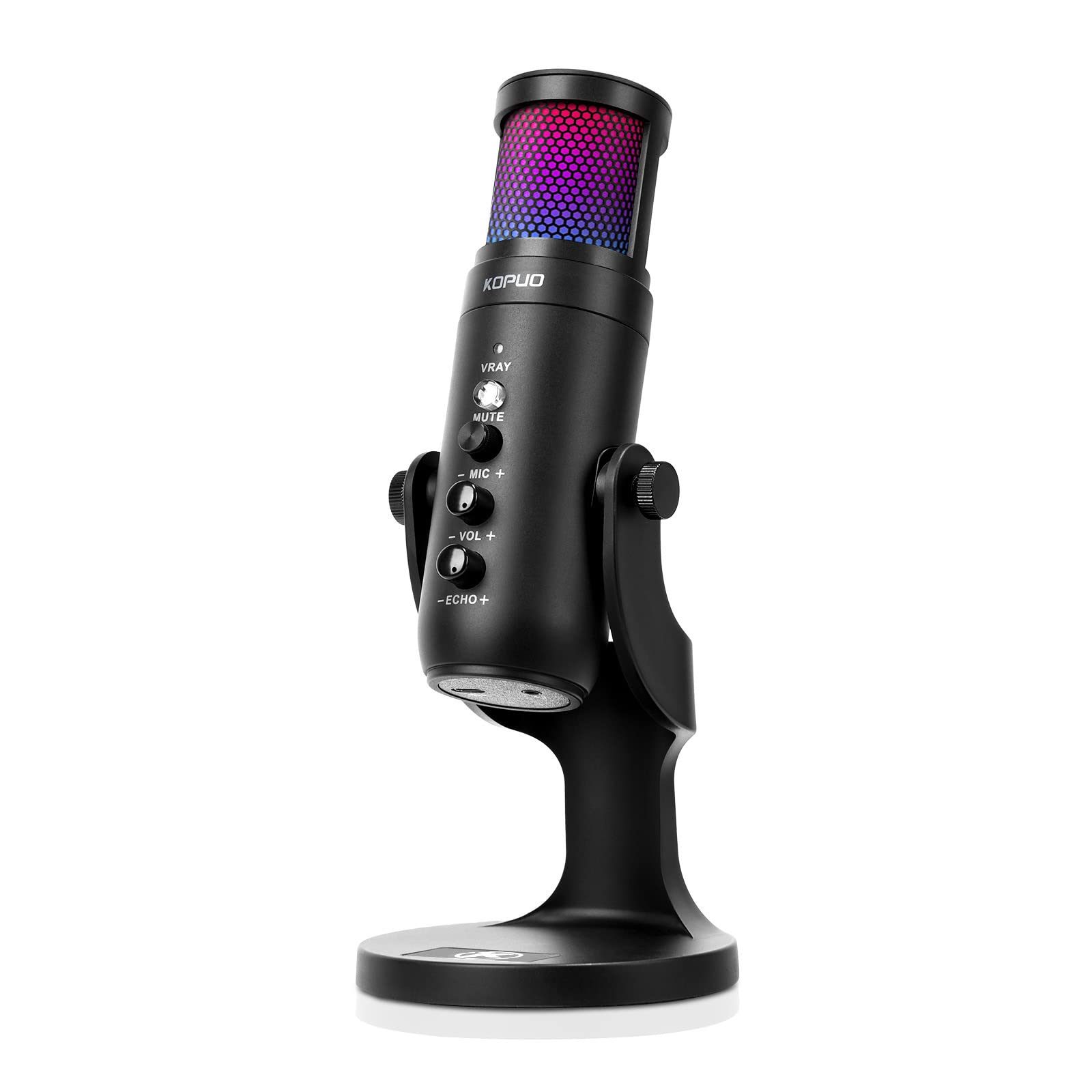
Image: Two KOPUO mic-RGB microphones, one with green light indicating active mode and another with red light indicating mute mode, demonstrating the touch-sensitive mute function.
- Reducció de soroll: Press and hold the MUTE button for two seconds to activate the noise reduction function. This feature helps filter out background noise from sources like PC fans or air conditioning units.
- Microphone Gain Adjustment: Use the "MIC +" and "MIC -" buttons on the front panel to adjust the microphone's input sensitivity.
- Control de volum dels auriculars: Connect headphones to the 3.5mm jack at the bottom of the microphone. Use the "VOL +" and "VOL -" buttons to adjust the monitoring volume.
- Ajust d'eco/reverbació: Use the "ECHO +" and "ECHO -" buttons to add or adjust the echo/reverb effect to your voice.
- Control d'il·luminació RGB: The microphone features RGB breathing lights. Use the dedicated light switch button (VRAY) to cycle through different colors or set a static color.
Image: A close-up of the KOPUO mic-RGB microphone showing the RGB breathing light indicator and controls for mute, mic volume, headphone volume, and echo.
5. Compatibilitat
The KOPUO mic-RGB microphone is designed for broad compatibility:
- Sistemes operatius: Windows XP, Windows 7, Windows 8, Windows 10, Mac OS, Linux OX.
- Dispositius: Personal Computers (PC), Laptops.
- Plataformes: YouTube, Skype, Twitch, PS4, Zoom, and other recording/streaming applications.
- Incompatible: Xbox, iPhone.

Imatge: Una imatge detallada view of the KOPUO mic-RGB microphone, highlighting the USB interface and 3.5mm earphone interface at the bottom, along with labels for all front panel controls.
6. Especificacions
| Característica | Detall |
|---|---|
| Marca | KOPUO |
| Número de model | mic-RGB |
| Tecnologia de connectivitat | USB |
| Tipus de connector | Jack de 3.5 mm, USB |
| Patró polar | Unidireccional (cardioide) |
| Factor de forma del micròfon | Matriu de taula |
| Característiques especials | Mute Function, Volume Control, RGB Lighting, Noise Reduction Chip |
| Material | Metal (screen), Plastic (housing/base) |
| Font d'alimentació | Elèctric amb cable (USB) |
| Pes de l'article | 1.28 lliures |
| Sensibilitat | 45 db +-3 db |
| Nivell de soroll equivalent | 66db |
| Interval dinàmic | 88db |
| Ràtio senyal / soroll | 85db |

Image: The KOPUO mic-RGB microphone with its dimensions and key technical specifications listed, including sensitivity, equivalent noise level, dynamic range, and signal-to-noise ratio.
7. Manteniment i cura
- Do not cover the microphone with your hands during operation to avoid affecting sound quality.
- Regular maintenance is recommended to prevent dust accumulation and address any potential electrical instability or acoustic issues.
- Keep the microphone clean using a soft, dry cloth. Avoid using harsh chemicals or abrasive materials.
- Store the microphone in a dry, cool place away from direct sunlight and extreme temperatures.
8. Solució De Problemes
- Sound is too small:
If the sound is too low even after maximizing the microphone knob, you may need to adjust your computer's input settings. Refer to Section 3, "Audio Settings Configuration," for detailed steps on adjusting input levels for Windows and Mac OS.
- Computer does not recognize the microphone:
Ensure the USB cable is securely connected to both the microphone and a functioning USB port on your computer. Try a different USB port. If your computer has multiple audio input devices, ensure the KOPUO microphone is selected as the default input device in your sound settings. You may need to disable the original sound card if it conflicts with the USB microphone.
- Background noise is present:
Activate the noise reduction function by pressing and holding the MUTE button for two seconds. Ensure the microphone is positioned correctly (within 15cm/6 inches) and facing the sound source at a 45-degree angle to minimize ambient noise pickup.
9. Vídeo oficial del producte
Video: An unboxing and review of the KOPUO RGB USB Podcast/Gaming Microphone, demonstrating its features and sound quality. The video covers the contents of the box, the microphone's controls including mute, mic gain, volume, and echo, as well as the RGB lighting effects. It also discusses the microphone's plastic housing and metal screen components.
10. Garantia i Suport
KOPUO is committed to providing quality products and customer satisfaction. For any questions, concerns, or support needs regarding your mic-RGB microphone, please refer to the contact information provided with your purchase or visit the official KOPUO weblloc.
- About KOPUO: KOPUO focuses on natural sound quality, integrating art and technology.
- Valor del client: KOPUO values customer feedback and aims to establish a strong brand image through dedicated service.