
1. Introducció
Welcome to the DOOGEE V MAX Plus 5G Rugged Smartphone user manual. This guide will assist you in understanding the features and functions of your new device, ensuring optimal performance and longevity. Please read this manual thoroughly before using your smartphone.

Figure 1: DOOGEE V MAX Plus 5G Rugged Smartphone
2. Dispositiu acabatview
The DOOGEE V MAX Plus is designed for durability and high performance. Key features include a large battery, advanced camera system, and robust construction.
2.1 Contingut del paquet
- DOOGEE V MAX Plus Rugged Phone
- Cable USB-C
- Adaptador d'alimentació
- Eina expulsora de SIM
- Manual d'usuari (aquest document)
Video 1: Unboxing the DOOGEE S100 PRO (similar model, demonstrates package contents and initial handling).
3. Configuració
3.1 Inserció de la targeta SIM/SD
- Localitza la safata de la targeta SIM al lateral del dispositiu.
- Introduïu l'eina d'expulsió de la SIM al forat petit que hi ha al costat de la safata per obrir-la.
- Col·loqueu la targeta o targetes nano-SIM i/o la targeta microSD a la safata amb els contactes daurats cap avall, assegurant-vos que l'orientació sigui correcta.
- Carefully push the tray back into the slot until it is flush with the device. Ensure the rubber seal is properly seated to maintain water and dust resistance.

Figure 2: SIM/SD card tray location (image shows Android 14, but the phone's side profile is visible).
3.2 Engegada inicial i configuració bàsica
- Press and hold the Power button (located on the side) until the DOOGEE logo appears.
- Segueix les instruccions que apareixen a la pantalla per seleccionar l'idioma, connectar-te a la Wi-Fi i configurar el teu compte de Google.
- Configure security settings such as fingerprint unlock or a PIN/pattern.
4. Com fer servir el telèfon intel·ligent
4.1 Bateria i càrrega
The DOOGEE V MAX Plus features a 22000mAh battery. Use the provided 33W fast charger for optimal charging. The device also supports OTG for reverse charging other devices.
- Càrrega: Connect the USB-C cable to the phone's charging port and the power adapter. Plug the adapter into a wall outlet.
- Durada de la bateria: Expect extended usage times, including up to 2350 hours of standby and 130 hours of calls.
- Funció OTG: Connect an OTG cable (not included) to the USB-C port to charge other devices.

Figure 3: Battery and 33W fast charging capabilities.
Video 2: Demonstrates the 22000mAh battery and camping light feature (from a similar model).
4.2 Funcions de la càmera
The smartphone is equipped with a versatile camera system:
- Càmera principal de 200MP: Per a fotos d'alta resolució.
- Càmera frontal de 32MP: Per a selfies i videotrucades.
- Càmera de visió nocturna de 20MP: For clear images in low-light conditions.
- 50MP Wide-Angle Camera: For expansive landscape shots.
- Càmera teleobjectiu de 8MP: For detailed zoomed-in photos.
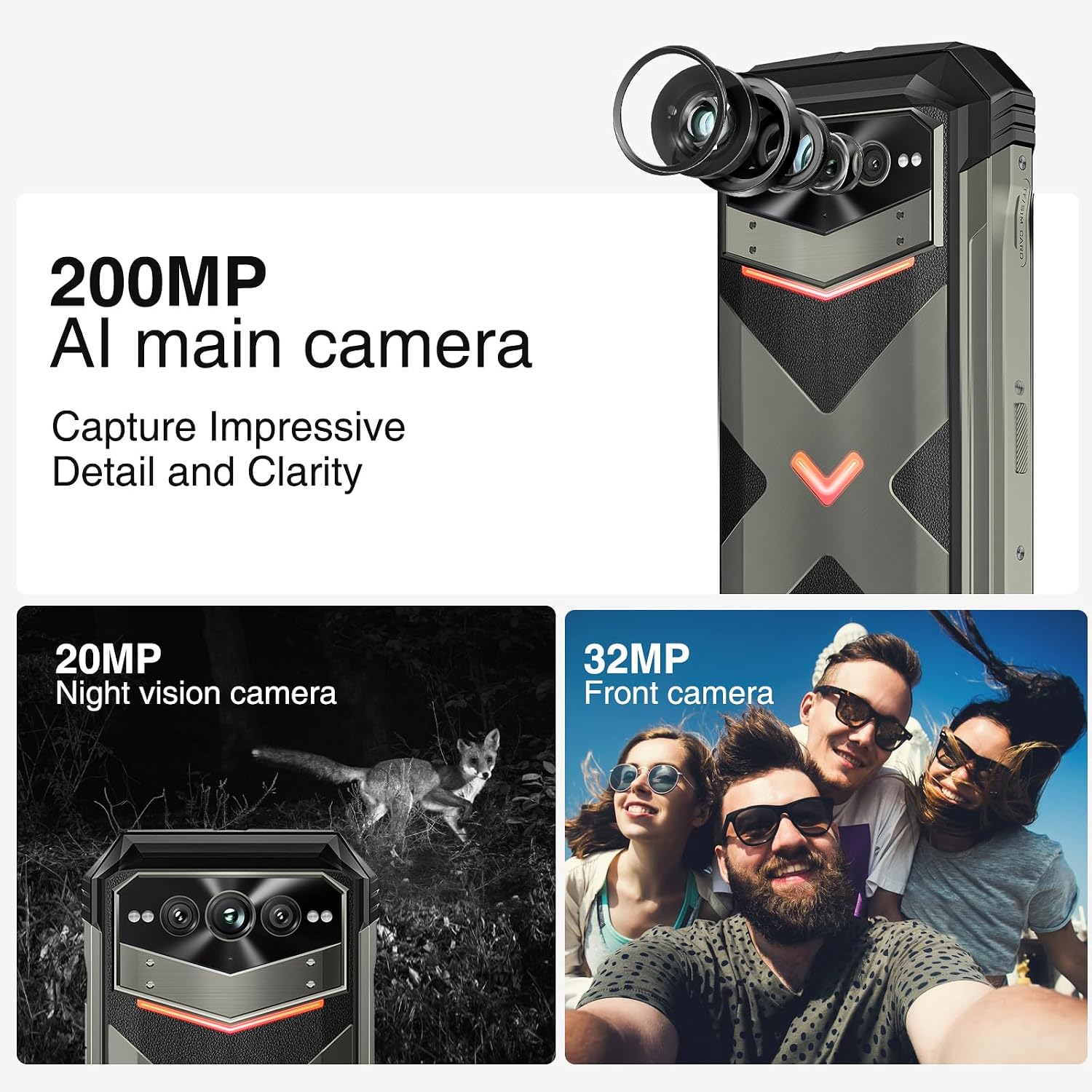
Figura 4: Mésview of the 200MP AI main camera, 20MP night vision camera, and 32MP front camera.
4.3 Visualització i interacció
The device features a 6.58-inch FHD+ display with a 120Hz refresh rate for smooth visuals.
- Pantalla: 6.58-inch FHD+ (2408x1080) display with Corning Gorilla Glass.
- Intelligent Interaction Lights: Customizable LED lights on the back for notifications, calls, and charging status.
- Desbloqueig per empremta digital lateral: For quick and secure access.

Figure 5: Display specifications including size, resolution, aspect ratio, and refresh rate.

Figure 6: Key interaction and connectivity features.
4.4 Connectivitat i rendiment
The DOOGEE V MAX Plus supports 5G connectivity and runs on Android 14, powered by a MediaTek Dimensity 7050 processor.
- Sistema operatiu: Android 14 for enhanced privacy and personalized settings.
- Processador: MediaTek Dimensity 7050 6nm 2.2GHz for efficient performance.
- Memòria i emmagatzematge: Up to 36GB RAM (12GB physical + 24GB virtual) and 512GB internal storage, expandable up to 2TB via microSD.
- Sense fil: Wi-Fi 6, Cellular (5G), NFC, GPS.

Figure 7: Processor, RAM, and ROM details.
5. Manteniment
To ensure the longevity and optimal performance of your rugged smartphone, follow these maintenance guidelines:
- Neteja: Utilitzeu un suau, damp cloth to clean the device. Avoid harsh chemicals or abrasive materials. Ensure all port covers are securely closed before cleaning with water.
- Resistència a l'aigua i a la pols: The device is IP68/IP69K rated. Ensure all port covers (USB-C, SIM tray) are fully sealed to maintain water and dust resistance. Do not intentionally submerge the device beyond its rated depth or duration.
- Cura de la bateria: Avoid extreme temperatures. Do not fully discharge the battery regularly. For long-term storage, charge the battery to about 50% and power off the device.
- Actualitzacions de programari: Comproveu i instal·leu regularment si hi ha actualitzacions del sistema per assegurar-vos que el vostre dispositiu tingui els pegats de seguretat i les millores de rendiment més recents.
6. Solució De Problemes
This section addresses common issues you might encounter with your DOOGEE V MAX Plus.
| Problema | Causa possible | Solució |
|---|---|---|
| El dispositiu no s'encén | Bateria baixa, bloqueig del programari | Carregueu el dispositiu durant almenys 30 minuts. Premeu i manteniu premut el botó d'engegada durant 10-15 segons per forçar el reinici. |
| Senyal de xarxa pobre | SIM card not properly inserted, network coverage issue | Reinsert the SIM card. Move to an area with better network coverage. Contact your carrier if the issue persists. |
| Camera glitches (e.g., video not saving) | Software bug, insufficient storage | Clear camera app cache/data. Ensure sufficient storage space. Check for system updates. If persistent, consider a factory reset (backup data first). |
| Screen scrolling is jerky | High background app usage, software issue | Close unnecessary background apps. Restart the device. Ensure software is up to date. |
| Device is heavy/bulky | Inherent design due to large battery and rugged build | This is a characteristic of rugged phones with large batteries. No specific solution, but users may adapt over time. |
7. Especificacions
| Característica | Detall |
|---|---|
| Nom del model | VMAXPLUS |
| Sistema operatiu | Android 14 |
| Processador | MediaTek Dimensity 7050 (velocitat de la CPU de 2.2 GHz) |
| RAM | 12 GB (ampliable fins a 36 GB) |
| Emmagatzematge intern | 512 GB (ampliable fins a 2 TB mitjançant microSD) |
| Mida de la pantalla | 6.58 polzades |
| Resolució | 2408*1080 (FHD+) |
| Freqüència d'actualització | 120 Hz |
| Càmera principal | 200MP |
| Càmera frontal | 32MP |
| Càmera de visió nocturna | 20MP |
| Capacitat de la bateria | 22000 mAh |
| Carregant | Càrrega ràpida de 33 W |
| Connectivitat | 5G, Wi-Fi 6, NFC, GPS |
| Resistència a l'aigua/pols | IP68/IP69K, MIL-STD-810H |
| Dimensions | 6.85 x 31.97 x 8.15 polzades |
| Pes | 15.2 unces (430 grams) |
8. Garantia i Suport
8.1 Informació de la garantia
Your DOOGEE V MAX Plus 5G Rugged Smartphone comes with a standard manufacturer's warranty. Please refer to the warranty card included in your product packaging for specific terms, conditions, and duration of coverage. Keep your proof of purchase for warranty claims.
8.2 Atenció al client
For further assistance, technical support, or service inquiries, please contact DOOGEE customer support through their official weblloc web o la informació de contacte que es proporciona a la documentació del producte. També podeu visitar el DOOGEE Store on Amazon per obtenir informació i recursos addicionals sobre el producte.